It’s been a long wait, but Power Admin is finally here, just as promised!
What started as a concept years ago for Joomla admin panel is now ready for you to explore in reality. Think of this as the moment the idea steps out of the imagination and into your dashboard — refreshed, refined, and built to make your everyday backend work feel a little smoother and a lot livelier.
So get ready because now is the time to explore the Power Admin Joomla template, where a cleaner and more comfortable backend experience awaits, just for you!
Note: This is a Beta release. We recommend using it on a staging or testing site first for maximum safety.
The Story Behind Power Admin
Before we begin, let’s take a quick trip down memory lane.
The Power Admin concept was first created back in 2017 as a vision for a new backend experience for Joomla 4. The idea was to inspire a more modern and intuitive administration interface that could improve how users interact with the Joomla dashboard. Over time, the concept gained a lot of attention and positive feedback from the community.
Now, after several thoughtful refinements and improvements, the concept is returning as a fully developed Joomla admin template. Power Admin is built to bring a cleaner, more comfortable backend experience while staying close to the workflow users are already familiar with.
First Look Into the All-New Power Admin
Power Admin was always ahead of its time, and now it’s ready to show exactly why.
So let’s explore the all-new Power Admin!
Simple Login Experience
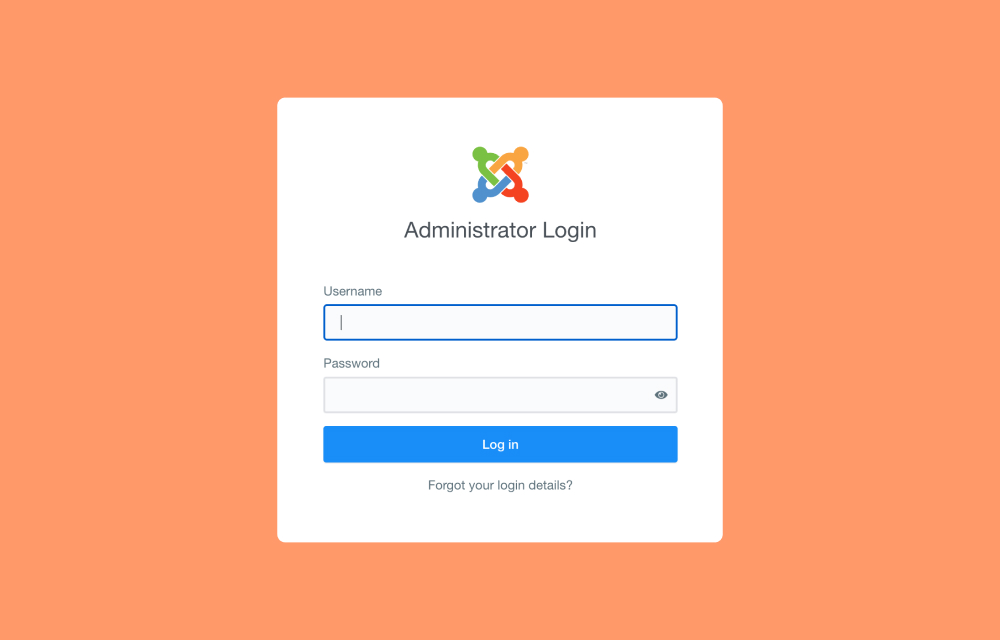
From the very first screen, Power Admin presents a clean and modern login panel while keeping the familiar Joomla feel intact.
Dashboard Overview
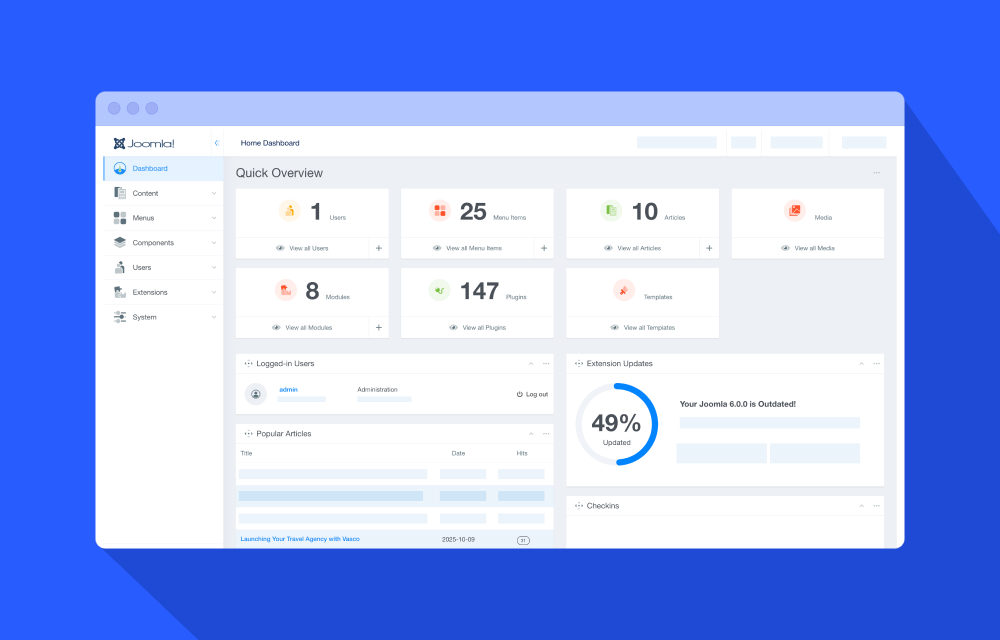
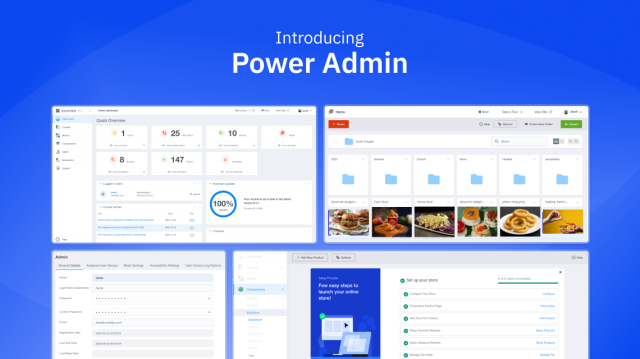
Experience a minimal, distraction-free dashboard the moment you log in. The dashboard provides a clear snapshot of your site’s essentials through organized modules and statistics cards.
- Modules are fully draggable, allowing you to rearrange the layout to match your workflow
- You can choose which modules to display or hide, just like the default Joomla dashboard
- The flexible design keeps customization simple while maintaining familiarity
Quick Overview Panel
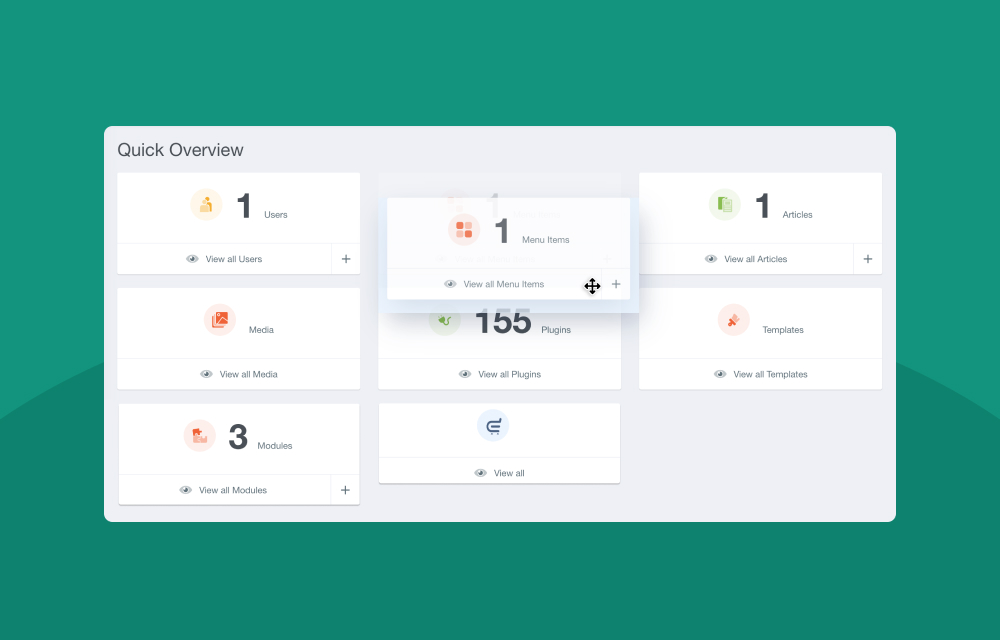
Get an instant snapshot of your site’s key metrics, such as Users, Articles, Menus, and Media, through clean overview cards.
Each card also works as a shortcut, taking you directly to the relevant section for faster management.
Dashboard Module Controls
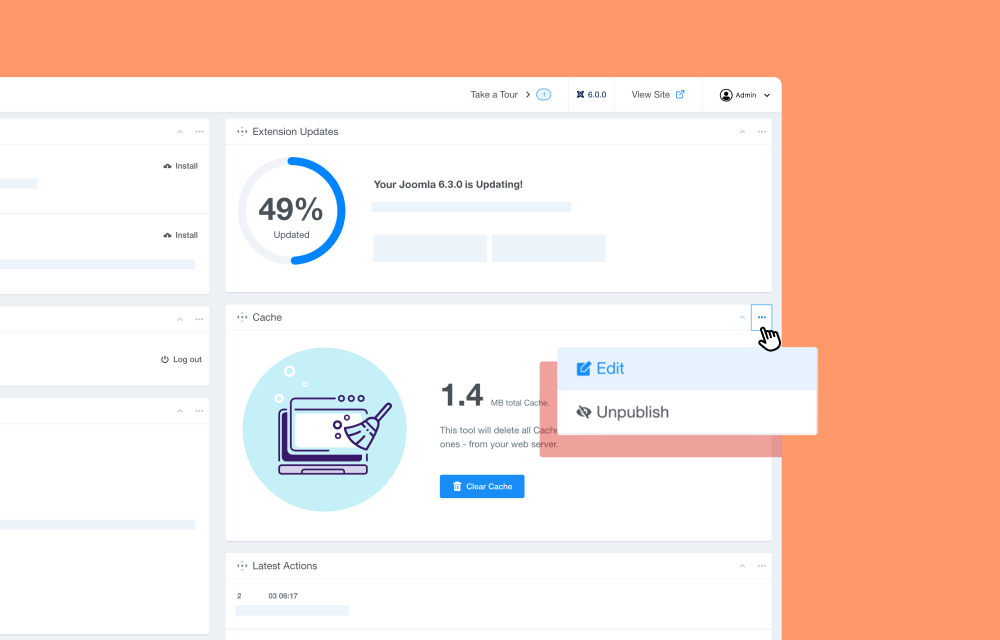
Manage dashboard modules easily with built-in controls. You can add, edit module settings, collapse or expand sections, or unpublish modules you don’t need to keep your workspace clean and focused.
Create Articles Instantly
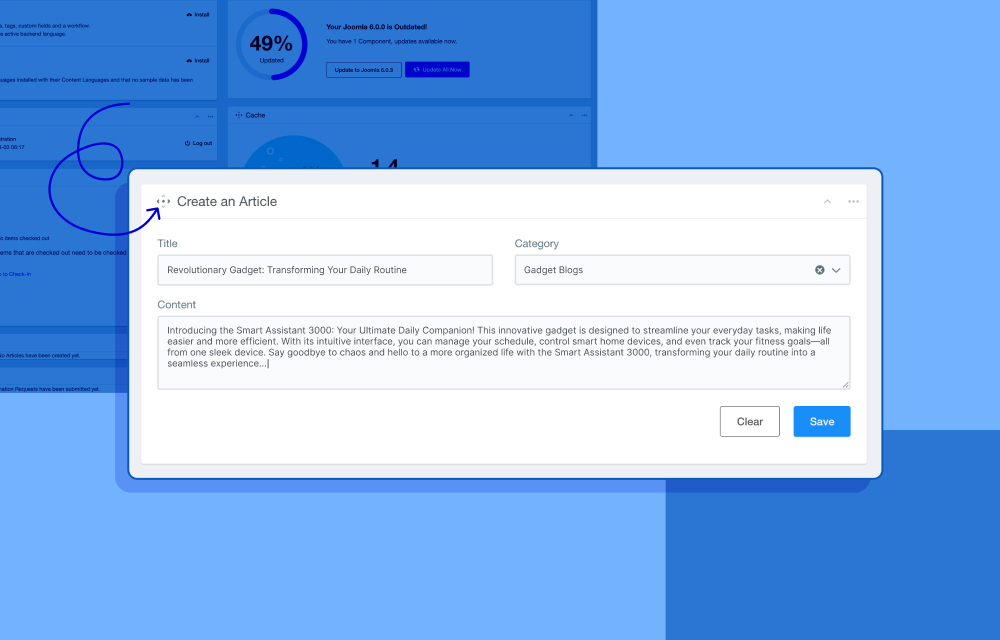
Start a new article directly from the dashboard by entering the title and selecting a category. Your article will be saved instantly and appear in the articles list, ready for further editing.
One-Click Cache Clear
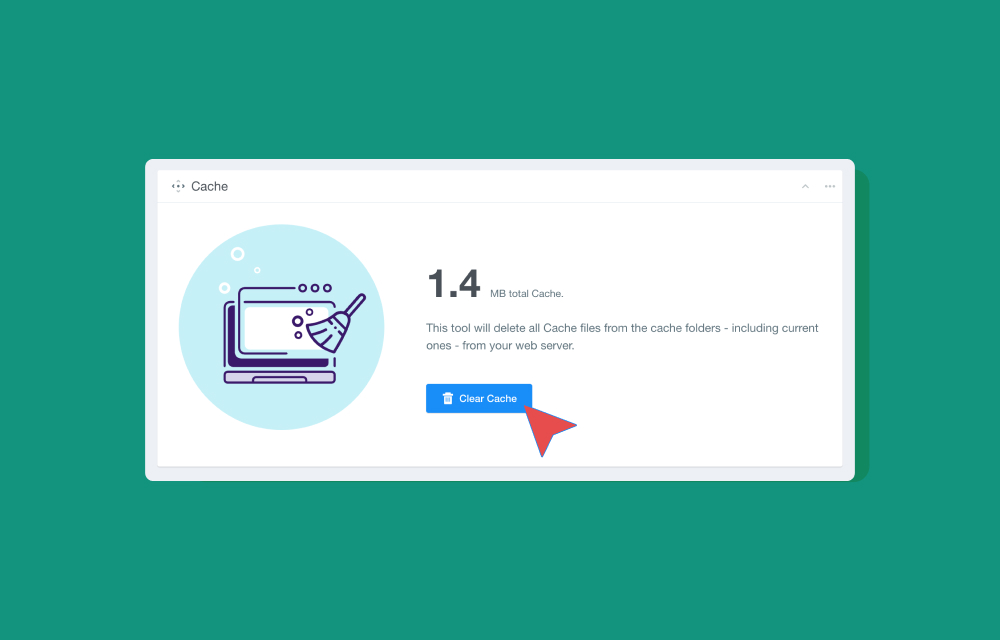
View your current cache size from the dashboard and clear it with a single click for quick and hassle-free maintenance.
Smarter Update Center
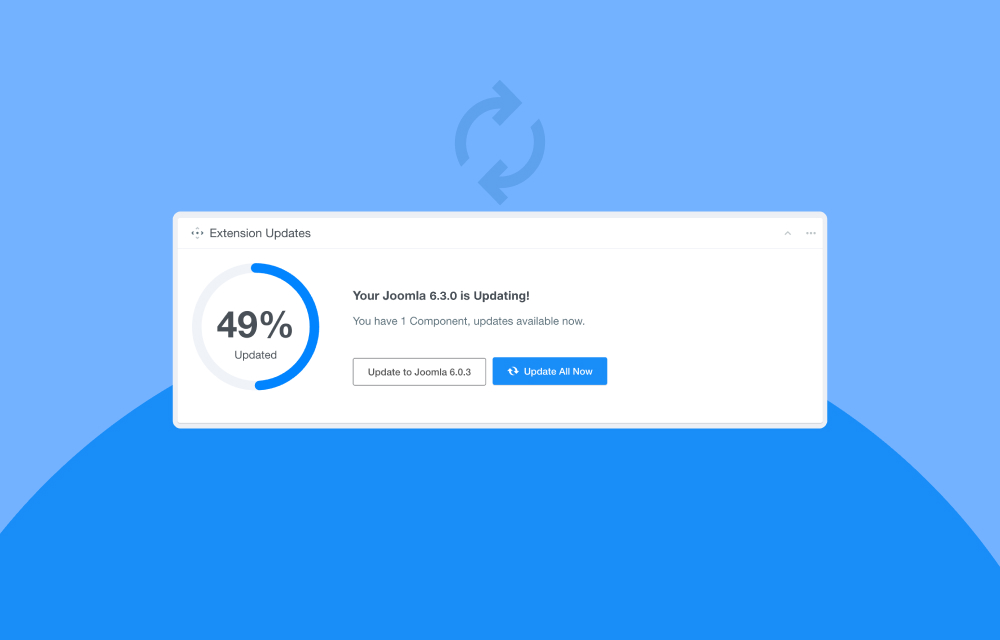
Stay on top of system updates with clear visual indicators showing extension update status. Use the direct action buttons to update extensions and keep your site secure and up to date.
A Better Way to Handle Joomla Content
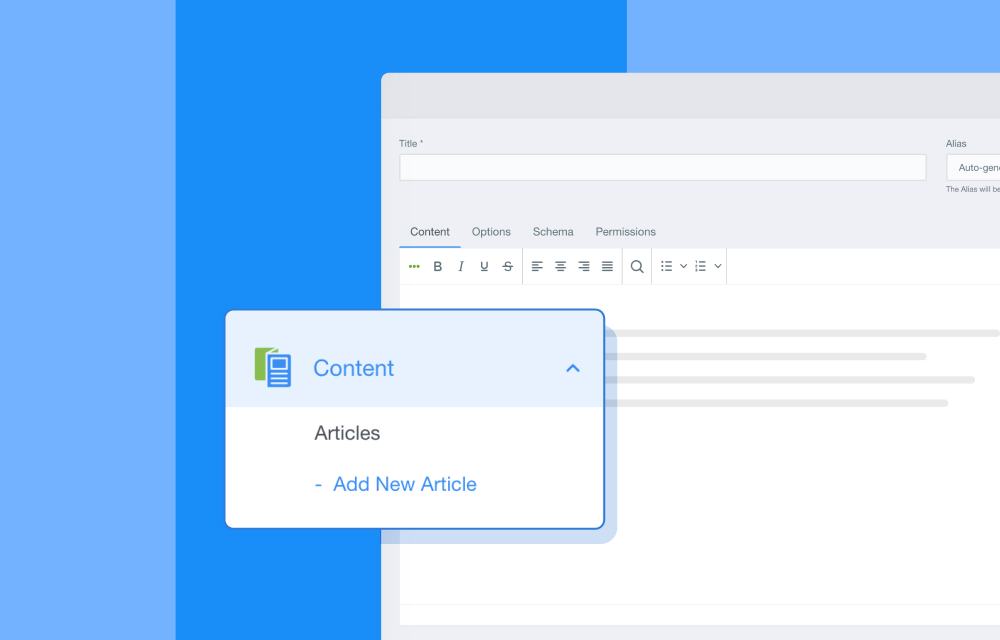
We introduced an “Add New Article” option directly below Articles to make content creation faster and more accessible. Instead of opening the articles list first, you can jump straight into writing with a single click.
It’s a small change that makes the workflow feel more direct and convenient.
Content Dashboard
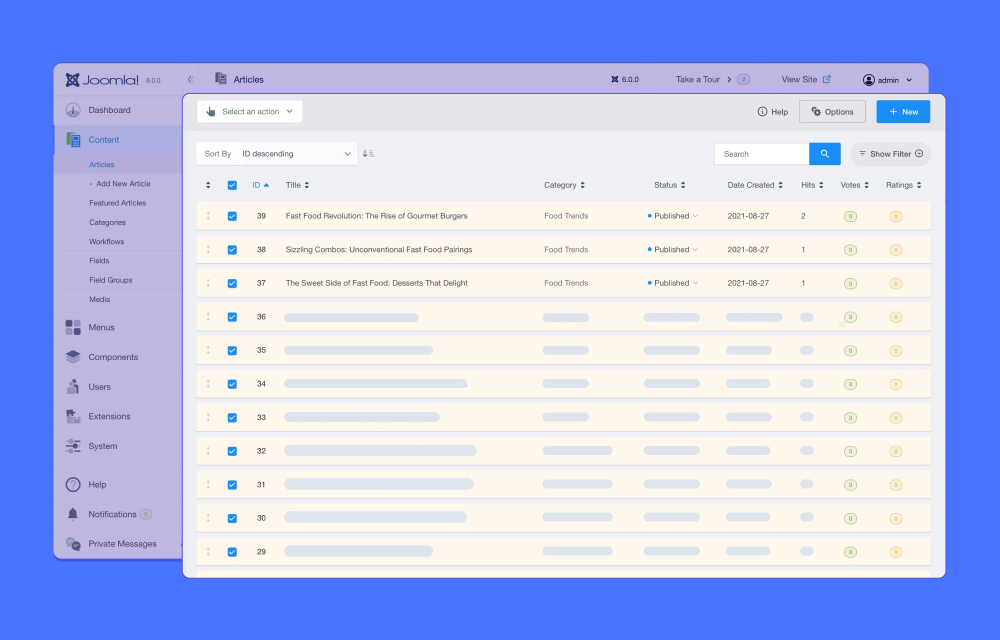
Articles are organized in a clear and easy-to-understand layout. The updated “Select an Action” button provides quick access to article management tasks, while essential information such as title, category, status, date created, hits, votes, and ratings is displayed in one clean view.
Distraction Free Article Editor
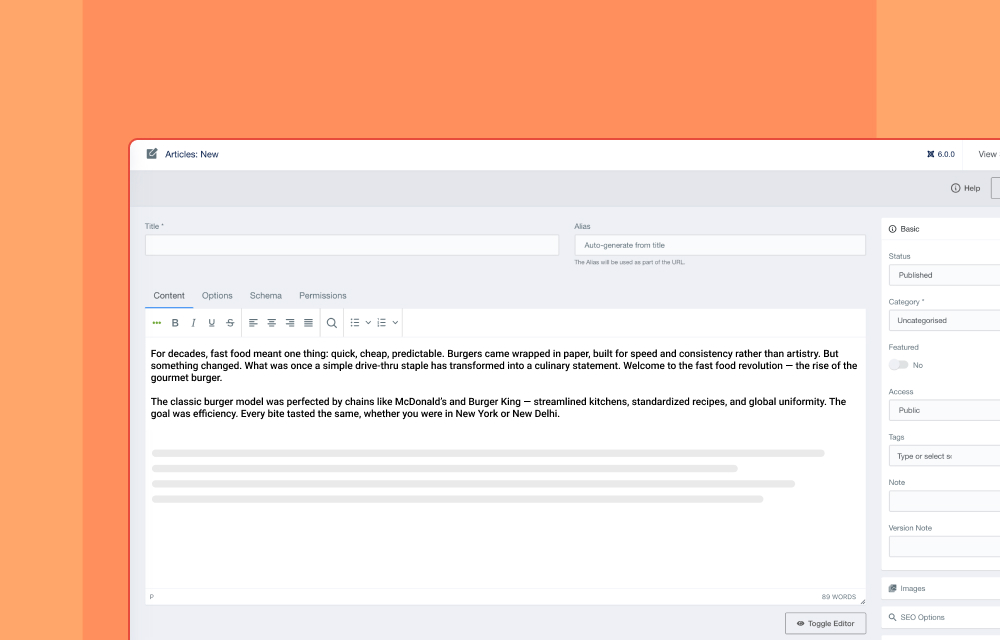
The article creation interface has been redesigned to help you stay focused while writing. The Basic, Images, SEO Options, Links, and Publishing settings are neatly placed on the right side, keeping the workspace clean and distraction-free.
Refreshed Media Manager
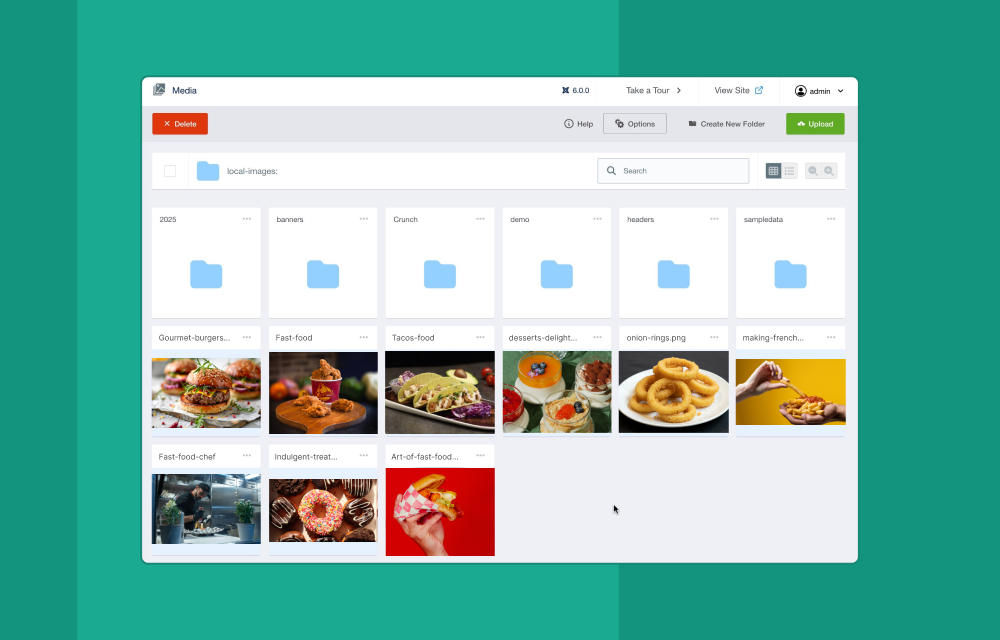
Media Manager in Power Admin brings a cleaner and more comfortable way to handle your media files inside the Joomla environment.
It’s all about keeping things simple, organized, and easy to work with while you upload, manage, and access your images and other media assets.
Clutter-free Workspace for Menus
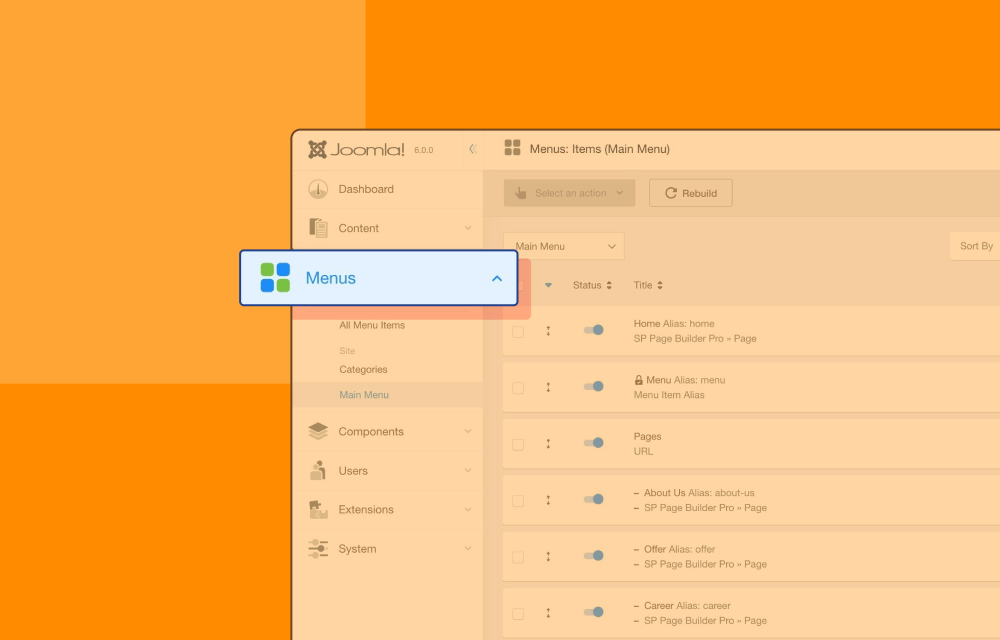
The Menus section is optimized for daily usability. While the familiar navigation structure is preserved, menu management has been made smoother and more convenient.
You can publish or unpublish menu items instantly using the toggle button in the Status column.
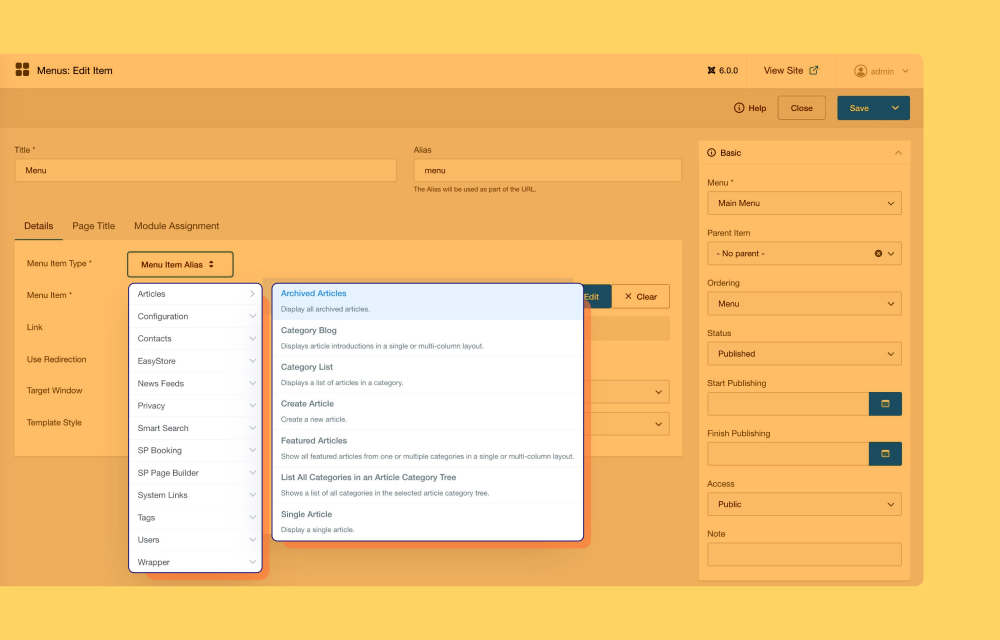
Creating or editing menus is also easier with Menu Item Types presented in a dropdown list with hover preview options. Supporting settings such as Basic, SEO, Link Type, SEO Options, and Page Display are arranged on the right side for a cleaner editing experience.
Refined Components View
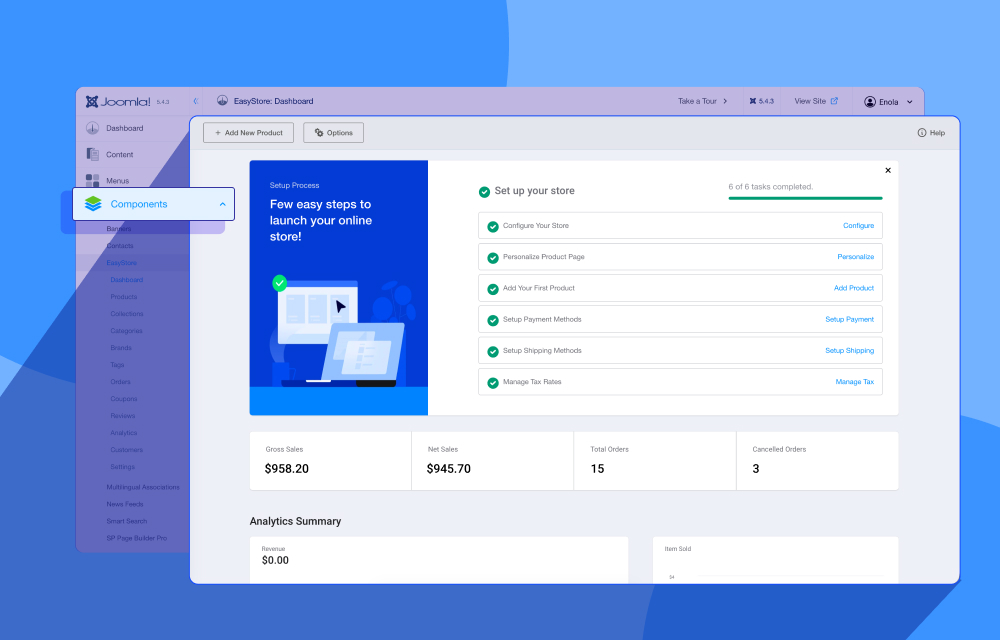
The Components section has been redesigned visually while keeping its functionality unchanged. You’ll still experience the same behavior you are familiar with, now wrapped in a cleaner and more modern interface.
Organized User Management
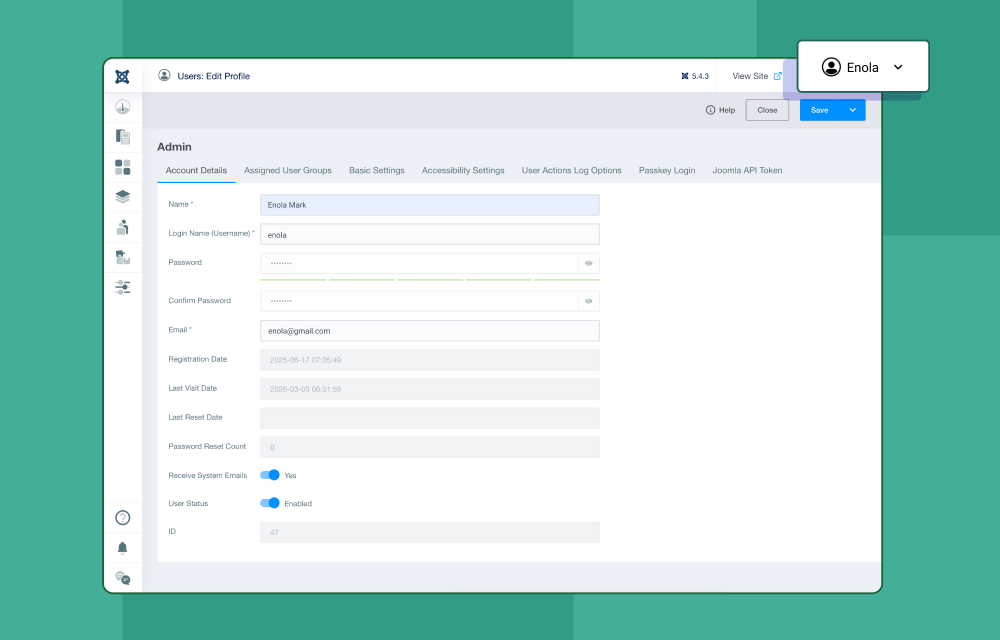
The Users section maintains the familiar structure of Joomla user administration, so you can manage users without learning a new workflow. It includes options such as Manage, Groups, Access Levels, Fields, User Notes, Privacy, and Mass Mail Users.
Unified Extensions Hub
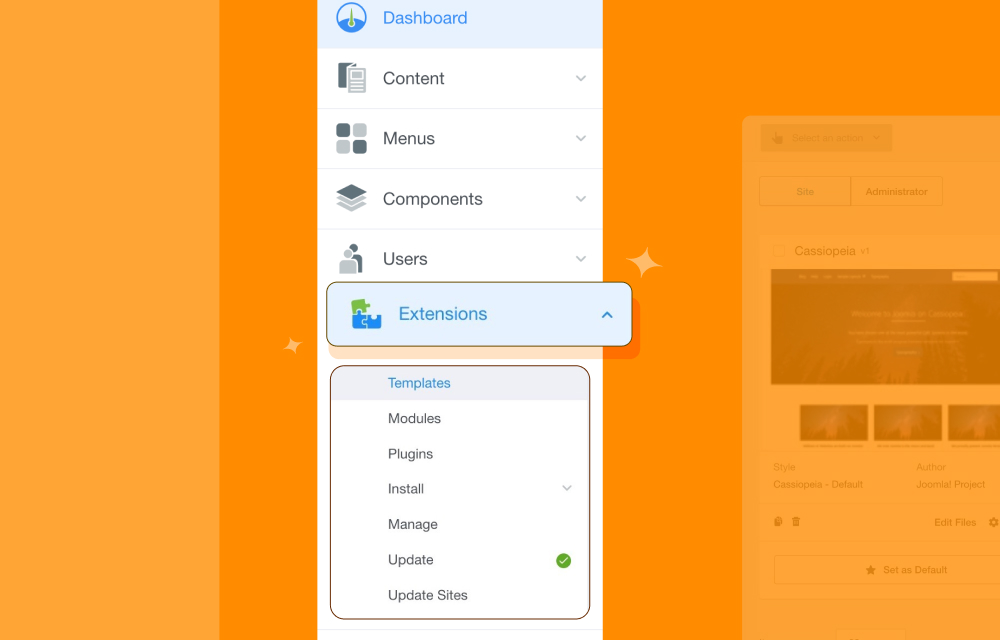
The Extensions section is a newly added area in Power Admin that brings extension management into one convenient menu. You can easily access Templates, Modules, Plugins, Install, Manage, Update, and Update Sites from here, making extension handling more organized and accessible without searching through multiple locations.
- Templates: Manage templates both for your site and administrator.
- Modules: Enable, disable, or configure modules to organize content display across different pages.
- Plugins: Get a quick overview of your installed plugins and easily manage both enabled and disabled ones from a single place.
- Install: Install extensions, languages, and discover extensions that have not gone through the normal installation process.
- Manage: View, manage, and configure all installed extensions from one place.
- Update: All outdated extensions that need updating will be listed here. Review and apply updates to keep your extensions secure, stable, and performing at their best.
- Update Sites: Control trusted sources where the system checks for extension updates.
Convenient Systems Settings
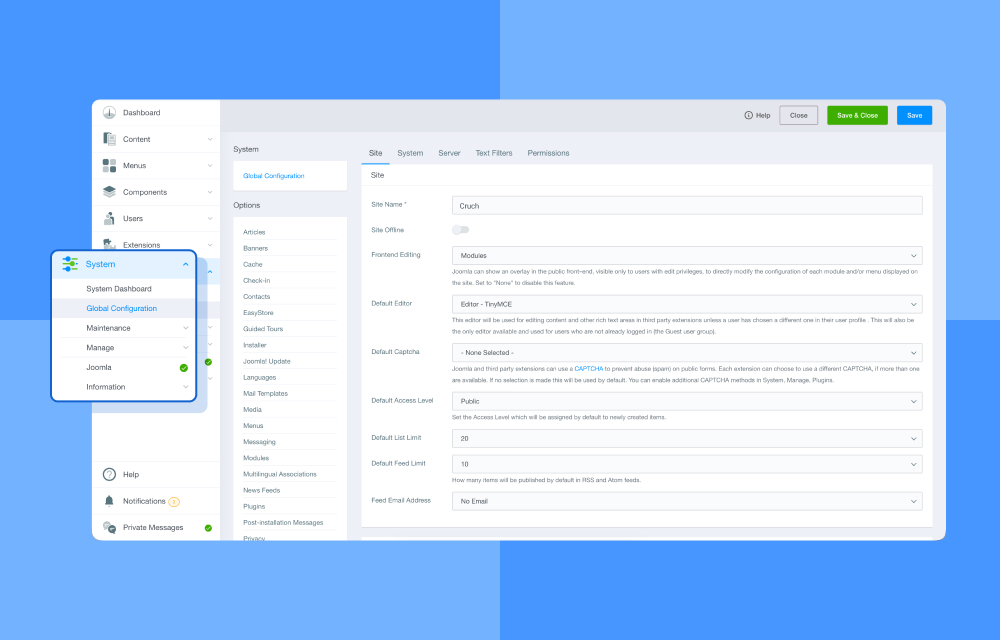
In the default Joomla admin, system-related settings are grouped inside a single page under Systems. In Power Admin, these settings have been reorganized and pulled out into the expanded Systems menu, allowing you to access Global Configuration, Maintenance, Manage, Joomla, and Information directly without opening an additional dashboard page. This makes navigation more direct while keeping everything logically structured.
If you prefer the classic approach, the System Dashboard option still gives you a centralized overview of all system settings.
Help, Notifications & Private Messages
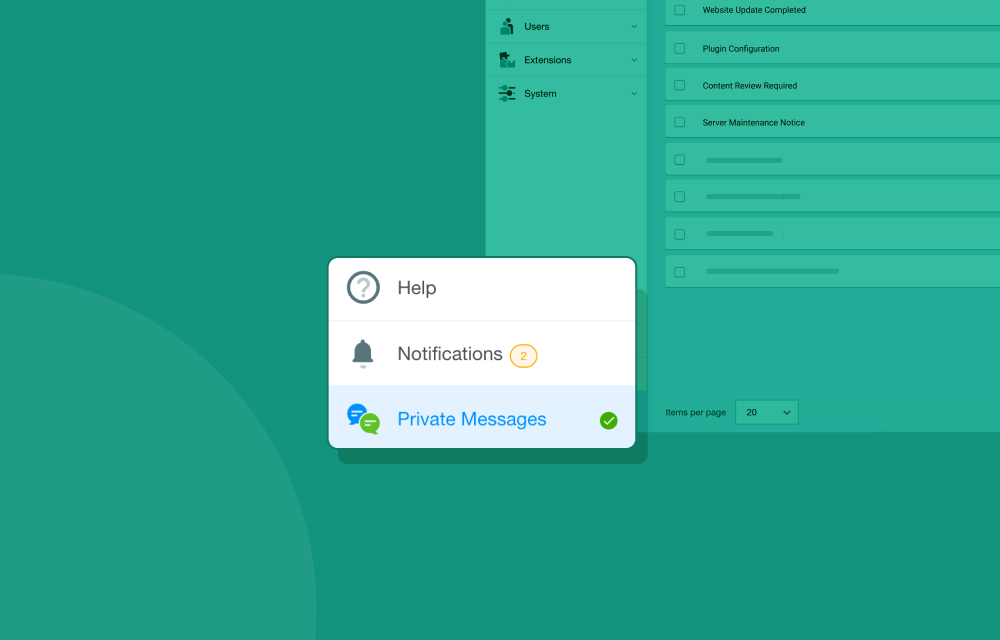
The Help, Notifications & Private Messages panel is conveniently placed at the lower left corner of the dashboard, keeping it accessible without interrupting your workspace.
This subtle positioning helps maintain a clean and focused interface while still allowing you to quickly access support and communication tools whenever needed.
- Help: Provides quick access to guidance and support related to Joomla administration whenever you need assistance.
- Notifications: Keep you updated with important system or site alerts so you can stay informed about activities and changes.
- Private Messages: Allows you to view and manage personal messages from admins directly from the dashboard for better communication management.
Who Can Avail Power Admin?
Here’s the exciting part. Power Admin is completely free Joomla admin template and open to every Joomla user. If you enjoy working with Joomla and want a fresher, cleaner, and more organized backend experience, Power Admin is a simple yet powerful way to upgrade your dashboard.
Time to Take Power Admin for a Spin!
Before releasing the stable version, we want to address issues and feedback reported by our users to make Power Admin work and feel even better. So try out this Beta version on a staging site and let us know your experience in the comments.
Happy testing!
Comments (14)