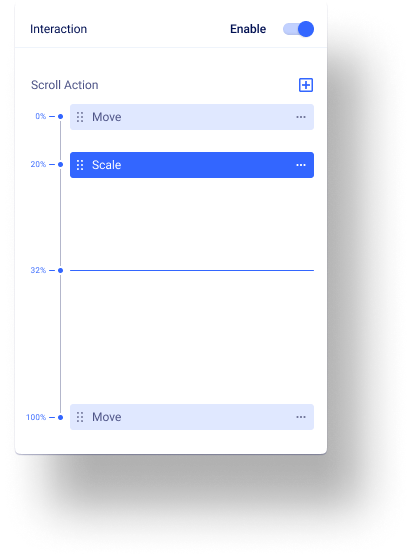
Create animations, designs, and shapes as the users move up and down across web pages. With interaction effects, you can craft an object on the move.
Connect the dots
Create animations, designs, and shapes as the users move up and down across web pages. With interaction effects, you can craft an object on the move.
While Scrolling Into View
Visualize information interactively
Effects like Move, Scale, and Rotate let you represent your information smartly, grab attention easily, & make an impact instantly. Let Interactions show a new way of data visualization.
Go beyond the ordinary flat page layouts
Hub is extremely light. A rock-solid structure and next-generation technologies deliver the maximum performance with minimum resources.
Interaction you can Imagine!
Other atoms decay by emitting beta Particles, negatively-charged energy that is lighter and faster,
/01
Skew
Effects like Move, Scale, and Rotate let you represent your information smartly, grab attention easily, & make an impact instantly.
Board app ya..
5433
Price
1
6 days
Tri app ya..
32533
Price
2
12 days
/02
Scale
/03
rotate
/04
blur
/05
move
/06
opacity
Richard
Kevin
Founder & CEO
Read Portfolio
/07
3d tilt
Don't Wait While Competitors Are Thriving
Why would you lag behind? Start building amazing sites now! SP Page Builder is all you need.