

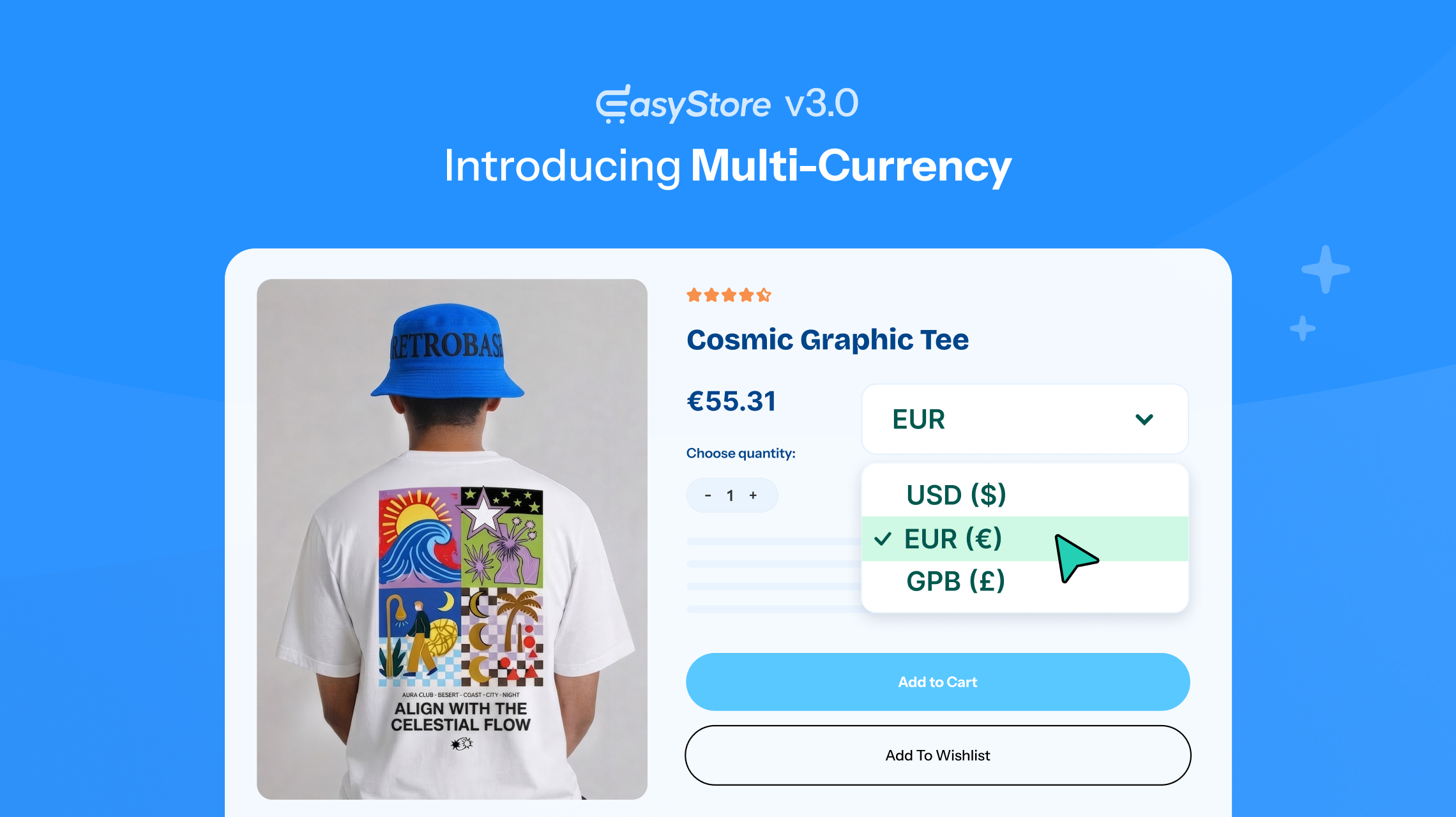
Okay, it’s time.
We’ve kept this one under wraps for a while. A lot has happened behind the scenes, and we’ve been working hard to make the next version of EasyStore something worth the wait.
Now, the wait is over.
EasyStore 3.0 is finally here!
And this isn’t just another update. It’s the start of fresh new chapter for EasyStore, with plenty of changes that we’re really excited to put in your hands.
So, enough with the teasing.
Let's take a look at everything waiting for you in EasyStore 3.0!
What's New in EasyStore 3.0 At a Glance
- Multicurrency Support: Let customers view product prices and place orders in their preferred currency.
- Catalog Mode: Turn your store into a product catalog by disabling purchasing while keeping your products visible.
- Custom Fields: Add custom fields to collect additional product or customer information.
- Product Comparison: Allow customers to compare multiple products side by side with configurable comparison options.
- Email Template Builder: Create and customize email templates for your store's notifications.
- Buy Now Button: Add a direct Buy Now option and configure how customers proceed with their purchase.
- Single Product Module: Display a specific product anywhere on your website using the dedicated module.
- Customer Import & Export: Easily import customer data into EasyStore or export it for management and backup.
Sell Globally with Multicurrency Support
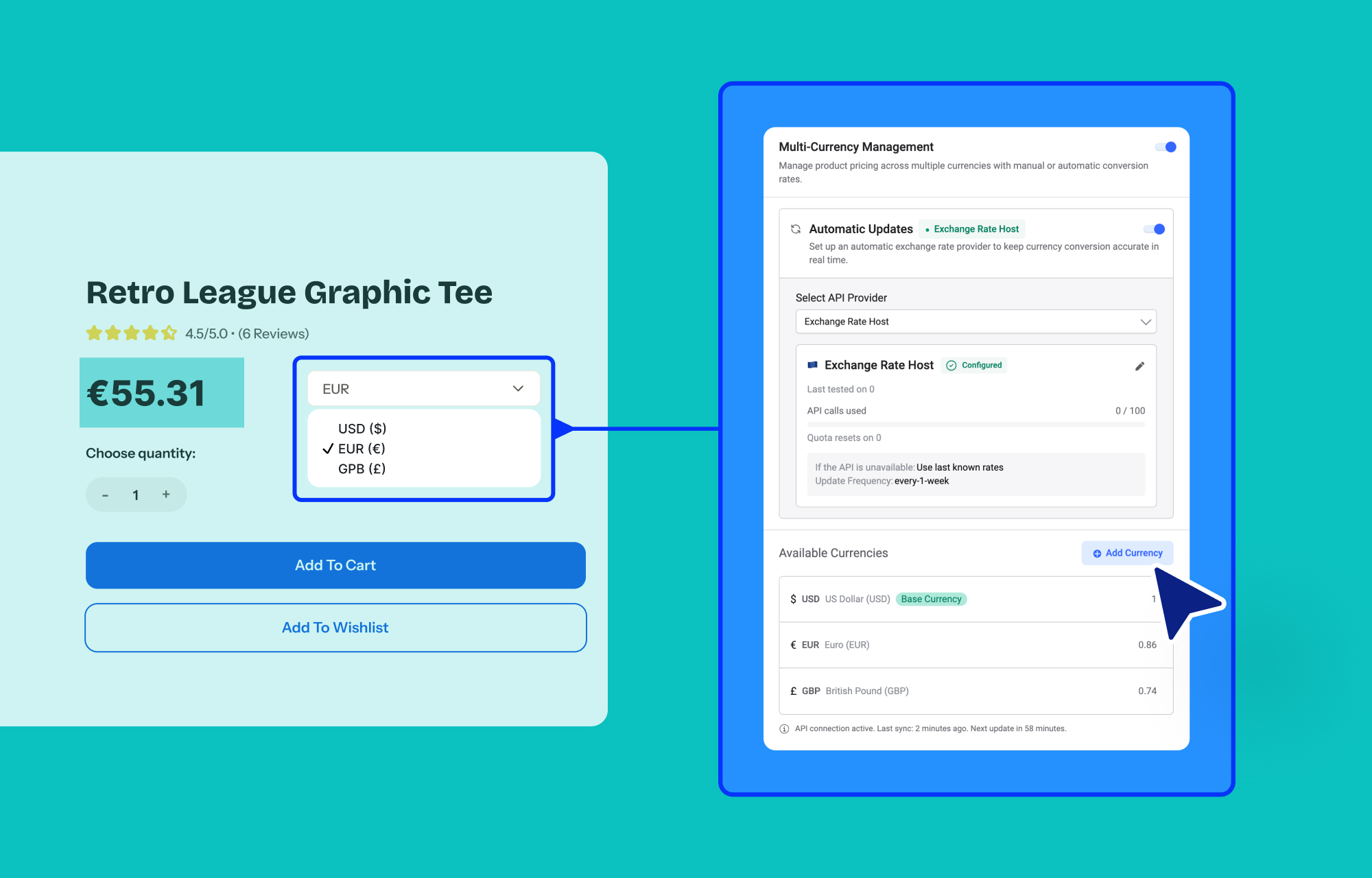
Selling to customers in different countries usually means dealing with different currencies. With EasyStore 3.0, you can now add multiple currencies to your store and let customers shop using the currency they're familiar with.
Automatically Update Currency
Keep your currency rates up to date automatically with real-time currency conversion. When enabled, EasyStore automatically retrieves the latest exchange rates, so your converted prices stay aligned with current market rates.
Manually Update Currency
Prefer to have complete control over your rates? You can manually update currency exchange rates whenever you need to. This is useful if you want to use your own rates instead of relying on automatic updates.
Set Update Frequency
Choose how often EasyStore should update your exchange rates. You can set the update frequency based on how often you want your store's currency rates to be refreshed.
Currency Switcher Module
Customers can switch between the currencies you've enabled right from the storefront with the new Currency Switcher module.
Add the module wherever it fits best on your site, and shoppers can change the displayed currency without having to leave the page.
Let Customers Pay in Their Currency
Showing prices in a familiar currency is useful, but letting customers pay in it too takes things a step further.
When your payment gateway supports the selected currency, customers can complete their purchase in that same currency. This means they can browse, check the price, and pay without switching back to your store’s default currency at checkout.
Turn Your Store Into a Product Showcase with Catalog Mode
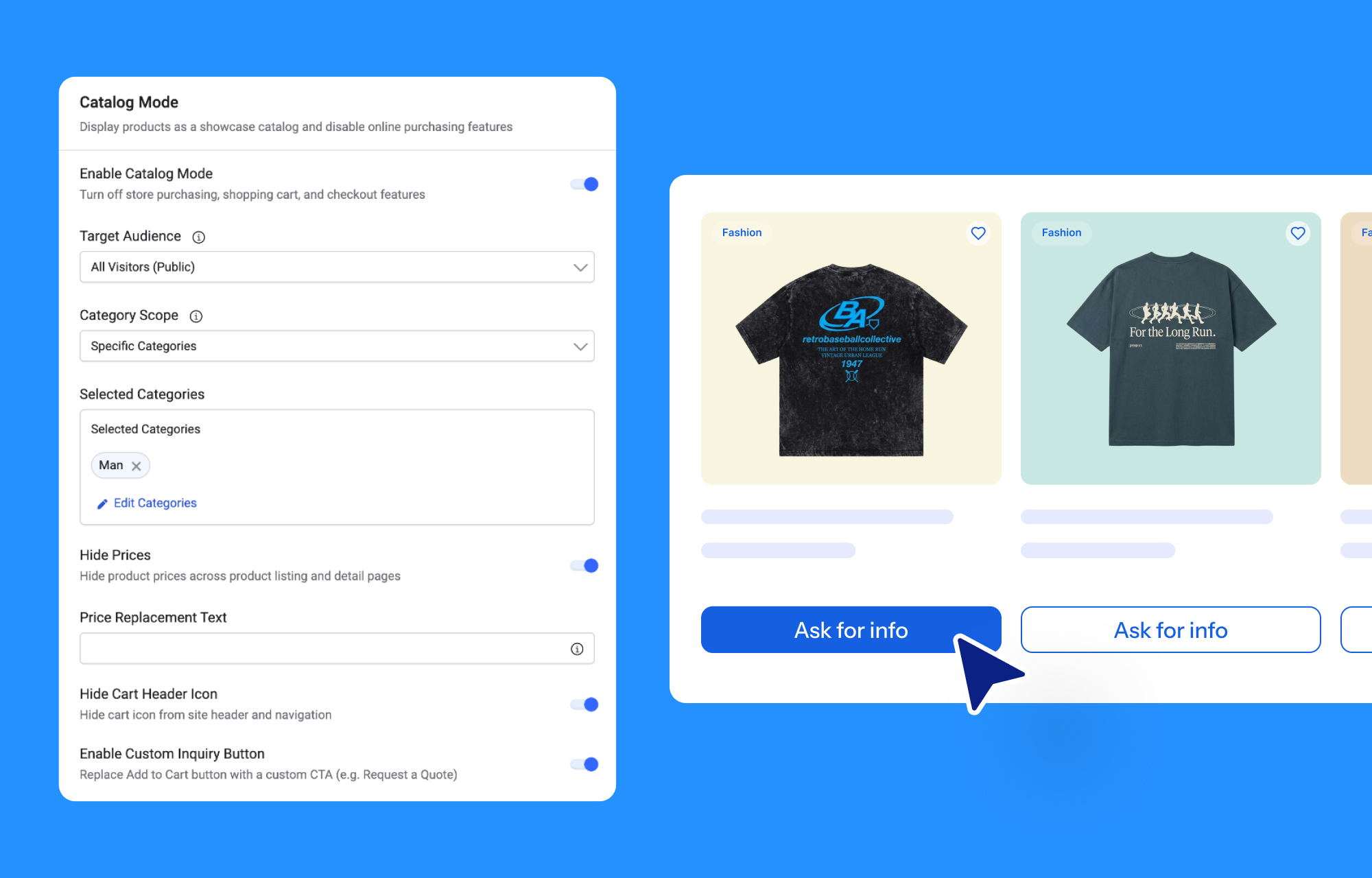
Sometimes you want your website to show what you sell, but you don't want customers to place an order directly.
That's exactly what Catalog Mode is for.
When enabled, it turns your storefront into a product catalog by removing the purchasing options while keeping your products available for browsing.
Catalog Mode is especially useful for businesses that:
- Sell wholesale
- Take custom orders
- Handle orders through inquiries
- Want to showcase products without selling them directly
You can also configure Catalog Mode according to your needs, including applying it to specific categories.
Custom Fields for More Product Information
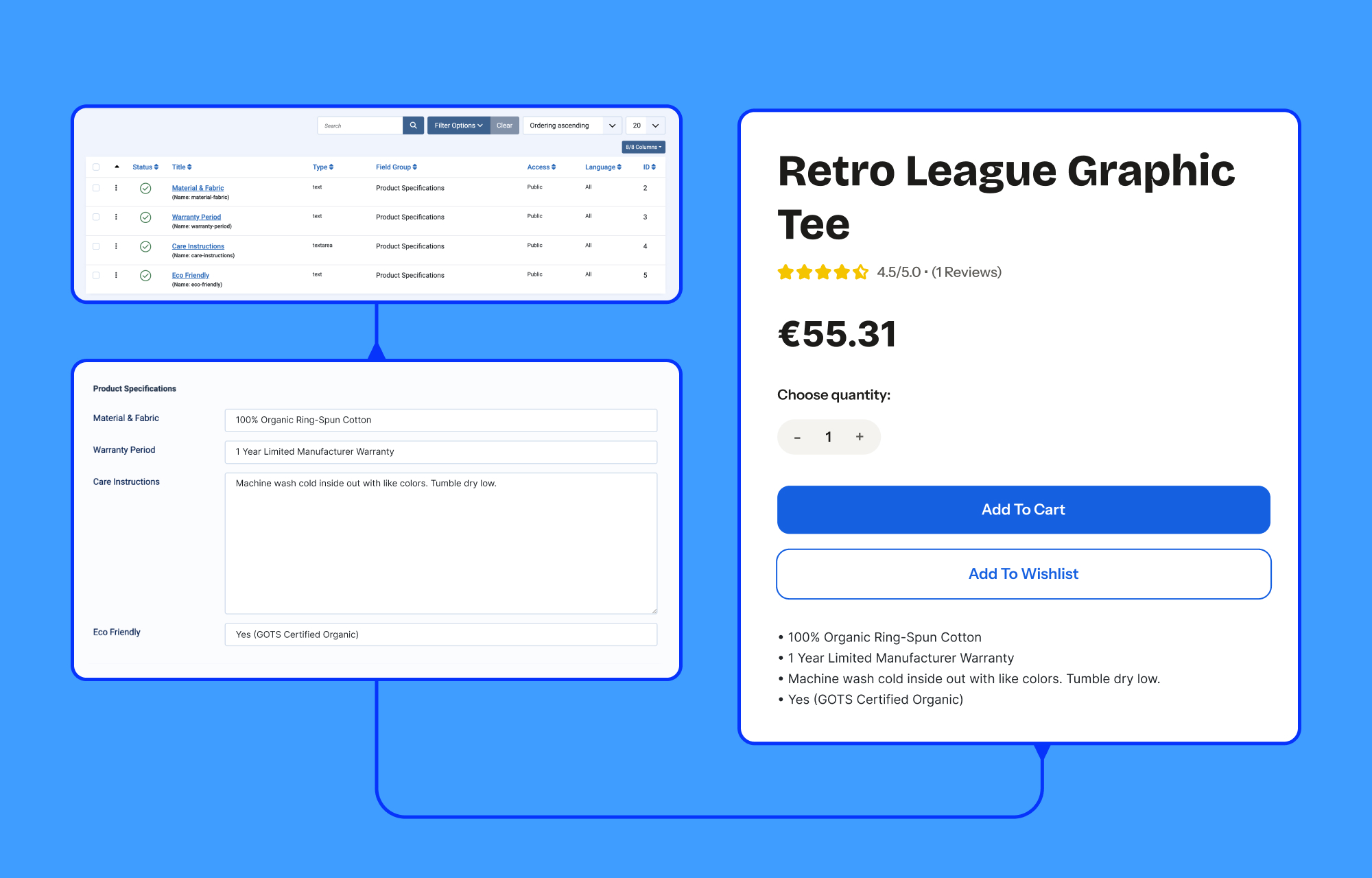
Not every product fits neatly into the standard fields that come with an online store.
With Custom Fields, you can add extra information to your products and customers based on what your business actually needs.
Add details that don’t fit into the default product structure and give your store more room to work the way you want.
Help Customers Compare Products
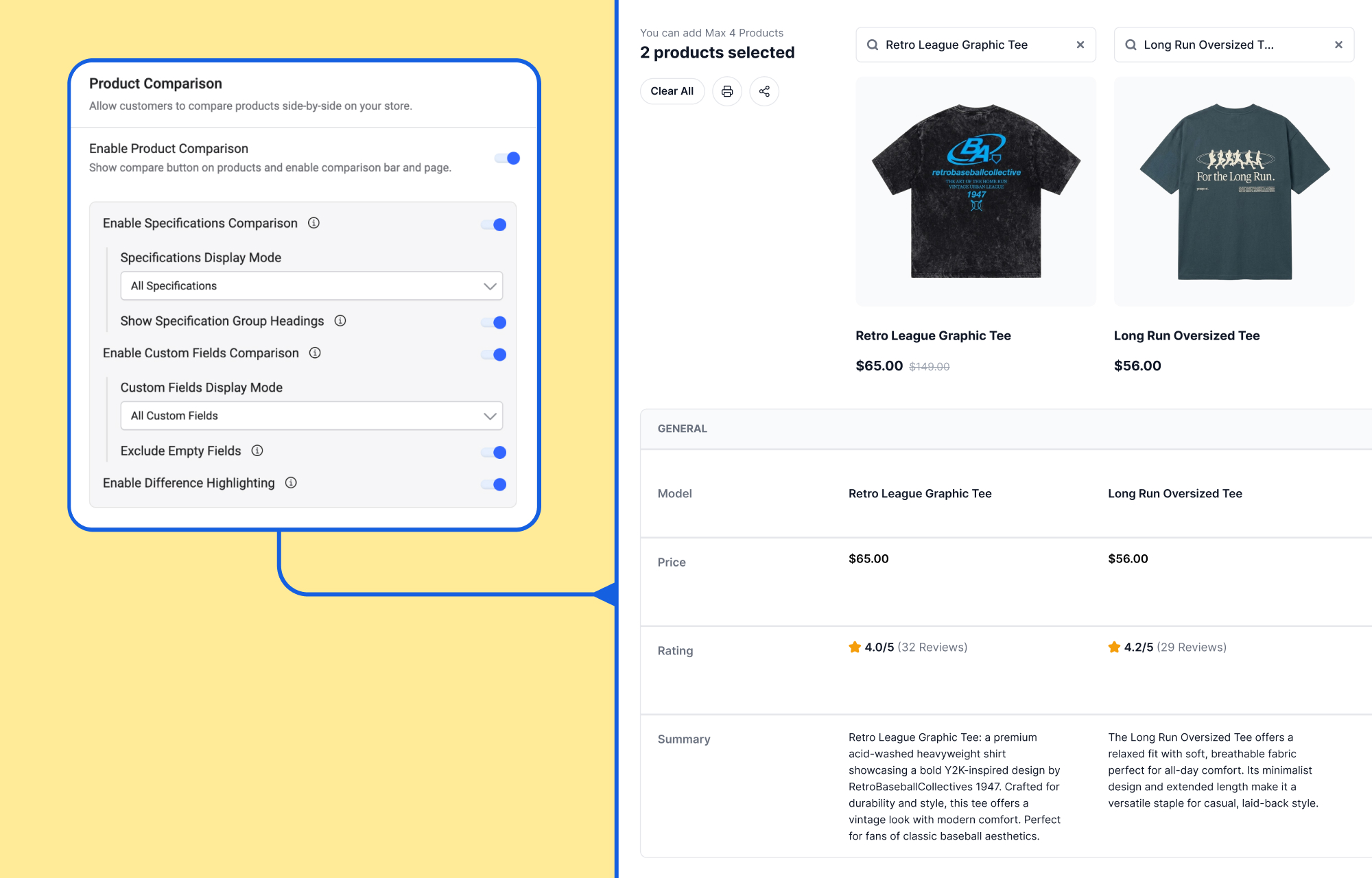
Choosing between similar products can take a bit of back and forth. Customers may open several product pages just to compare prices, features, or specifications.
Product Comparison puts those details side by side.
Customers can select multiple products and compare their information in one place, while you can configure the comparison options from the backend to suit your store.
It’s a particularly useful addition for stores where customers often need to weigh up similar products before making a decision.
Give Your Notification Emails a Personal Touch
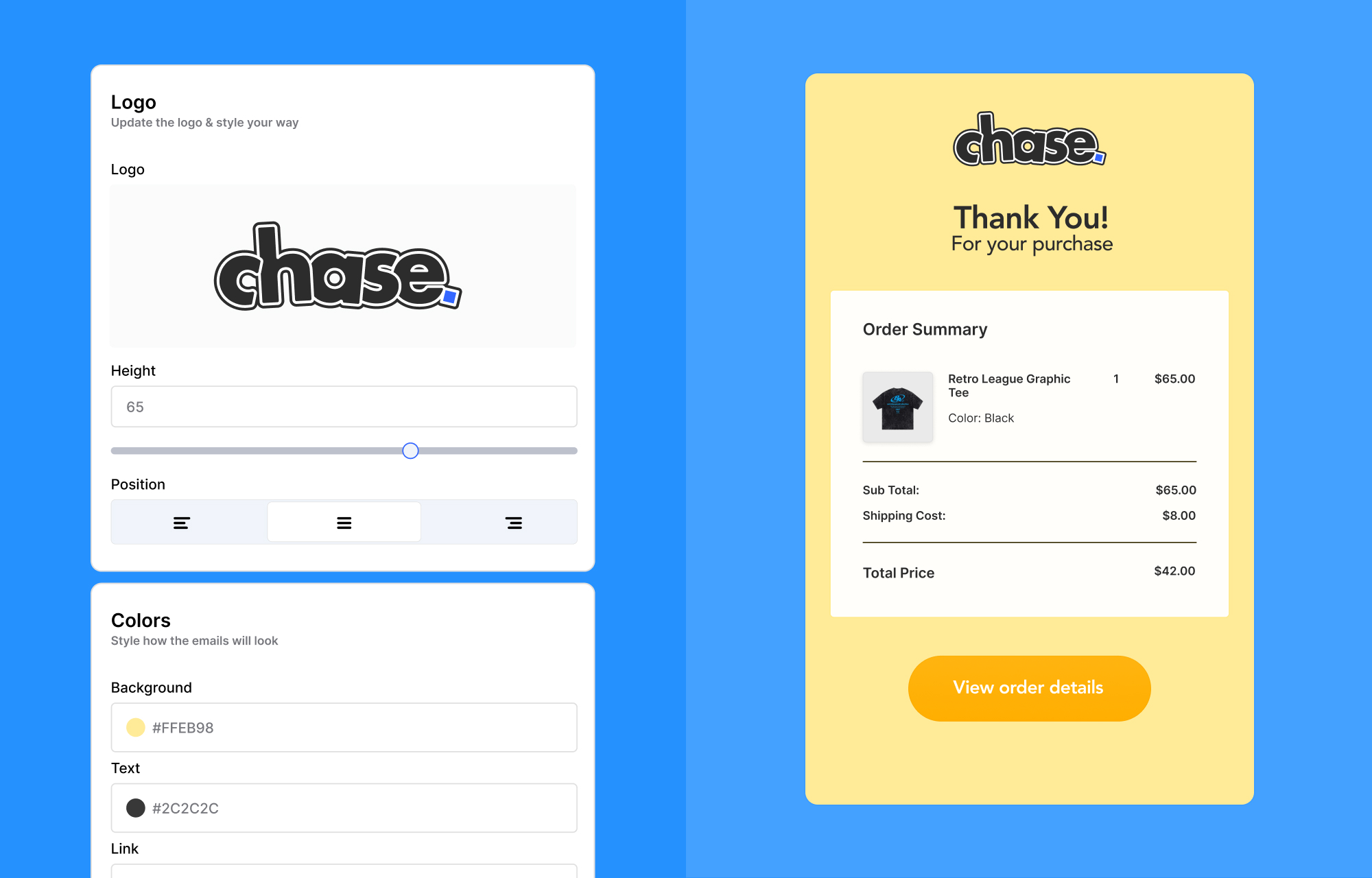
Your store emails are part of your brand experience too. With the new Email Template Builder, EasyStore 3.0 gives you more control over how your order emails look and feel.
The visual editor lets you customize key design elements, including:
- Logo height and position
- Email background color
- Text color
- Labels and other styling options
But the customization doesn’t stop at the design. You can also use shortcodes to add dynamic order and customer information to your emails. For example, the {order_number} shortcode automatically displays the customer’s order number in the email.
Feature Products Anywhere on Your Site

Want to put one product front and center? The new Single Product module lets you display a specific product wherever you want on your website.
Feature a best-seller on your homepage, highlight a new arrival on a landing page, or give a product its own spot in a promotional section.
No full product listing needed. Just pick the product and give it the spotlight.
Import and Export Customers in Bulk
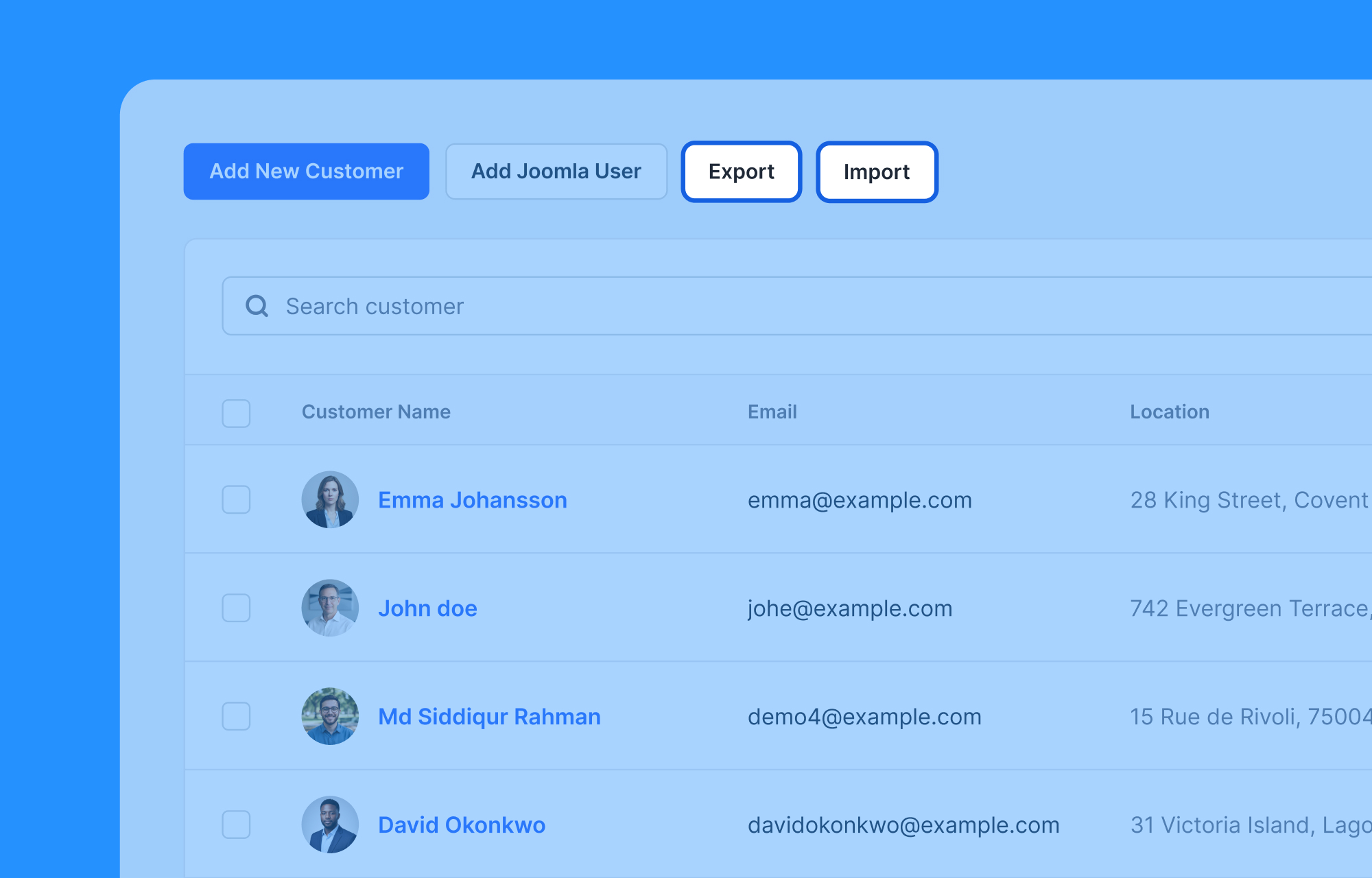
Moving customer data around doesn’t have to mean entering everything manually.
With Customer Import & Export, you can import customer information into EasyStore or export it in bulk whenever you need it.
It can come in handy when you migrate data, manage a larger customer base, create backups, or need to work with your customer records outside EasyStore.
A Better Checkout and Payment Experience
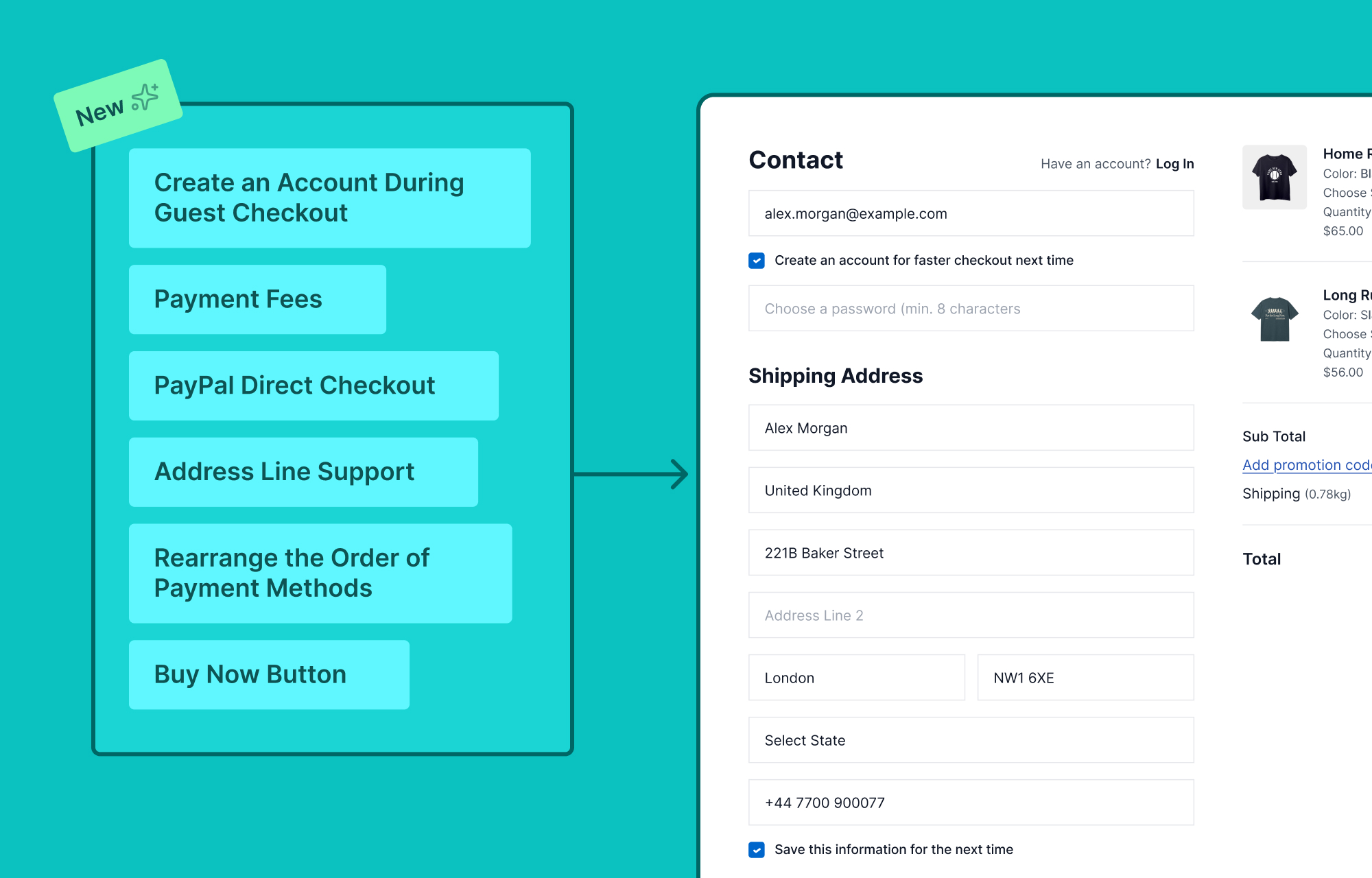
We've also made quite a few changes to checkout and payments in EasyStore 3.0.
- Modern Checkout Layout: Enjoy a cleaner, more modern checkout layout that helps customers follow each step with ease.
- Create an Account During Guest Checkout: Let customers create an account during checkout without going through a separate registration process.
- Buy Now Button: Give customers a faster way to start their purchase without going through the usual shopping flow.
- Payment Fees: Add fees to specific payment methods to cover additional processing costs at checkout.
- PayPal Direct Checkout: Give customers a more direct way to complete their purchases with PayPal.
- Rearrange the Order of Payment Methods: Choose how payment gateways appear at checkout and put your preferred options first.
- Address Line Support: Give customers more room to enter detailed delivery addresses with address line support in checkout and shipping carrier lookup.
Together, these updates give you more ways to set up your checkout the way you want. Whether you want a faster purchase process, more payment options, or simply a cleaner checkout, EasyStore 3.0 gives you plenty of new options to work with.
Easier Order and Invoice Management
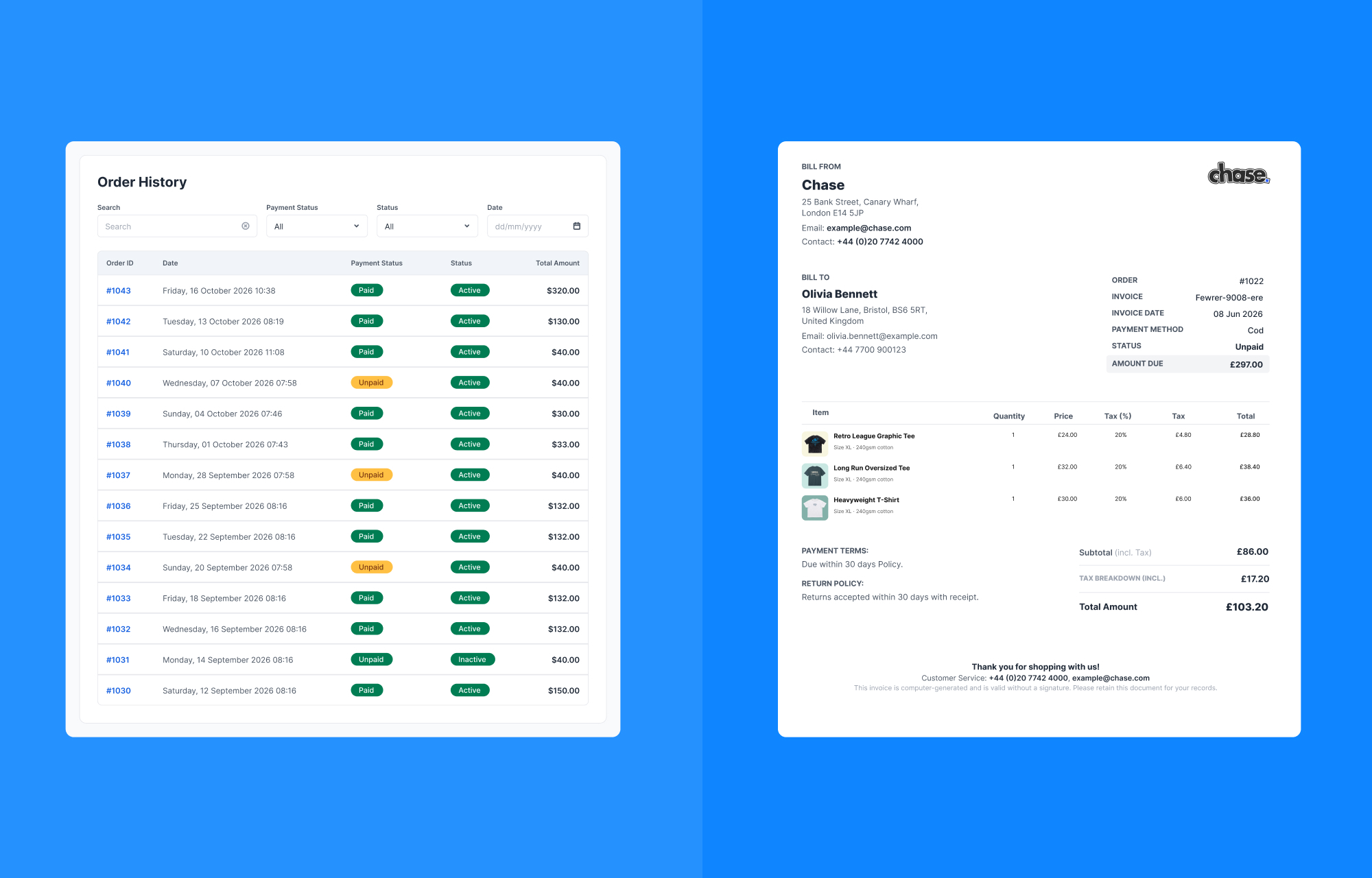
Once the orders start coming in, the work doesn’t stop. EasyStore 3.0 also brings a few changes to help you stay on top of them.
Multi-page Invoices
Large orders can make a single-page invoice pretty crowded.
With Multi-page Invoice Layout support, longer invoices can now continue onto additional pages instead of trying to squeeze everything into one.
A New Side Panel for Orders
The Order List now comes with a side-panel layout.
You can open an order, check its details, and return to the list without leaving the page. If you're working through a bunch of orders, this makes things much quicker.
Improved Tax Calculations
We've also updated tax calculations in order details and invoices to improve how tax information is handled across these areas.
More Improvements Under the Hood
Of course, a major release isn’t only about the features you can see.
EasyStore 3.0 also comes with a range of smaller improvements and updates across the product. They may not always steal the spotlight, but they all add up to a better experience when you work with your store every day.
Checkout the complete changelog to get a rundown on everything included.
Welcome to EasyStore 3.0
And that’s EasyStore 3.0.
We’ve packed this release with features we’ve been wanting to bring to EasyStore for a while, along with plenty of improvements to make your day-to-day store management a little easier.
There’s a lot to explore, so go ahead and update your store. EasyStore 3.0 is ready. Are you?

Sreema
There are no comments posted here yet