

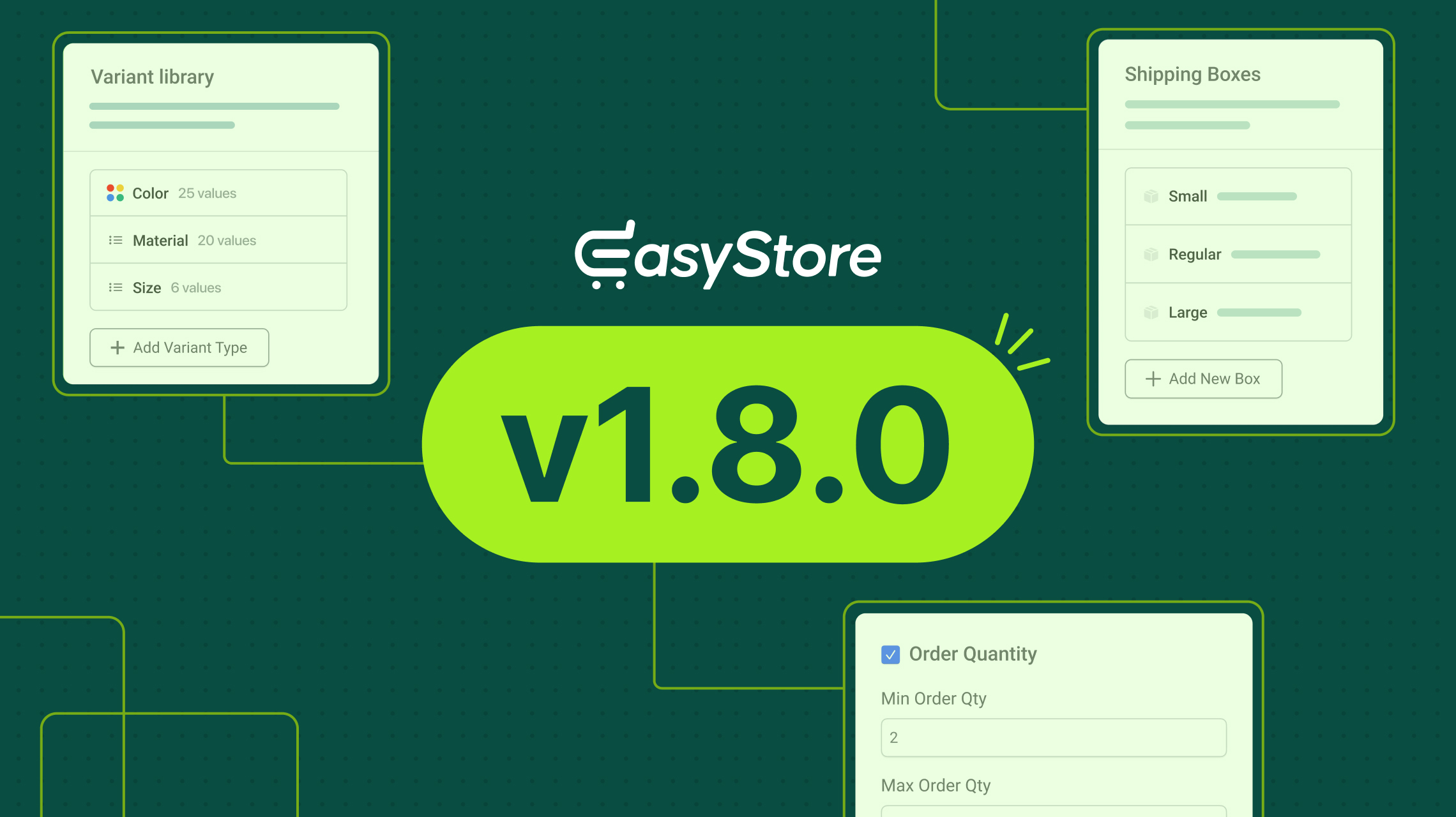
We promised to keep refining EasyStore to reach its full potential, and we are steadily moving toward that goal. And the roadmap towards that focuses on extending efficiency through well-structured enhancements.
Hence, with this update, we have introduced several useful revamps that will make EasyStore even more practical and refined to use. Here’s what this version brings to the table.
EasyStore v1.8.0 Changelog:
- New: Added Base Price and Product Cost per Unit options in the Products settings.
- New: Added option to create predefined shipping packages in the Shipping settings.
- New: Added GTIN and ISBN number fields for products.
- New: Added minimum and maximum order quantity options for products.
- New: Introduced Attribute Library settings for managing predefined variation options and values.
- New: Added per-variation discount support for products.
- Update: Redesigned the product variations table for improved usability.
- Update: Redesigned the product bulk edit table.
- Update: Enhanced product selection options for Upsell and Cross-sell products.
- Update: Identical variant values can now be used across different variant types.
- Fix: Resolved fatal error in the ratings view.
- Fix: Resolved breadcrumb issue for product variations.
Revamped Product Creation & Management for Your Joomla Store
Product creation is the heart of any eCommerce store, so it should feel simple to use, easy to trust, and something that works without getting in your way. That’s why we’ve revamped how you create your products with more attention to the details. Take a look:
Base Unit and Base Unit Price Support for Products
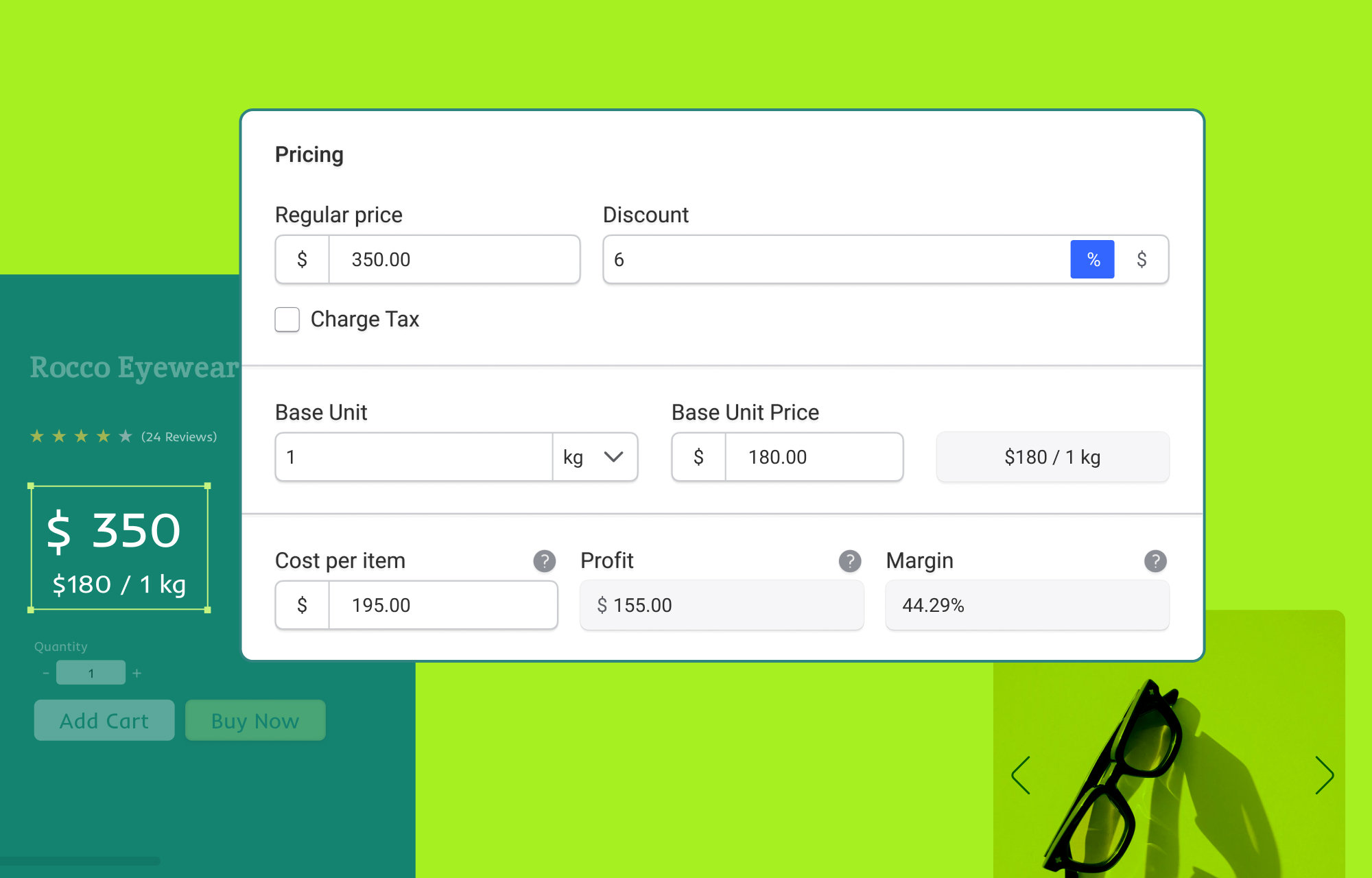
Now it’s easier than ever for customers to compare products at a glance by showing prices in a standard unit right alongside your regular product price.
Along with regular and discounted pricing, you can now set a Base Unit Price and define the unit it applies to. So if a product is sold by weight, you can simply set a price per kilogram, making unit-based comparison smooth, clear, and super helpful while shopping.
All you need to do is turn on these options in your EasyStore Product settings and define them while creating your products!
Keep Track of Your Product Profitability
After this update you can also define a Cost Per Unit to track how much it costs to produce or buy each item.
Based on this, EasyStore automatically calculates your profit and margin, so you can clearly see what you earn from every sale and understand your product profitability at a glance.
And don’t worry, this stays internal and isn’t shown to customers!
Minimum & Maximum Order Quantity Option
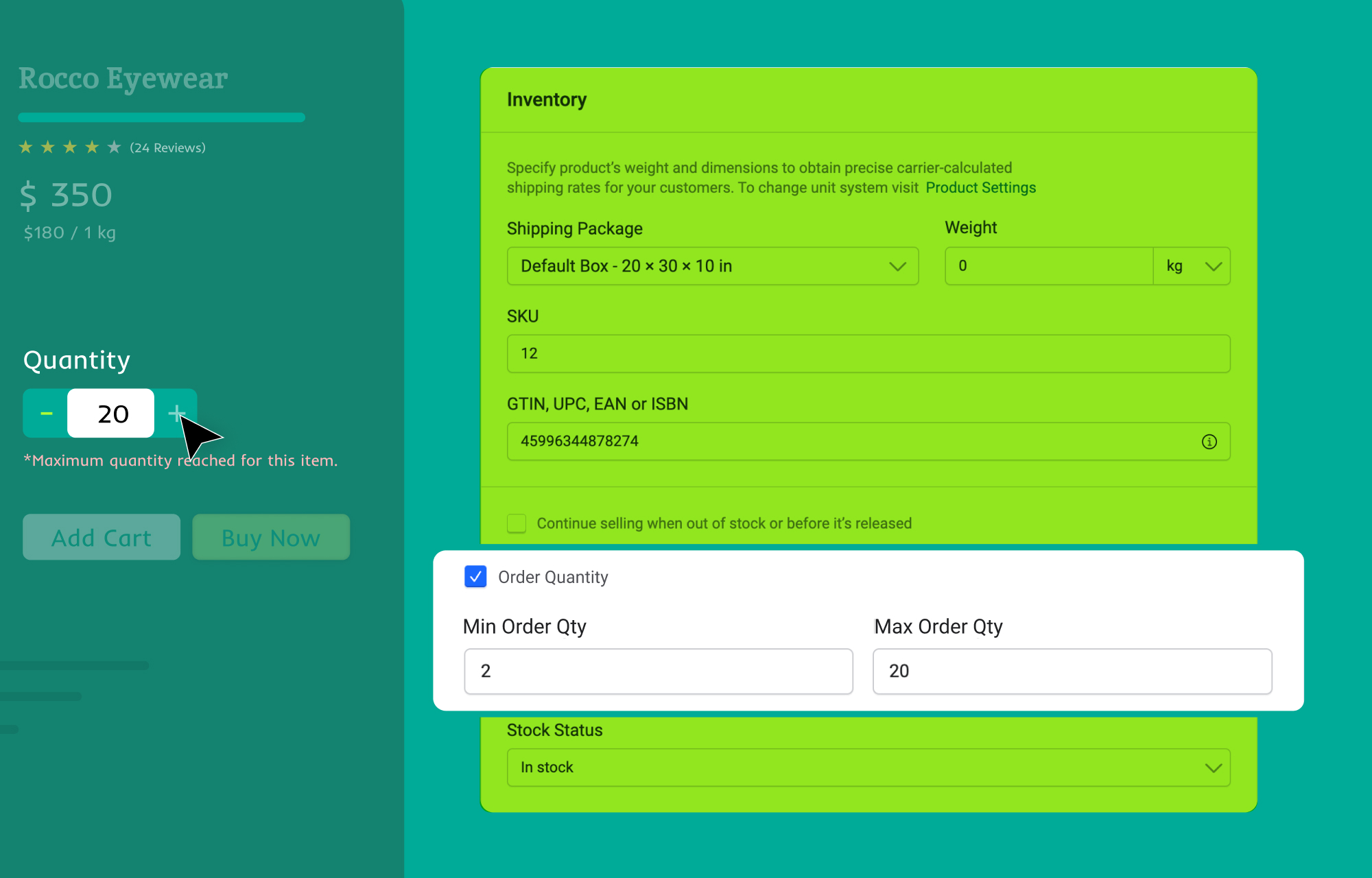
What if you could control exactly how many units a customer can buy in a single order? You can now achieve that without any worries!
Set a minimum and maximum order quantities for your products for you to have better control over your sales.
Set a Minimum Quantity to ensure customers purchase at least a certain number of units, and a Maximum Quantity to limit how many units can be bought in a single order, helping you manage stock better and prevent overselling.
Dedicated Fields to Add Unique Product Codes
We’ve also introduced a dedicated field for GTIN, UPC, EAN, and ISBN to your products. These unique identifiers make it easier to manage inventory, list products on marketplaces, and ensure customers always find the exact item they’re looking for.
Improved Bulk Edit Table for Your Products
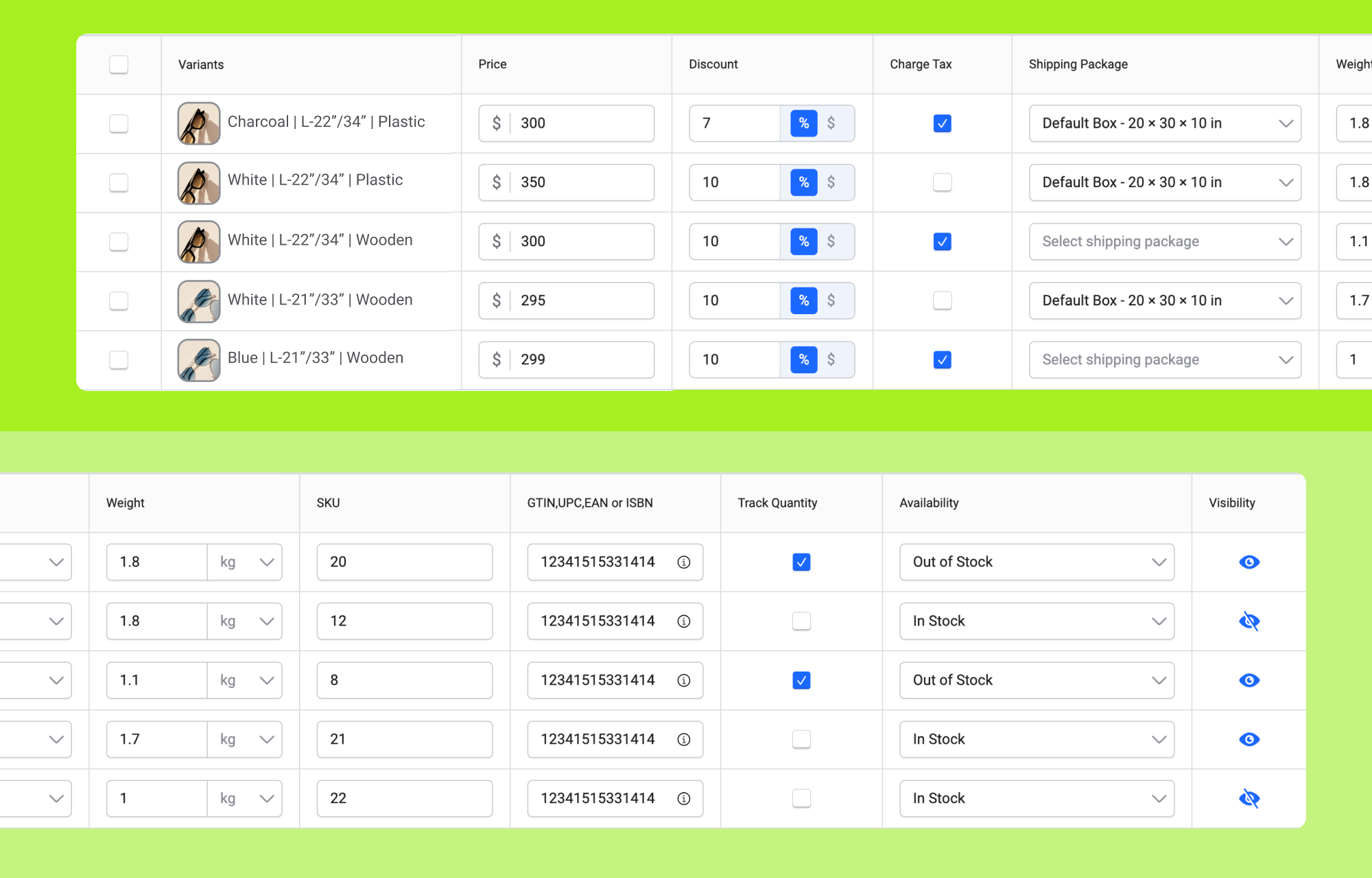
We’ve made bulk editing even smoother!
Now, when you click the Bulk Edit button, it opens in a new tab, so you can update multiple products at once without interrupting your current workflow. This means you can make changes quickly and keep everything organized without losing your place in the store.
- Update prices, discounts, tax, and more across all variants from a single table, saving time and effort.
- Manage key product data like SKU, stock status, and visibility without switching between pages.
- Apply changes uniformly to avoid errors and keep your product data clean and aligned.
- Make quick adjustments in bulk, streamlining your product management and reducing repetitive tasks.
- Easy to switch between your main page and the bulk edit tab since the table opens up in a new tab, keeping your workspace distraction free.
Add and Manage Your Products’ Variations from the Variant Library
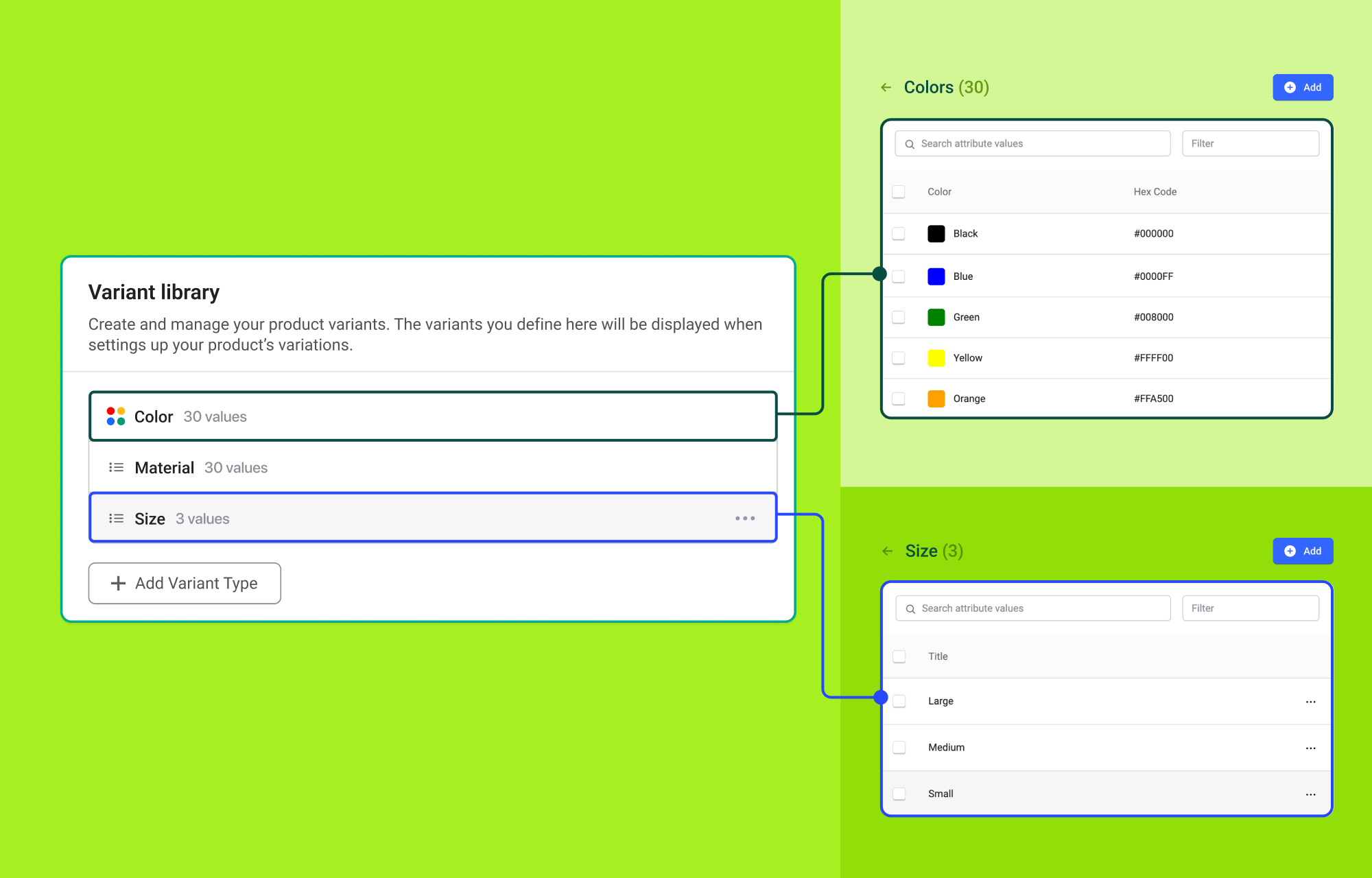
Wave goodbye to the struggle of creating your product variants one by one every time.
Because in this update we’ve introduced a centralized system for managing product variations, where you can predefine attributes once and simply pick them from a ready list while creating variants. It makes the whole process faster, smoother, and far more organized, while keeping your catalog consistent without the extra effort.
Plus, you have the flexibility to set discounts for individual variants as well.
Enjoy a quick way to organize all your variation options and values ahead of time, so you don’t have to start from scratch every time!
All-new Shipping Packages for Smarter Order Handling
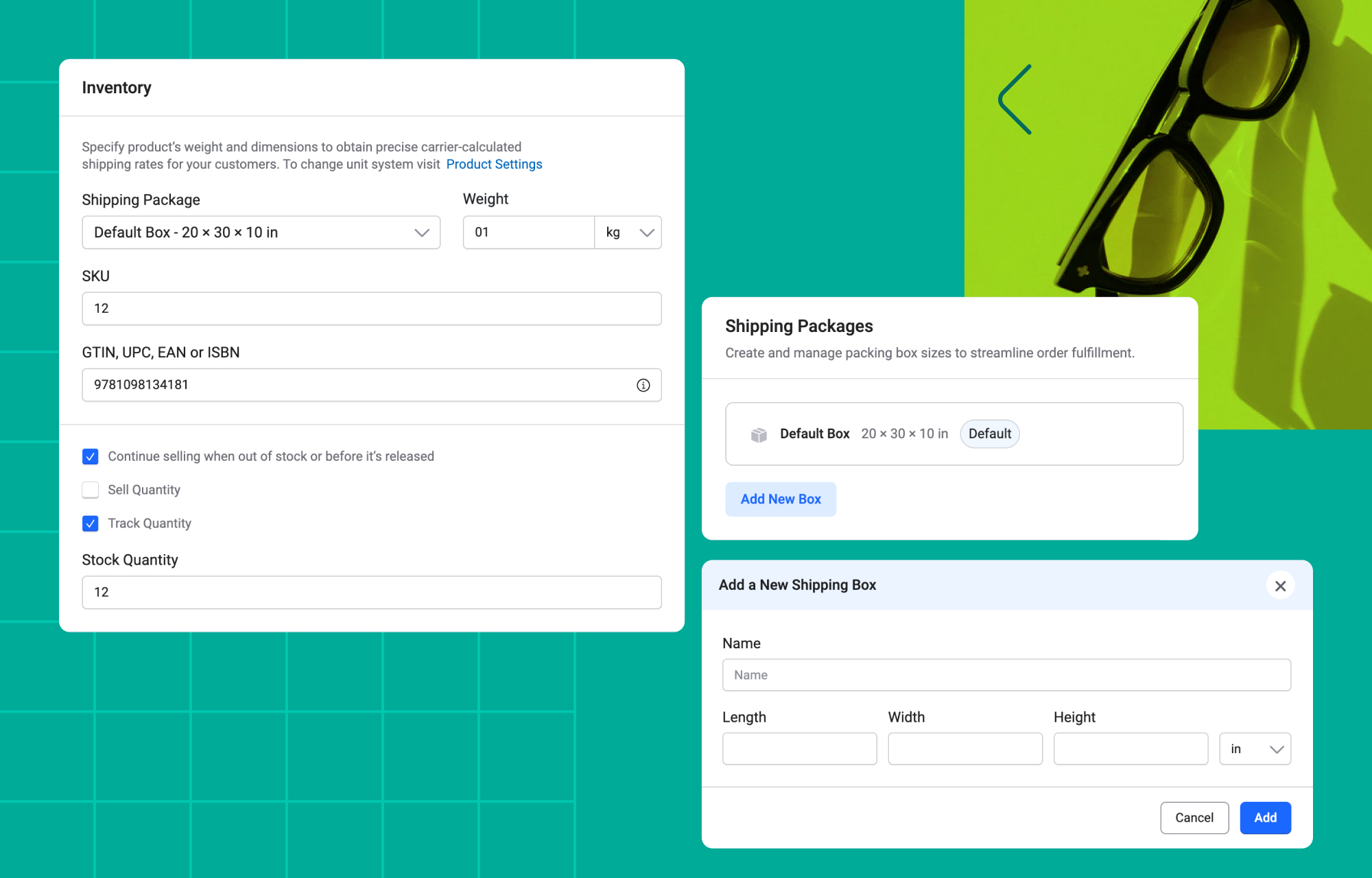
No more one-package-size-fits-all shipping! Make your order deliveries more organized and manageable with the all-new Shipping Packages.
Simply define your package dimensions and assign the right size to each product as you create them. This helps reduce confusion at checkout and keeps everything running smoothly behind the scenes, giving you a more structured and controlled fulfillment process.
Notable Updates
We have also included some notable enhancements you would love to take a look at.
Enhanced product selection options for Upsell and Cross-sell products
We’ve refined the Upsell and Cross-sell experience with a cleaner, more intuitive interface. It’s now easier to find and assign the right products using built-in filters for categories, collections, and brands, along with a search option to quickly locate specific items.
This is also available in the Collections and Brands sections when adding products.
Introduced Order Cancellation for Both Customer and Admin
EasyStore now gives both administrators and customers the flexibility to cancel orders when needed, making order management more convenient on both sides.
As a site administrator, you can cancel an order directly from the backend. Customers, on the other hand, can cancel their own orders from the order history through the “View My Orders” option.
In both cases, once an order is cancelled, the Order Summary will automatically update its status to “Cancelled,” keeping everything clear and consistent.
Note: Before updating, we recommend taking a backup of your site. If you roll back to an older version after upgrading, changes made in the newer version won’t be reflected in the older version.
Update Update Update!
Now over to you. Try out this latest version of EasyStore to experience all the new additions firsthand. And don't forget to let us know your feedback in the comments.
Good luck!




We’ve got more great updates lined up—keep an eye out!
2. Can you develop a Social Networking Template / Component that can be used to build a community website etc? i dont think there are any such template or components in JS collections.
Thank you.
- Rhema