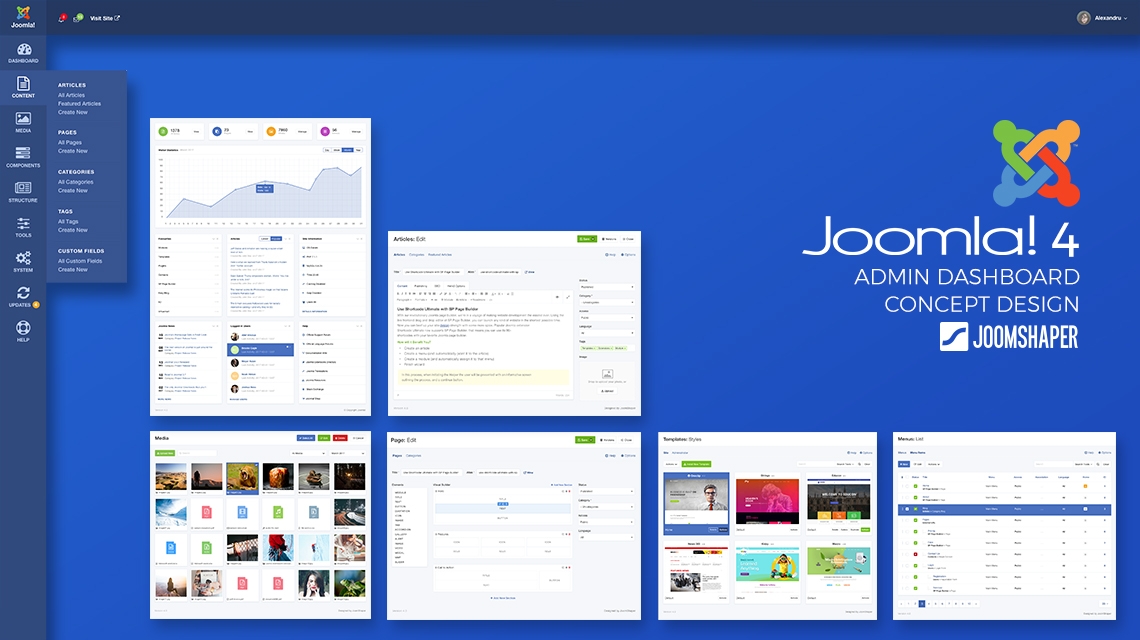
Joomla! 3.7 is already out, and there are many new features in it. We all know that, the Joomla! development team is working on Joomla! 4 which will come with some radical enhancements. We're also dreaming about an amazing user experience. We’ve designed some concepts for the Joomla! 4 admin dashboard pages. We have been working on these concepts for several months.
Here we will present some of these concept designs for the Joomla! 4 control panel. All of them are designed by the JoomShaper R&D team. Let’s explore them. (Please click any image to see the full version.)
Cleaner Login Page
We've designed a cleaner login page. This will give a Joomla! admin a fresh impression for starting with Joomla! 4.
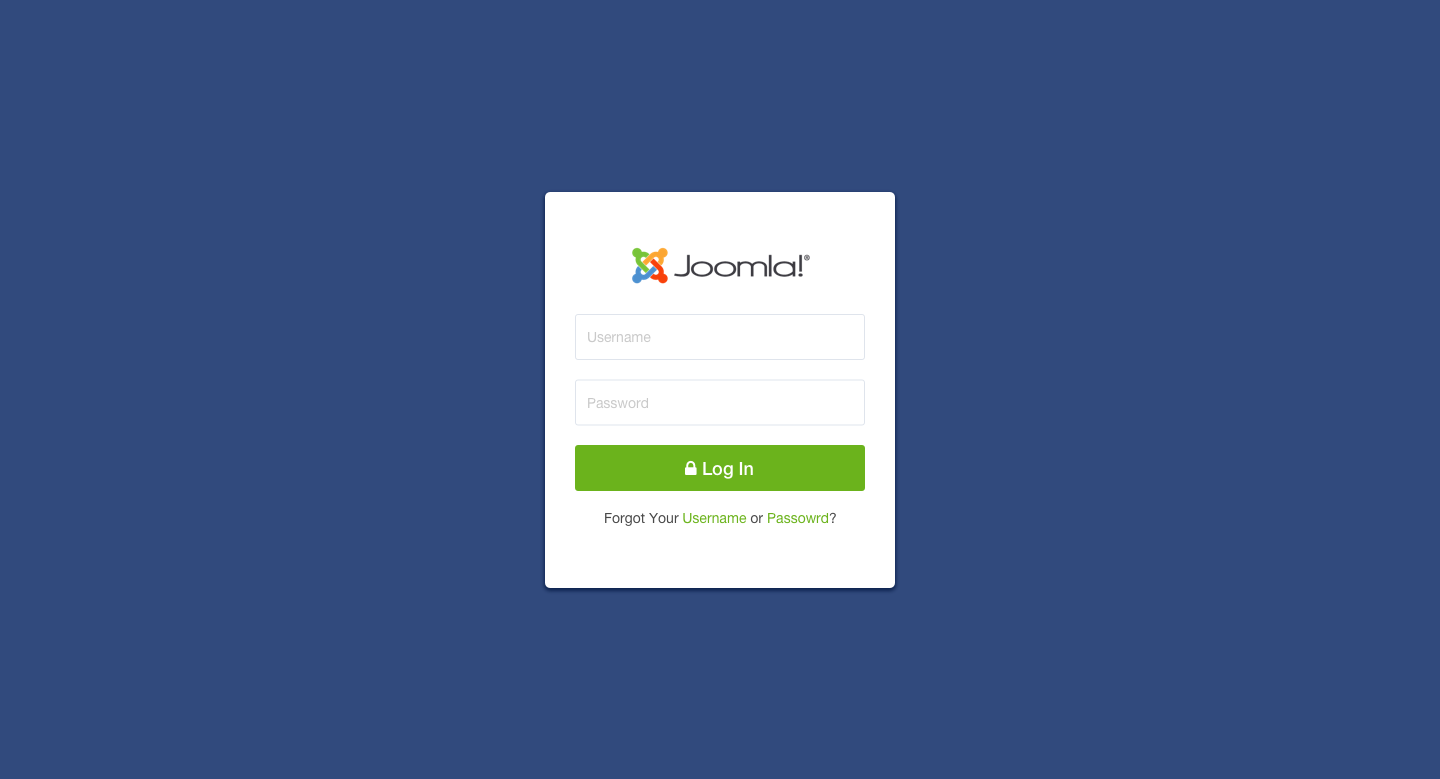
Concept - Joomla! 4 Login Page
Dashboard
We dream of a cleaner, richer and more informative dashboard that would help the Joomla! administrators get an overview of the entire website in a glimpse. New notifications and unread message alerts are displayed on the top left bar. The logged-in username with the avatar and profile option dropdown is placed to the upper right corner of the top bar.
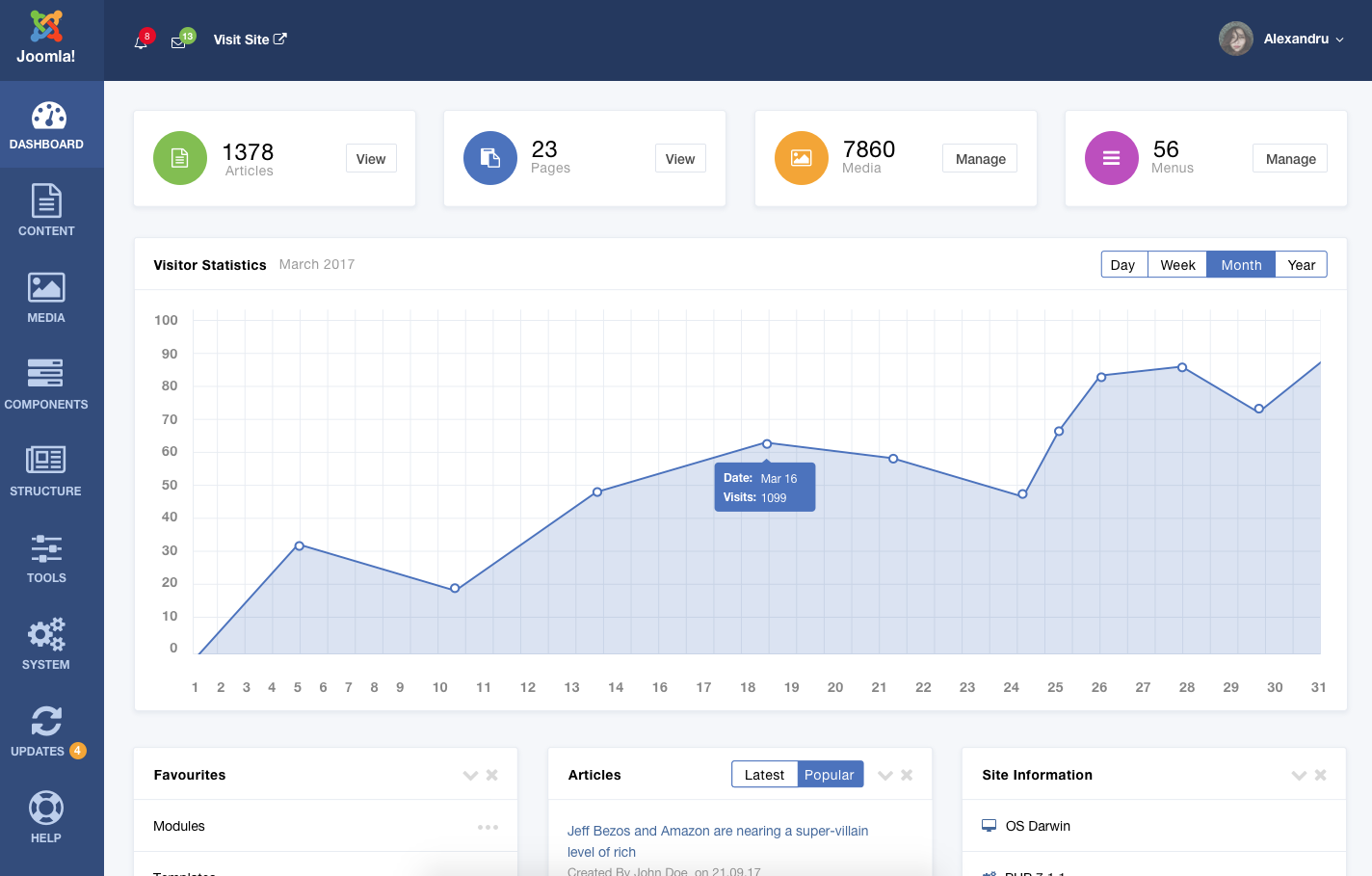
Concept - Joomla! 4 Admin Dashboard
There is a conspicuous sidebar to the left to provide the admin with all the dashboard options. Our concept dashboard shows the visitor statistics on the top followed by a handful of customizable widgets.
Flyout Menu
We’ve dreamt a unified section to manage all the website stuff. A sidebar in Joomla! 4 can serve this purpose. The sidebar would hold the admin menus such as the Dashboard, Content, Media, Components, Structure, Tools, System, Updates, and Help.
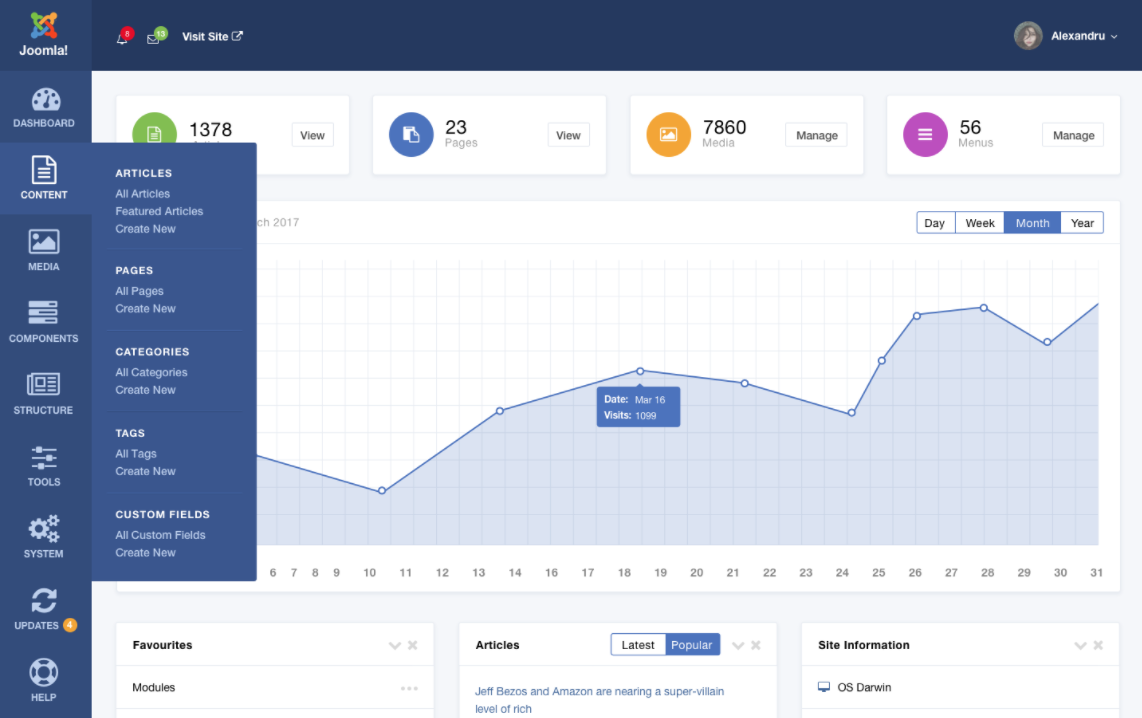
Concept - Sidebar Flyout Menu
All of the sections are detailed and feature rich. Let’s take a look at some of the inner pages under the Content section.
Articles
On the sidebar, the Content menu holds Articles, Pages, Categories, Tags, and Custom Fields. It's a flyout menu, which will show its inner options on mouse hover. In our Joomla! 4 concept design, we've imagined a cleaner article listing page, where admins will find it easier to view and organize the articles.
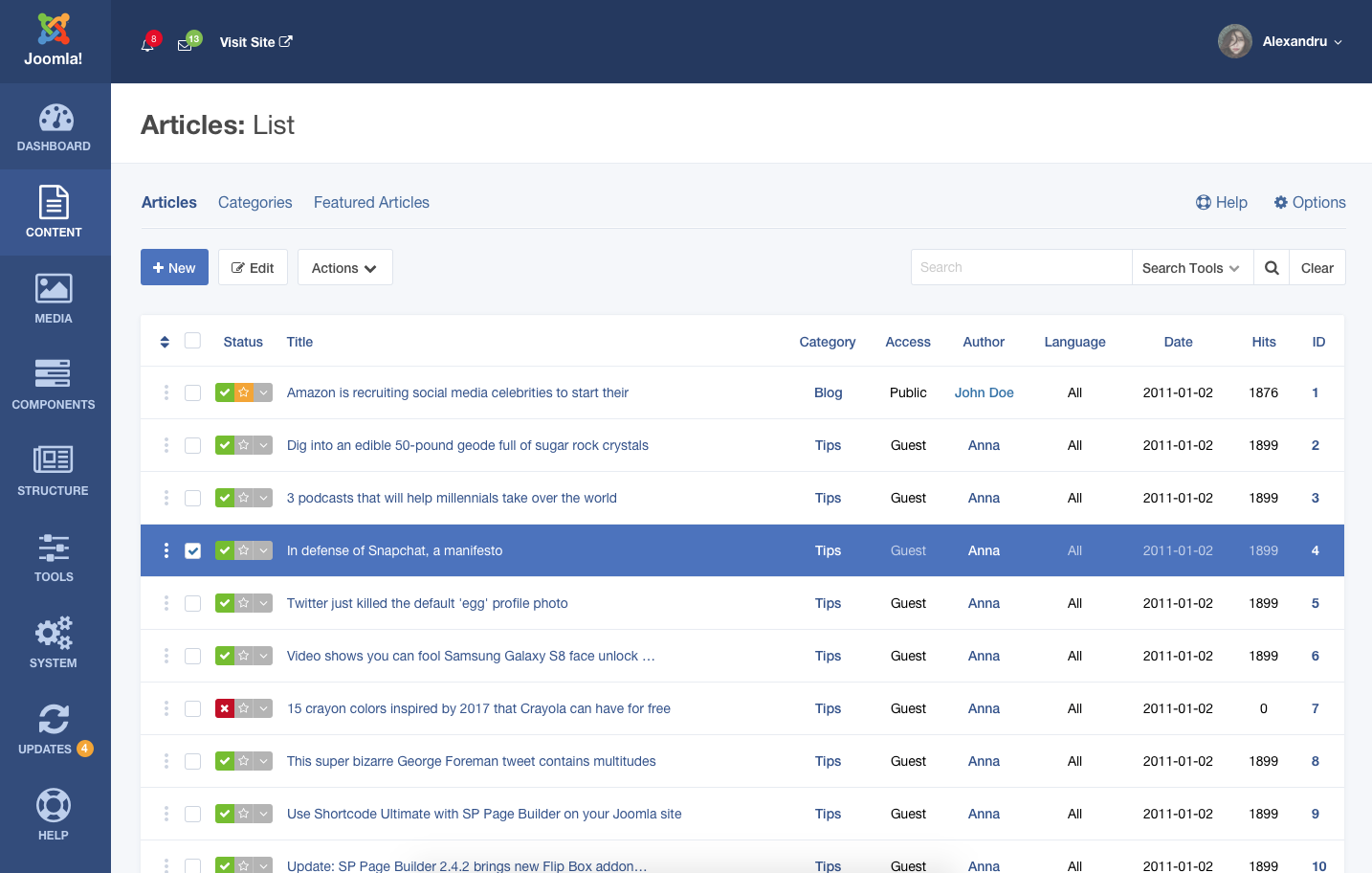
Concept - Joomla! 4 Article List
Below is the Create New/Edit Article page. We feel the need of the content output URL on the editor page, so we’ve given a ‘View’ link here.
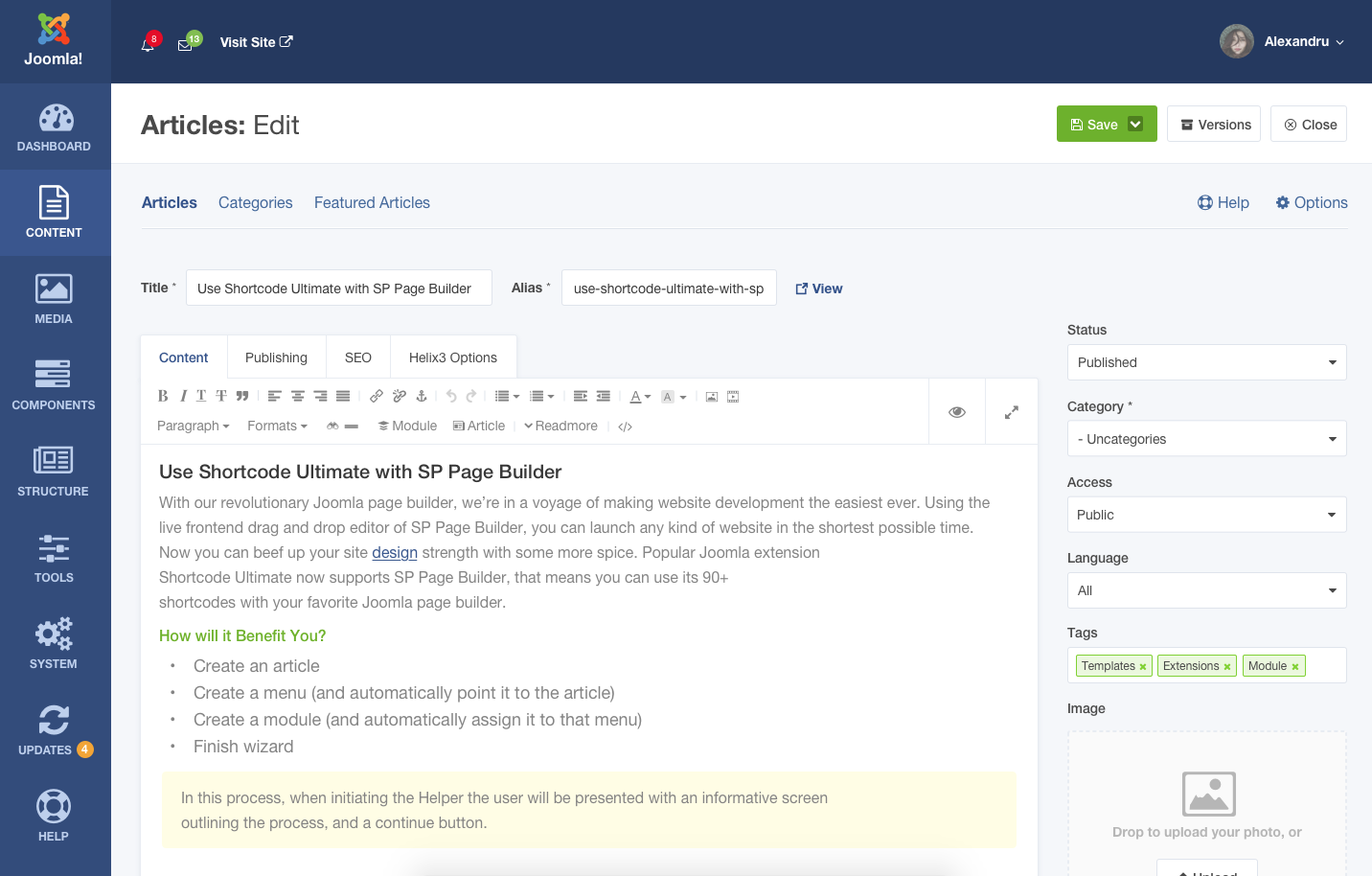
Concept - Joomla! 4 Article Editor
Pages
In Joomla, 'Articles' are intended for creating and publishing blog posts. On the other hand, 'Pages' are necessary in building the website itself. A website's homepage, about page, and other inner pages are supposed to be built with Joomla! 'Pages'. So, pages need lot more features and functionalities. In our concept, Joomla! 4 has a native page builder. The page composer interface utilizes the native drag and drop page building system for easier website building workflow.
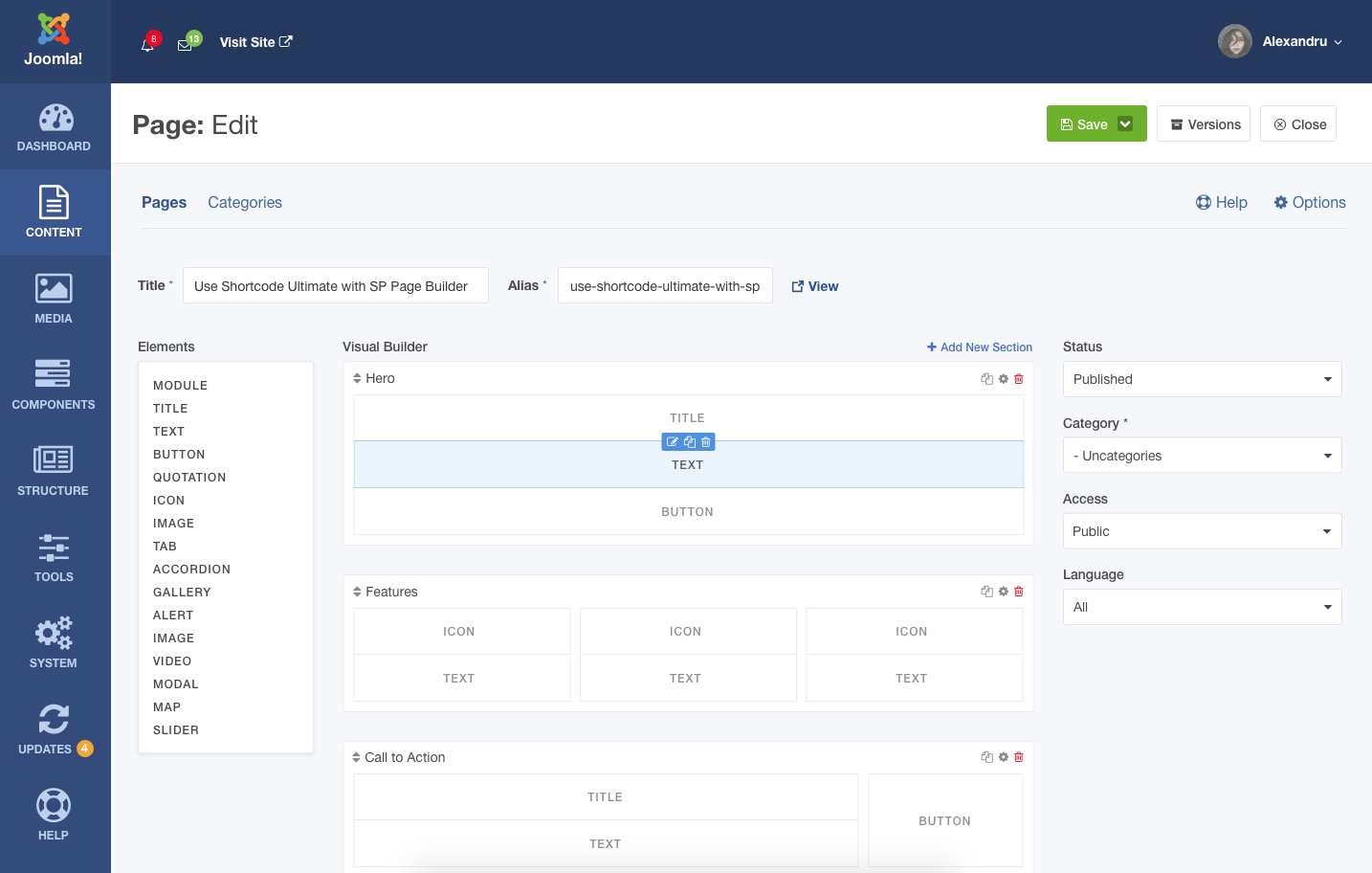
Concept - Joomla! 4 Native Page Builder
Media
A state of the art media manager would be a major feature of Joomla! 4. The Joomla! dev team is already working on a highly functional and brand new media manger for this purpose. We’ve designed a gorgeous and powerful media manager concept for Joomla! 4.
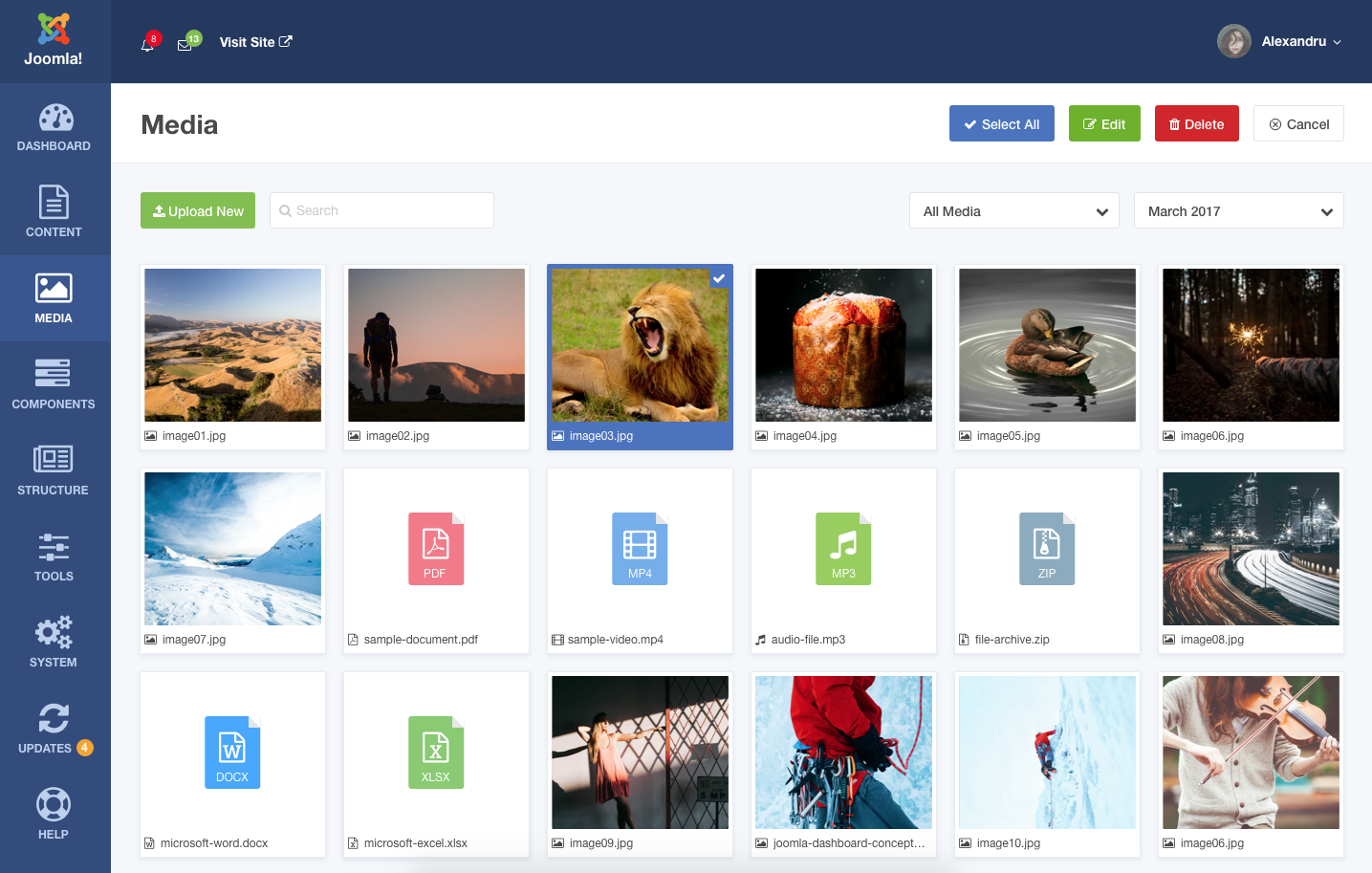
Concept - Joomla! 4 Media Manager
The media manager would support drag and drop file upload method.
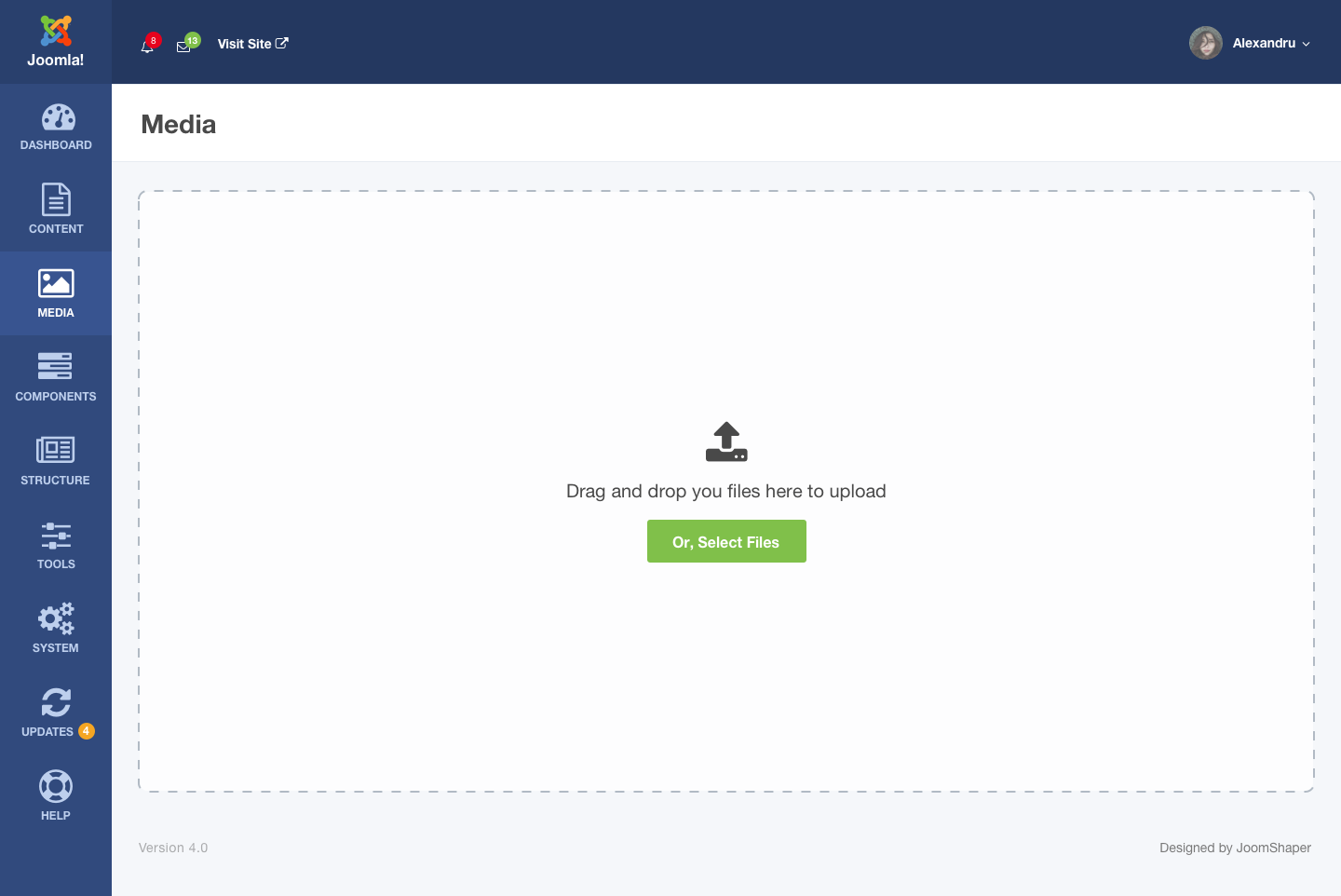
Concept - Joomla! 4 Media Uploader
According to our concept, on-board image editing, image color adjustments and more useful features would also be available in the Joomla! 4 media manager.
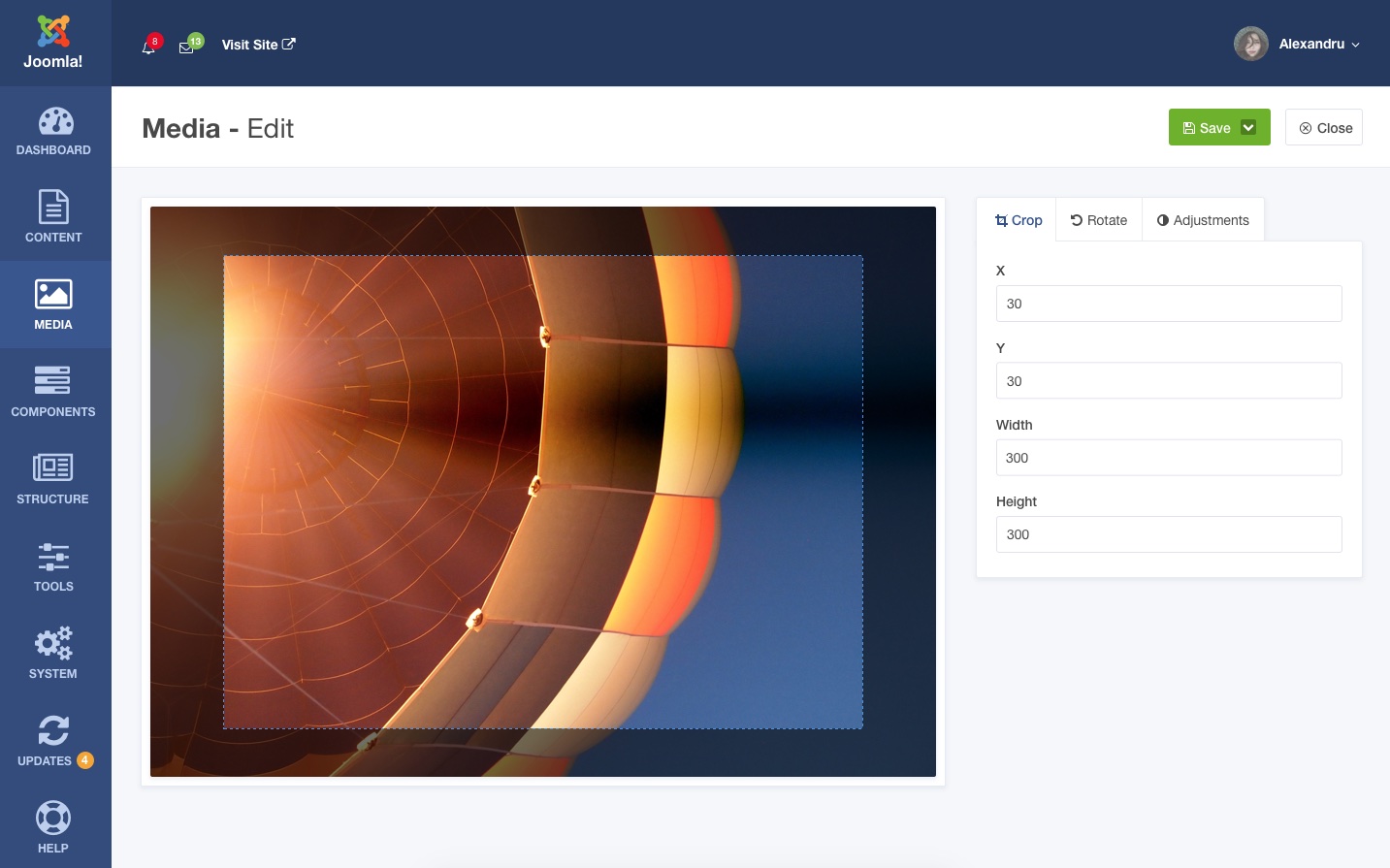
Concept - Joomla! 4 Image Editor
The new media manager would be very fast, intuitive and feature rich.
Template
In Joomla! 4, we expect a unified place where users could control the entire site structure including template stuff management, menu organization etc.
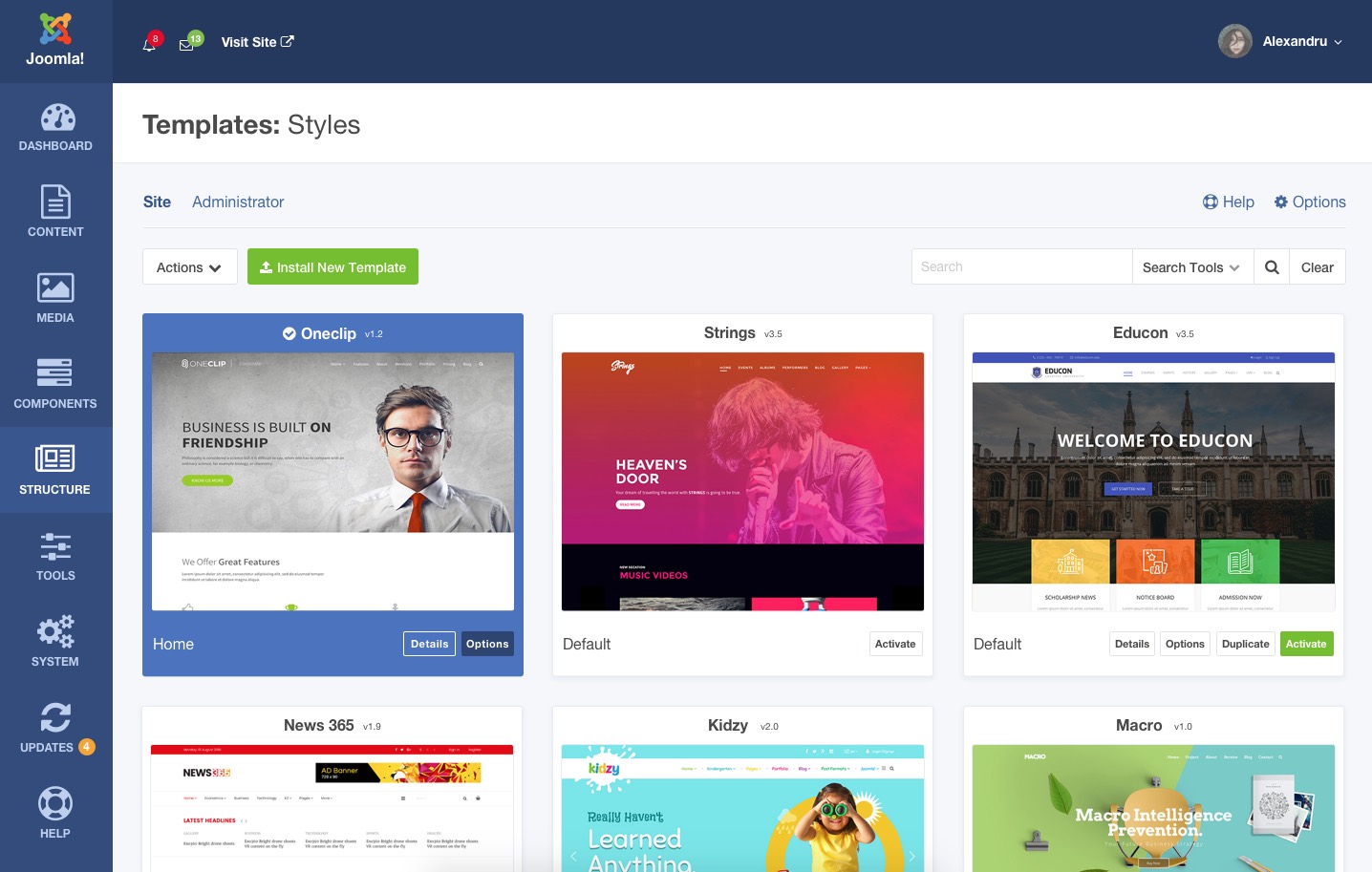
Concept - Joomla! 4 Template Management Panel
The Structure panel lets an admin install and enable a template, view template details, open template options, and so on. Some more relevant page designs are given below.
The template details page would show the information about a template installed on the site. An admin could set a template as default from this page. A link to the template options is also available.
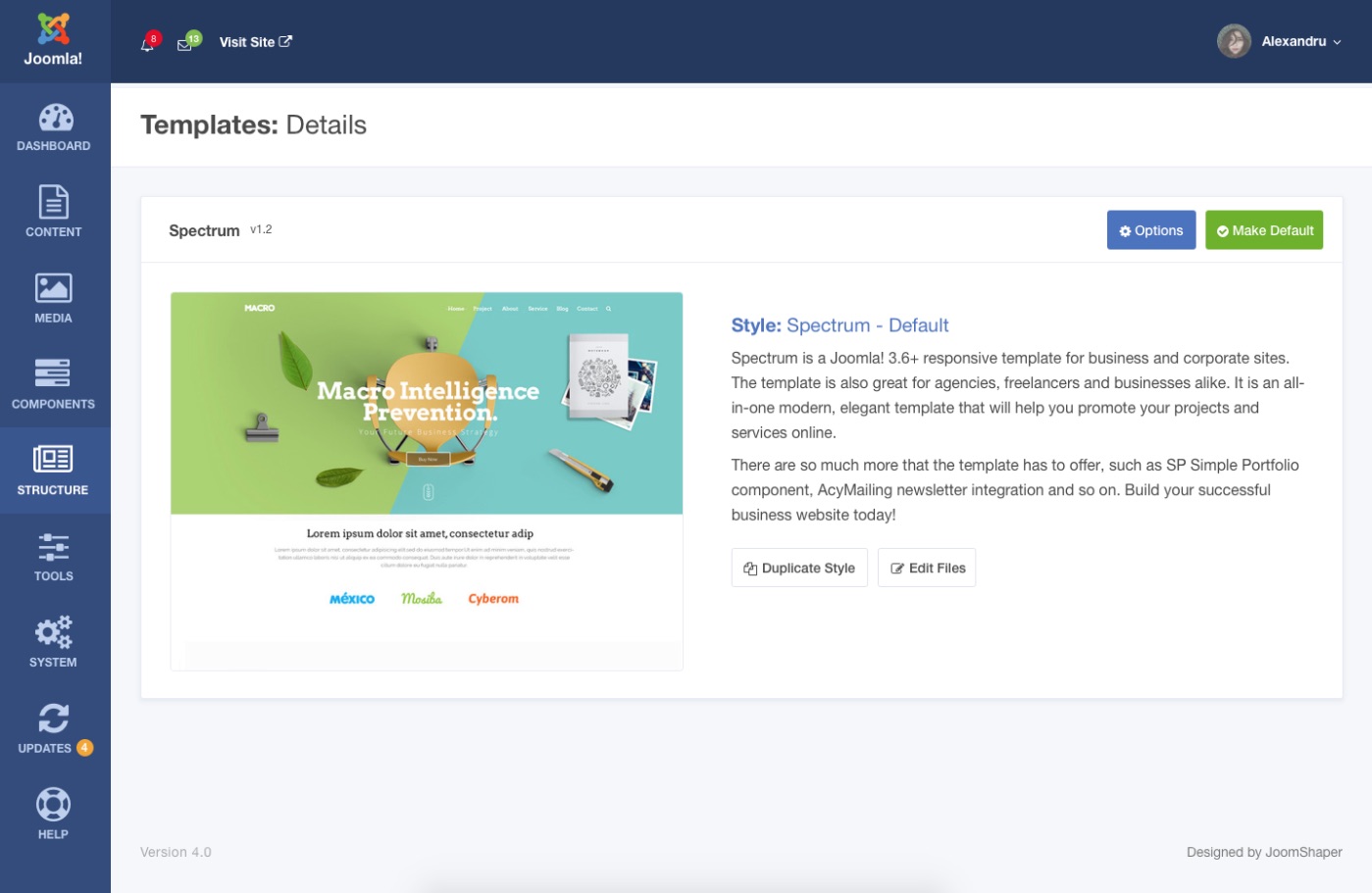
Concept - Joomla! 4 Template Details Page
On the template options page, an admin could change the template styling including preset colors, layouts, and so on.
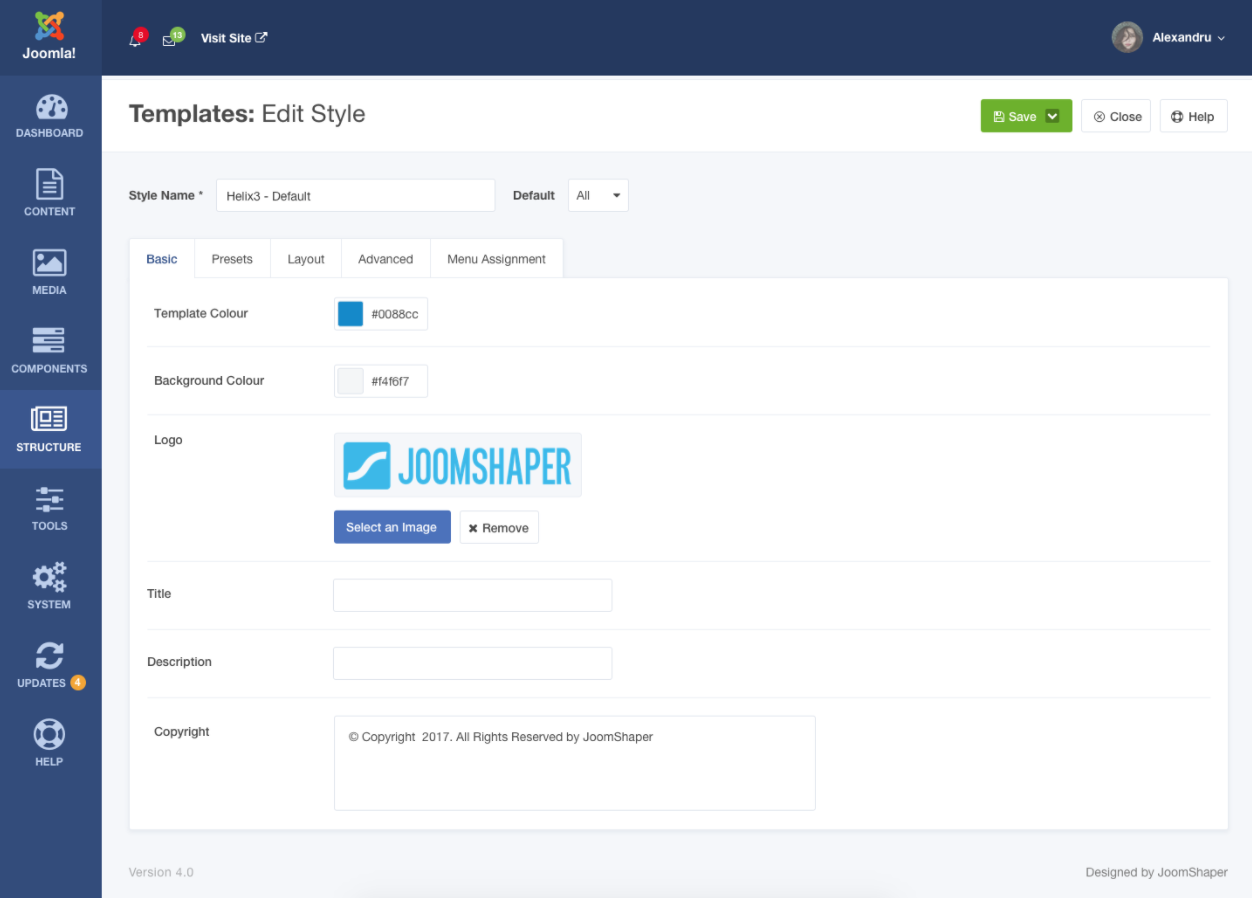
Concept - Joomla! 4 Template Options Page
Navigation System
The existing navigation menu system of Joomla! is fine. We've designed a visually improved menu listing and editing interface in our Joomla! 4 concept.
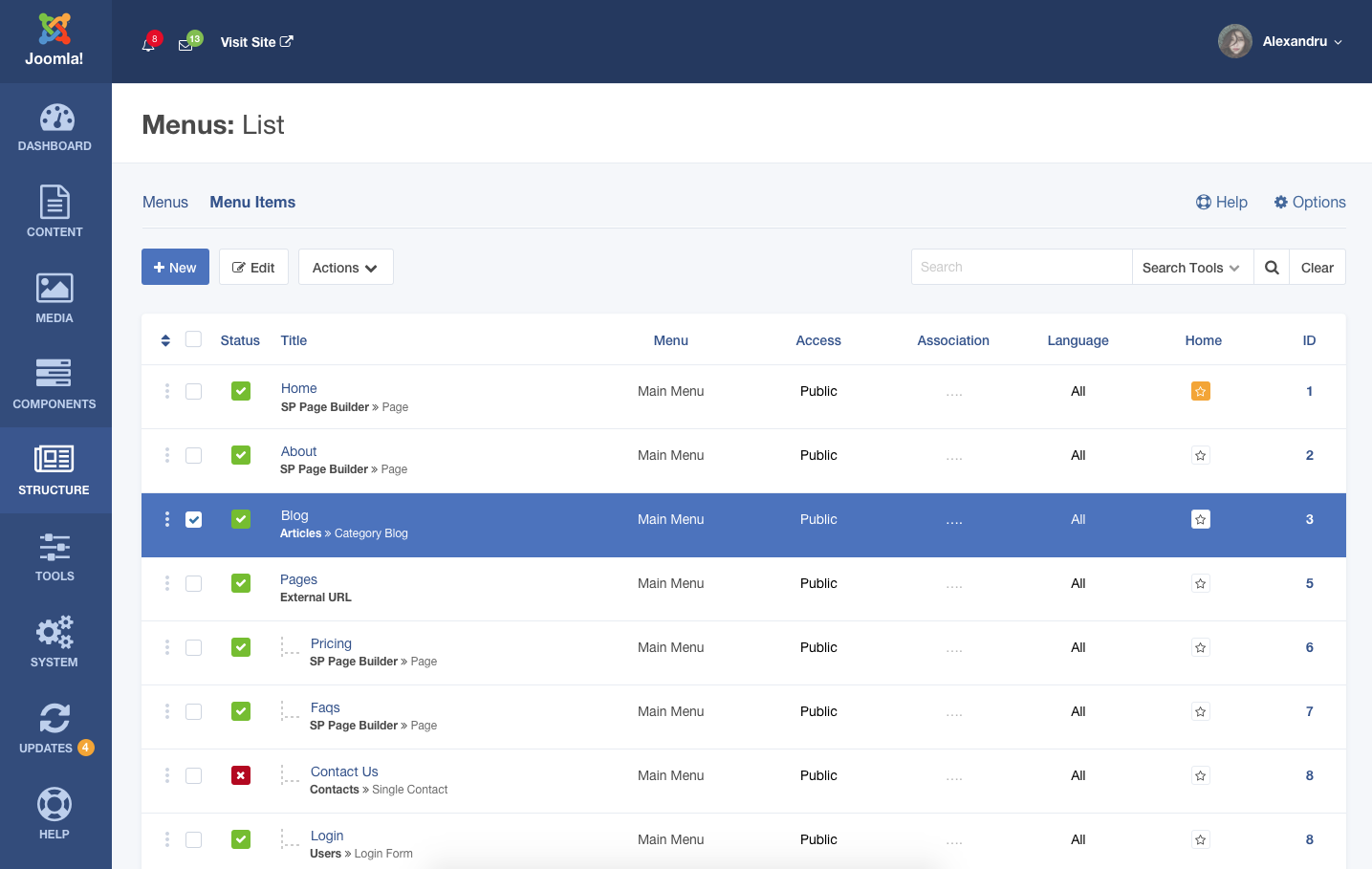
Concept - Joomla! 4 Menu List
The single menu item composing interface concept for Joomla! 4 is demonstrated below.
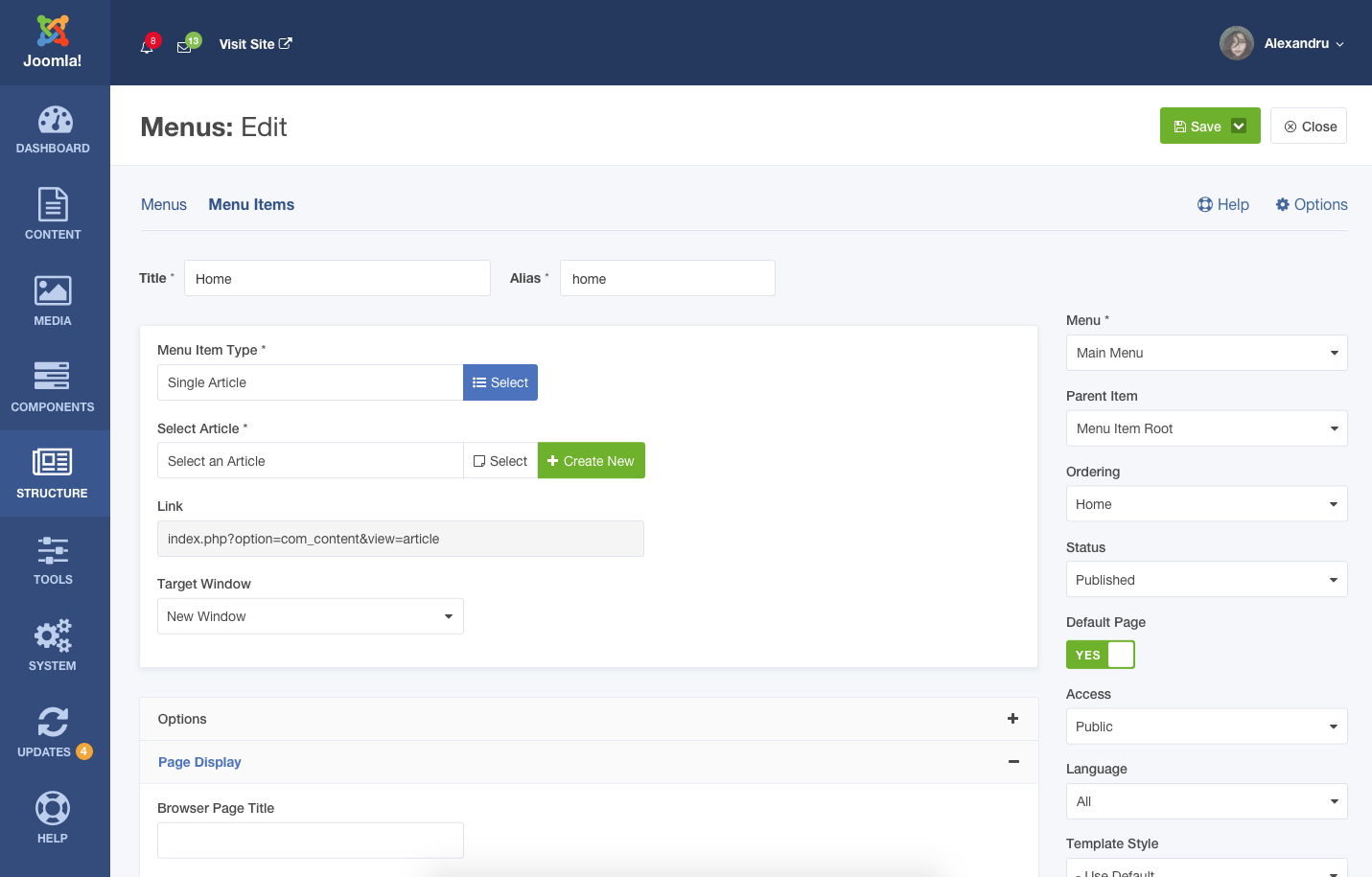
Concept - Joomla! 4 Menu Editor
There are some more concept dashboard sections called Components, Tools, System, Updates, and Help. These sections would host core technical settings for the Joomla! site. We have plans to design more concept pages for Joomla! 4.
At JoomShaper, our vision is enriching the web with prettier designs, better functionalities, more accessibility and the ultimate efficiency. We work to ease the efforts of both the website administrators and the end users. Besides the amazing templates and powerful extensions we create, we also brainstorm about the Joomla! site administration experience. Please share your thoughts about the above concept designs, and let us know what more you expect from Joomla! 4. Thank you!

Comments (180)