SVG format may not be supported in Logo - Forum | JoomShaper
Staff replied Helix Framework

SVG format may not be supported in Logo

Asked by Ronny Ko 4 years ago Last activity 4 years ago

Hi,

I'm trying to use a logo that's saved in SVG format. When I upload it, the file has no graphic. Why?

So then I tried to upload PNG formatted logo. The logo isn't crisp and sharp. That's why I wanted to use SVG.

Can you tell me why SVG is not suported? Perhaps I'm doing something wrong.

6 replies

Paul Frankowski Senior Staff

Hi,

First upload svg file logo to /images folder, if somehow your Joomla doesn't allows that - use FTP tool.
Then just choose that logo image inside Template Options. Should be possible, tested.


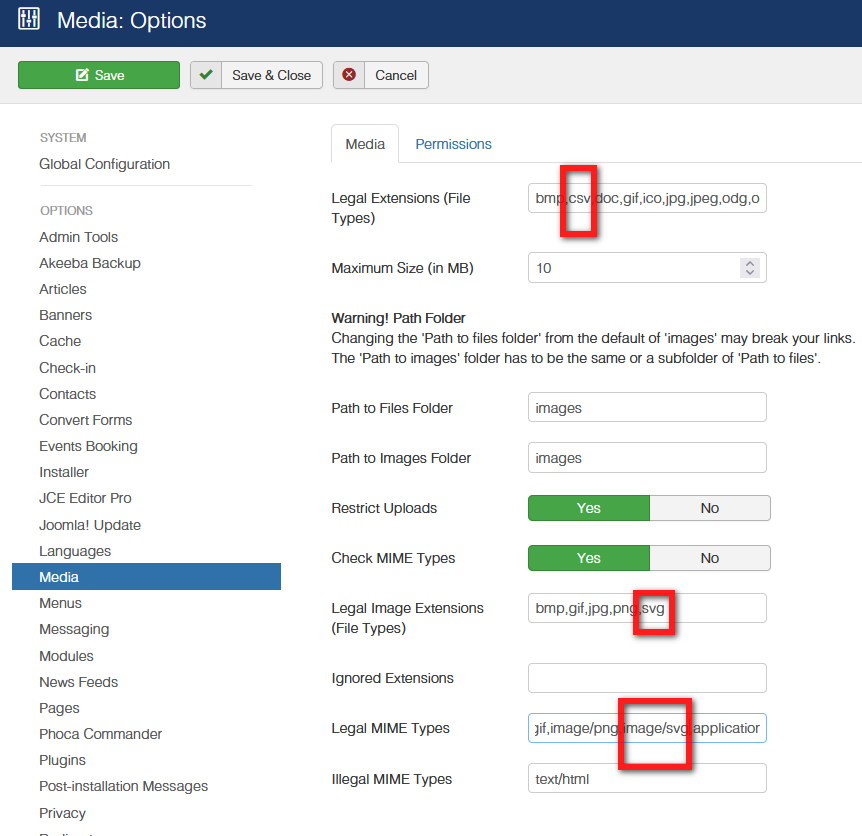
In most cases you have to add svg support inside joomla core settings to allows upload it.

Content - Media - Options

Here are my suggested settings

foto_7501_2022.jpg

Paul Frankowski Senior Staff

Thank you for the video and access, I will check.
I am pretty sure that I used svg logo before.

Paul Frankowski Senior Staff

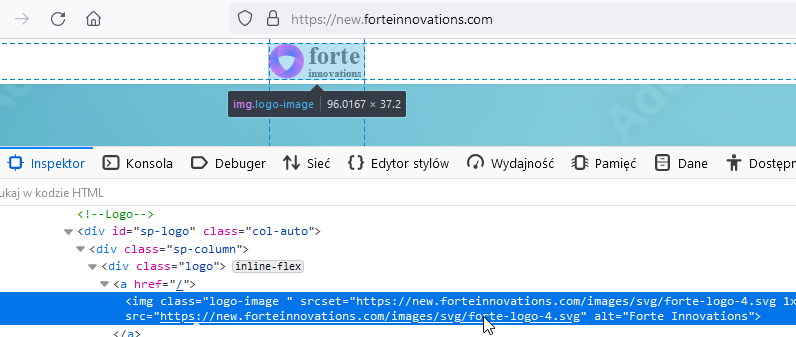
But you have svg logo already.

foto_7503_2022.jpg

Ronny Ko Asked this

Hi,

You're right. Indeed, when I actioned your steps and kept on pressing on reload on my browsers (Safari and Edge), it wouldn't show. Then, sometime after, I noticed that the logo was sharper and crisper. I took a look and it loaded. This happened after I replied to you.

May I ask if there's a delay when this happends in Joomla?

Paul Frankowski Senior Staff
4 years ago · edited

Joomla by default don't have any "delays" - they can be only from Server settings OR .htaccess rules,

and of course from browser cache.

Log in to reply.