Selection of misaligned terms of use - Forum | JoomShaper
Solved Templates

Selection of misaligned terms of use

Asked by aleabasolucoes 5 years ago Last activity 5 years ago

Site: https://druckservice.com.br/site/contato

I'm from Brazil, excuse me for English.
In the contact form, the checkbox to accept the terms of use is out of alignment, when I click to accept the terms, the icon that fills the box appears next to it, not inside, staying over the text of the term of use.
I tried to adjust the css but I couldn't, can you help me?

The other problem is that when the user clicks on the message, he runs over the field name.

Print: http://prntscr.com/10blqe9

Accepted answer

Marked as the solution
aleabasolucoes Asked this

Show! Tks!

22 more replies

Toufiq Senior Staff

Hi there,

Thanks for contacting us. Sorry for the inconvenience. Please add this css code inside the custom.css file.

.form-builder-checkbox-item label::after, .sppb-addon-form-builder .sppb-form-check-label::after {
    content: "\2713";
    color: #fff;
    width: auto;
    height: auto;
    font-size: 16px;
    position: absolute;
    top: 5px;
    left: -26px;
    font-weight: 700;
    line-height: 1;
    visibility: hidden;
    opacity: 0;
    transition: .35s;
}

-Thanks

aleabasolucoes Asked this

Perfect. Tks!

Toufiq Senior Staff

You are most welcome. Please close the forum post. Thanks

Toufiq Senior Staff

Hi there, Will you please share a screenshot and administrator access to check the issue? Thanks

aleabasolucoes Asked this
http://cericoesquadrias.com.br/site/erro-form.png
Toufiq Senior Staff

Please check now and let me know. Thanks

aleabasolucoes Asked this

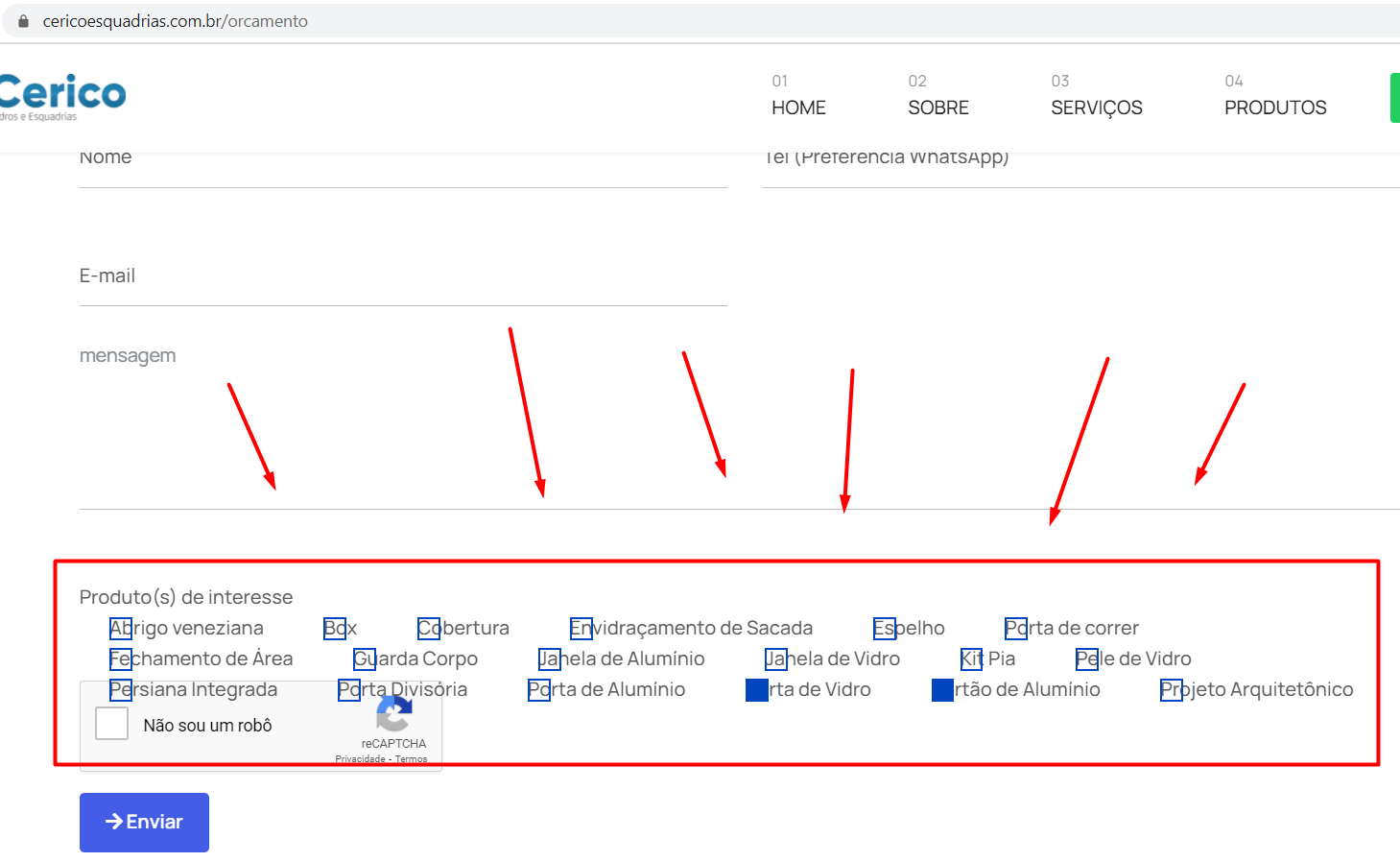
Sorry, I went to complete the form, and it still contains errors. I added several checkbox items, and that first line is not possible to click to select.
And the check icon, when clicked, is out of alignment with the square. Could you make a general adjustment please?
http://cericoesquadrias.com.br/site/erro-form2.png

Toufiq Senior Staff

Is your problem solved?

Log in to reply.