Slideshow content block left alignment - Forum | JoomShaper
Solved SP Page Builder

Slideshow content block left alignment

Asked by Jesper 5 years ago Last activity 5 years ago

Hi Forum
I am trying to use the slideshow addon, but came into some problem.

  1. might be a bug. whenever I choose "Show Caption Image In Column" in one item, then the whole webside (sp-pagebuilder part) goes blank. It is not posible to get everything back by deselecting. You have to go backend and delete the addon and start all over. (this could be because the content doesnt have an image??)
  2. I am trying to left align the content block, at the same time it should only take up half of the screen width.
    I have tried the "select content container" to custom and with a width of 40, but it is still centered.
    Question How can I left align the content container?

Accepted answer

Marked as the solution
Pavel

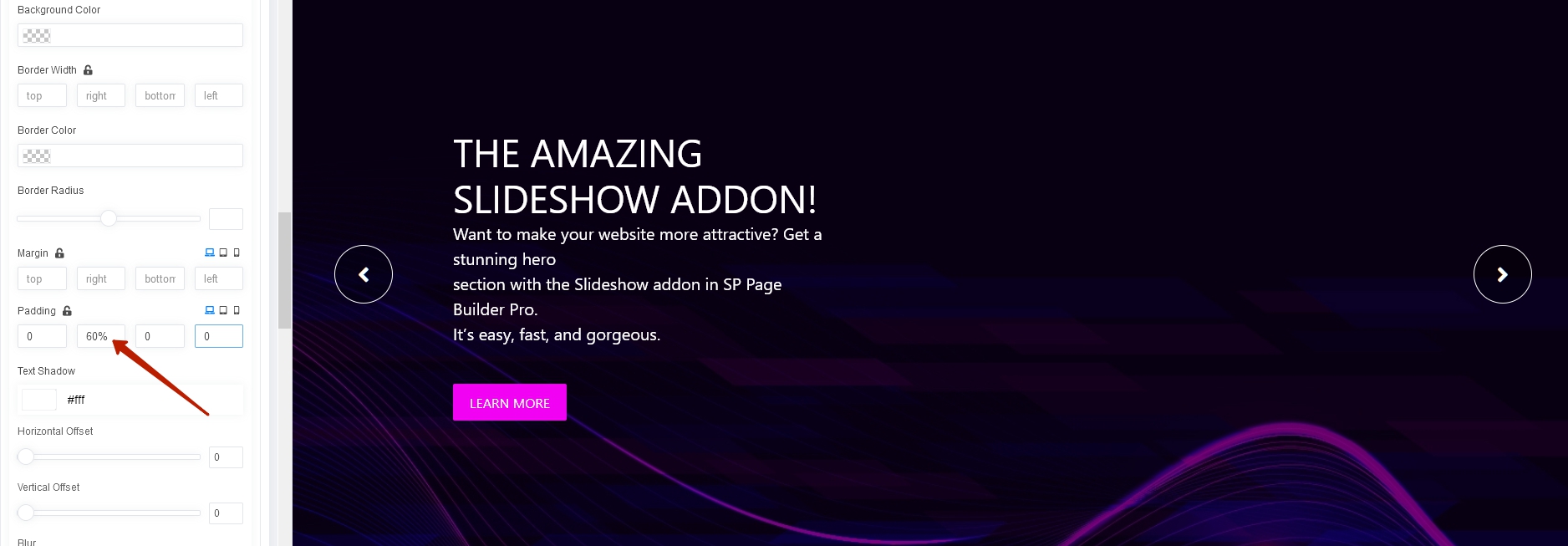
You can customize this inside the item using paddings

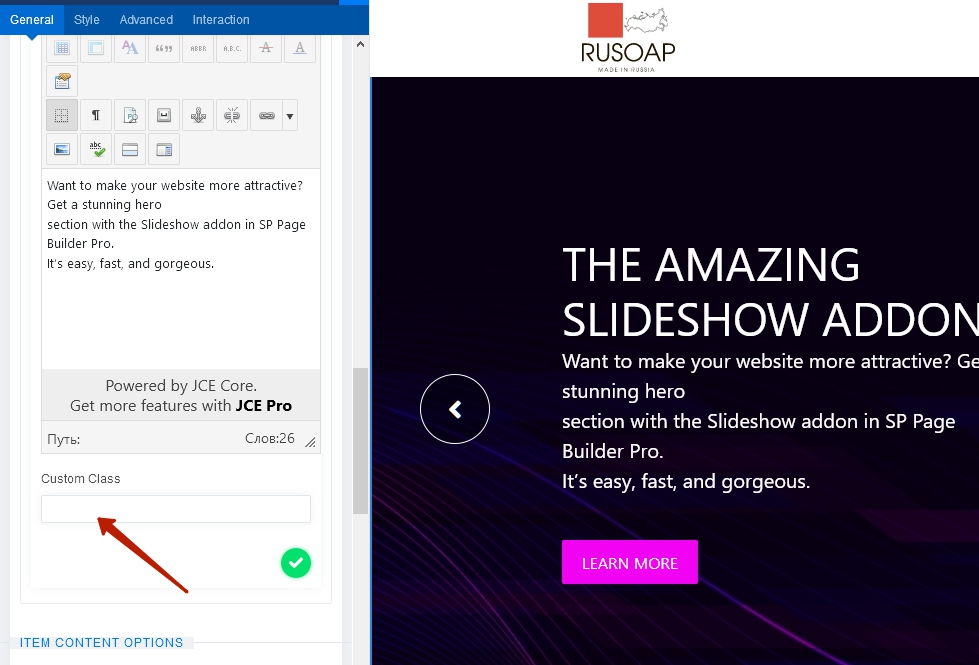
Or through your css code using class field.

3 more replies

Pavel

Hi.

  1. It looks like a bug (Note to the Joomshaper team.).
  2. The container width is not a centering tool. Your content is already on the left. The container is always centered on the parent element. Increase the width of the container and the content will start to shift to the left

Mehtaz Afsana Borsha Staff

Noted with thanks

Jesper Asked this

Thanks for your reply. Much appreaciated.
I am well aware of the it will increase the left alignment. but til will also increase the text spread over the full screen.
I want he text to be still 40% or 5 bootstrap of the screen and left aligned.

increasing the settings will just result in a left alignment and full screen text spread.
![](https://core-cph.com/increase to the left.JPG)

Log in to reply.