Hi
I tried to install the quick starts for Orbit and homify, but they both fail in the install process, with the table easystore_media missing.
Hi
I tried to install the quick starts for Orbit and homify, but they both fail in the install process, with the table easystore_media missing.
I have taken an Akeeba Backup of Allura template quickstart. Please check this backup on Xampp and let me know if it installs fine. Follow this tutorial to learn how to take backup and restore with Akeeba Backup.
I added the below to the htaccess.txt (I am doing a XAMPP PHP Version 8.1.25)
php_value upload_max_filesize 30M
php_value post_max_size 128M
php_value memory_limit 512M
php_value max_execution_time 300
but the same problem, the install fails, I have looked at the DB and can see that there are many tables with BAK before the actual name so for
example
joomla_db.fa6an_easystore_media
is showing as
joomla_db.bak_fa6an_easystore_media
Please rename the database table name manually on the database. Name it this joomla_db.fa6an_easystore_media and hopefully it will be fixed.
like half that tables are in that status.. there is something wrong with the install process, it will take me too long to rename like 60 tables like that.
any other ideas?
Unfortunately, I can't check it on Xampp. I hope that your xampp configuration is fine. On Mamp, it works fine. I do not have any other ideas. Maybe you can rename multiple table names. Please search on this topic.
If you upload the quickstart on a server, then I can help you on any issues.
Hey, i am having the same issue on a shared server. Tried it mutiple times. always easystore_media doesnt exist.
It seems like many people having that issue. Is there a way for you guys to provide the missing file and tell us where to manually put it?
I tried it with Quickstart Allura.
Kind regards, Mahmut
Hi Mahmut, I tried serveral of the quick starts.. all the same result, yesterday installed Mamp, and same result.. the installs fail and don't work.
Clearly there is a problem, but support, just point the fingers at us.
installed plenty of other quick starts from other vendors all good, this is the first time I have experienced such issues.
Good luck
Hey Jamie,
Thank you for clarification.
As you said, i will look for a solution at other vendors.
Kind regards, Mahmut
Please follow this process and check the installation on Xampp.
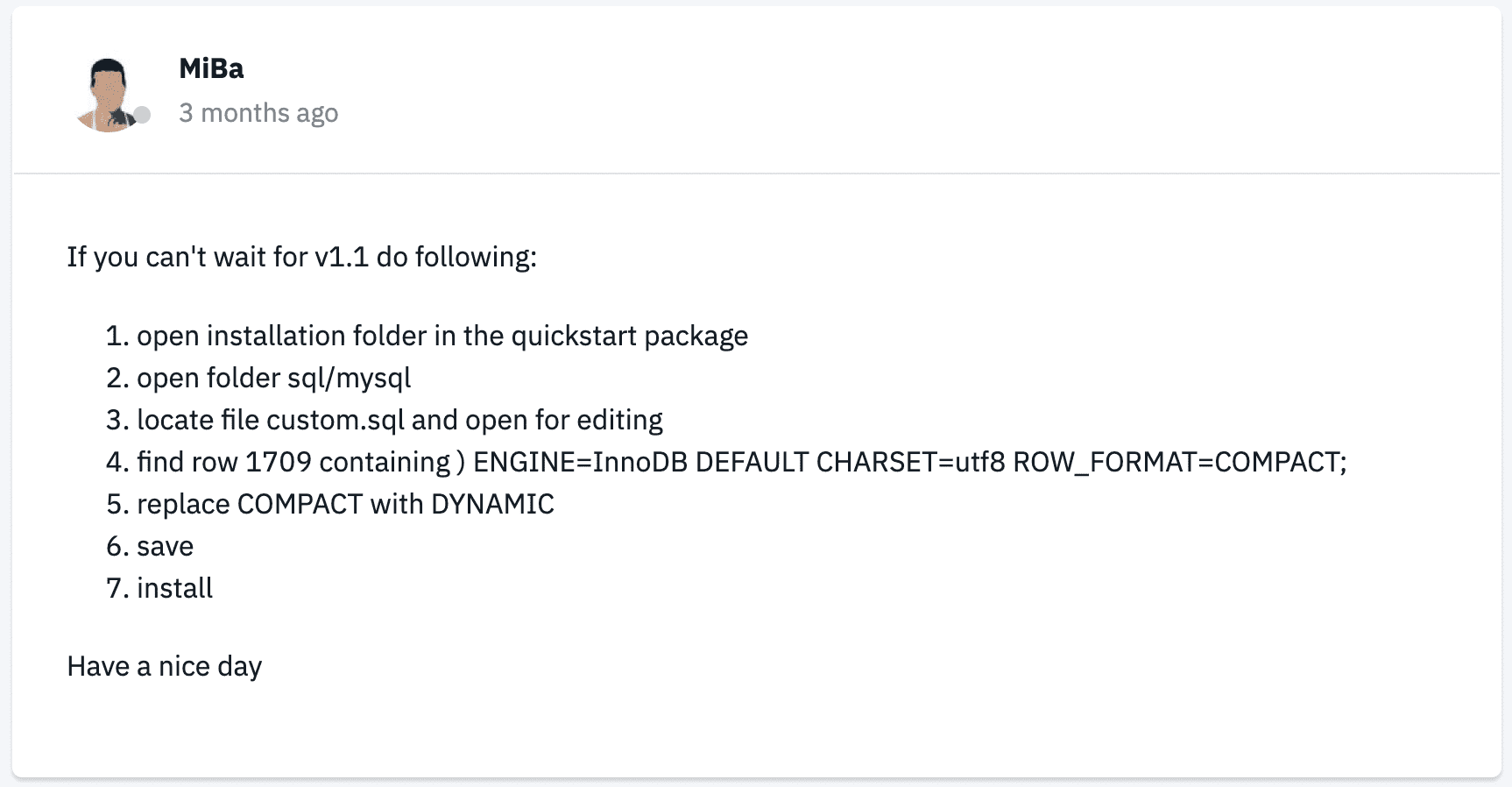
Thanks, I managed to install it this way. did not need to change anything in xampp apart from increasing the max_allowed_packet=100M in the my.ini for the mysql server.
Hey, i think we are on the right path to solve this problem.
I was able to locate costom.sql in the allura template and open it in the editor , but could not find ENGINE=InnoDB DEFAULT CHARSET=utf8 ROW_FORMAT=COMPACT in it.
Do i have to change something else in costom.sql with the allura template to not get the easystore_media missing issue?
Thank you guys and kind regards,
Mahmut
Hello Mahmut Manav
I have taken an Akeeba Backup of Allura template quickstart. Please check this backup on Xampp and let me know if it installs fine. Follow this tutorial to learn how to take backup and restore with Akeeba Backup.
Best regards
