SP Property Properties listed for sale or other types, the system continues to calculate the price by multiplying it by the property’s measurements - Forum | JoomShaper
Solved Extensions

SP Property Properties listed for sale or other types, the system continues to calculate the price by multiplying it by the property’s measurements

Asked by Jonnathan Huertas 1 year ago Last activity 1 year ago

Hello, I’m having an issue with the SP Property extension on my Joomla site. I’ve set a fixed price for rental properties, and that part works fine. However, for properties listed for sale or other types, the system continues to calculate the price by multiplying it by the property’s measurements. Could you help me adjust this so it doesn’t apply the calculation to properties for sale? https://showroomcol.co/

In the share section I need to increase the Instagram option

Could you please assist in resolving this issue?

Thank you!

Accepted answer

Marked as the solution
Atick Eashrak Shuvo Staff

Please check now. Let me know if it works or not.

10 more replies

Atick Eashrak Shuvo Staff

Hi Jonnathan Huertas

Thank you for your patience, and I apologize for the confusion regarding the Fixed price.

To resolve the issue, please replace the following files with the ones provided in the hidden content:

  1. Replace the JRoot/templates/shaper_estate/html/mod_spproperty_properties directory with the first folder provided in the hidden content.

  2. Replace JRoot/templates/shaper_estate/html/layouts/com_spproperty/properties/property.php with the second file in the hidden content.

  3. Replace JRoot/templates/shaper_estate/html/com_spproperty/property/default.php with the third file in the hidden content.

These updates should resolve the issues for properties with the "Sell" status.

Let me know if you need further assistance after applying these changes.

Best regards

Babis Chatzicharalampous

Hello, I have exactly the same issue

Atick Eashrak Shuvo Staff

Please create a new forum post

Jonnathan Huertas Asked this

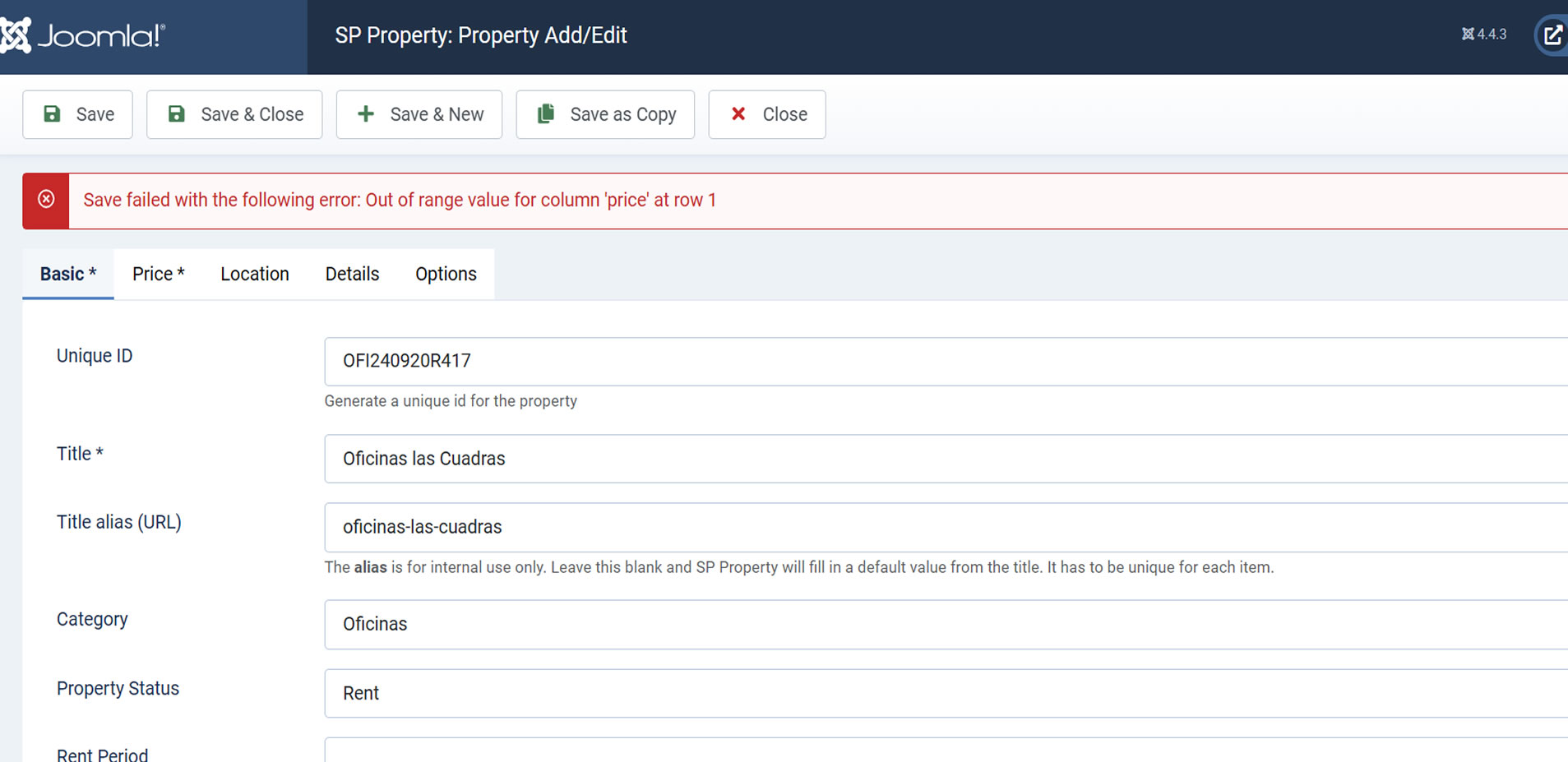
After updating SP Property and resolving issues related to the price, a new problem has arisen. The slider image section is now malfunctioning. Specifically, when attempting to update or upload images to the slider, the following error is displayed:

Error Message:

danger Save failed with the following error: Out of range value for column 'price' at row 1
Steps to Reproduce:

Update SP Property.
Navigate to the slider image section.
Attempt to update or upload new images.
Observe the error message displayed.
Expected Result: The images should upload and save successfully without any errors.

Actual Result: The system fails to save and shows the error message related to the 'price' column.

Priority: High

Action Needed: Please investigate and resolve the issue with the slider images functionality and the related error message.

Atick Eashrak Shuvo Staff

Hello Jonnathan Huertas,

Apolozy for the inconvenience you’re experiencing with the slider image section after the SP Property update. To help identify and resolve the issue efficiently, could you please provide a screencast demonstrating the steps you took? This will allow me to investigate and address the issue earlier.

Thank you for your cooperation, and I’ll work to resolve this promptly once I have the additional information.

Best regards

Jonnathan Huertas Asked this

Dear Atick Eashrak Shuvo

After updating the files that you provided:

mod_spproperty_propiedades.zip
propiedad.php.zip
predeterminado.php.zip

I noticed the following issues:

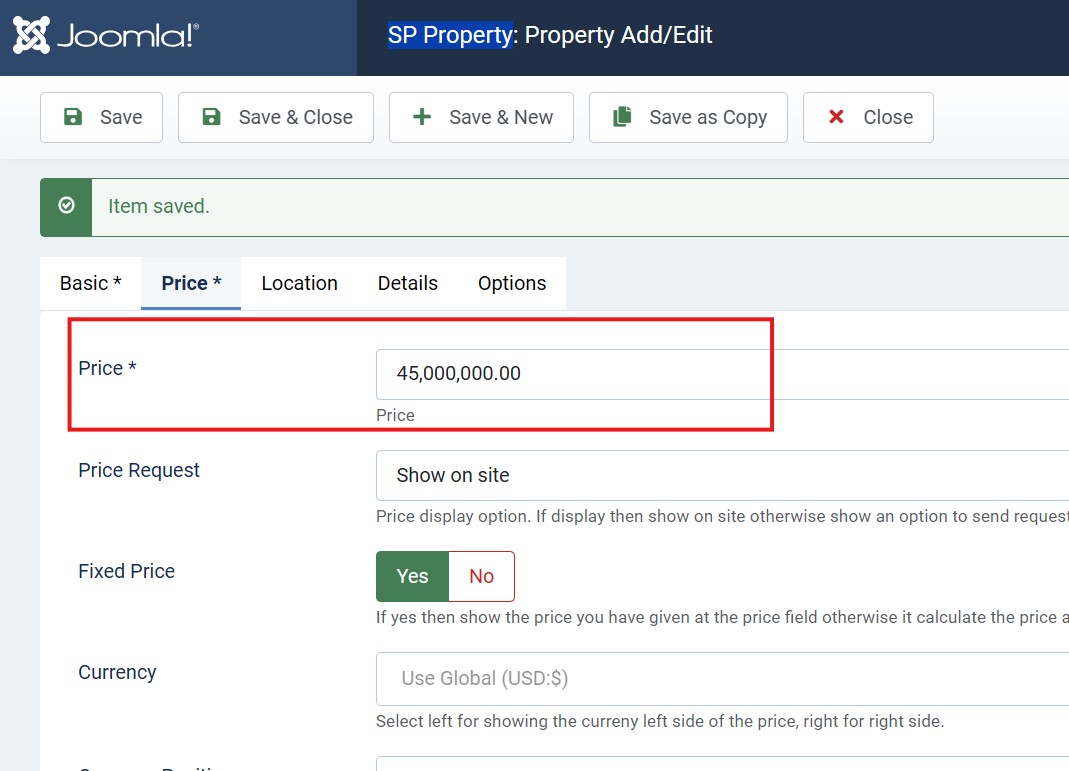
  1. The price update functionality is working correctly.
    https://showroomcol.co/index.php/component/spproperty/property/50-oficinas-las-cuadras?Itemid=101

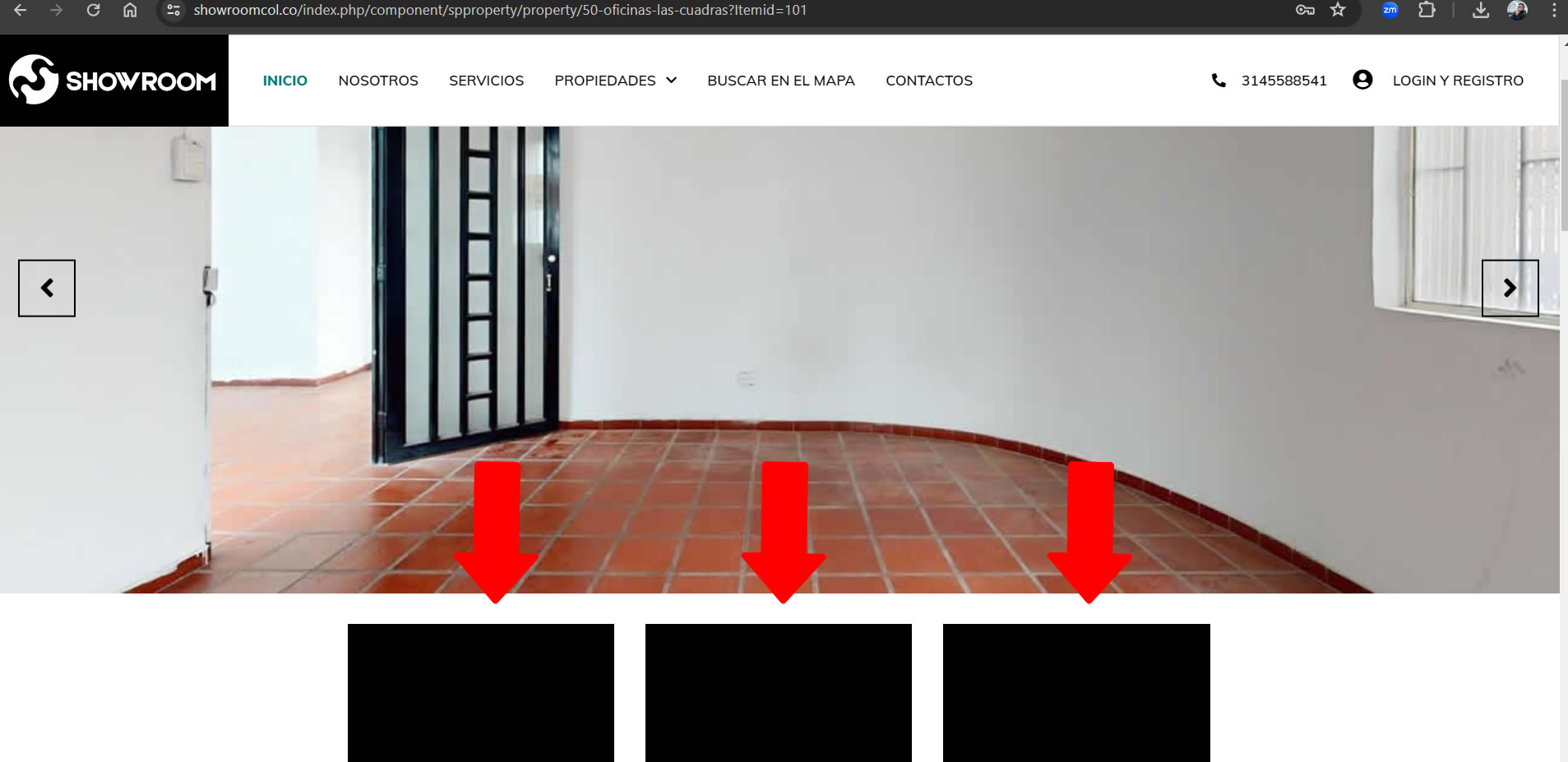
2.However, when updating the slider, the image thumbnails appear black, and it is not possible to upload or modify images. Additionally, the following error message is displayed:
Error: danger - Save failed with the following error: Out of range value for column 'price' at row 1

https://showroomcol.co/images/2024/_1.jpg?1731354108000
https://showroomcol.co/images/2024/_2.jpg?1731354108000

I would appreciate your assistance in resolving this issue.

Thank you in advance for your support.

Atick Eashrak Shuvo Staff

Could you please provide your server access?

Jonnathan Huertas Asked this

Of course I send the accesses to cpanel

Atick Eashrak Shuvo Staff

Could you please recheck the credentials?

Jonnathan Huertas Asked this

Best regards, please could you try with these credentials.

Atick Eashrak Shuvo Staff

Still not working

Jonnathan Huertas Asked this

I apologize and attach the correct credentials.

Atick Eashrak Shuvo Staff

It is the same username password. Still not working.

Jonnathan Huertas Asked this

Thanks for the timely support and solution....

Jonnathan Huertas Asked this

Dear

I hope this message finds you well.

When configuring the value in the backend, the thousand separators (commas or dots) appear correctly.
https://showroomcol.co/images/backend.jpg

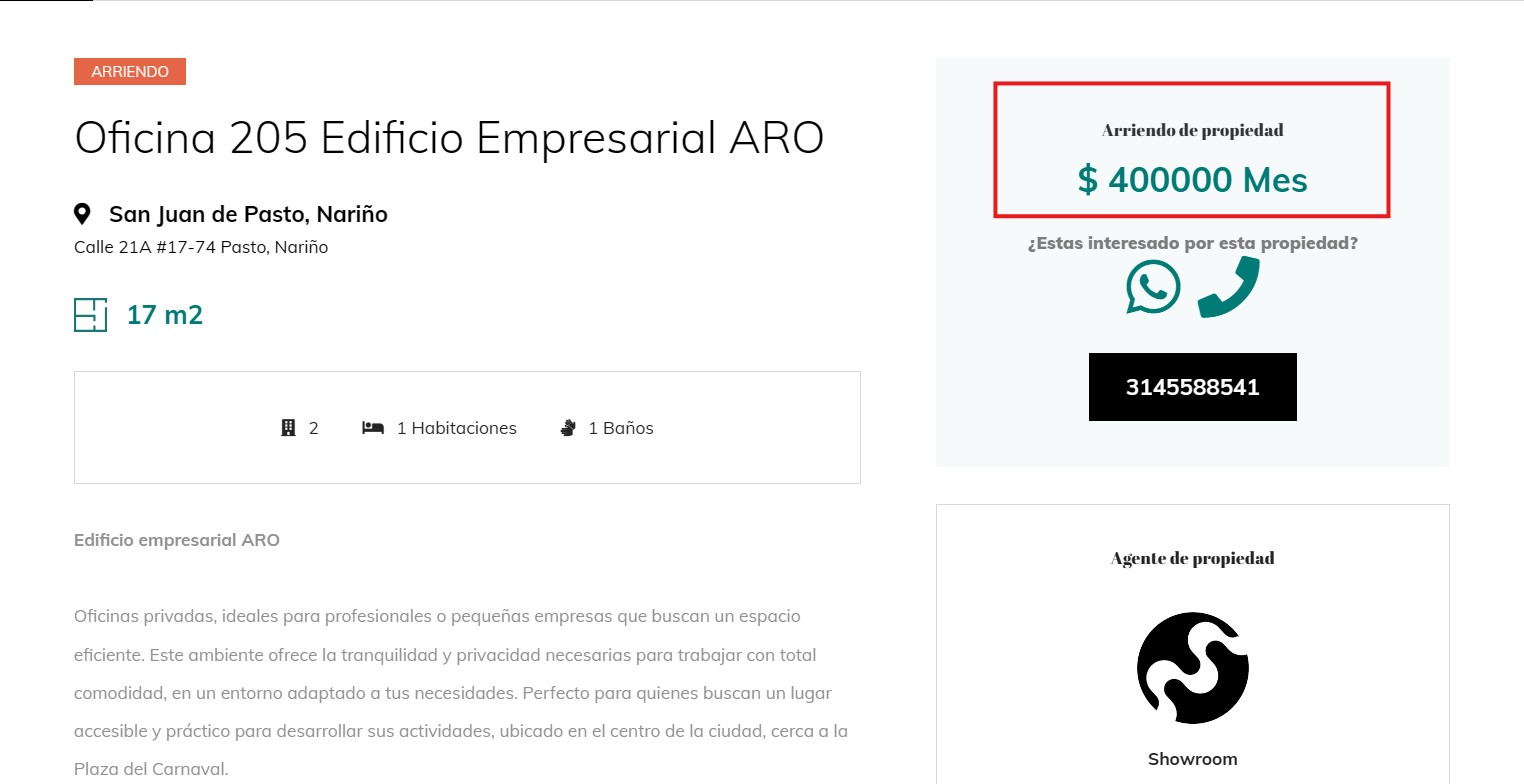
However, in the frontend modules or pages, the price is displayed without any thousand separators.
https://showroomcol.co/images/fronend.jpg

Could you please assist me in resolving this issue? Your support in correcting this would be greatly appreciated.

Atick Eashrak Shuvo Staff

Please follow your new forum post regarding this issue.

Log in to reply.