Two identical buttons behaving differently - Forum | JoomShaper
Solved General

Two identical buttons behaving differently

Asked by Orlando Browne 5 years ago Last activity 5 years ago

I am in neet of technical assistance or an insght on what i'm missing concerning website developed by me:
Website: www.quericasalsa.nl

Issue:
I created two identical buttons (with different IDs) with an image integrated in them.

One button displays the integrated image correctly on one page.
( https://www.quericasalsa.nl/de-mogelijkheden >>see paragraph Cursussen )

The twin button, on another page does NOT display the image at all.
( https://www.quericasalsa.nl/home >> see at the end of the first paragraph )

Any Idea why?

I used teh following CSS to manage the image inside the button:

/* ----------------------------- Style button >> ADD IMAGE in call to action Button  --------------------------------- */

#btn-1601934858253::before { /* button on homepage */
  content: url(/images/qrs_images/claves_zonder_achtergrond_kleur.png);  /* Remote on www.quericasalsa.nl */
  vertical-align: -75%;
}

#btn-1609285497035::before { /* button on de mogelijkheden page */
  content: url(/images/qrs_images/claves_zonder_achtergrond_kleur.png); /* Remote on www.quericasalsa.nl */
  vertical-align: -75%;
}

What I have noticed is that the " ::Before " code is not being adopted in the HTML on page Welkom at the button with ID: #btn-1601934858253
Only.... I have no idea why.


Accepted answer

Marked as the solution
Ofi Khan Staff

Please use this CSS to Template Options -> Custom Code -> Custom CSS

#btn-1601934858253::before {
    content: url(/images/qrs_images/claves_zonder_achtergrond_kleur.png);
    vertical-align: -75%;
}

But as Pavel suggested, using one class for each of the buttons would be handy. Then you need to write CSS one time only.

13 more replies

Ofi Khan Staff
5 years ago · edited

Hello Orlando Browne

Sorry for the inconvenience. There could be any CSS issue that creates the issue. Please allow Bangladesh (BD) location access to view your site and investigate.

Best regards

Orlando Browne Asked this

@Ofi Khan...
Tanks for your answer.
The URLs are provided in the question..

Pavel
5 years ago · edited

Hi. First, do not use the IDs, but use the class name (CSS Class field in each addon). Then one line of code will be enough instead of two and it is cleaner and universally. And in the future, if you want somewhere else such a button, you will be enough to insert the same class name in CSS Class Field.

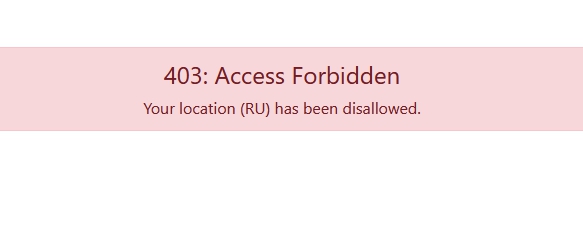
Secondly, your site is not available because of the settings of your Firewall for RU. Therefore, I can not say anymore seeing your code in the contextual environment.
I think Ofi meant the same thing - he cannot access your site because of the firewall.

Ofi Khan Staff

Yes, the firewall is blocking me to acces your site. Please turn it off to check your site.

Orlando Browne Asked this

Hi Pavel,

Thanks for your insight and advise. I will try that to start with. Hopefully it is enough to solve the issue.
I wil get back with the result.

But just in case, I have allowed RU through the FW
@Ofi Khan... also Bangladesh has been allowed. Sorry for misunderstanding before.

Orlando Browne Asked this

Hmm...
Pavel,
I tried your suggestion, but then both buttons do not display the image.
Using ID at least one works...

Pavel
5 years ago · edited

I think the problem is simply in the wrong code.
But I still can not see. Internal pages are not available. Only main URL is available.

And by the way vertical-align is used only for inline elements and table cells. Only for academic interest, that it will works, your button should have property display: table-cell or display:inline. But this outdated approach for the button is not used now.

Orlando Browne Asked this

Somehow the FW changes did not stick.
Could you check again please at your convenience?
Thanks..

Pavel

Mysterious problem. I tried two identical code in the same place in custom.css, but for some reason it works alone, and the other is not.

You use too much comments, this can lead to syntactic errors.

Use the ID only in the extreme case when there is no other output. Now you have a lot of IDs used in CSS code. It is very difficult to edit and track changes. It is possible, to use the IDs is the cause of your problem, it is somewhere redefined elsewhere code or in the addon settings.

And good practice continue to use the custom.css file, but not Template Options -> Custom Code -> Custom CSS.

Orlando Browne Asked this

Hi Ofi Khan, (and @Pavel)

Thanks for your suggestions.
Adding:

.claves-button::before {
    content: url(/images/qrs_images/claves_zonder_achtergrond_kleur.png);
    vertical-align: -75%;
}

to Template Options -> Custom Code -> Custom CSS
and refering to "claves-button" (without quotations) in both of the add-ons' CSS Class option
Solved the issue.

Could you explain why before it was working for only 1 button, and now when putting css. directy into template options it works allaround?

Before I was doing all of my CSS- styling trough: Extentions > templates > templates...
Then selecting the helix template. Then: CSS > Custom.css
What is the (main) difference? As both concern the same Template?

tahnks in advance for you answer.

Log in to reply.