
Hi guys,
Using browser Google Chrome or Brave, the problem is the same.
After logging in at /administrator, I see message: 1615 Prepared statement needs to be re-prepared.
Kind regards,
Edze de Boer
Hi guys,
Using browser Google Chrome or Brave, the problem is the same.
After logging in at /administrator, I see message: 1615 Prepared statement needs to be re-prepared.
Kind regards,
Edze de Boer
You are welcome.
If everything is working fine now, please mark the question as complete by accepting any of our answers.
Thank you!
Hi,
Thanks for reaching out to us.
The error “1615 Prepared statement needs to be re-prepared” is not related to Joomla 6 itself. It is a MySQL / MariaDB server-level issue.
This usually happens when the database server runs out of internal table cache for prepared statements. In your case, it appears when Joomla tries to update the user’s “last visit” data during logout or on after login
What causes this?
• Low MySQL configuration values (table_definition_cache, table_open_cache)
• Database server restart or upgrade
• Server resource limits
• Occasionally corrupted table cache
What you can do
Quick temporary fix:
• Restart MySQL from your hosting panel
OR
• Run FLUSH TABLES; in phpMyAdmin
Proper fix (recommended):
Ask your hosting provider to increase:
• table_definition_cache
• table_open_cache
Typical recommended values are around:
table_definition_cache = 4096
table_open_cache = 4096
If you’re on shared hosting, your provider will need to adjust this.
You can also run “Check and Repair” on your Joomla database tables via phpMyAdmin to rule out table corruption.
Small Fix:

I fix it : In Global Configuration > Server > Database > Database Type : MySQL (PDO) Now no error.
Thanks
Hi Ziaul Kabir,
I will send your message to my hosting company.
Kind regards,
Edze de Boer
As a work around, I already fix this issues by setting Mysql PDO instead of MySQLi:
In Global Configuration > Server > Database > Database Type : MySQL (PDO) Now no error.
Thanks
Hi Ziaul,
Thank you for your help!
I will change that for the other websites as well.
Kind regards,
Edze de Boer
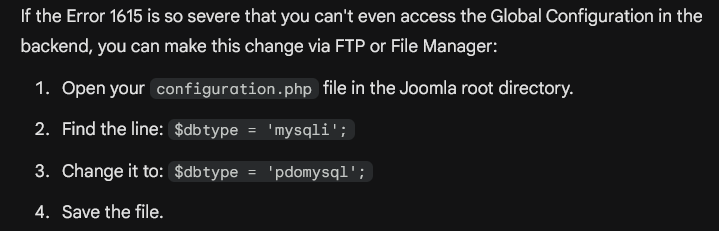
Extra tip, for those with broken Joomla Admin area
Hi Paul,
Thank you, I changed this for several websites in Global Configuration - Server - Database Type.
Working fine now!
Kind regards,
Edze de Boer

