Cannot apply different Typography Presets to different Screen-Sizes - Forum | JoomShaper
Solved SP Page Builder

Cannot apply different Typography Presets to different Screen-Sizes

Asked by RA 5 months ago Last activity 5 months ago

Hello guys,

I have a Problem with the SP-Page Builder Pro since at least Version 6.3.1. I did Setup the Typography presets in the Settings like this:
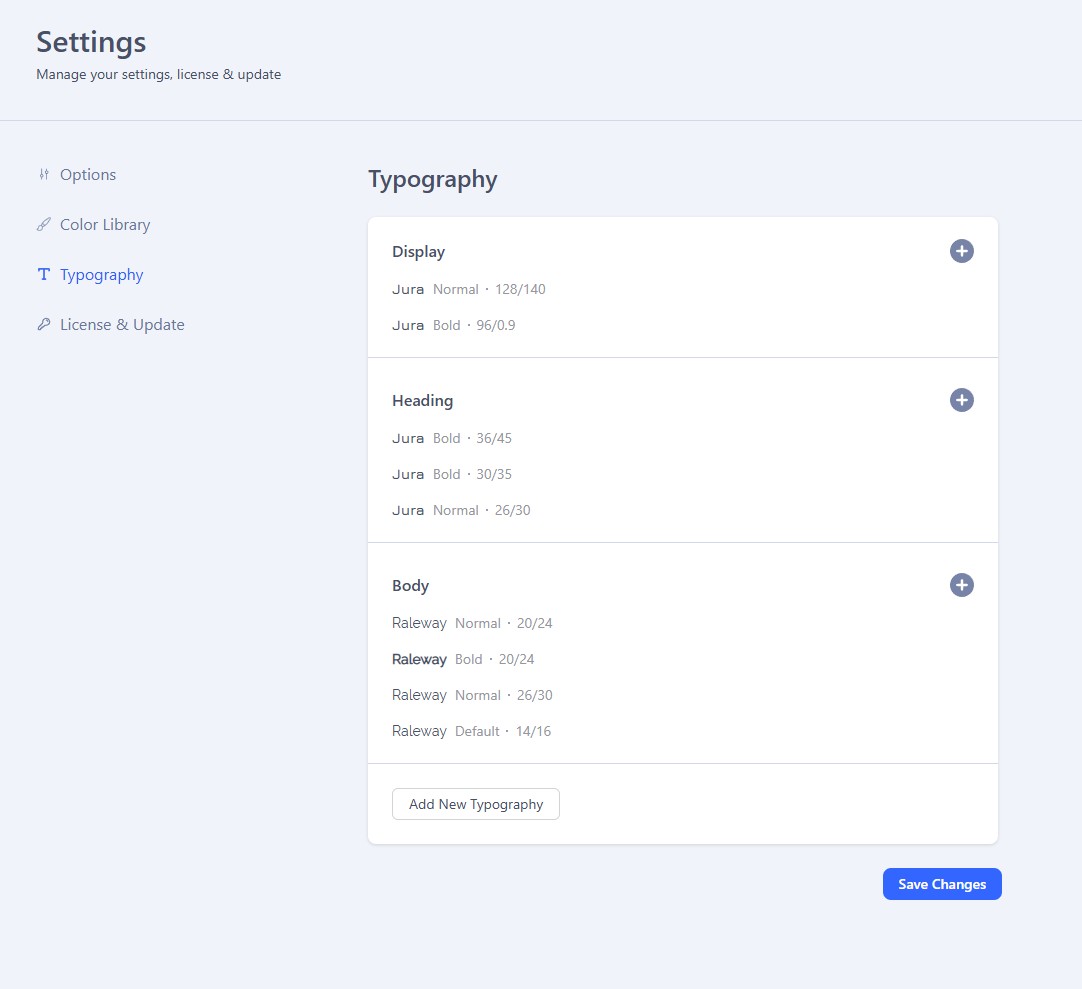
Settings

The fonts are installed Via the Font Book, using an Google Fonts API Key.

This seems to work just fine, but when i want to use different Presets for different screen-sizes something weird is happening:

  1. Select Preset for Laptop (XL): Everything seems to be fine
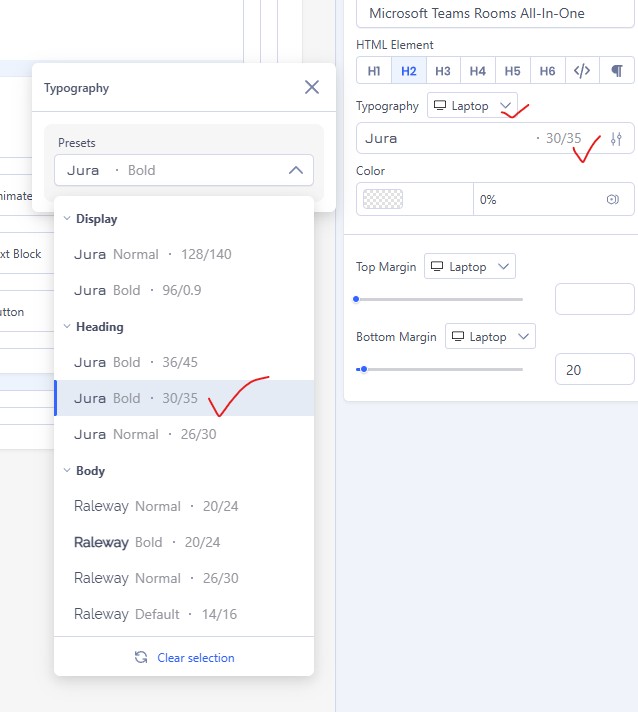
Laptop Typography Selection

  1. Switching to Mobile: Not showing Sizes and selection updates Laptop (XL) Settings, and not Mobile (XS) Settings
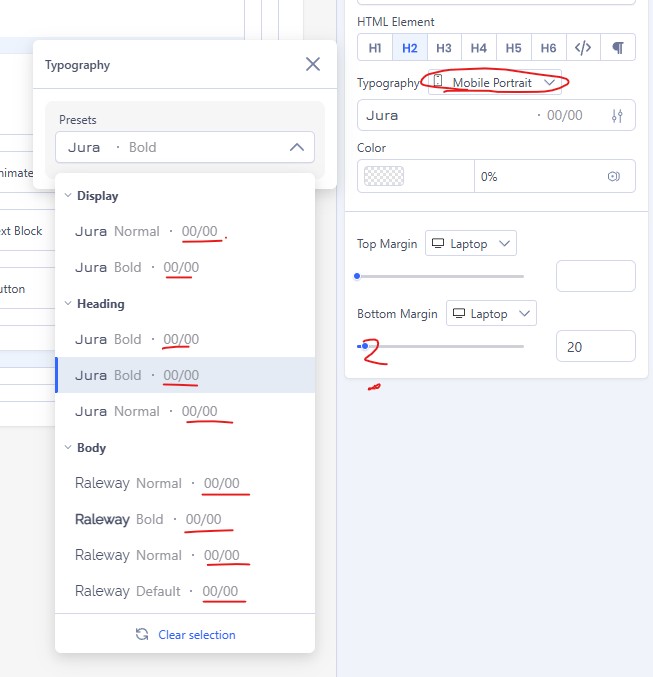
Mobile Typography Selection - Problem

After selectiog a different Preset for the Mobile version the Laptop (XL) Verison gets updated. I believe this worked in earlier versions of PageBuilder.

Accepted answer

Marked as the solution
Ofi Khan Staff

Hello RA,

Thank you for reaching out to our technical support forum. I’m sorry to hear about the trouble you’re experiencing.

I have checked the issue. Yes, it seems like a bug. I will ask the developer team to check it. It will be fixed in the next update.

Best regards

3 more replies

RA Asked this

Thank you Ofi! Looking forward to the fix.

Best regards

Ofi Khan Staff

You are welcome 😊

If the answer resolved your query, you can mark it as accepted to close the post and guide others with similar questions. You’ll find a button to accept answers below each comment.

accept_anwer.png

If you need further assistance, feel free to let us know!

Ofi Khan Staff

I have talked with the development team. You have to set the Typography responsiveness in the SP Page Builder settings. Then you can use it on the addon typography presets. Please check the screencast:

https://files.fm/u/j2bxvg3zsc

Log in to reply.