Hi,
I’m using the Newsberg template with Helix Ultimate and the Article Layout addon.
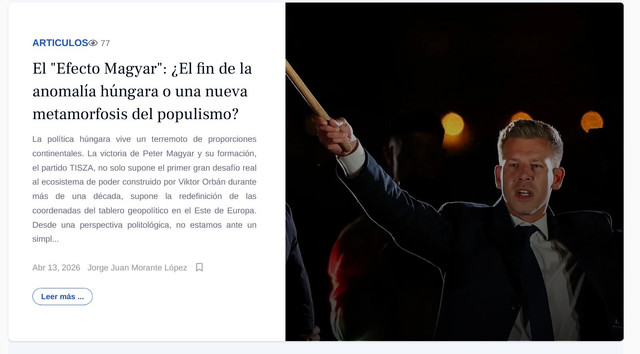
I would like to know how I can change the size of the article image displayed by this addon. Currently, the image is rendered at a fixed size, and I don’t see an obvious option to control it from the addon settings.
Is there a built-in way to:
- Adjust the image dimensions (width/height), or
- Select a different image size (e.g., intro/full image), or
- Override it via template settings?
I’m attaching a screenshot for reference.
Thanks in advance!
[img]https://i.ibb.co/TBWs7QpV/c1.jpg[/img]