Atick Eashrak Shuvo Staff
Thank you for sharing the screenshot. I understand your concern now.
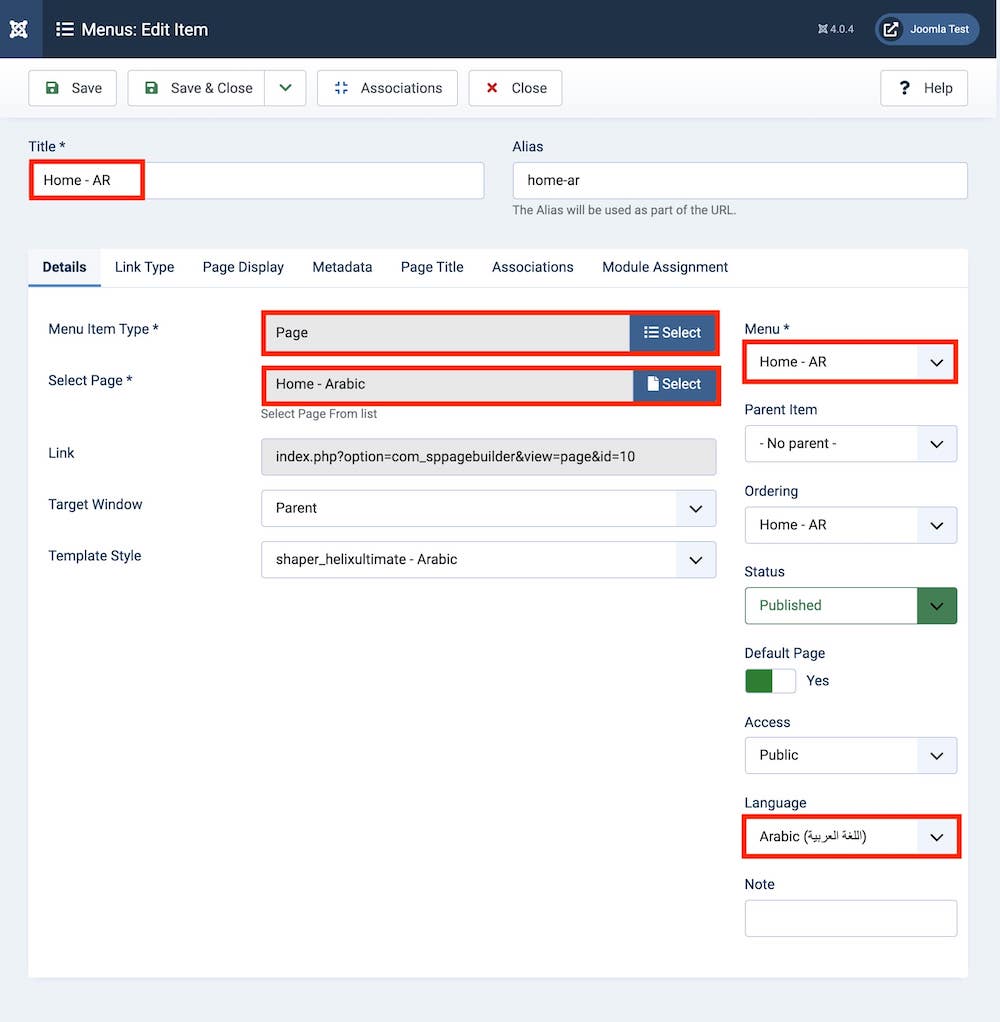
The screenshot you attached is from Step 6 of our documentation and, as you pointed out, the Template Style option is not shown there. The language-specific template assignment is actually covered later in Step 9: Duplicate Template Style. (JoomShaper)
Please follow Step 9: Duplicate Template Style in the documentation. There, you need to duplicate the Helix Ultimate template style for each language and use the Menu Assignment option to assign the corresponding language menu to each template style.
You can refer directly to Step 9 here:
Step 9: Duplicate Template Style
So, the Template Style does not need to be selected from the menu item shown in the attached screenshot. The language-specific template assignment is handled through the Menu Assignment section of the duplicated template styles.