I have a very large menu and I need to split in two lines the items.
How can I do this?
HOME | OUR FAMILIY | OUR PRODUCTS | PRINCIPAL EQUIPMENTS | AMATEUR SUPLY | PROFESIONAL SUPLY | CONTACT US
I need display as
OUR
FAMILY

I have a very large menu and I need to split in two lines the items.
How can I do this?
HOME | OUR FAMILIY | OUR PRODUCTS | PRINCIPAL EQUIPMENTS | AMATEUR SUPLY | PROFESIONAL SUPLY | CONTACT US
I need display as
OUR
FAMILY
E-mail contact to plugin developer
Hello
Thank you for your query. Usually if there are many menu items then the extra ones automatically appear in the next line.
Can you provide your site URL please so that i can check the issue?
Hi,
It won't be easy.
But I will give you other tips:
Those tips allows you to fit all menu items in one row.
3 and 4 was described in Helix documenation in How to tips.
https://www.joomshaper.com/documentation/helix-framework/helixultimate/faq-how-to-do
Example:
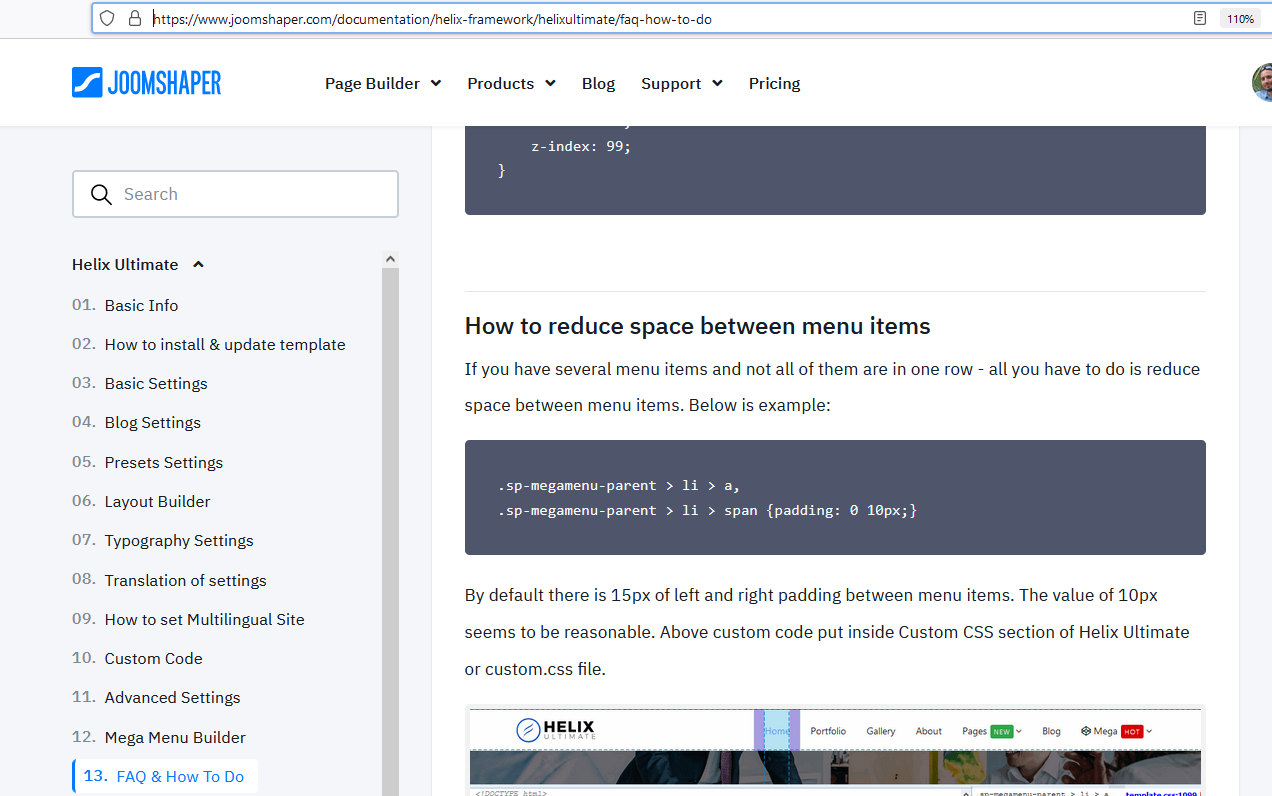
About this view:
It cannot be done by Helix settings. It request using extra custom plugin. As I know only one company developed it for Helix. If you want I can give you contact to them.
The menu I posted is an example, my menu is in spanish and is difficult to reduce
the site is http://ocsidh.org/
Paul Frankowski: Yes, please send me the info to [email protected]
Oh, I forgot that Spanish words are so long.
For sure you can disable [=] menu that you have next to logo you don't need this.
About e-mail, here is late hour, I will search tomorrow.
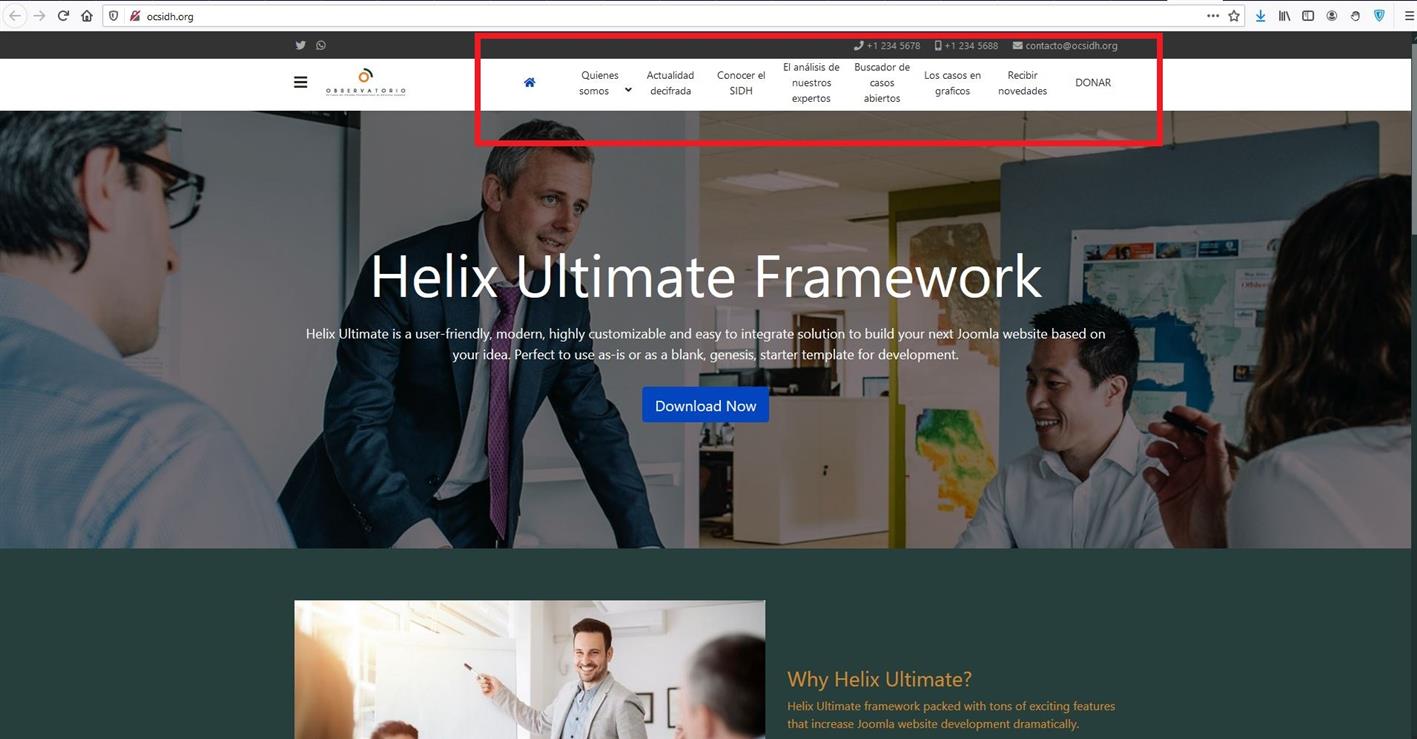
As you mentioned in the question, if you want it the way you showed in the screenshot:

Then you can try using the following CSS rules in Custom CSS section:
#sp-header {
    height: 70px;
}
.sp-megamenu-parent > li > a {
    word-break: break-word;
    width: 95px;
    line-height: unset;
    padding: 0px 5px;
    text-align: center;
    vertical-align: middle;
}
Please go to Extensions -> Templates -> Styles and select your default template. Then go to Template Options and click on it. Then you can go to Custom Code and add this css code there.
After applying the CSS the site should look like this:
BTW
If you would use Helix Ultimate 2.0 (RC2)- then there is Header where menu takes whole row.
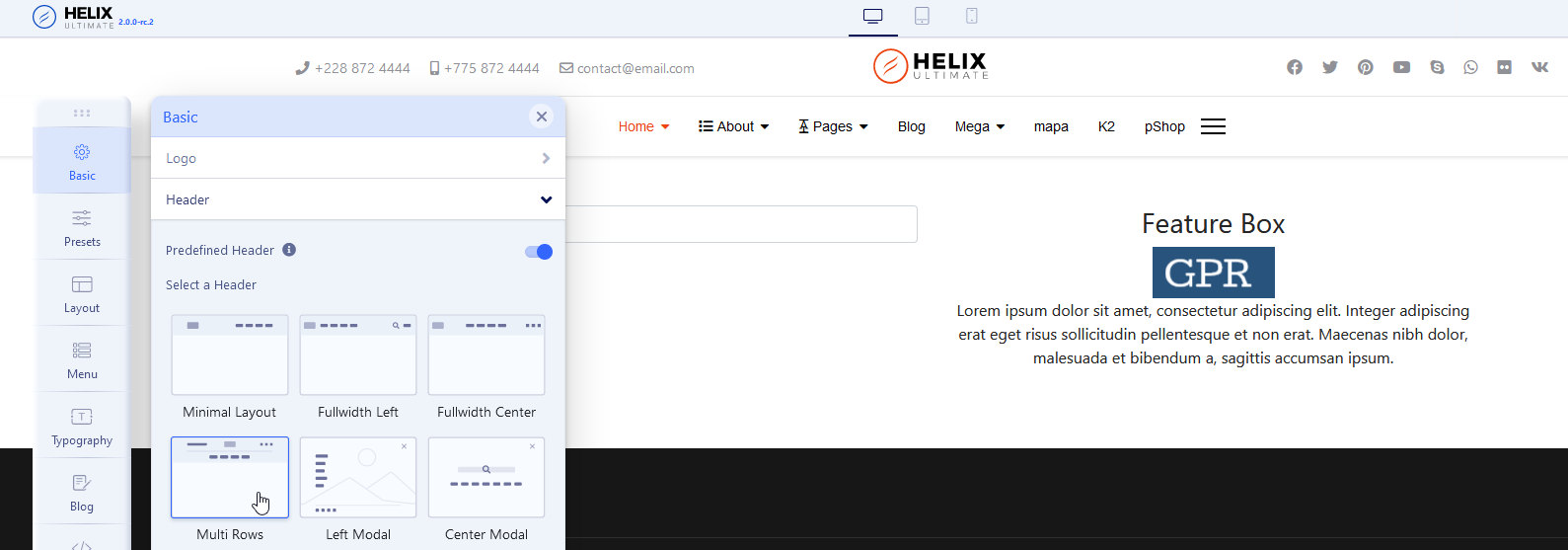
I can see that you have applied the CSS and it's working now. Please do let me know if you have any more queries.
Also, thanks to Paul for the good suggestion on Helix Ultimate 2.0 (RC2).
Your review on the links below will be highly appreciated.

