Hello, I am trying to do something similar to the google review bars, with the number of stars on the left and the bar on the right, but I see that the Progress Bar addon shows them inside, or above if I select the%. I have tried to put some numbers as a header on the left, but, it does not quite fit well due to margin issues ... Is there any way to make this number come out on the left? Thanks.
Solved
Helix Framework
Text in progress bar off of the bar
Accepted answer
Marked as the solution
Pavel
5 years ago
· edited
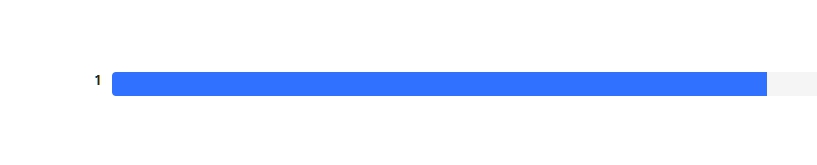
Hi. No need customize addon php code. Very simple CSS code solves the problem. Switch to percent mode and use the following code.
.sppb-progress-label {
    float: left;
    margin: 0 10px 0 0;
}
.sppb-progress-label span {
    display: none;
}
So that it worked insulated and did not affect the "progress bar" elsewhere on the site, add your class to the section and use the code in this form.
.yuor-section-class .sppb-progress-label {
    float: left;
    margin: 0 10px 0 0;
}
.yuor-section-class .sppb-progress-label span {
    display: none;
}6 more replies

Mehtaz Afsana Borsha Staff
Hi
Could you please give me a screenshot of your issue?

Anne Staff
Hello there.
Thanks for contacting with us. Can you give us a screenshot for better understanding?
-Regards

Paul Frankowski Senior Staff
5 years ago
· edited
HI,
If I uderstand well. You want something like this (red numbers)
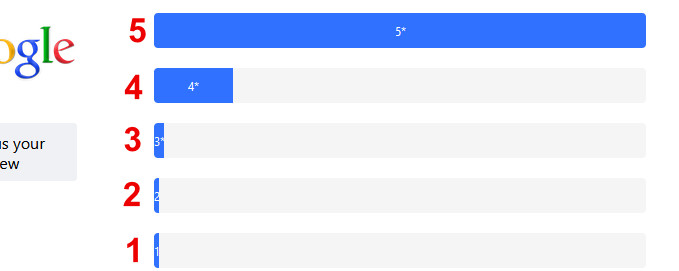
To make this change you have to customize addon php code.
I mean override addon folder (with site.php file) and edit its source code.
Sorry, but it's customization task beyond our support.
ClinicaMicro Asked this
Pavel, You're the best ;) Zanks!!!!
Pavel
You are wellcome
Anne Staff
Hello Pavel
Thanks for the information.
Log in to reply.