PROBLEM WITH LESSONS - SPLMS - menu dissapear after click on lesson and change URL link on same salesson - Forum | JoomShaper
Staff replied Extensions

PROBLEM WITH LESSONS - SPLMS - menu dissapear after click on lesson and change URL link on same salesson

Asked by iig75 4 years ago Last activity 4 years ago

Hello, I have use SP LMS 4.0.2 and helix 3. After I choose a some lessons for example - lesson 1.1, lesson1.12, lesson 1.13 top menu dissapear. If I click again on the same lessons or choose other lessons menu appear again. VERY STANGE ISSUE! And the browser link changing too.

For example: From https://alc.allcute.eu/index.php?option=com_splms&view=lesson&id=1:lektziya-1-ms&Itemid=291&lang=bg To https://alc.allcute.eu/index.php?option=com_splms&view=lesson&id=1:lektziya-1-ms&Itemid=289&lang=bg

What can I do? Where is the problem?

23 replies

Toufiq Senior Staff

Hi there,

Thanks for contacting us. Sorry for the inconvenience. Will you please provide me the Joomla administrator access to check the issue? I will check & get back to you soon. 

-Thanks

iig75 Asked this

Hello, check now please. Maybe you`ve login at the backtend just I reinstall the SP LMS component.

Toufiq Senior Staff

I have added video in your second lesson and it works fine. Will you please check & let me know. Thanks

iig75 Asked this
  1. Find a course
  2. Click on lessons 1 - the top menu disappear
  3. Click on lessons 1 again - the top menu appear
Toufiq Senior Staff

Check now and you should use helix3 and Helix Ultimate same site at the same time. Thanks

iig75 Asked this

Hello, now SP LMS lessons links works fine.
First I want to tell you than Ive dont understood your last post. ?
What can I do?
I should use togheter Helix 3 and Ultimated or
I should not use togheter.

Finaly, I saw another problems with template Helix 3.
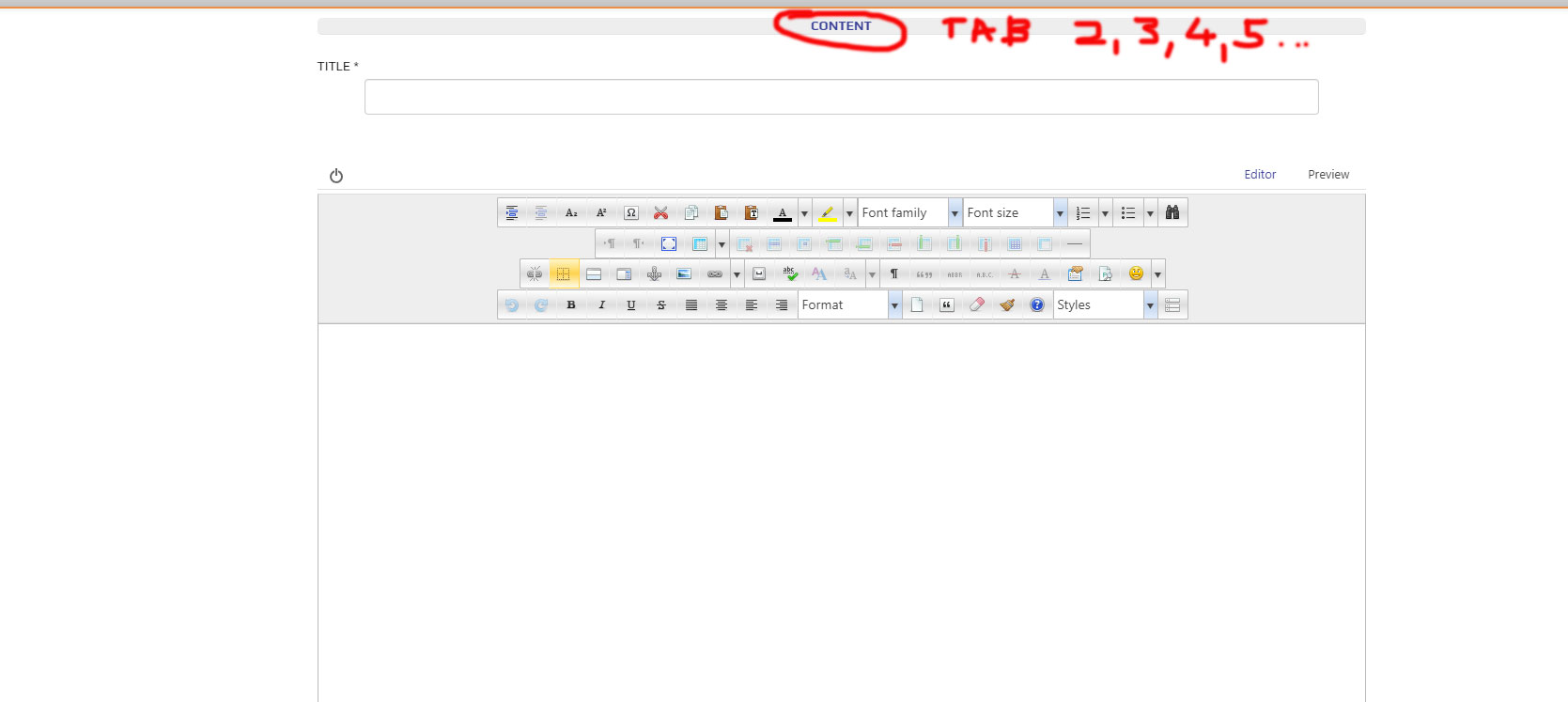
After you fix this problem, There are a missing joomla article tabs. Yo can see it after login with created user in frontent and check menu - user - create a problem.
You will see only tab CONTENT, but another i missing, why?

Toufiq Senior Staff

You shouldn't use helix3 and helix ultimate together. Thanks

iig75 Asked this

...and forget to tell you than Font Awesome can not be find in template settings to enable it.
So I have a square figure everywhere indeed an icons.

Log in to reply.