Solved
General
Font Awesome
Accepted answer
Marked as the solution
Paul Frankowski Senior Staff
2 years ago
· edited
Hi Marek,
- From Helix Ultimate > Template Options > Menu > choose item > MegaMenu > select icon
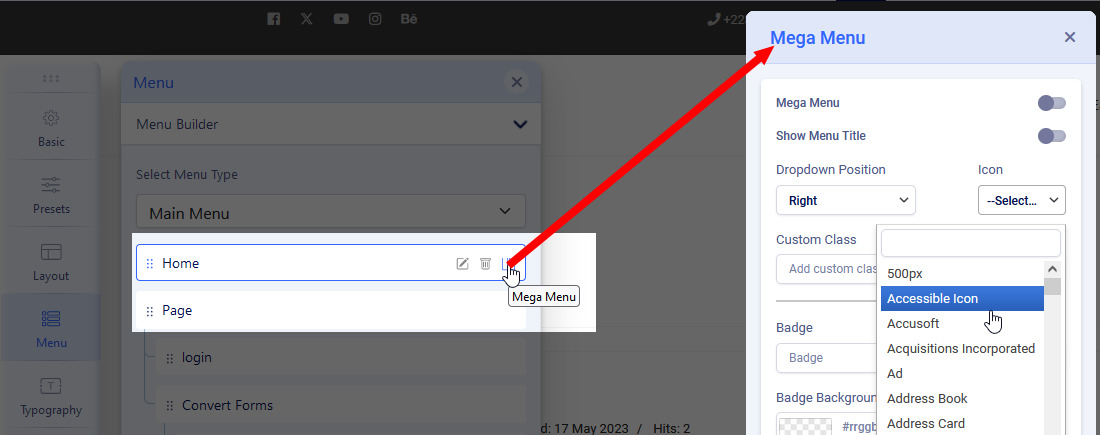
- You have to use HTML mode (in Custom Module or Text addon you can switch to HTML view) then use Font Awesome 5.15 Free basic code. OR use Raw HTML addon, then it will be much easier to control content. Example:
<span class="fas fa-phone-square-alt"></span> Telefon zaufania
0 more replies
Log in to reply.