

How To Hide The Logo Only On The Startpage "home"
M
Mario
I only want to hide the logo on the Start/Main Page (home). The other pages should show the logo. How can i do it? I am using HelixUltimate 2.2.1 with Joomla 5.4.0.
Thanks in advance for your help.
2 Answers
Order by
Oldest

Paul Frankowski
Accepted AnswerCiao Mario.
To hide, you can use Custom CSS.
Check what ID class name is used for home page in body class, and use that class name with #sp-logo {display: none; visibility: hidden;}
for example, my home page has that HTML code:
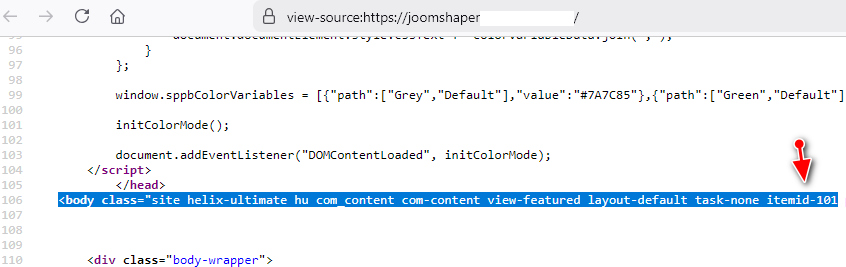
and as you see it uses class ".itemid-101" - so in my site that hide code will look like that:
.itemid-101 #sp-logo {width: 0; display: none; visibility: hidden;} I hope all is clear. Yes, there is also 2nd method.