

Addon Article Layout How To Change Size For Images
ES
Europa en Suma
Hi,
I’m using the Newsberg template with Helix Ultimate and the Article Layout addon.
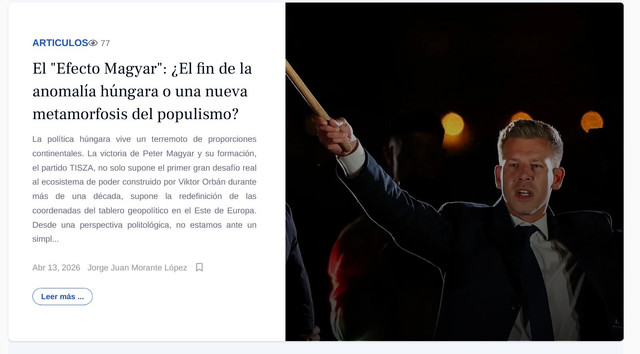
I would like to know how I can change the size of the article image displayed by this addon. Currently, the image is rendered at a fixed size, and I don’t see an obvious option to control it from the addon settings.
Is there a built-in way to:
- Adjust the image dimensions (width/height), or
- Select a different image size (e.g., intro/full image), or
- Override it via template settings?
I’m attaching a screenshot for reference.
Thanks in advance! [img]https://i.ibb.co/TBWs7QpV/c1.jpg[/img]
3 Answers
Order by
Oldest

Ziaul Kabir
Accepted AnswerHi,
Thank you for your query.
In the Newsberg template, there is a override addon name Article Layout. In this override, the article image is applied as a background image rather than a standard <img> tag.
That’s why you’re not seeing any direct option in the addon settings to control the image size (width/height or image type).
To modify the image size or behavior, you would need to adjust it via custom CSS or modify the override file in the template.
Alternatively, you can remove this addon and use the Articles addon instead. It provides better control over article images, including selecting image types and adjusting layout options more easily.
Hope this clarifies the issue.
Let us know if you need help with the customization guide.
Best regards,