
SP Page Builder (v6.6.2) - Question | JoomShaper

SP Page Builder (v6.6.2)

Michael Ko.

Michael Ko.

SP Page Builder 5 days ago

Hello JoomShaper Support,

I have encountered an issue with SP Page Builder Pro 6.6.2.

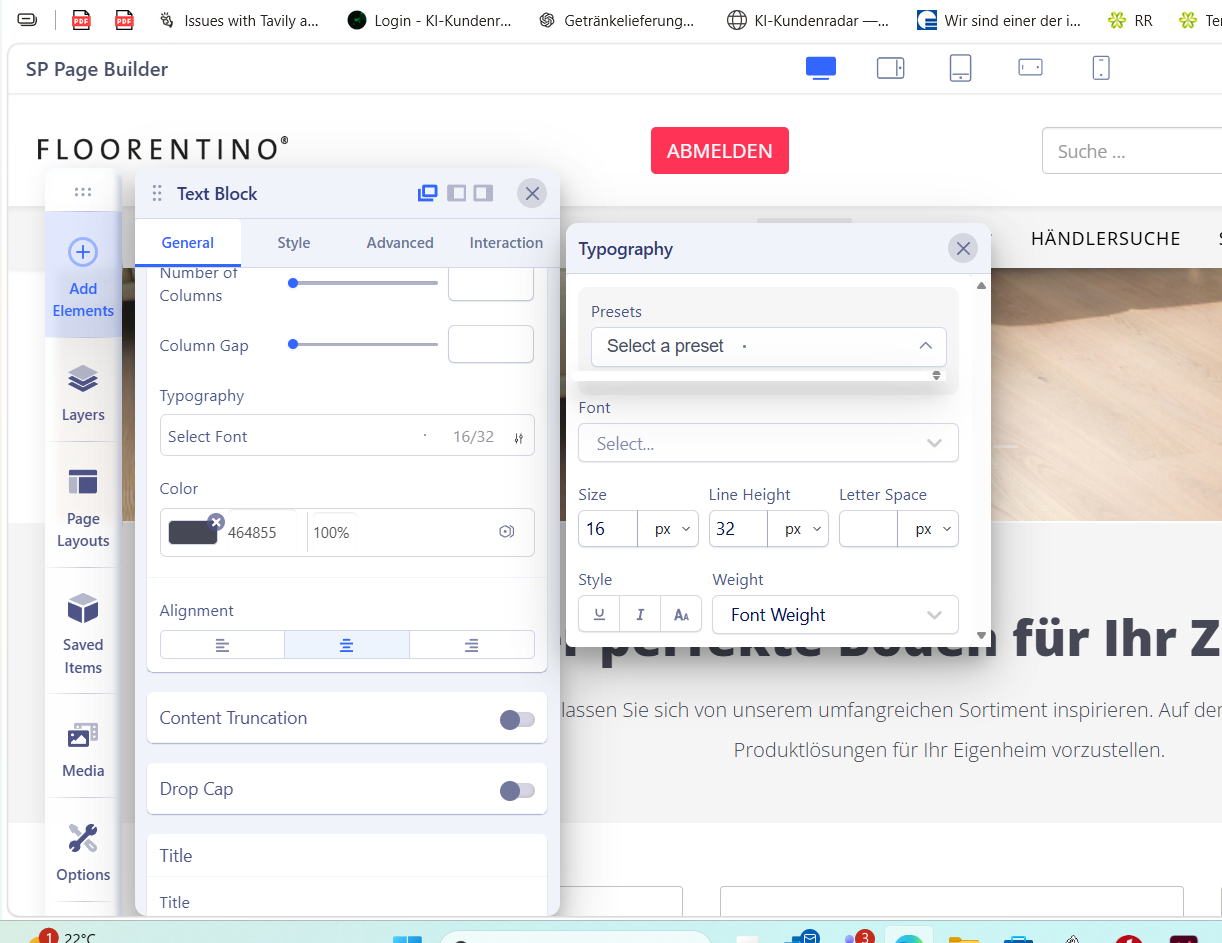
I am no longer able to select any typography or font in the Typography settings. When I click on the "Select Font" or "Font" dropdown, nothing happens. The font list never opens.

This problem occurs:

on all pages of the website, with every Text Block, not only on one specific page.

I have already tried the following:

Reinstalled SP Page Builder 6.6.2 Cleared Joomla cache and browser cache Tested with different browsers Disabled browser extensions

Unfortunately, the problem still exists.

I have attached a screenshot showing the issue.

Could you please let me know:

Is this a known bug in version 6.6.2? Are there any additional troubleshooting steps I can try? Is there a fix or patch available?

Thank you for your assistance.

Best regards,

Michael Konietzko

0
1 Answers
Atick Eashrak Shuvo
Atick Eashrak Shuvo
Accepted Answer
Support Agent 5 days ago #228246

Hello Michael,

Thank you for contacting us.

First of all, we apologize for the inconvenience you are experiencing.

At the moment, we are not aware of any known issue in SP Page Builder Pro 6.6.2 that prevents the font selection dropdown from working.

After reviewing the screenshot you shared, it appears that you may be clicking on the Preset dropdown rather than the Font dropdown. Could you please verify this and try clicking directly on the Font field to see if the font list opens?

If the issue still persists, please provide administrator access to your Joomla backend so we can investigate the issue further.

We look forward to your response.

Best regards

0