SP Page Builder v6.4.0: Reference and Multi-reference Fields for Filtering, Default Mode in Global Color & More
Here’s another SP Page Builder update you’re going to enjoy!
This release brings a set of essential new features and fixes to improve your experience. We’re constantly working to keep SP Page Builder aligned and running smoothly—and your feedback and patience play a huge part in making that happen.
So let’s take a look at what this version brings in!
SP Page Builder v6.4.0 Changelog:
- New: Added support for reference and multi-reference fields for filtering in the Collection addon.
- New: Introduced the ability to choose a default mode in Global Color settings.
- New: Added support for video subtitles in the Video addon.
- New: Added the option to access both files and images directories in the folder section of the media manager.
- Update: Added bulk delete feature in Page Versioning.
- Update: Added a Version Limit setting to control stored page versions.
- Update: Updated Button addon’s link to have download attribute.
- Update: Improved EasyStore integration.
- Update: Added the option to have accordion open/close toggle behavior.
- Fix: Resolved dynamic content number field numeric sorting issue.
- Fix: Updated missing language strings in comment addon.
- Fix: Adjusted slideshow addons inner items hide/show functionality based on layout.
- Fix: Updated slideshow addons breakpoint behavior.
- Fix: Fixed background image custom size issue.
- Fix: Resolved image addons object-fit causing broken markup.
- Fix: Fixed an issue where the collection creation option would have missing reference fields.
- Fix: Fixed an issue where social share addon would not work with specific symbols.
- Fix: Handled special character support for dynamic content search.
- Fix: Resolved the issue with button addons custom size not working.
Smarter Filtering with Reference & Multi-Reference Fields
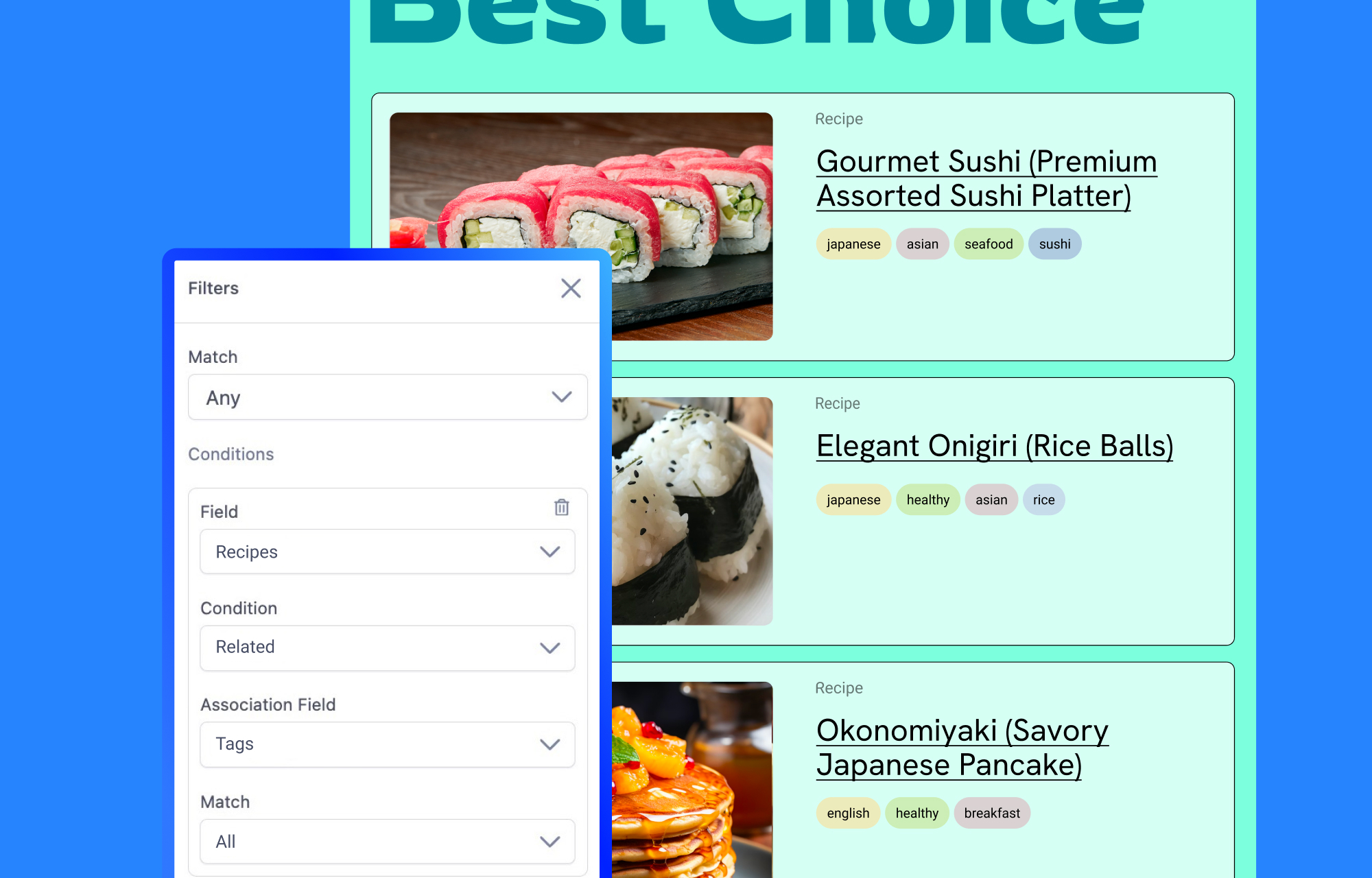
Say goodbye to manual filtering and repetitive setup. With this update, SP Page Builder introduces powerful filtering directly within your Dynamic Details pages.
You can now show related items on the dynamic details pages with filters using reference and multi-reference fields straight from the Collection addon. For instance, if you are looking to display that “you might also like” section or “related items” section you can now effortlessly achieve that with the Reference & Multi-Reference filtering.
Whether it is a recipe details page showing other recipes from the same author or filtering recipes that share similar tags, everything can now be done smoothly using Reference and Multi-Reference filtering, without any complex setup.
Eager to learn more? Why not dive into our detailed documentation for more.
Default Mode in Global Color Settings
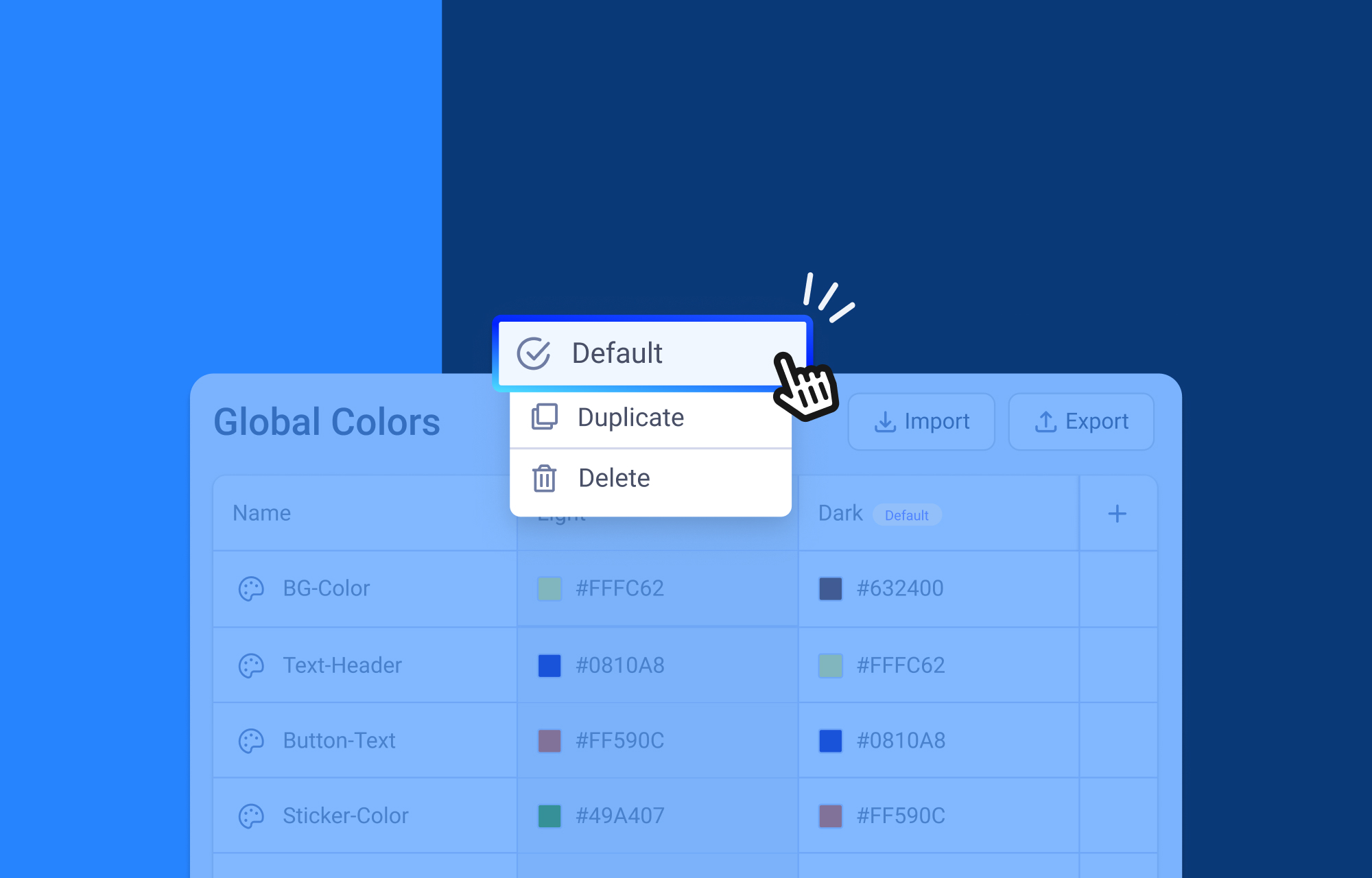
The latest version of SP Page Builder introduces a new option that lets you set a default color mode. If you have multiple color modes, you can choose any one of them to be the default, and only that mode will be displayed.
To apply your preferred color as the default, make sure to disable the color switcher option in the settings.
Support for Video Subtitles in Video Addon
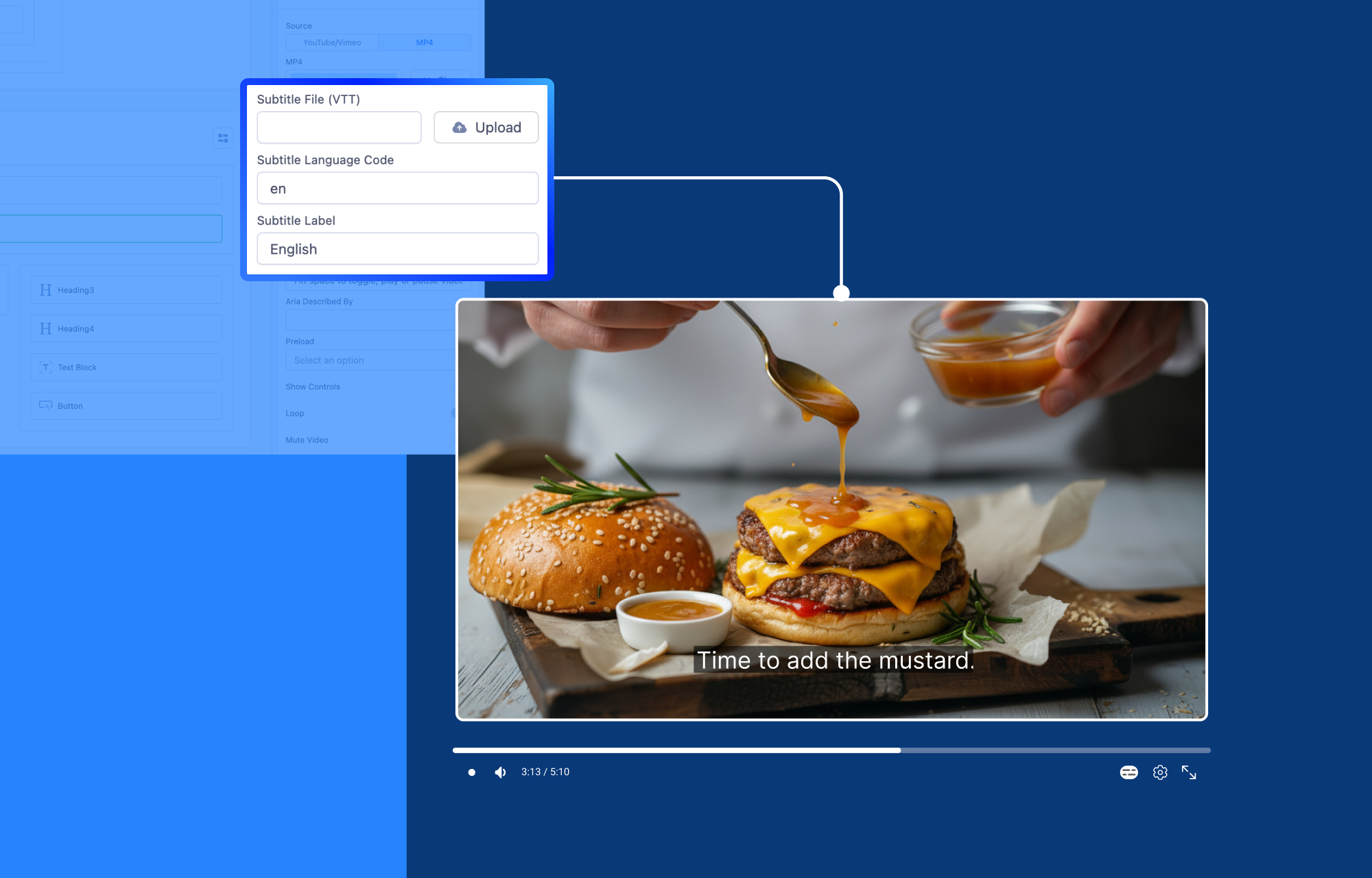
The Video addon now includes built-in subtitle support for MP4 videos to make your content more accessible and user-friendly.
You can upload a VTT (WebVTT) subtitle file directly from the addon settings. You also have the option to define a subtitle language code, such as en for English, and set a custom label that appears in the video player.
This makes it easy for viewers to switch on subtitles in their preferred language, enhancing both accessibility and the overall viewing experience.
Notable Updates
Improvements to Page Versioning
Page versioning now comes with enhanced controls to make version management more efficient.
You can bulk delete multiple versions at once, saving time when cleaning up outdated entries. In addition, a new version limit option lets you define how many versions should be stored for a page, automatically removing older ones as new versions are created.
This keeps your version history organized while preventing unnecessary storage buildup.
Added the option to have accordion open/close toggle behavior
Introduced a new option that allows you to control the accordion’s open and close toggle behavior. This gives you more flexibility in how accordions function, letting you decide whether sections should expand or collapse based on your preferred interaction style.
Please go through the changelog to check all the features, enhancements and fixes included in this version.
Update Update Update!
We hope these updates make your workflow smoother and your site building experience even more powerful. As always, we are listening closely to your feedback and working on even more improvements for upcoming releases!
Good luck!

Sreema
Related Articles