

SP Page Builder v6.8.0: Multilingual Support for EasyStore Pages, Security Enhancements, & More
5 min read
Get ready for SP Page Builder v6.8.0, packed with exciting new features and improvements!
Our team has been working hard to improve existing tools, fix problems, and create a more capable and secure page-building experience.
Let’s see what’s happening with this brand new update:
SP Page Builder v6.8.0 Changelog:
- New: Multilingual page support for EasyStore
- New: Set multiple recipient emails in Form Builder
- Update: Option to clear Page Hits directly from the page menu in both editors
- Update: Added Detail and Index labels to Dynamic Content pages
- Update: Improved AcyMailing compatibility
- Update: Added addon level alias to improve compatibility with EasyStore
- Update: Added a Joomla 3 version check to prevent the installer from running on unsupported Joomla versions
- Update: Added Copy, Paste, and Paste Style support for elements inside the Table addon
- Update: Strengthened input validation, file handling, and access checks across the component
- Fix: Fixed an unauthenticated SQL injection vulnerability in the article loading endpoint
- Fix: Fixed column sorting issues that occurred when pagination was enabled
- Fix: Resolved character length validation in Form Builder and an issue that could cause multi-step form submissions to fail without displaying an error
- Fix: Handled an edge case that could trigger an unnecessary warning when debug mode was enabled
- Fix: Added missing language strings in the Comment addon
Multilingual Pages Support for EasyStore
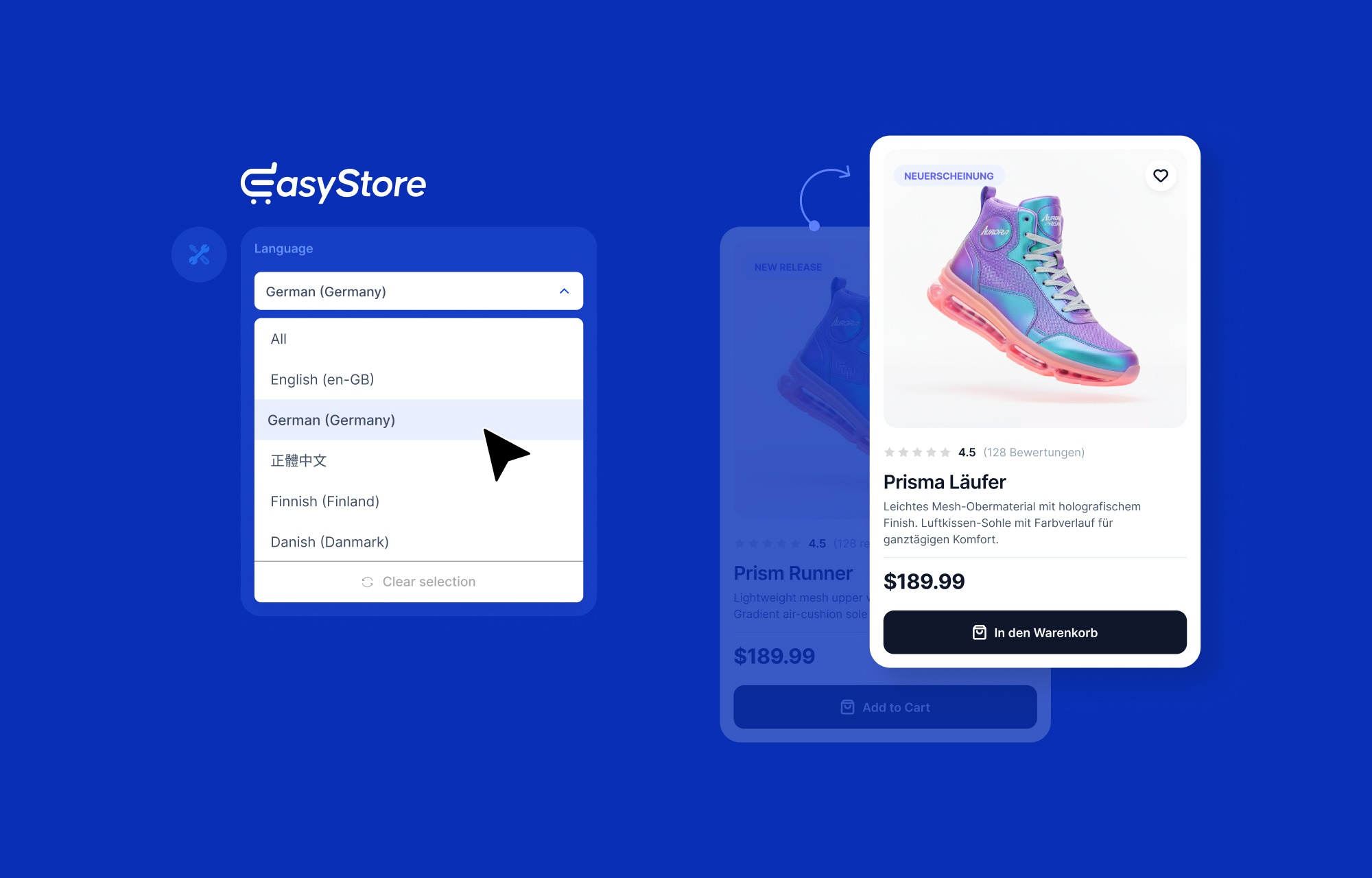
Following the EasyStore update that brought multilingual support, the latest SP Page Builder update takes it a step further by allowing you to create language-specific versions of the pages that make up your storefront.
When editing an EasyStore Storefront, Single, or Collection page with SP Page Builder, you can now create a separate version of that page for each language. Simply open Page Settings, select a language, and SP Page Builder will create an alternate version of the same page for that language.
You can then translate the content you’ve directly added to the page, such as headings, text blocks, buttons, and other addons with translatable text fields. Each language is saved as its own version of the page, so you can customize the content for each audience without changing the original page.
To learn how to build multi-language store pages on EasyStore, please refer to our documentation.
Note: This feature only applies to addons with text fields that you can edit through SP Page Builder. EasyStore-specific content, like product titles, categories, etc. is based on translations you’ve already configured through EasyStore’s multilingual system.
Set multiple recipient emails in the Form Builder addon
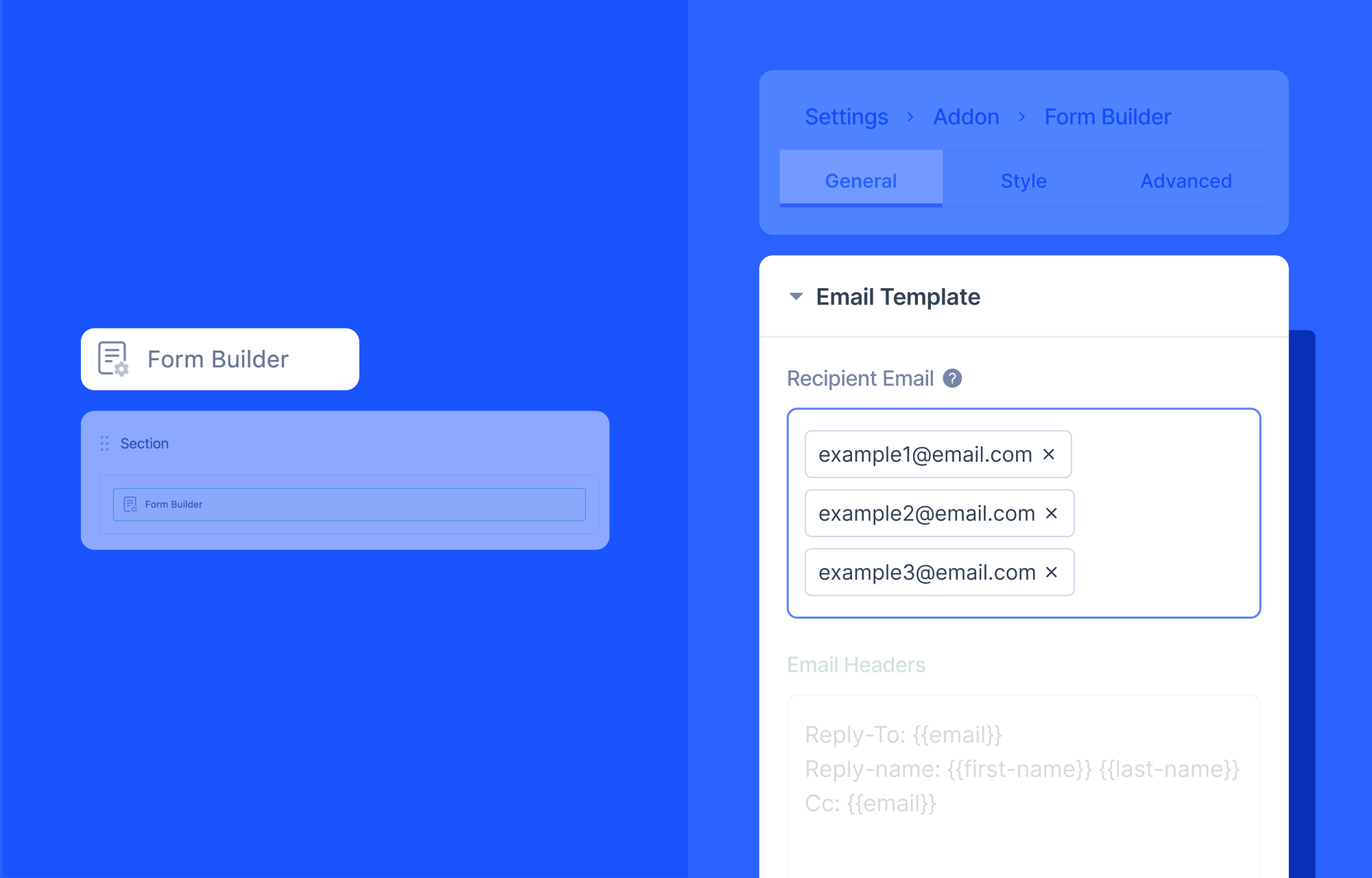
The Form Builder addon has received yet another expansion, now allowing you to add multiple recipients instead of just one.
When using the addon, simply enter multiple emails under the Recipient Email option. Now, if you have different administrators and emails, whenever a user fills in a request via the form, their emails will be sent to all added addresses simultaneously.
Security Enhancement
This version of SP Page Builder also patches a critical, unauthenticated SQL injection vulnerability. If you haven't updated yet, we strongly recommend doing so as soon as possible.
Quick Facts
- Affected versions: v6.1.0 – v6.7.1
- Fixed in: v6.8.0
- CVE: CVE-2026-65876
- CWE: 89, 639
There was a vulnerability in SP Page Builder's article loading endpoint that allowed SQL injection without requiring authentication. We've patched the vulnerability in today’s update. Alongside the fix, we've also hardened input validation, file handling, and access checks across the component more broadly, reducing the risk of similar issues going forward.
We also fixed a bug in the Comment addon where guests could still post comments even after the "Allow Anonymous Comments" option was turned off. This meant unauthenticated visitors could comment on sites where admins had explicitly restricted commenting to logged-in users. The issue is resolved in this release.
What You Need to Do
- Log in to your Joomla admin panel.
- Go to System > Update > Extensions.
- Select SP Page Builder, click Update.
Or, download the latest package from the JoomShaper site and install manually via the Extension Manager.
Don’t forget to back up your site, as always.
Our sincere thanks to Phil Taylor of mySites.guru, David Jardin of Joomla! Security Strike Team, and Krzysztof Zając of CERT, PL for responsibly reporting this vulnerability. We appreciate their contribution to keeping our products and the wider Joomla! ecosystem secure.
Other Notable Updates
Clear Page Hits directly from the editor
You can now reset a page’s hit counter directly from both the frontend and backend editors. Simply open the three-dot menu in the top-right corner and select the option to clear the page hits. This resets the counter to zero.
Labels for Dynamic Content pages
Dynamic Content pages now display their respective labels next to the page title, making it easier to identify the page type while editing from either the backend or frontend editor.
Copy, Paste, and Paste Style in the Table addon
The Table addon has been updated, and it now supports copying and pasting elements directly within the addon. You can also use Paste Style to quickly apply the styling of one element to another.
Improved AcyMailing compatibility
AcyMailing compatibility has been improved with the latest update, making integration with this extension run smoother.
Added missing language strings to the Comment addon
We’ve added some missing language strings in the Comment addon, ensuring all available text can now be properly translated.
Improved Multi-Step Form Builder validation and submission
The Form Builder addon now properly handles character length validation and form submission. We’ve also fixed an issue where some submissions could fail silently without providing any feedback to the user.
Update Now!
That’s all for the latest release.
Stay tuned for more updates, and of course, let us know what else you’d like to see us improve next!

I have one important request:
Could please bring back the easy drag options for entire rows in SP Page Builder we had in earlier versions and at least still have in backend editing.
In frontend editing you replaced it with "layers" which is a huge inconvenience since you cannot see what and where you are dragging a row so clearly, except if you name every row before that.
So when I want to drag a row in SP Page Bilder I go from frontend to backend drag the row into place, save it and then go back to frontend and reload the page. Huge effort instead of just simply dragging the row up or down in frontend.
Actually, when you introduced "layers" I thought it was to change the z-index of objects like layers in Photoshop. That would have been an interesting feature.
So please bring back the easy, intuitive and basic drag option for rows in frontend.