SP Page Builder v6.7.0 is here with brand new features and fixes!
Our team has been engaged in comprehensive efforts, which include enhancing established tools, resolving shortcomings, and preparing the way for a page-building experience that offers greater capability and adaptability.
So, without wasting any more time, let’s take a gander at everything this version brings to the table!
SP Page Builder v6.7.0 Changelog:
- New: Form Builder addon now supports multi-step forms.
- New: Added ACL settings for Dynamic Content Collections.
- New: Added a toggle in Settings > Advanced to hide Joomla modules in the frontend editor.
- Update: Added Duration and Delay controls to the Animated Heading addon.
- Update: Addon names in the backend editor are now truncated when they exceed the available display space.
- Update: Dynamic Article Details page layout setting now uses a dropdown instead of a toggle for clearer layout selection.
- Update: Updated Animated Number animation generation to produce SEO-friendly markup.
- Update: Bulk Deletion option added for the custom icon pack as well as the custom icon page.
- Update: The backend editor now includes a "rename" option in the action dropdown.
- Update: Improved overall security and stability.
- Fix: Poster attribute no longer displays when no poster is set.
- Fix: Allowed file types are now whitelisted when extracting uploaded icon fonts.
- Fix: Resolved a missing field issue in the Articles addon.
- Fix: Fixed a field issue in the Article Scroller addon.
- Fix: Addressed the backward compatibility aliasing issue with Joomla 6.
- Fix: Instagram addon not working issue fixed.
- Fix: Font weight options updated for locally uploaded fonts.
- Fix: Resolved the navbar width responsiveness issue in the Tabs addon.
- Fix: Resolved the clash between regular and reference filters for dynamic content sites.
Multi-step support for the Form Builder Addon
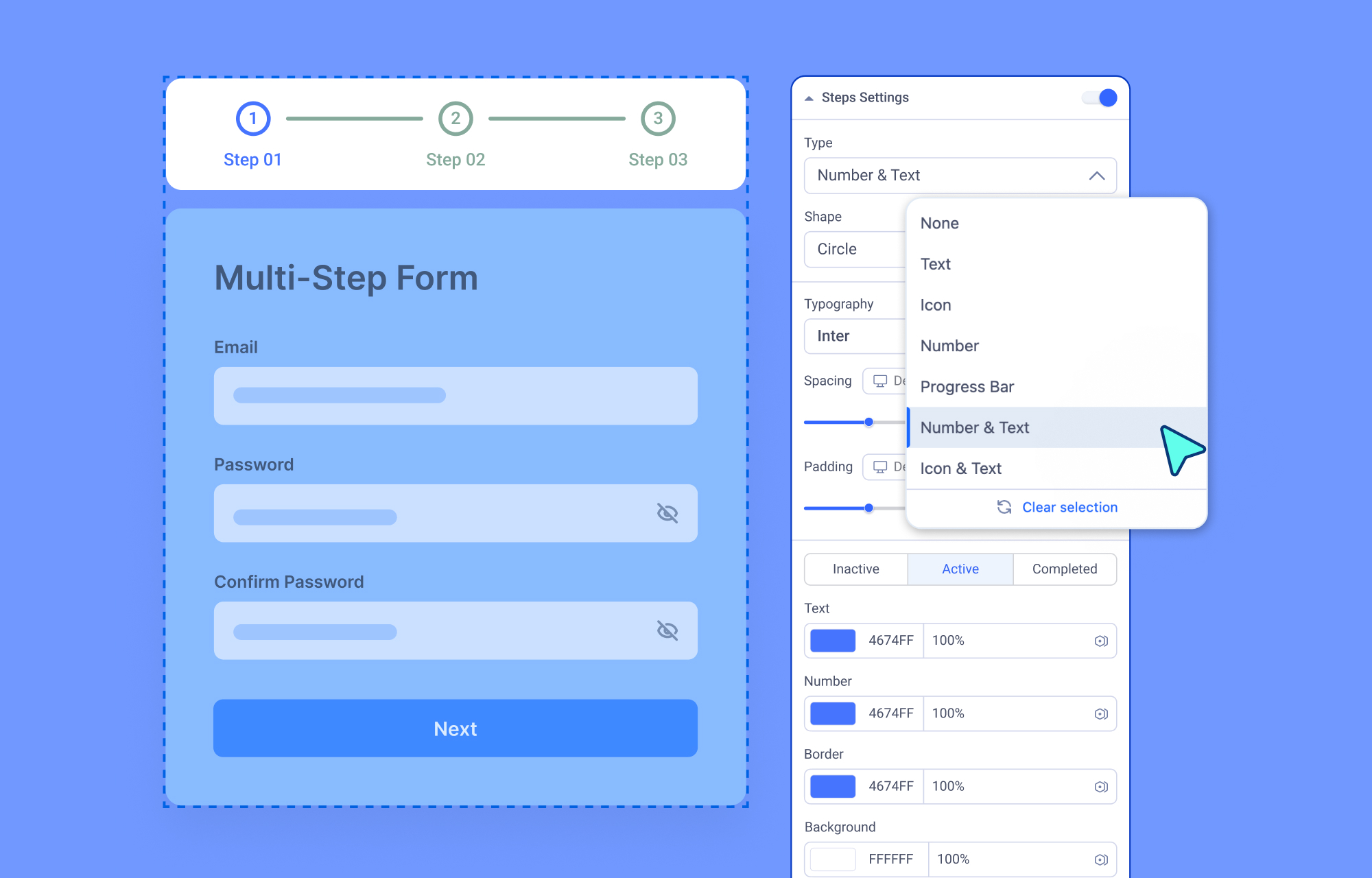
Whether you're building a multi-part registration flow or a detailed service inquiry form, long single-page forms can overwhelm visitors before they even get started.
That’s why SP Page Builder 6.7.0 introduces Multi-step support in the Form Builder addon so you can break any form into clean, focused steps. Each step holds its own set of fields, with individual edit, duplicate, and delete controls for easy management. Field-level options let you configure field type, label, placeholder, width, required status, and more to give you precise control over every detail.
For visitors, it's a guided, stress-free experience with a clear progress indicator at every stage.
ACL Settings for Dynamic Content Collections
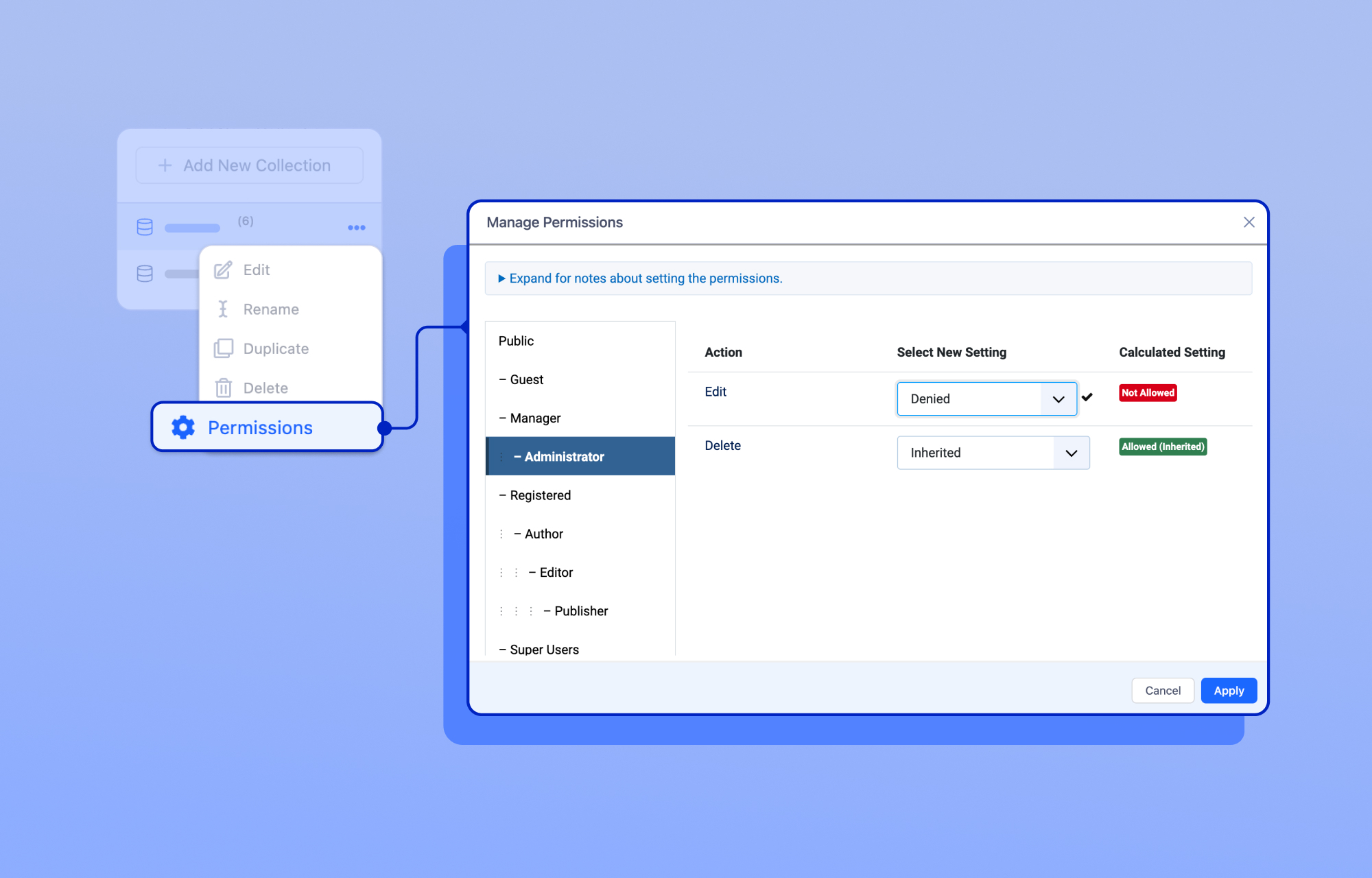
Access Control List (ACL) settings for collections have been added as part of the ongoing evolution of Dynamic Content. You can now specify which administrator groups are authorized to access and manage specific dynamic content collections.
When in the Dynamic Content tab in SP Page Builder, you can click on the three-dot icon while hovering over any of your collections and find a new option called Permissions.
By restricting collection access to designated user groups, you can also maintain cleaner workflows, improve security, and ensure that administrators only see the content relevant to their responsibilities.
Toggle to Hide Modules in the Frontend Editor
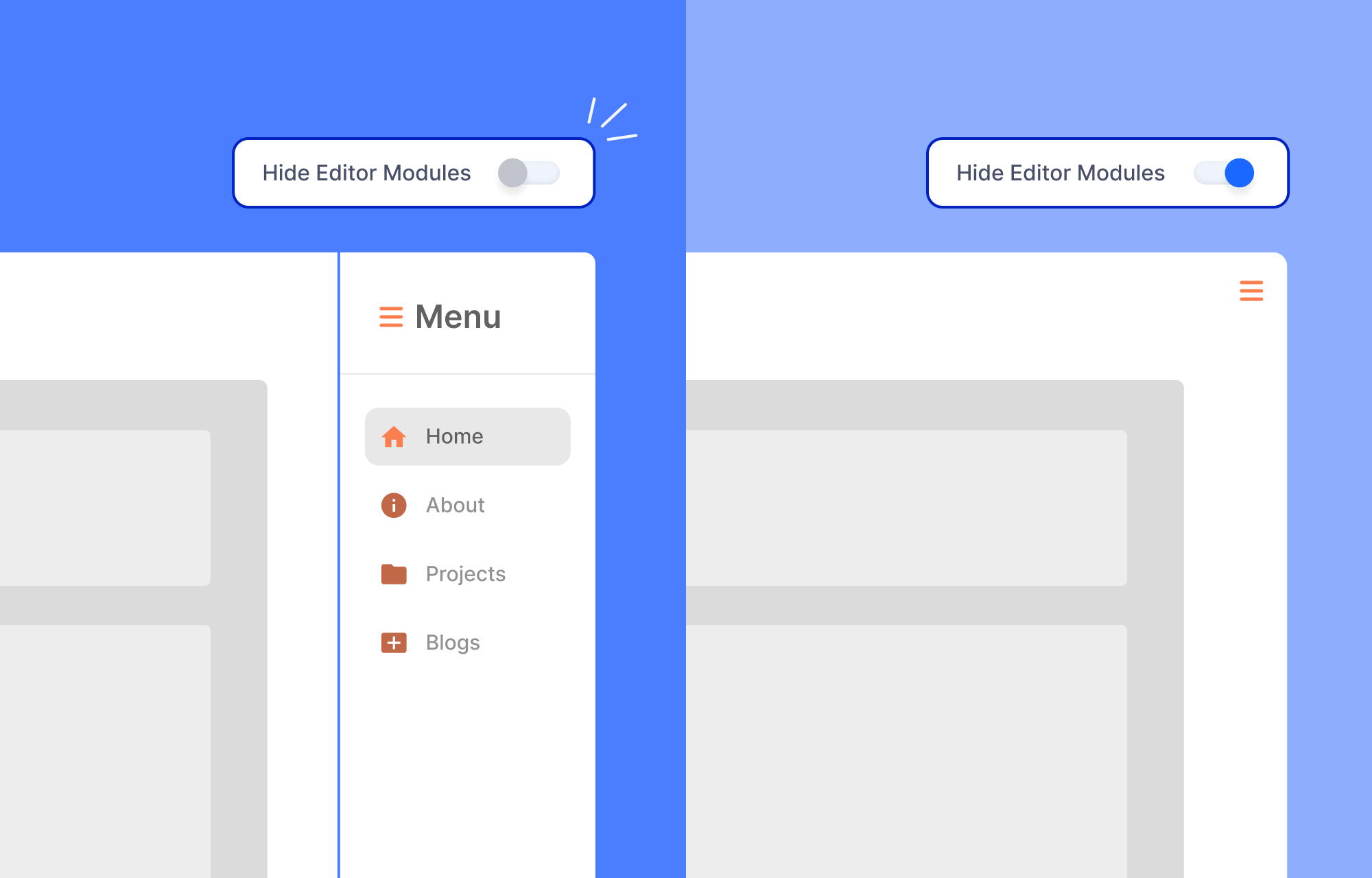
A new toggle option now allows you to hide Joomla modules while working in the frontend editor. When enabled, elements such as sidebars, headers, footers, and other module positions will be temporarily hidden from view.
To do this, head over to SP Page Builder > Settings, navigate to the Advanced tab, and toggle the option named Hide Editor Modules.
Updated Dynamic Article Details Page Settings
We've updated the Single Article Layout setting in the Advanced tab of SP Page Builder Settings. The previous toggle has been replaced with a dropdown titled Choose Article Details Page Layout, making the available options clearer and easier to select.
The two layout choices remain the same: use the layout you have initially created with the SP Page Builder article integration, or switch to a separately created dynamic article detail page layout.
Other Updates & Fixes
Added truncation for addon names in the backend editor
Long addon titles can sometimes disrupt the visual consistency of the backend editor interface. To improve readability and organization, addon names are now automatically truncated when they exceed the available display space.
Added duration and delay options for Animated Heading effects
Animated Heading now provides greater control over animation timing. You can customize both the animation duration and delay values, allowing you to fine-tune the pacing of your animated text effects.
Fixed the Instagram addon not working issue
We've resolved an issue that prevented the Instagram addon from functioning correctly, restoring normal operation and content retrieval.
Bulk deletion option added for custom icons
In the "Custom Icons" tab in SP Page Builder, you can now select and bulk delete custom icons or icon packs.
Included an option to rename addons in the backend editor's action dropdown menu
Previously, to rename an addon in the backend editor, you had to click the edit icon situated next to the addon's name. Now, you may also use the action dropdown and will find a new option called "Rename".
Update Now!
That’s it for the latest release.
Stay tuned for future updates and, of course, let us know your thoughts below!
Best of luck!
No comments yet. Be the first to share your thoughts.