Hi, I don't know why on mobile it appears a home icon centered on the page, seems related to the canvas Megamenu but I don't know how to hide it. On the Megamenu settings it is not configured a menu icon and nothing appears on the desktop.
Thanks. Stefano.
Staff replied
Helix Framework
Hide home icon on mobile megamenu
29 replies

Mehtaz Afsana Borsha Staff
4 years ago
· edited
Hi
Use this custom css
.sp-module-content{
  display:none;
}
Path towards custom CSS: Extensions>Templates>Styles> Click on your current default template name then choose Template Options. Then find custom CSS within the custom code.
-Regards
Stefano Asked this
Perfect solved!
Thanks for the quick response.
Stefano
Stefano Asked this
Not completely, via browser using mobile view everything works but on mobile disapperead even the burger menu.
Stefano Asked this
To clarify, without your css there is a full section above the burger menu with a grey background and a home icon, with you css both disappear. I delete the css so you can see the actual situation.
Thanks. Stefano.
Mehtaz Afsana Borsha Staff
Could you please give me screenshot which portion actually you want to hide?
Stefano Asked this
Hi this is the capture where you can see the grey zone with the home icon
https://snipboard.io/tNKBm9.jpg
Mehtaz Afsana Borsha Staff
Please delete my previous code and use this custom css
@media (max-width: 767px){
 .sp-module-content{
  display:none;
}
}
Stefano Asked this
Hi, same behaviour as before, on the browser emulator it's ok but using a phone even the burger menu disappear.
Thanks again. Stefano
Mehtaz Afsana Borsha Staff
Could you please give me a screenshot? Did you clear your browser cache?
Stefano Asked this
Mehtaz Afsana Borsha Staff
Sorry for this inconvenience. Please delete my previous code and insert this code.
@media (max-width: 767px){
.breadcrumb{
  display:none;
}
}
Stefano Asked this
Hi now the burger menu appears for a moment and than disappear under the slideshow.
You can see if you go on my domain with a mobile phone.
I'm pretty sure it's a consequence of the last update, before I didn't have the anomaly of the "Home icon" on mobile.
Thanks again. Stefano.
Mehtaz Afsana Borsha Staff
But it seems ok on my end and does not disappear
Please clear your browser cache and check again
Stefano Asked this
As previously told in the browser simulator seems to work fine but not on the effective mobile phone view, you can try yourself.
Thanks again. Stefano.
Mehtaz Afsana Borsha Staff
its totally fine on my phone too
Stefano Asked this
I'm trying with 3 different browser (Safari, Edge, Chrome) on my iPhone, deleting cache. I also tried Private navigation but the problem persist.



Paul Frankowski Senior Staff
Ciao Stefano,
- Can you make a screenshot with not-needed icon and share a link to it?
- What iPhone do you have , I mean at least what size? Apple have serveral models, classic and huge.
Stefano Asked this
Hi Paul, with the yellow circle the part I wish to remove: https://snipboard.io/1MtchR.jpg

I have an iPhone 13.
Thanks. Stefano.
Stefano Asked this
Hi Paul, do you have any news for me?
Paul Frankowski Senior Staff
4 years ago
· edited
Yes, sorry.
Please add this custom CSS
#sp-breadcrumbs {display: none !important;}
it should help on Iphone. Remember to refresh browser 2x
Thanks for screenshot, in general it was not just a icon, but breadcrumb section. But why only iPhone display it, I don't know.
Stefano Asked this
Same problem. It only displayed since one of the last update.
Yuor custom css is online if you can check live.
Thanks. Stefano.
Paul Frankowski Senior Staff
Update of what ? Safari browser?
Can you use different browser in iPhone to be sure, thx
Stefano Asked this
Hi Mark I was talking about SP Page Builder updates, there was no breadcrumb section visible initially.
I tried Chrome, Edge and Safari, can't you try yourself to access the site on a iPhone? I tried with another iPhone and the problem is the same, on Android phone the menu is diplayed correctly.
Stefano Asked this
Hi mark, do you have any news?
Thaks. Stefano.
Stefano Asked this
Someone can help?
Paul Frankowski Senior Staff
But CSS code I see that breadbrumb section is hidden. So it shouldn't be displated at all. I mean from template.
Your goal was to hide it, right.
Stefano Asked this
Yea my goal on mobile is to only have the burger menu on the right, don't know why it appeared the new section. thanks.
Stefano Asked this
As write on one of the first post the burger menu appears for a moment and than disappear under the slideshow.You can see if you go on my domain with a mobile phone (iPhone). Thanks again.
Paul Frankowski Senior Staff
Stefano, but if we talk about domain: wilcock.it - you don't have template from us.
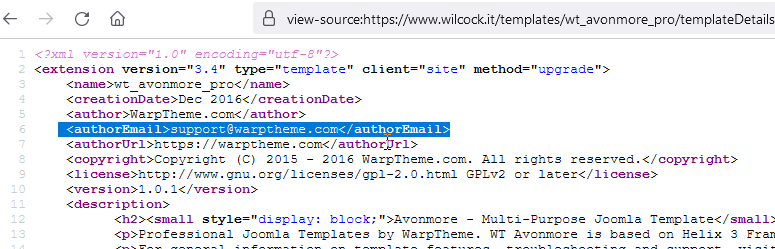
Please ask template developer for template support.
Yes, I saw that that template uses Helix3, but it's only engine.
Log in to reply.