Start Using Font Awesome - Forum | JoomShaper
Solved Feature Requests

Start Using Font Awesome

Asked by marvays 4 years ago Last activity 4 years ago

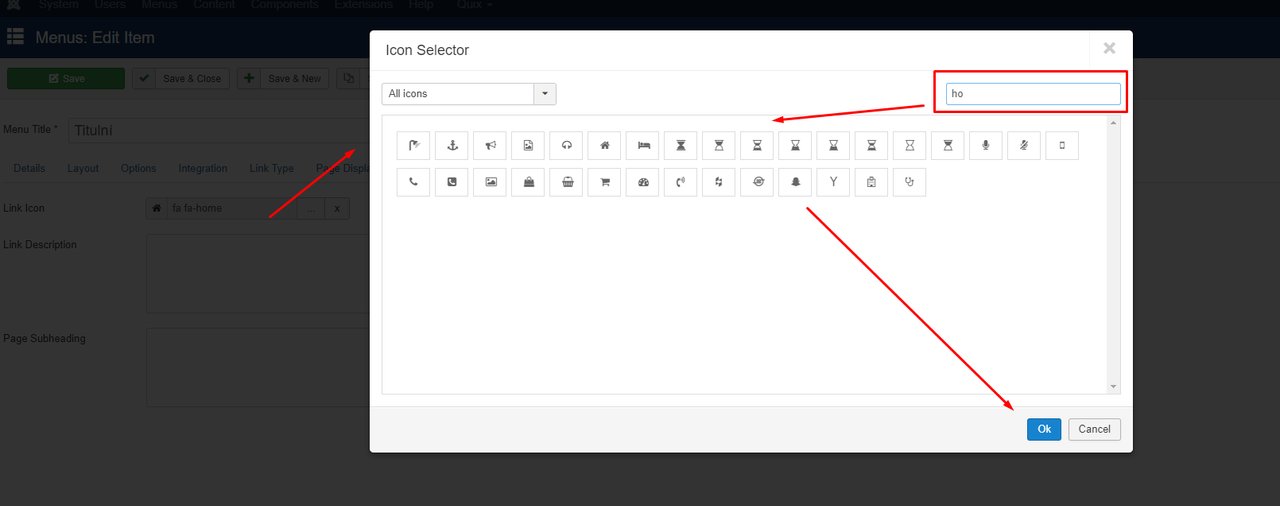
Hello. I want to use the icon in the main menu. I was surprised that I can't just use the awesome font. I suggest you think about it and prepare something for the next update.

The ideal solution would be to have the fotnt awesome library stored on ftp and have an icon selection item in the administration menu. In the drop-down list, I would then select the icon I want and save it. Simple.

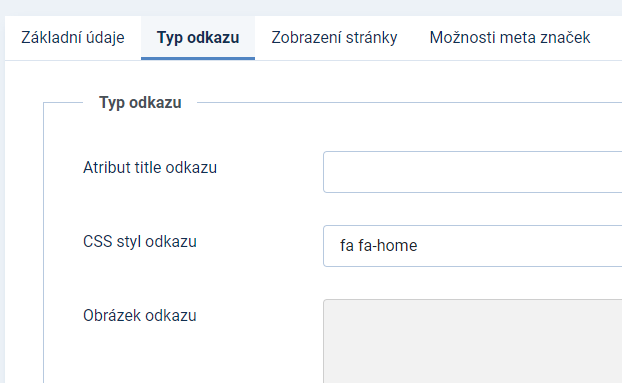
Now I've tried to add fa fa-home to jform_params_menu_anchor_css-lbl but it displays incorrectly ... it changes the font for the item and other issues. It was well resolved by JoomlaShine before it disappeared.

Please do it anyway. Thank you.


Accepted answer

Marked as the solution
Paul Frankowski Senior Staff
4 years ago · edited

Hi,
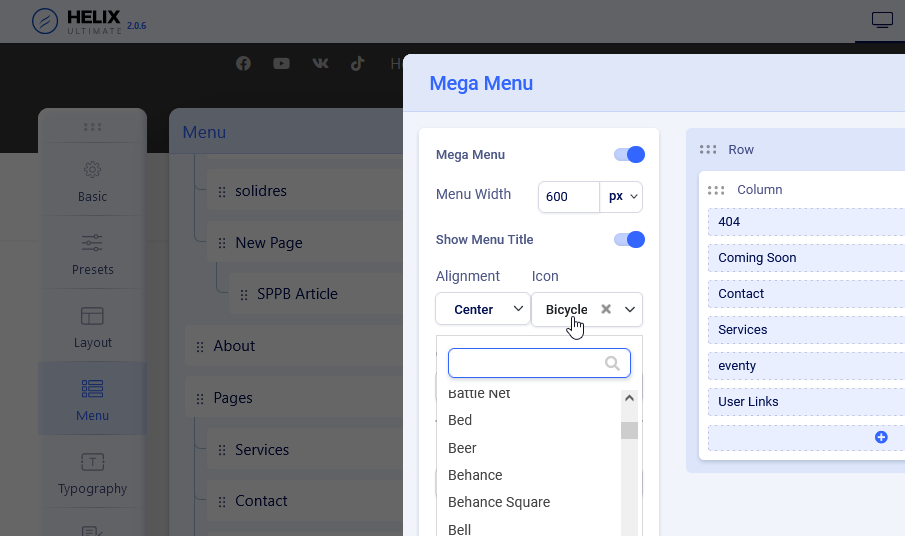
if you are using Helix Utimate or Helix3 template you can use FontAwesome in menu. It's also very easy.
Do you need video or just screenshot?

ixon.png
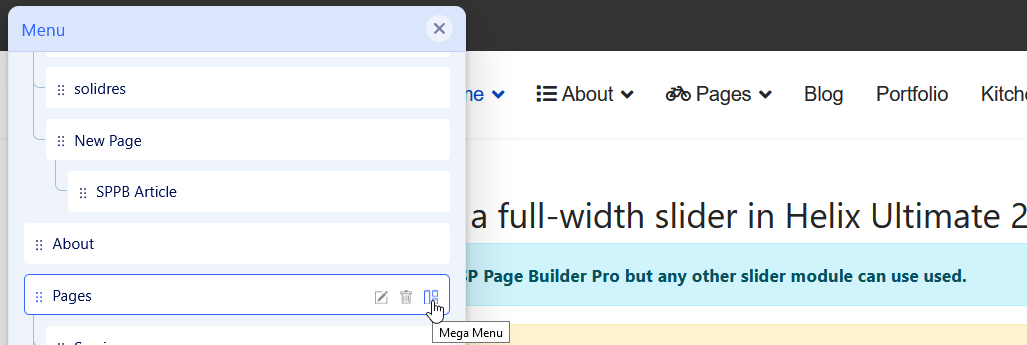
If you enable MegMenu for Menu item then you should see all feature.
foto_7680_2022.png


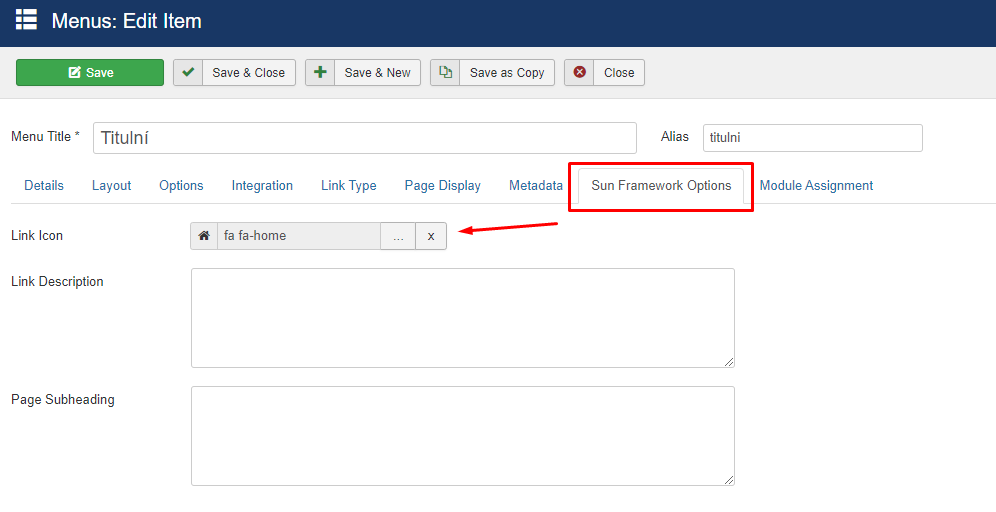
SunFramework doesn't belong to us and I don't know this product to tell more.

9 more replies

Mehtaz Afsana Borsha Staff

Hi

Thanks for your suggestions I will note it down in our request list and forward it to our DEV team, I hope they will take care of it

-Regards

Paul Frankowski Senior Staff

But yes, I agree that icon preview could be very useful.

marvays Asked this

I don't need to know more about SunFramework. I just showed it for inspiration. So you can copy it :)
I am try using font awesome in menu, but dont work good :(
It changed font for menu item and on self page dont show.

For example:
https://dts-ostrava.cz/sluzby
https://dts-ostrava.cz/

Paul Frankowski Senior Staff
4 years ago · edited

Ahoj,

  1. You are using FA liblary not template that's why you have such a problems.
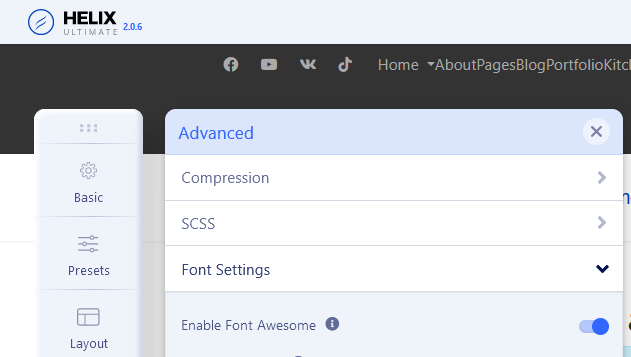
    You forgot to enable FA in Template options, and disable extra resourse.

  2. FA 5 Free needs to be font-weight:bold otherwise they do not work :(

marvays Asked this

Nice. Now it work well.

Paul Frankowski Senior Staff
4 years ago · edited

DUCT TAPE fix:

.fa::before {
  font-weight: bold;
  padding-right: 5px;
}

Helix was and is OK, only you complicated your work. Look point (1)

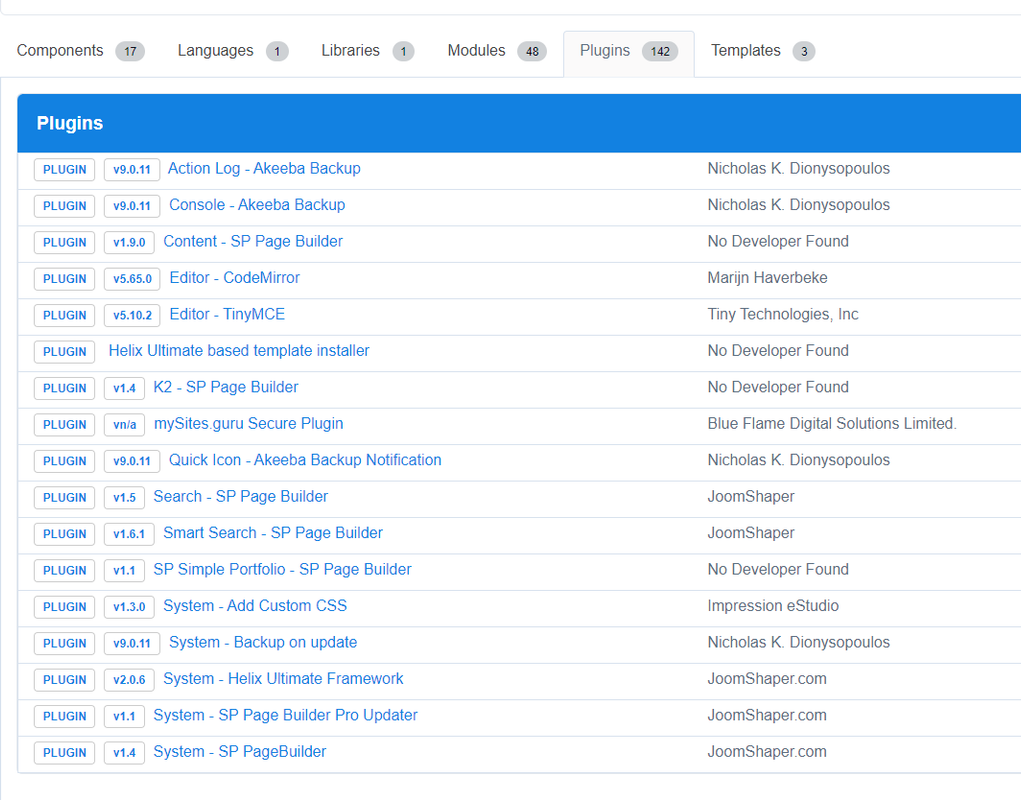
Using this (from plugin?) what for, I don't know.

foto_7681_2022.png

Paul Frankowski Senior Staff

My suggestion is:

  1. Disable extra plugin that loads & use FA
  2. Enable Font Awesome from Template Options
  3. That's all.

foto_7682_2022.png

marvays Asked this

I have turned on fontawesome in tempalte. And I don't have any other plugin for that. Everything only from JoomShape + Akeeba and Add Custom CSS to the administration area.

Nevermind. It doesn't matter that it doesn't work. I will add icons according to the instructions you showed me first.

Paul Frankowski Senior Staff

I forgot that you have Joomla 4, so eveything should be OK.

Just keep only those plugins that you really use.

Log in to reply.