custom font not loading - Forum | JoomShaper
Solved General

custom font not loading

Asked by Peter De Reyghere 4 years ago Last activity 2 years ago

Hi

I've searching for my errors but cannot find one...

I followed all steps to add a custom font on my website

I converted the font to woff, put it into the folder fonts of my template
added .../fonts/

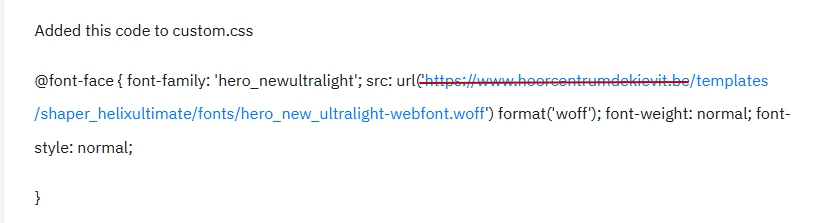
Added this code to custom.css

@font-face {
font-family: 'hero_newultralight';
src: url('https://www.hoorcentrumdekievit.be/templates/shaper_helixultimate/fonts/hero_new_ultralight-webfont.woff') format('woff');
font-weight: normal;
font-style: normal;

}

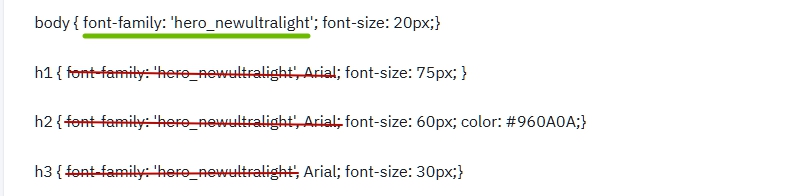
body { font-family: 'hero_newultralight'; font-size: 20px;}

h1 { font-family: 'hero_newultralight', Arial; font-size: 75px; }

h2 { font-family: 'hero_newultralight', Arial; font-size: 60px; color: #960A0A;}

h3 { font-family: 'hero_newultralight', Arial; font-size: 30px;}

But still, if you look at https://www.hoorcentrumdekievit.be and take a look at the first heading, it is still Arial and not hero
What am I doeing wrong?

Accepted answer

Marked as the solution
Peter De Reyghere Asked this

Yes, my hero!

Details, details, details....

Thanks a lot Pavel!

7 more replies

Peter De Reyghere Asked this

I just checked again and sometimes the custom font loads, and sometimes it does not. different browsers, different computers,...
aah going crazy...

Pavel
3 years ago · edited

Hi.

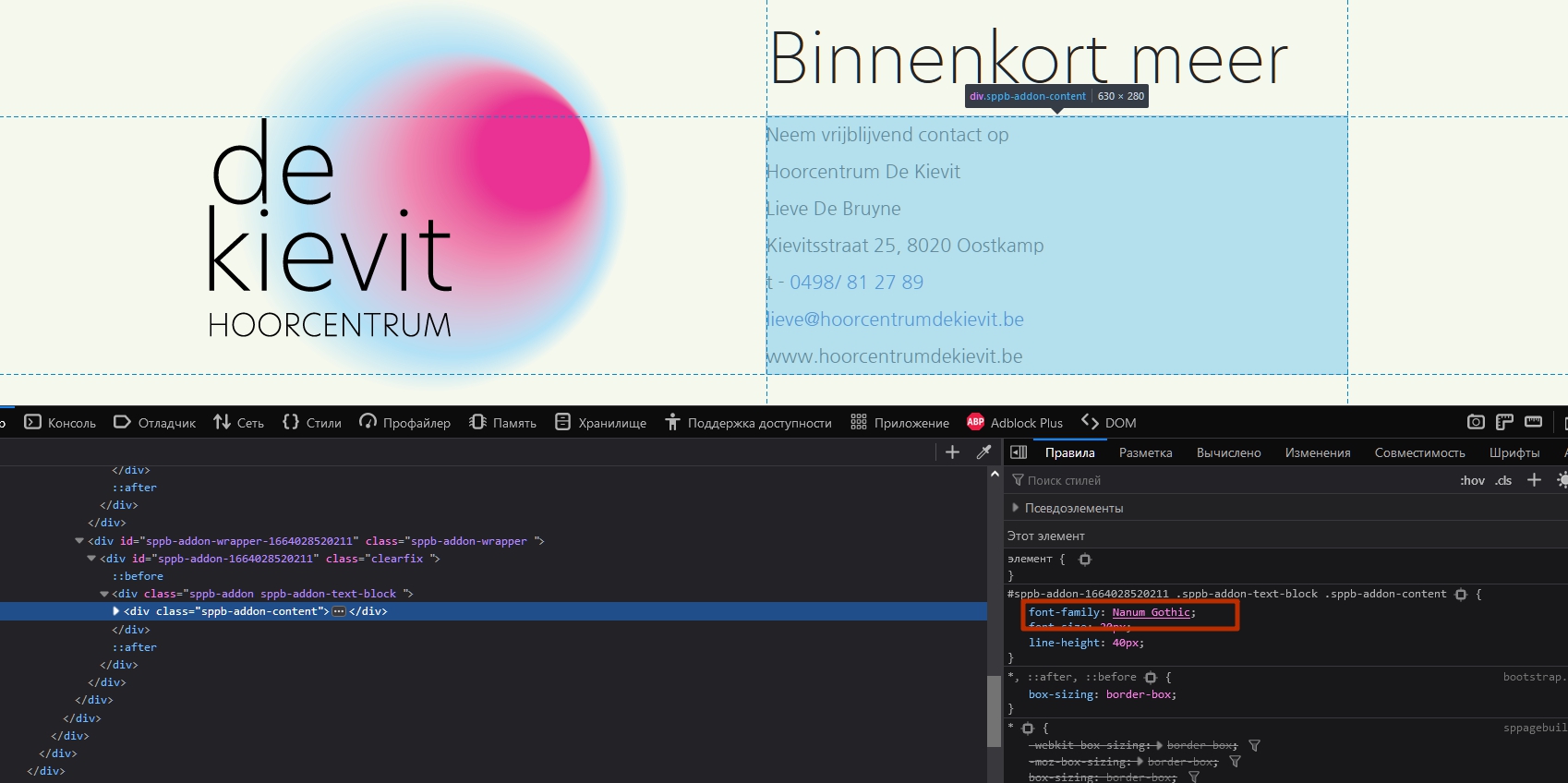
In some places you use the font setting in the addon. Check all addons one by one and turn it OFF

Domain and ' not need in path

Also you need woff2 - it's modern format. It should be connect first in css.

Example

@font-face { 
    font-family: 'hero_newultralight'; 
    src: url(/templates/shaper_helixultimate/fonts/hero_new_ultralight-webfont.woff2) format('woff2'),
            url(/templates/shaper_helixultimate/fonts/hero_new_ultralight-webfont.woff) format('woff');
    font-weight: normal; 
    font-style: normal;
    font-display: swap;
    }
body { 
    font-family: 'hero_newultralight', sans-serif; 
    font-size: 20px;
    }
h1 { 
    font-size: 75px; 
    }
h2 { 
    font-size: 60px; 
    color: #960A0A;
    }
h3 { 
    font-size: 30px;
    }   

If for headings font the same as for body, you don't need it in code for headings

Peter De Reyghere Asked this

Wow, thanks Pavel, you helped me a lot.

Especially the ' was important. I deleted it and suddenly everything was fixed.

I also followed al the other advice.
Cheers man!

Pavel

Hi Peter. You are wellcome

Peter De Reyghere Asked this

Hi Pavel

One year later, I have the same problem with another custom font which is not loading.

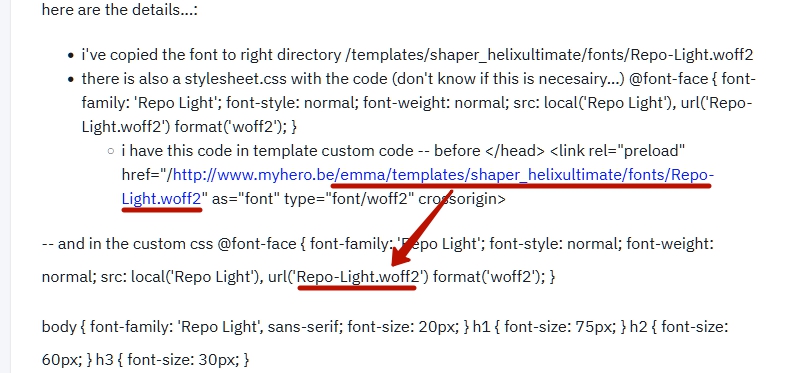
here are the details...:

  • i've copied the font to right directory /templates/shaper_helixultimate/fonts/Repo-Light.woff2
  • there is also a stylesheet.css with the code (don't know if this is necesairy...)
    @font-face {
    font-family: 'Repo Light';
    font-style: normal;
    font-weight: normal;
    src: local('Repo Light'), url('Repo-Light.woff2') format('woff2');
    }

-- and in the custom css
@font-face {
font-family: 'Repo Light';
font-style: normal;
font-weight: normal;
src: local('Repo Light'), url('Repo-Light.woff2') format('woff2');
}

body {
font-family: 'Repo Light', sans-serif;
font-size: 20px;
}
h1 {
font-size: 75px;
}
h2 {
font-size: 60px;
}
h3 {
font-size: 30px;
}

Pavel

Hi Peter.

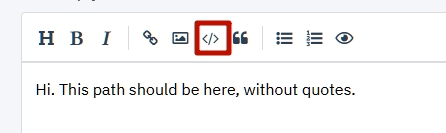
This path should be here, without quotes.

And please use this to demonstrate your code

Peter De Reyghere Asked this

Hi Thanks Pavel, but still not working.

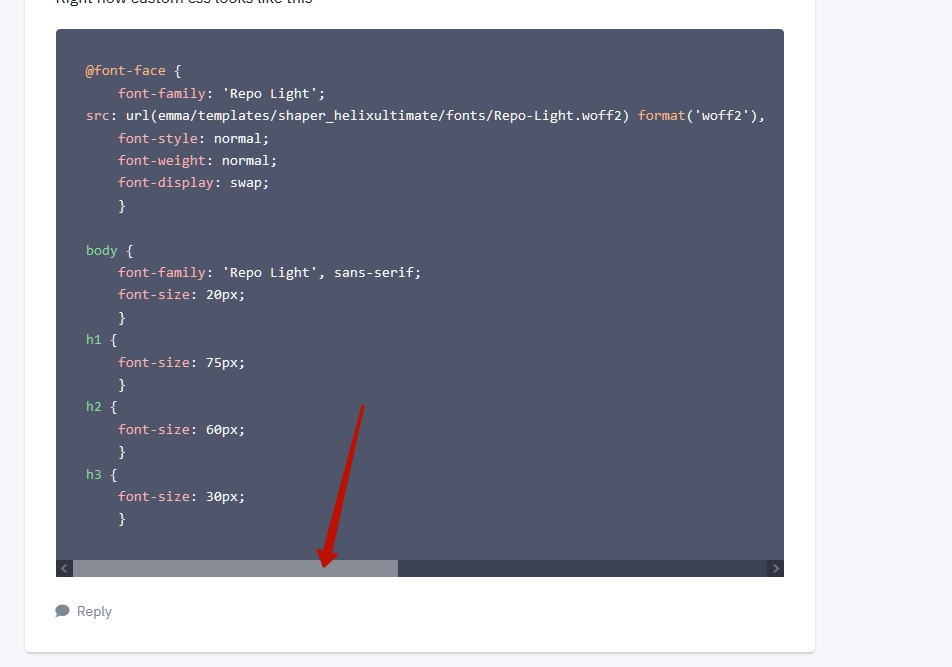
Right now custom css looks like this

@font-face {
    font-family: 'Repo Light';
src: url(emma/templates/shaper_helixultimate/fonts/Repo-Light.woff2) format('woff2'),       url(emma/templates/shaper_helixultimate/fonts/Repo-Light.woff) format('woff');
    font-style: normal;
    font-weight: normal;
    font-display: swap;
    }

body { 
    font-family: 'Repo Light', sans-serif; 
    font-size: 20px;
    }
h1 { 
    font-size: 75px; 
    }
h2 { 
    font-size: 60px; 
    }
h3 { 
    font-size: 30px;
    }
Rashida Rahman Staff

Hello Peter Reyghere!

Glad that the issue has been resolved already.

Thanks @Pavel for helping him out with clear instructions.

Best Regards

Pavel
2 years ago · edited

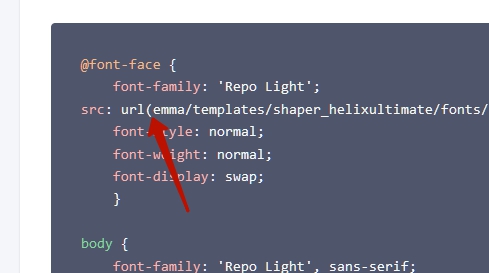
You lost slash before

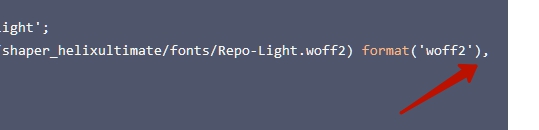
And instead of a comma should be a point with a comma

Pavel

I did not notice the scroll, so return the comma to its place.

And move the line for better readability.

@font-face {
    font-family: 'Repo Light';
src: url(/emma/templates/shaper_helixultimate/fonts/Repo-Light.woff2) format('woff2'),       
    url(/emma/templates/shaper_helixultimate/fonts/Repo-Light.woff) format('woff');
    font-style: normal;
    font-weight: normal;
    font-display: swap;
}
Log in to reply.