How to change breadcrumbs and page tittle order - Forum | JoomShaper
Solved Helix Framework

How to change breadcrumbs and page tittle order

Asked by Igors 5 years ago Last activity 5 years ago

Accepted answer

Marked as the solution
Pavel

This can only mean one thing, you used the wrong selectors.
Here is the code for standart Helix Ultimate.

.sp-page-title .container {
    display: flex;
    flex-direction: column;
}
.sp-page-title .container .breadcrumb {
    order: -1;
}

5 more replies

Ofi Khan Staff

Hello Igors

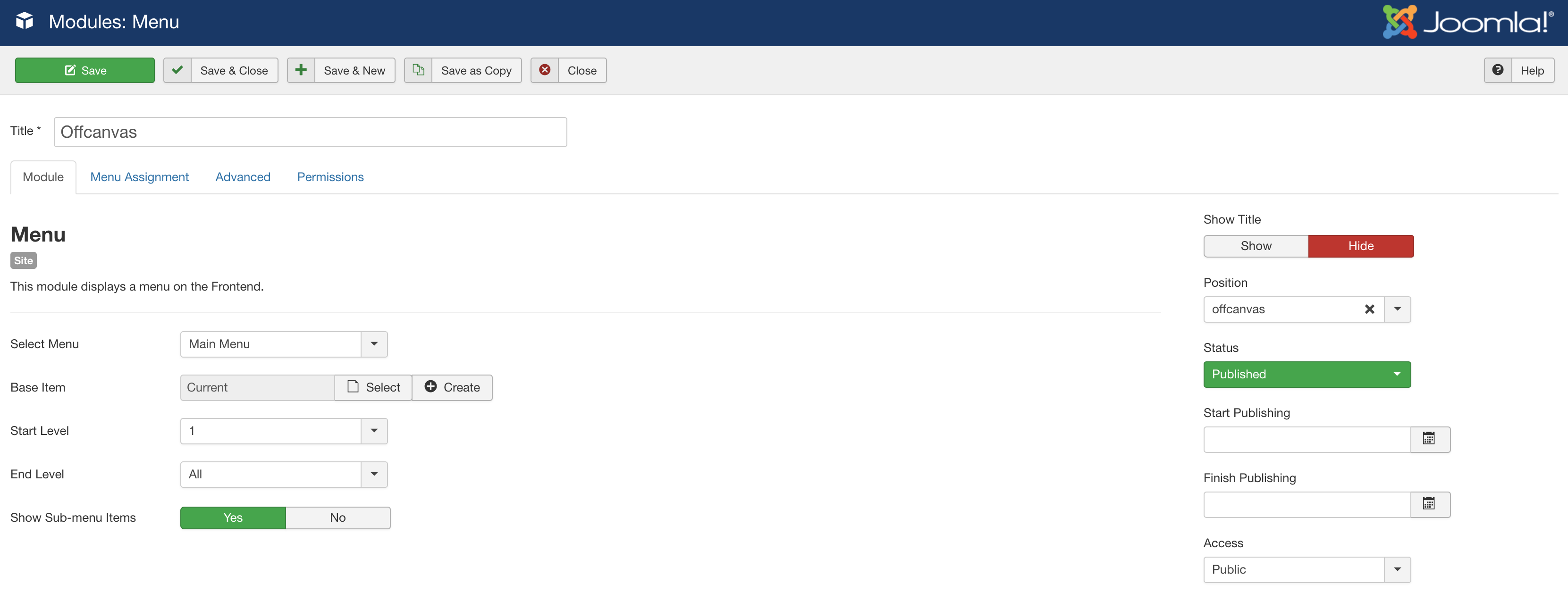
Please go to Modules -> Offcanvas and change its position. For example, if you use content-top position, then it will be below the page title. But you need to customize the CSS and JS to make it work perfectly. Customization is on you only.
Screenshot 2021-02-22 at 10.45.54 AM.png

Best regards

Igors Asked this
5 years ago · edited

Hi, Can you please say in what file i can change how helix page tittle looks? Pagetittle has two elements. Heading and breadcrumbs.

In default helix it is different. I need to make it simmilar like in first picture

Pavel

Hi. This does not require correct files. It is enough to use CSS.

.your_parent_div {
    display: flex;
    flex-direction: column;
}
.child_element_which_must_be_transferred_up {
    order: -1;
}
Igors Asked this

Hi Pavel. I tried this already. for some reason it does not work.

Igors Asked this

Thanks Pavel. It helped.
I do css no ofen only when no choice.

I have realy problems with this template. Usualy ask questions only with helix :)

Log in to reply.