SP Weather Not Working - Forum | JoomShaper
Solved Extensions

SP Weather Not Working

Asked by Conrado Cortez 3 years ago Last activity 3 years ago

https://paetfontanilla2023.com/
I tried to use the SP Weather extention but not having much luck. I emailed support with screen shots but they recommend I post the issue here. the site currently shows error, "Please make sure that, your allow_url_fopen or cURL is enabled. Also, make sure your API key and location is correct. Verify your location from here https://openweathermap.org/find".

  • allow_url_fopen is set to ON in the php.ini file.
  • cURL is enable
  • the api key is correct.

Accepted answer

Marked as the solution
Conrado Cortez Asked this

I'm new here. So please let me know how soon can I expect to hear back from support. thank you

5 more replies

Paul Frankowski Senior Staff
3 years ago · edited

Hi Conrado,

I don't understand why you marked topic as solved?


Anyway, please contact with hosting support maybe indeed allow_url_fopen or cURL is not enabled. Sometimes it has to be done via Hosting team only.

.... and share access to admin area

Conrado Cortez Asked this
  1. When i replied to fid out when i'll get a response, it was flagged as resolved. I don't get it.
  2. This is from the Joomla site's System INformation: cURL support enabled
  3. From the HOsting: By default, cURL is installed on our shared servers.
  4. I enabled allow_url_fopen in the php.ini file and in System Information it shows On and On
  5. I will try the module that you suggested. but regarding your module is there anthing else that can be wrong?
Paul Frankowski Senior Staff
3 years ago · edited

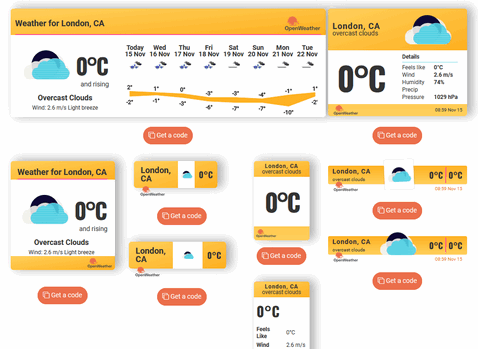
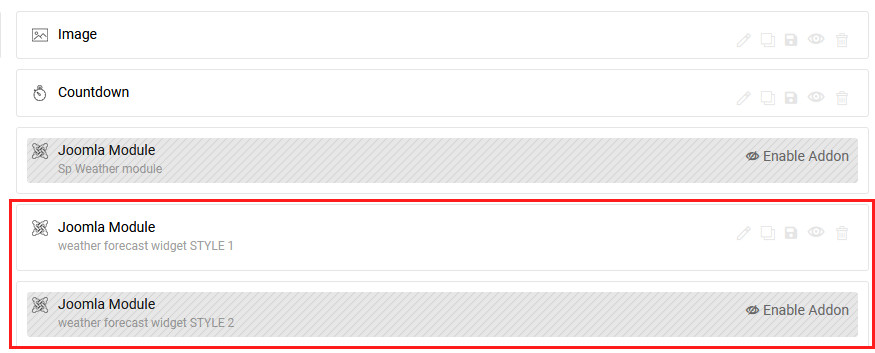
Weather forecast widget installed and published. You can choose from 3 added styles.

You can keep one of them or add different one.
foto_9134_2022.jpg


BTW

Change PHP value for memory_limit , now seems to be too low value.

Conrado Cortez Asked this

thank you. i modified the memory_limits. thanks again

Log in to reply.