Hi,
when I create pages with SPBuilder and try to trigger content plugins like "Table Of Contents CK" they are not working. The support of this plugin told me to ask you why content plugins are not triggered.
I tried to use raw html, modules etc.
Hi,
when I create pages with SPBuilder and try to trigger content plugins like "Table Of Contents CK" they are not working. The support of this plugin told me to ask you why content plugins are not triggered.
I tried to use raw html, modules etc.
Please share a screenshot of your issue to understand it better.
Best regards
Hi Ofi
I am having the same issue, for example with easyfolderlisting
Inside a joomla article you can execute the plugin or module like this:
{plugin_name}
or module
{module_name}
Modules works Ok cause you can insert direcly a module when addin line to the SP Page, but I did not found how trigger plugins.
I tried with a "raw html" and "text" line blocks, but did not worked.
Sorry, there is no way in our products to trigger the plugin. You may check this documentation for better understanding.
Hi,
I tried with a "raw html" and "text" line blocks but did not worked.
I am not suprised, becuase we informed about this, also in documenation.
Anyway. Yes, it's still possible. You have two options, one of them was described in our documenation (tip #10 "How to use shortcodes..."):
https://www.joomshaper.com/documentation/sp-page-builder/sp-page-builder-3/how-to-tips
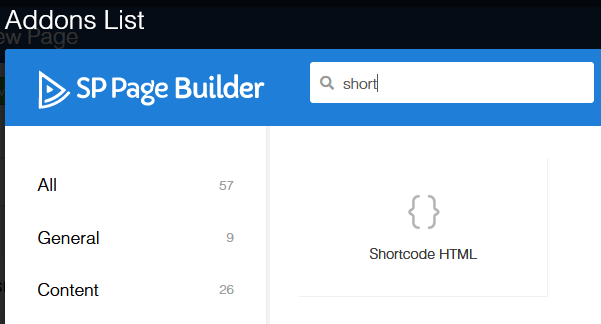
2nd option is using unoffcial addon (Shortcodes) I can share link.
Hi Paul,
Thanks for your response. Yes I saw you mention and looks NOT officially supported.
Anyways, could you share the link ?
We were working in the past with Yootheme and have no problem triggering plugins at their templates. I hope you will support this in future developments officially.
Best Regards
Hi Paul
Thanks, we will take a look.
Will you consider to support it in the future ?
Best Regards
Sorry, there is no way in our products to trigger the plugin
This is false. I have the solution here :
( and please, SP Page Builder Team, pls integrate the solution in your addons - It's actually really simple )
Instruction :
The adjustment - for in this example the "Text Block"-Addon- is made my the following small adjustment :
You can add that adjustment yourself - without overriding core files - by creating an override in your template, in this example by copying the original addon text_block ( the whole folder ) into /templates/YOURTEMPLATE/sppagebuilder/addons/text_block
Then simply change the lines ( ca. line 29+ ) from :
        //Output
        $output  = '<div class="sppb-addon sppb-addon-text-block' . $dropcapCls . ' ' . $alignment . ' ' . $class . '">';
        $output .= ($title) ? '<'.$heading_selector.' class="sppb-addon-title">' . $title . '</'.$heading_selector.'>' : '';
        $output .= '<div class="sppb-addon-content">';
        $output .= $text;
        $output .= '</div>';
        $output .= '</div>';

        return $output;
to
        //Output
        $output  = '<div class="sppb-addon sppb-addon-text-block' . $dropcapCls . ' ' . $alignment . ' ' . $class . '">';
        $output .= ($title) ? '<'.$heading_selector.' class="sppb-addon-title">' . $title . '</'.$heading_selector.'>' : '';
        $output .= '<div class="sppb-addon-content">';
        ///////////////
        // Apply content plugins :
        ///////////////
                $params = new JObject();
                $jarticle = new stdClass();
                $jarticle->text = $text;
                JPluginHelper::importPlugin('content');
                $dispatcher = JEventDispatcher::getInstance();
                $dispatcher->trigger('onContentPrepare', array('text', &$jarticle, &$params, 0));
                $text = $jarticle->text;
        ///////////////
        $output .= $text;
        $output .= '</div>';
        $output .= '</div>';

        return $output;
And voilà, there you go :-)
Content-Plugins will now be rendered as they should.
Hope that helps someone
Hi Lab5,
Big Thanks, indeed using shortcodes directly inside Text addon it's a good idea, for sure I will ask our Dev team.
Hi lab5,
that looks fine but I get the following error message when I use the additional code in the addon text_block
Class "JEventDispatcher" not found
Have you an idea to solve that.
Thanks a lot in advance
Uwe
We don't have Events Booking component to make tests :(
if "JEventDispatcher" was from it.