custom sticky header that behaves like default headers - Forum | JoomShaper
Solved Helix Framework

custom sticky header that behaves like default headers

Asked by Mike Lawson 5 years ago Last activity 5 years ago

Hello

I added my own custom header, labeled it "newheader" in my layout builder. I added the following custom css to make it "sticky"

#sp-newheader {
    position: fixed;
    z-index: 999;
    width: 100%;

This custom css makes it sticky when I scroll, but I noticed that it doesnt behave the same way as the default sticky header that comes with the template. Inspecting the default header shows position: relative, until you scroll down and the position shows "fixed". This keeps the header row above the contents below it, and not overlap the content (which is what's happening with my custom sticky header).

I was wondering how I could get my custom sticky header to behave like your default sticky header in that it doesnt overlap content? Ive included the URL and login credentials for the site in hidden content. Thanks in advance.

Accepted answer

Marked as the solution
Paul Frankowski Senior Staff

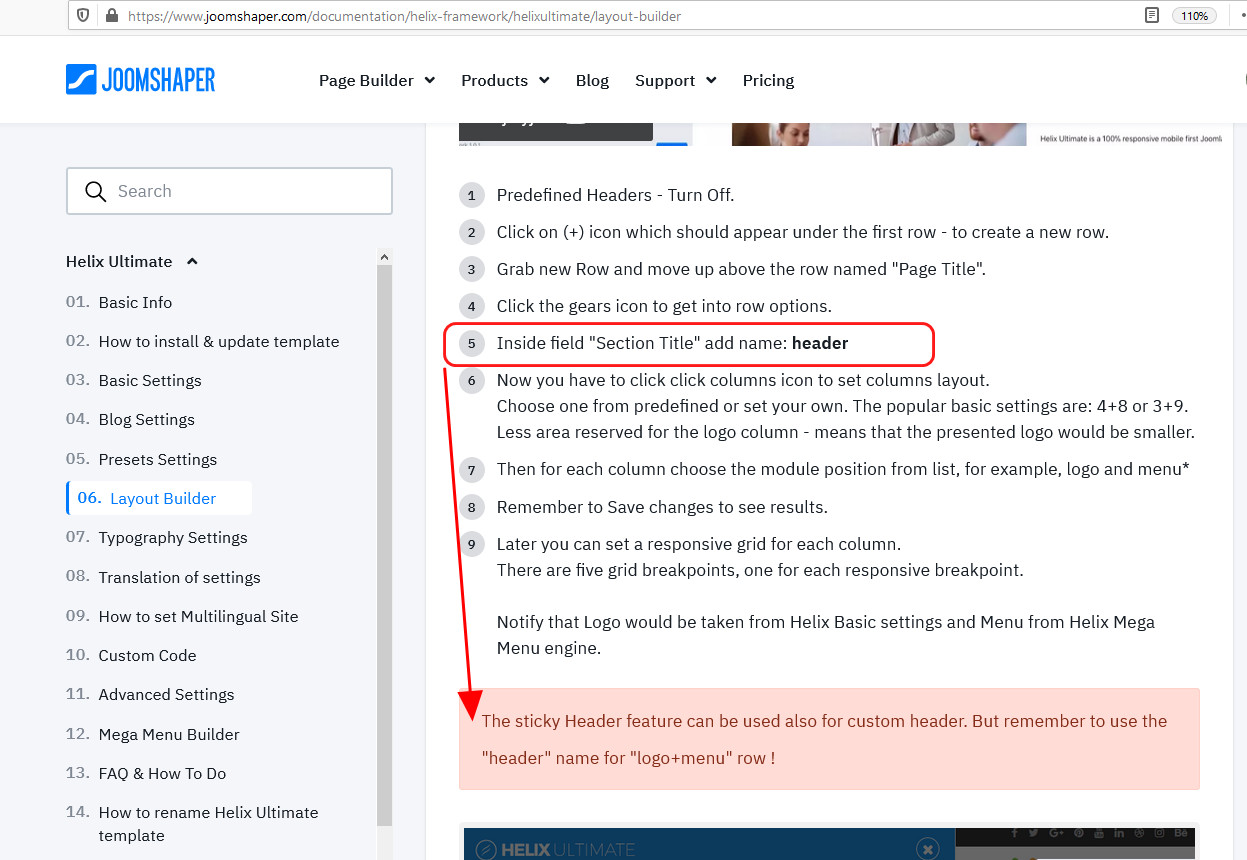
Pavel has right, even we noticed that in Helix Ultimate documenation!

foto_5774_2021.jpg

11 more replies

Mehtaz Afsana Borsha Staff

Hi,
You can enable the sticky header portion from here
Go to extensons--> Templates-->Template options -->Basic --> Header --> Enable sticky header --> https://prnt.sc/1067yfj

Thank you

Pavel

I was wondering how I could get my custom sticky header to behave like your default sticky header in that it doesnt overlap content?

Hi. It should have the name Header only, not newheader or something else.

Ofi Khan Staff

Hello Mike Lawson

I have checked your site but found no issues with your custom header.

Best regards

Mike Lawson Asked this

Hello everyone. I understand the function and signficance of the default Header row, but was just experimenting with having a custom header to have multiple sticky rows and was hoping to get the custom one to function the same (position: relative -> position: fixed). Appears to be some additional JS involved so Im sure it's outside your scope of support. Thanks for your attention on this.

Pavel

You can do anything through CSS without changing the name Header.

Mike Lawson Asked this

Correct, however adding a custom sticky row requires customization

Pavel

Give an example. I think everything is achievable.

Mike Lawson Asked this

I already have. My original post includes details of what Im trying to achieve.

Pavel

I am not an employee of the support, so I can not have access to the hidden content ...

If css capabilities are not enough for what you want to achieve, then there is another way.
Here's a starting point without renaming Header. Then your header will have all the same properties as the one that comes with the template.
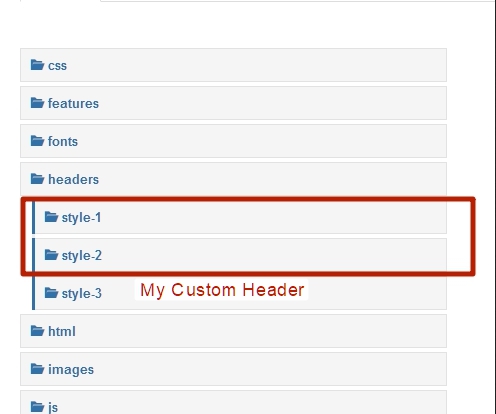
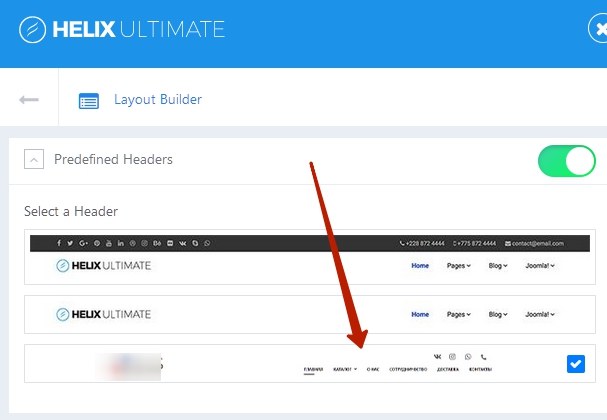
You have two predefined header styles. Copy all content from one of them and create your own predefined style. You can make any layout you want. At the same time, it will appear in the template settings.

Mike Lawson Asked this

Pavel. This is helpful, I will try your suggestion. Thanks

Log in to reply.