Hi @all,
is there a way to show the mega menu always "fully extended", without hovering a button?
Best regards,
Christopher
Hi @all,
is there a way to show the mega menu always "fully extended", without hovering a button?
Best regards,
Christopher
Hi again, I got it by myself :-) Maybe it`s useful for someone else:
I got back to create a second menu for the users, hided it for mobile users and published the module a second time in offcanvas positition. Everything works fine now! Thank you anyway for reading :-).
Best regards, Christopher
Hi,
yes with extra custom CSS, but it would look horrible.
Are you 100% sure that we talk about desktop menu, not mobile menu?
Example how it would look like on this page:
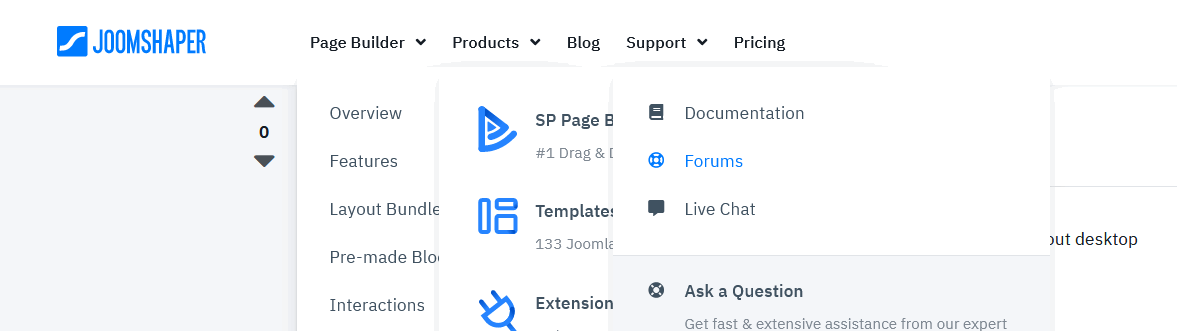
Not possible to see all menu items and easy switch between submenus.
Hi Paul and thank you for your advice. My idea behind that is the following:
I need a main menu , and a submenu for registered users. The submenu should be shown as second row in an other colour. At first I tried to do that with a second menu, as described here (creating second top menu). https://www.joomshaper.com/documentation/helix-framework/helixultimate/faq-how-to-do
The problem was, that I was not able to integrate that cleverly in offcanvas mode - only as second offcanvas menu. Because of that my idea was to create a simple submenu (with 12 cols) as megamenu and set it to be always be shown.
Maybe there is another good way to do this?
Best regards and thanks in advance,
Christopher
Hi Joomshaper Team & Community,
I hope my explanation was clear to understand - maybe there is another option to do that except of showing all rows? Here is a screenshot to show, what I wanted to do. Maybe someone has a good idea?

Best regards, Christopher
In single "offcanvas" position - you can publish more than one menu module or different modules as well. But only one [=] menu icon is displayed. I tested it many times.
It's possible to have 2nd menu for logged users, but you need extra module position for it, using all on "menu" may not be the best way.
Support =/= Customization
