Hello,
After upgrading sp lms to v4 there is still problem wtih sort order events. I cannot set option to see all events from lates to oldest one.
Regards.
Solved
Extensions
SP LMS - SP LMS » events
Accepted answer
Marked as the solution
Ofi Khan Staff
Please go to this location: components/com_splms/models and replace events.php file with the attached file. You need to unzip the file and then replace. Then if you click on the latest, it will sort all the events from the farthest date to the oldest date(even past events). And if you click on the upcoming, it will sort all the events from the oldest date to the farthest.
21 more replies
Ofi Khan Staff
Hello BenL
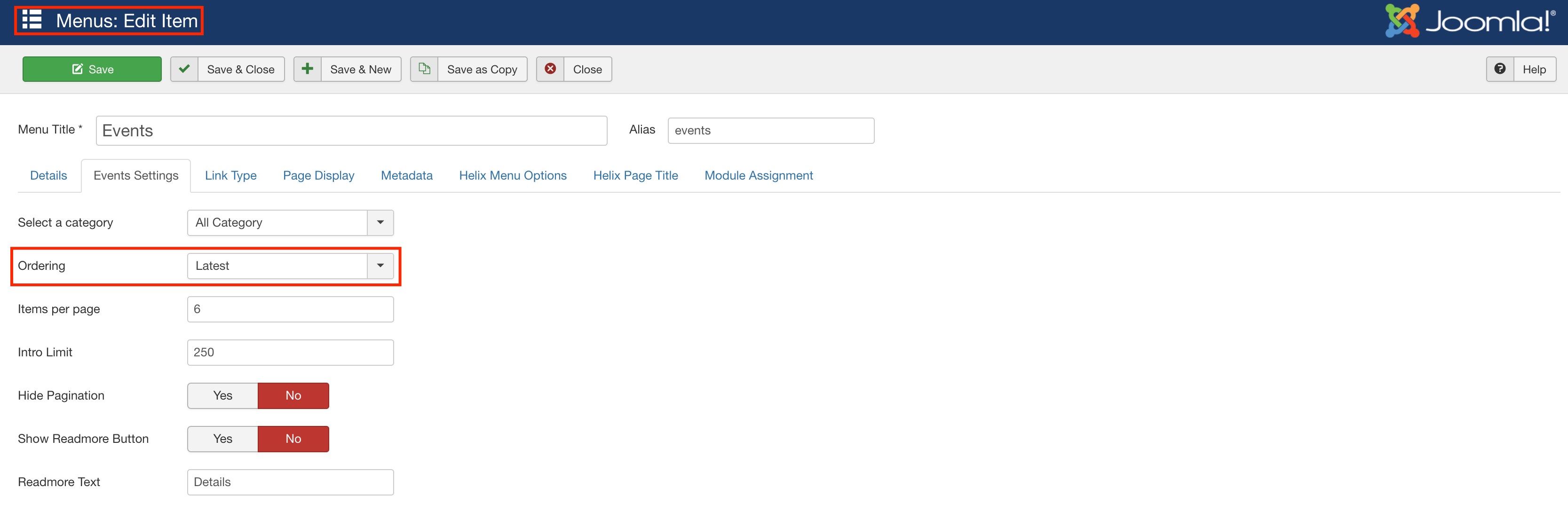
Please go to the Events Menu and set ordering to Latest on Events Settings. If you want to show the upcoming events, then select Upcoming.
Best regards
BenL Asked this
hi @Khan,
Option latest shows events which are already done.
Upcoming shows events withc are not done yet.
I need option to show all from newest to oldest - for that i thinhk i should use ascending/descending option but this option dont do anything for event view.
Regards.
BenL Asked this
Thanks for file. Works perfectly. Regards.
Ofi Khan Staff
You are welcome
BenL Asked this
Hello @Ofi Khan, there sie chance to update php file from att. to be compatibile with latest version Educon or SP LMS?
Ofi Khan Staff
Sorry, I could not get your question. What compatibility are you looking for?
BenL Asked this
Its looks that latest events dont appeare on events page, i think it could be realted with last updates.
I have custom php file from this thread, more details about issue here -
https://www.joomshaper.com/forum/question/7052
Ofi Khan Staff
Please share your administrator access here to check the issue. Use the Hidden Content box to share the credentials.
BenL Asked this
here you go
BenL Asked this
Hello there, any chance to help here?
Ofi Khan Staff
Apology for the delay. I have added an event for Polish language. The upcoming sorts the events according to the events date. Please check this page: https://euh-e.edu.pl/pl/uczelnia/wydarzenia
BenL Asked this
hi Khan,
I think you dont read fully my issue, i know that new events will be apper on page. But i need see new ald old like it was done i custom file:
- sort all the events from the farthest date to the oldest date(even past events).
And now this dont work propertly.
Please create new Event and sert filter in menu for showing latest, then you will see where is problem.
Regards.
Ofi Khan Staff
okay, first I will explain the behavior of the sorting.
- Default: All events from oldest date to latest.
- Latest: Only past events from latest to oldest.
- Upcoming: Only future events from latest to oldest.
I might have wrong replied to the accepted comment. Sorry for the inconvenience.
BenL Asked this
Yes i know about this, but this custom events.php.zip was modify to show new and old events and looks that now is not working properly.
Ofi Khan Staff
The below solution will remove latest filter option and upcoming filter option will filter the events from upcoming to the past. All events will be shown in this order. If SP LMS extension updates, then this will be erased. So, please keep these two files saved somewhere separately and after update just replace them.
- Please go to this location: components/com_splms/models and replace events.php file with the attached file. You need to unzip the file and then replace.
- Please go to this location: components/com_splms/views/events/tmpl and replace default.xml file with the attached file. You need to unzip the file and then replace.
BenL Asked this
Hi Khan, thanks for files, now im able to see events upcoming and from past, but its still showing from oldest to newest, i want rever it to see newest to oldest.
Regards.
Ofi Khan Staff
Sorry, I don't get your issue. The above solution will filter the events according to the event date. It will have no effect on the event creation date.
BenL Asked this
Hi there,
Now its showing from oldest to newset, i need rever order to see lates on top oldest on the end.
Please check link in hidden content and check the events date.
Regards.
Ofi Khan Staff
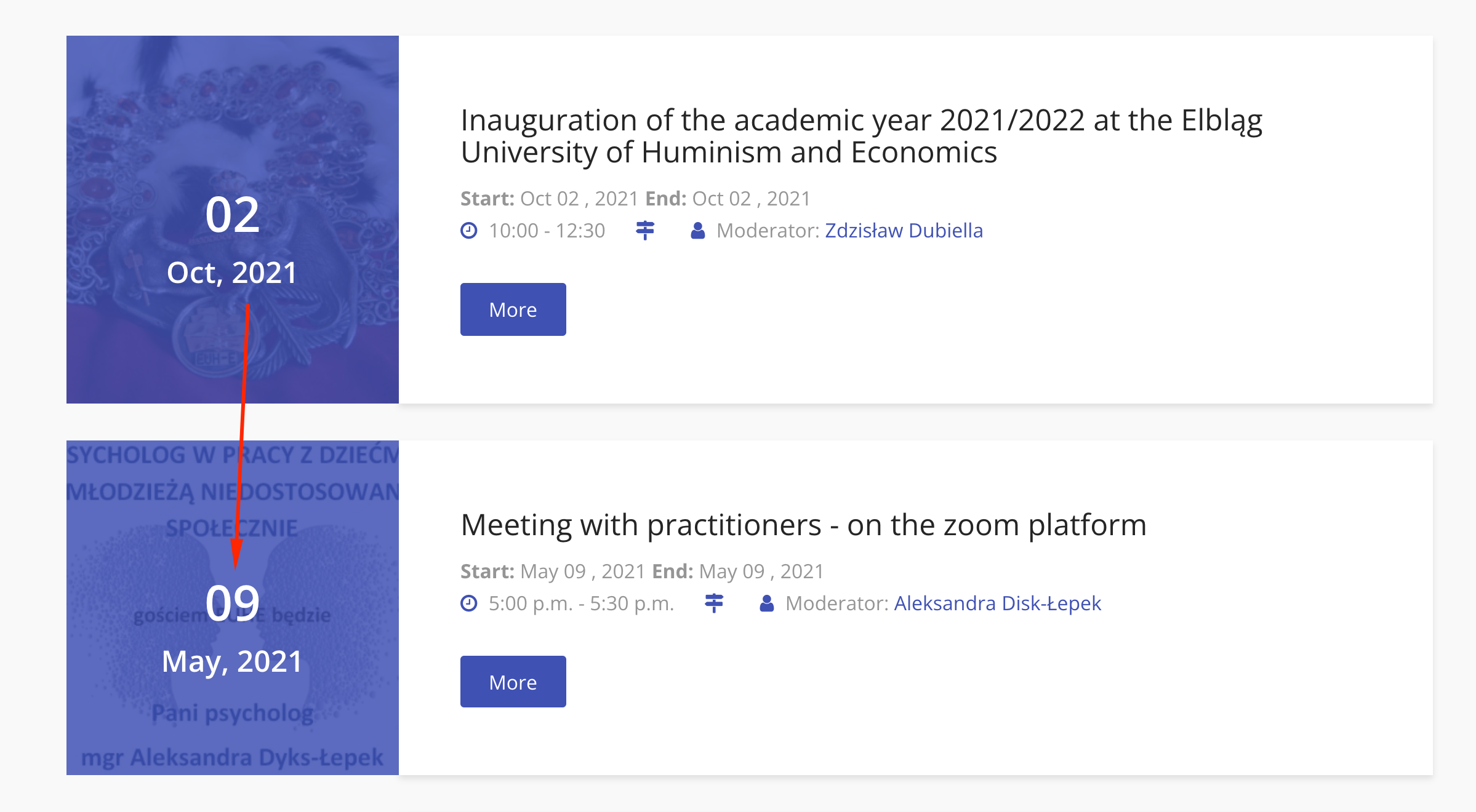
I see it okay. The first event is on October 2 and the second is on May 9. It is working as expected.
BenL Asked this
Ok, yes you have right. After write this topic i update SP LMS to latest version and its looks that issue was solved there.
Thanks for help.
Ofi Khan Staff
Thanks for your confirmation.
Log in to reply.