Easy store cart style - Forum | JoomShaper
Staff replied EasyStore

Easy store cart style

Asked by John Clapps 2 years ago Last activity 2 years ago

I am using EasyStore, SP Pagebuilder with Helix Ultimate in Joomla 5.1.

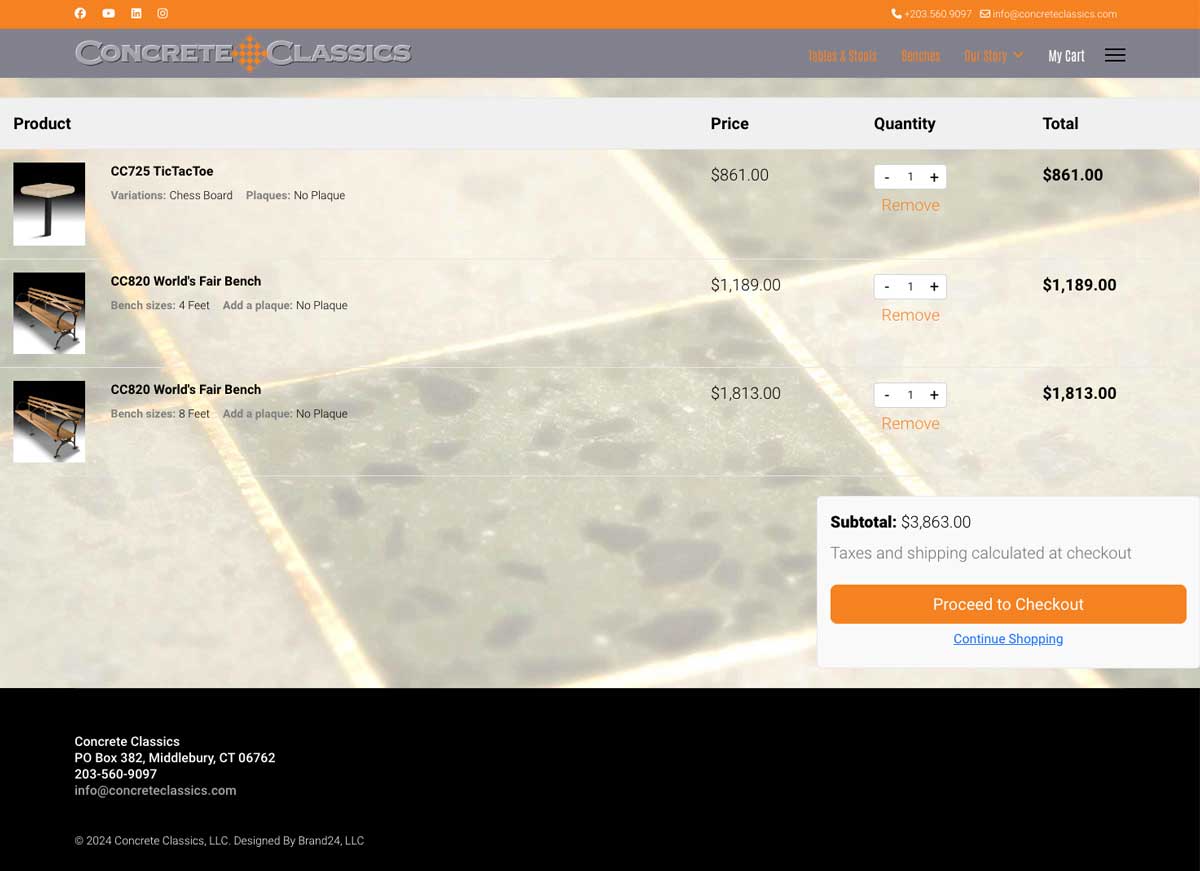
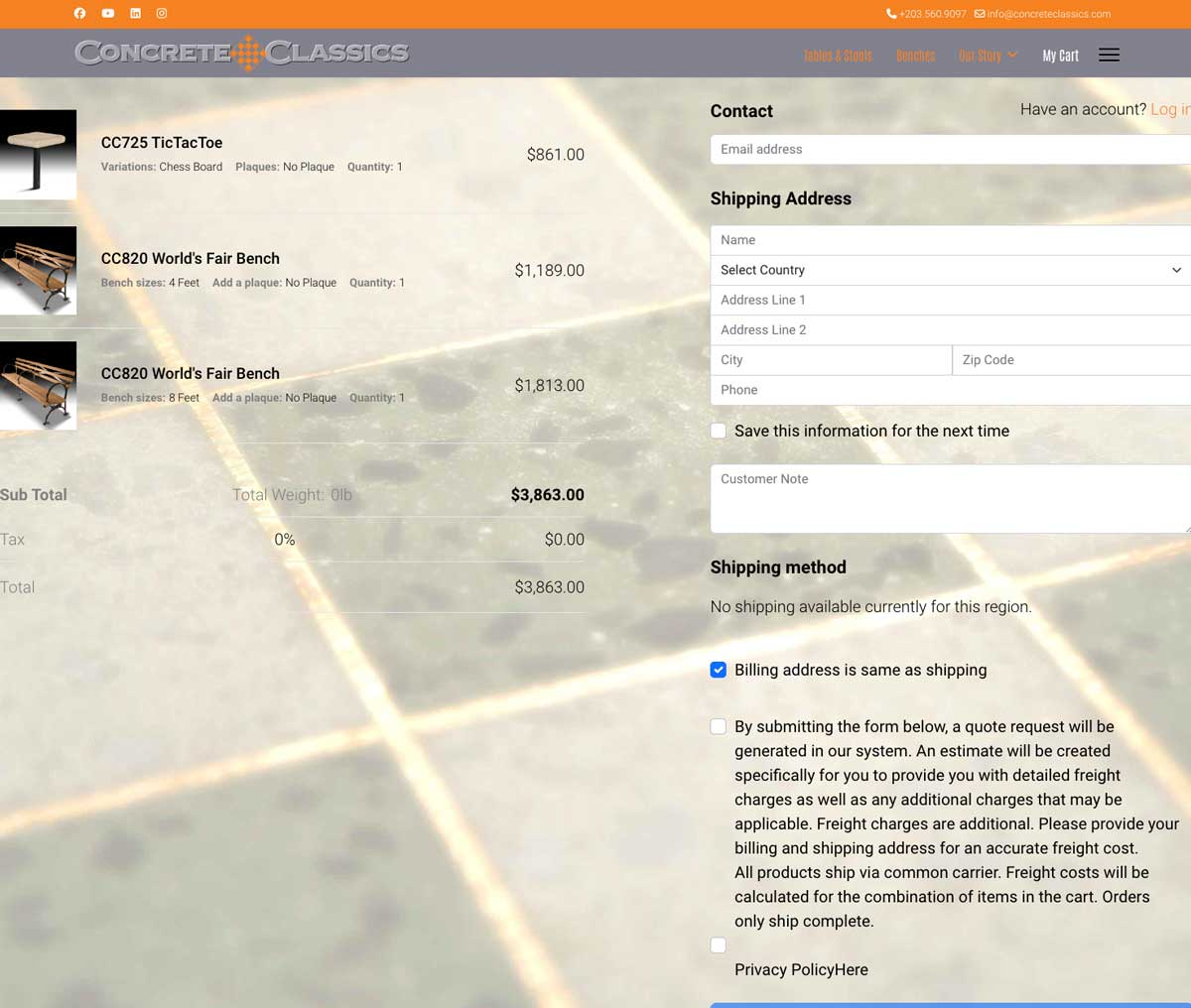
How do I style and cnage the look of the cart. The URL shows up as my-cart at the end but there is no page with that name. Where do I find it?

Also, in a shopping page of many items, is the only way to change the oeder they appear in the grid to change their ID numbers in the database?

Thanks

John

9 replies

Toufiq Senior Staff

Hi there,

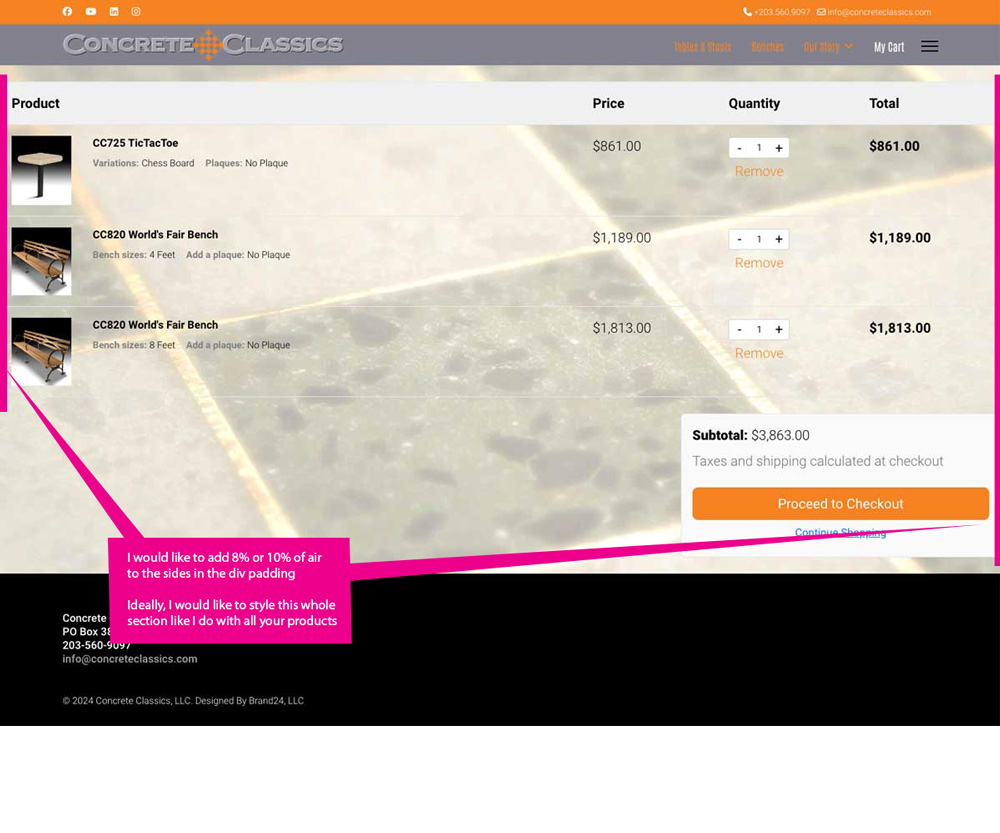
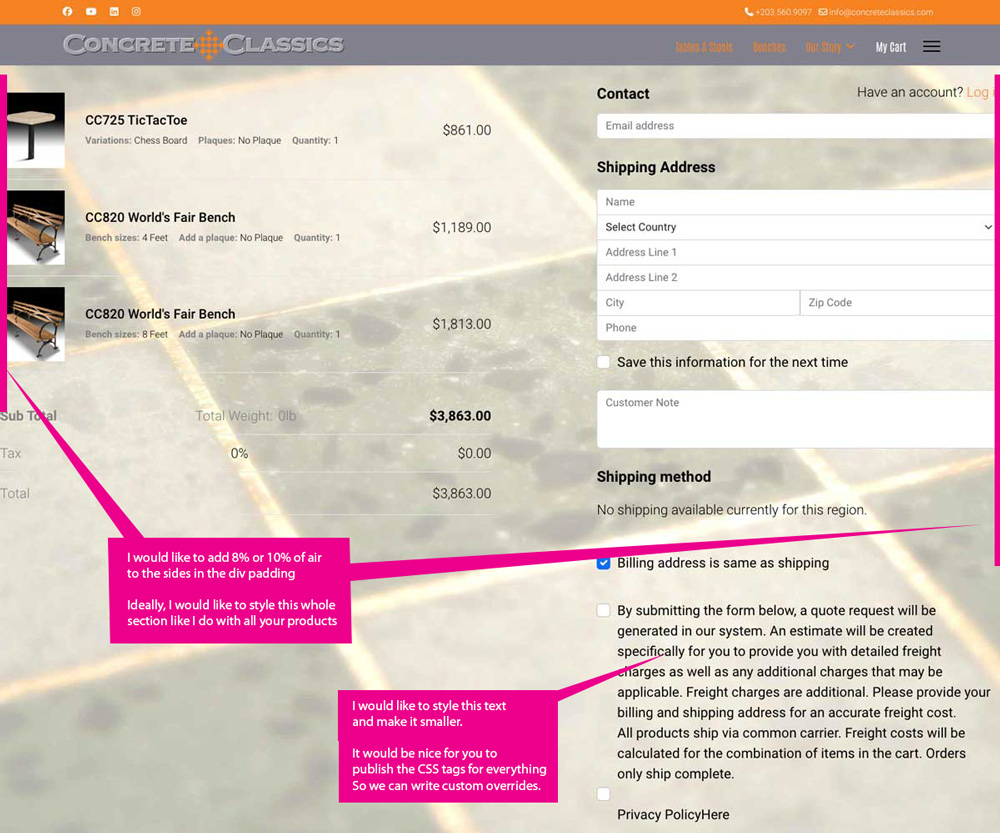
Thank you for reaching out, and I apologize for any inconvenience caused by this oversight. Can you share a screenshot that you want to change exactly?

I appreciate your cooperation and will ensure to get back to you as soon as possible.

Best regards,

Toufiqur Rahman (Team Lead, Support)

John Clapps Asked this

Toufiq

Thank you for your response but this did not change the situation. The cart and payment page are the same.

Also, the second question, is there a way to change the oder of items in a shopping grid other than changing the ID of every product?

Thank you

John

Toufiq Senior Staff

Will you please provide me the Joomla administrator access to check the issue? And share a screenshot that you want to do exactly. Thanks

John Clapps Asked this
Toufiq Senior Staff

Please check now. I have added some css code inside the custom.css file. If you need change the padding then you can change it from the custom.css file.

templates/shaper_helixultimate/css/custom.css

John Clapps Asked this

Excellentthank you. I see it.

Question: Why would you not put it in the Custom CSS section of HelixUltimate? (I'm not a programmer)

John Clapps Asked this

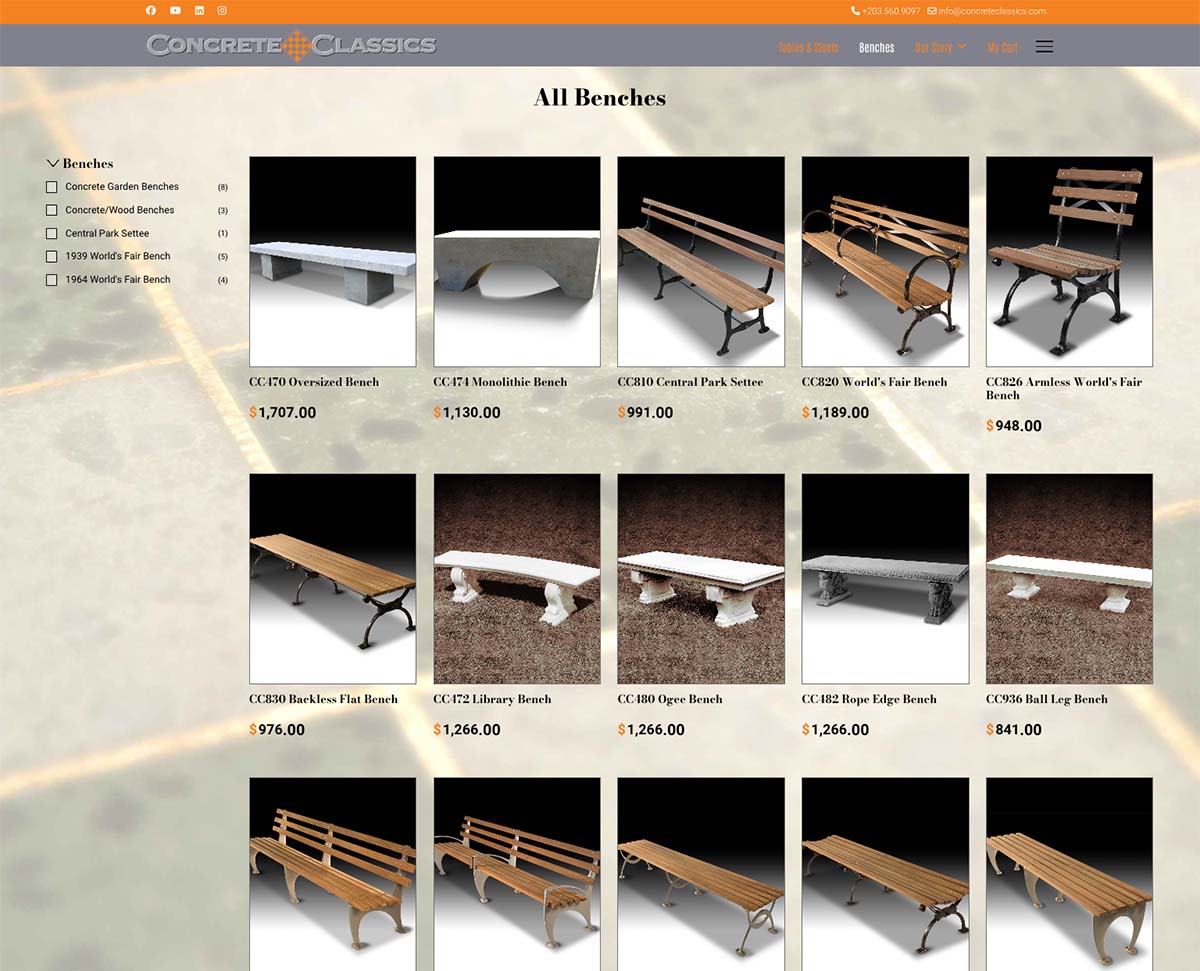
One last style question. In the product grid I cannot figure out how the plug-in decides the order. My client wants a specific order to show up. How do I create an order?

https://concrete.brand24llc.com/images/2024/List.jpg

Thanks for all your help.

Toufiq Senior Staff

Are you talking about the sorting of product listing? Thanks

John Clapps Asked this

YesThe sorting of the product on the front end. It looks like it is in Alphabetical order. Is there a way to change that?

John Clapps Asked this

I have tried that - it doesn't help.

Right now the products grid shows up in a completely random order. Not by ID (I replaced many products to get change the IDs) or even alphabetical order of the title. I have been trying a work around for days.

If you can tell me how EasyStore comes upwith the order, it would help.

John Clapps Asked this

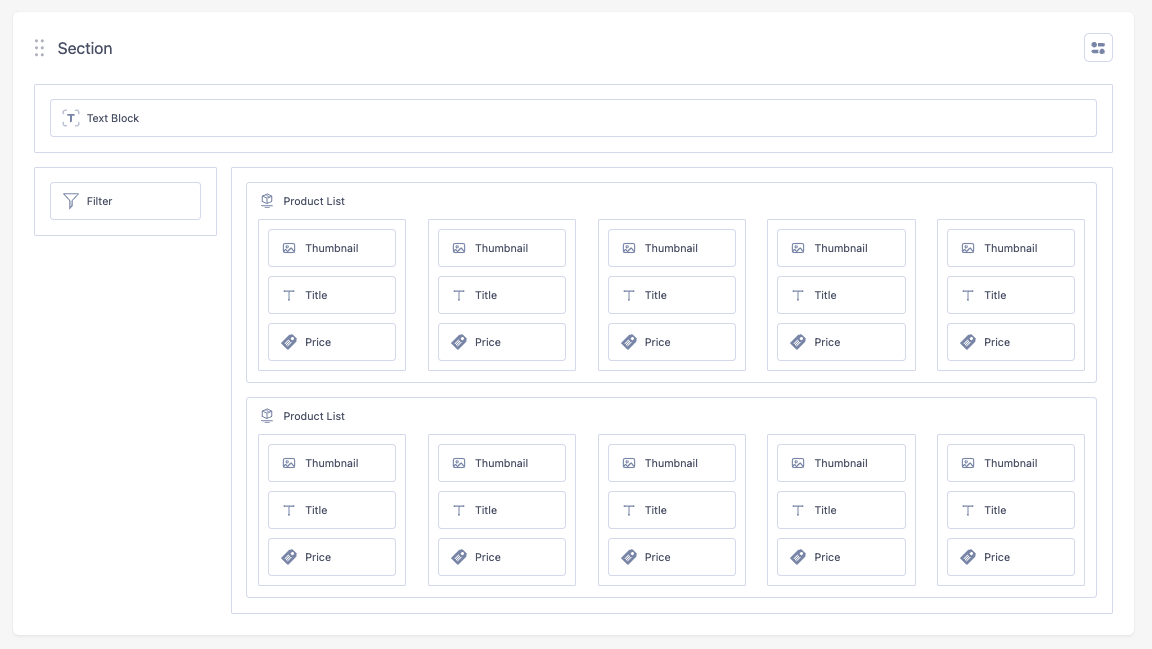
I found a work around by adding a duplicate list. Now each list has subcategories.The filter still works well as if it is one list.

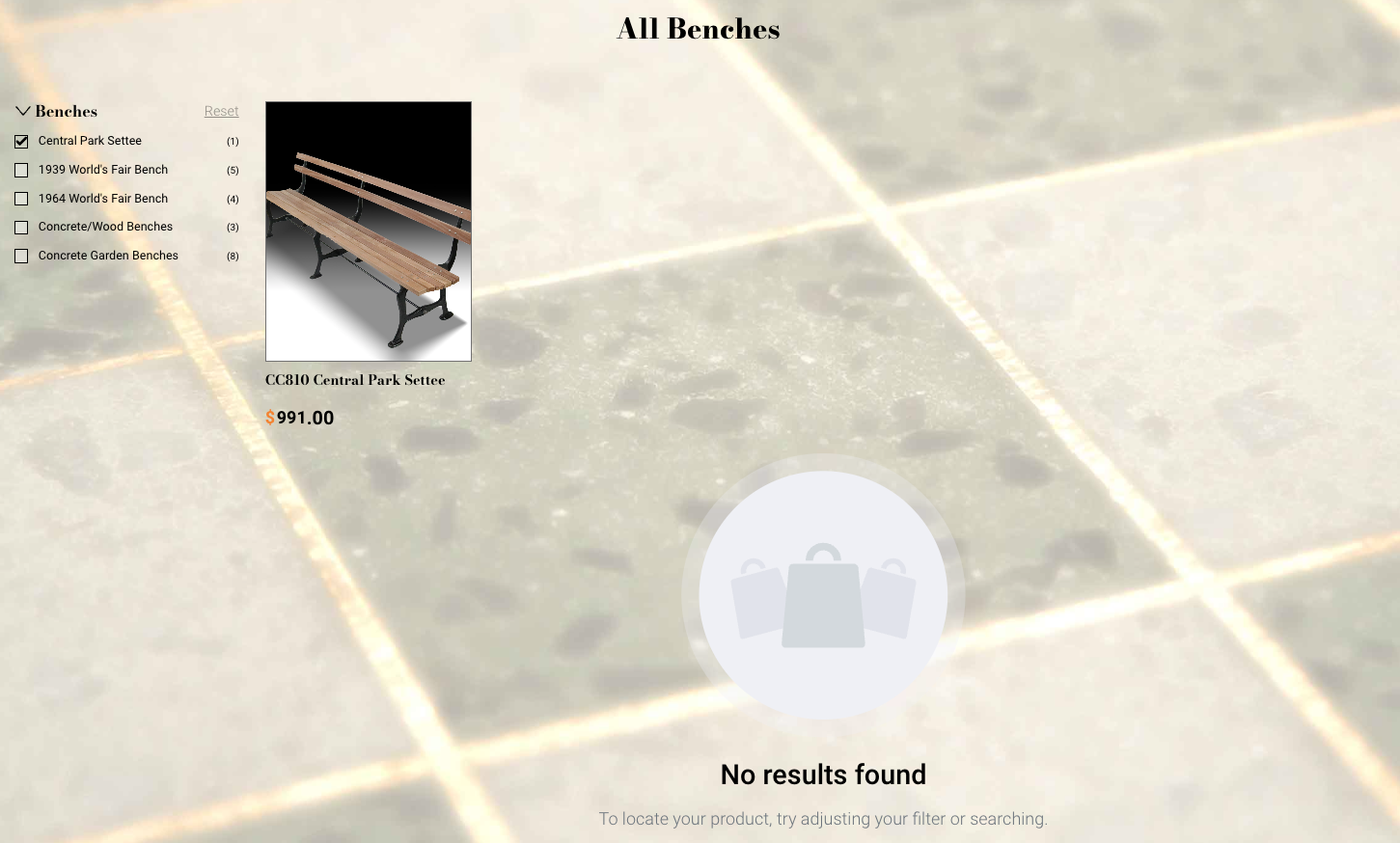
But I need some CSS that will not show the "no results found" icon and text.

The user is still valid if you want to look at the site.

https://concrete.brand24llc.com/images/2024/Screenshot%202024-05-05%20at%202.26.04%20PM.png

https://concrete.brand24llc.com/images/2024/Screenshot%202024-05-05%20at%202.28.10%20PM.png

Toufiq Senior Staff

It's difficult if you hide the search result message. Cause, if you click on another filter where you need the search info. So, it's not possible to use css code to achieve this function by this way. Thanks

Log in to reply.