SPPB Pro Video Addon size and alignment - Forum | JoomShaper
Solved Feature Requests

SPPB Pro Video Addon size and alignment

Asked by yo_ray 2 years ago Last activity 2 years ago

Hello
1)In SPPB Pro 5 in the video addon there is the possibility in Advanced to set the width of the video. But it is just possible i think in % (the value).
Would it be possible to get the feature in a future version to become the setting to adjust the wished size also for px.
I have found a way to fix it with a customcss for the moment.

  1. also in video addon when i set the size at the momment the video is aligned left. Could you please bring a way to easily align it centered. For this i havent found a way with a customcss in the addon customcss. Is there a way at the moment? Maybe you could bring the aligning feature also in a next version.

Thanks for your great work
Kind regards

Accepted answer

Marked as the solution
Pavel
2 years ago · edited

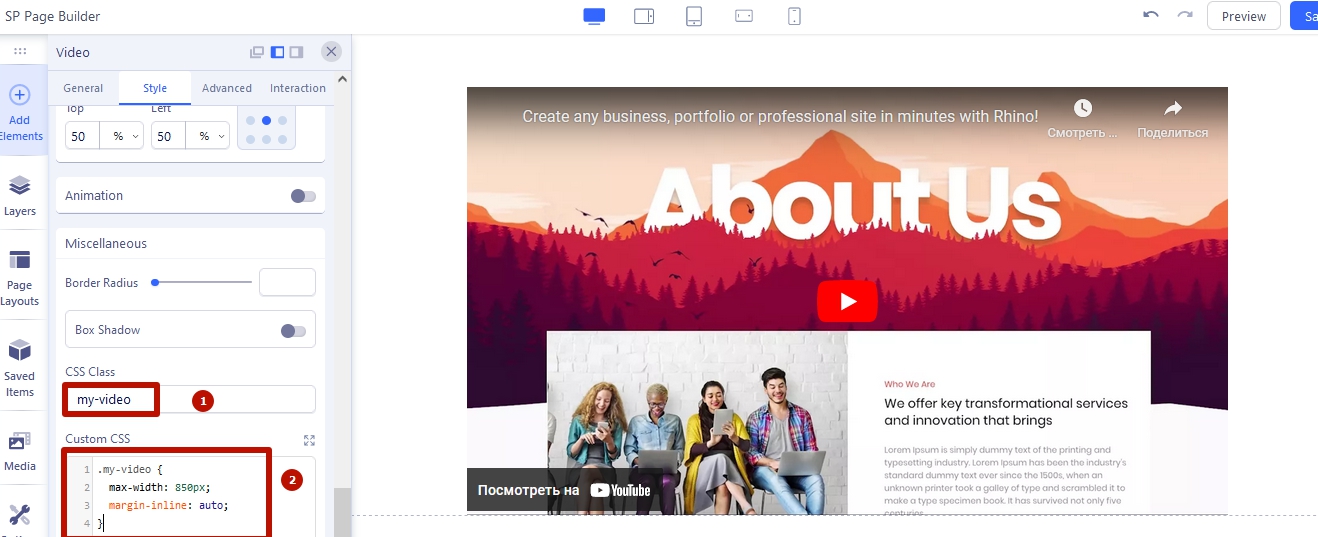
Way with CSS coding:

Add a class to the video addon and use this class in your CSS code

5 more replies

Pavel

also in video addon when i set the size at the momment the video is aligned left. Could you please bring a way to easily align it centered. For this i havent found a way with a customcss in the addon customcss. Is there a way at the moment? Maybe you could bring the aligning feature also in a next version.

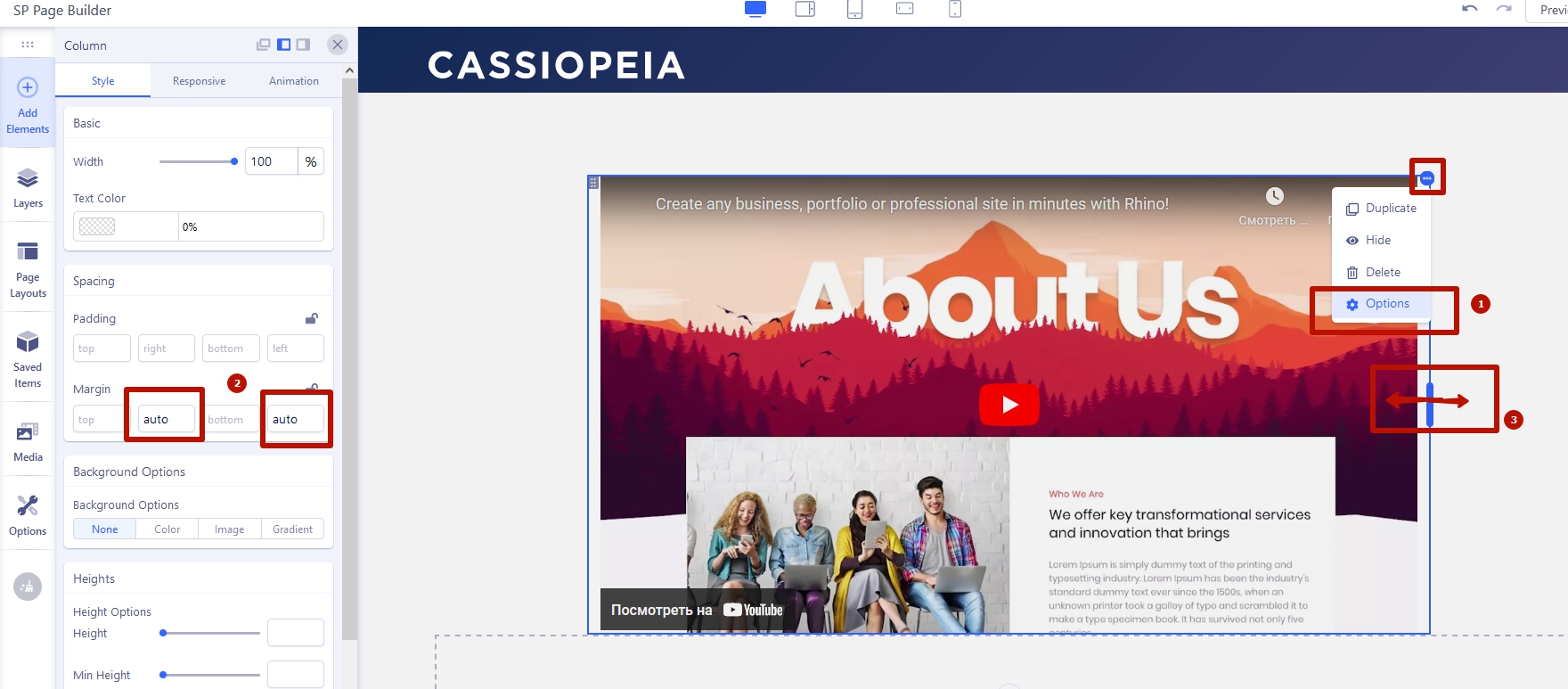
Hi. Advanced tab > Custom addon's width ON. Style tab > Left/Right margin fields value = auto

yo_ray Asked this

I have tried it with the advanced >width. But like mentioned its just a % value i think. But i want a px value.
Because when i set the width in a % value then i need to set all the tablet,mobile styles. But i want it there to be responsive. So only on desktop where it is too big i want it as an example in a max-width of 850px and to be aligned centered. But havent figured out which value of css to change.

So maybe you could bring not just a width but also a max-width value with alignment options

Thanks

Pavel
2 years ago · edited

Hi.

There are several ways to do this. But they are not obvious. However, when understanding how CSS works you can guess. CSS coding not need.

Here is one from ways.

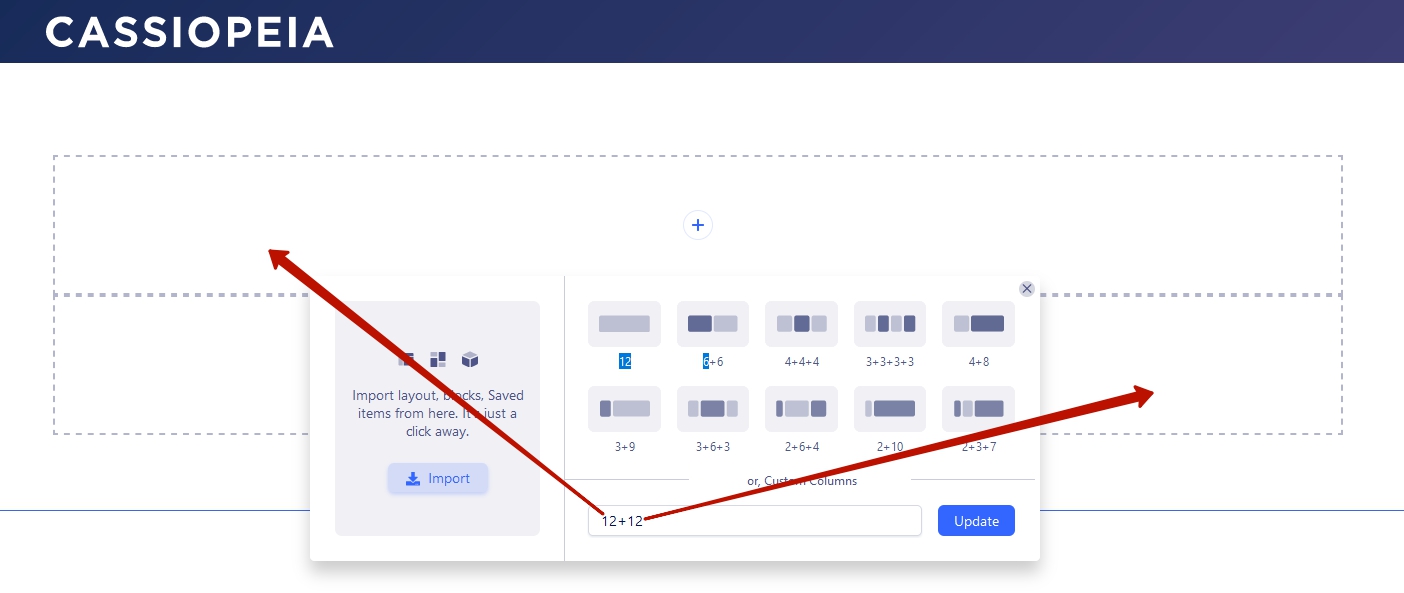
Create a separate column for video addon.

Set up the width (in %) and alignment of this column.

Another way: Use inner row with the same margin settings instead of column. Yo can set up row max width in its settings in px

yo_ray Asked this

Thanks Pavel.
This css with margin-inline (the new class worked.

Log in to reply.