Menu Font not always the same on all menu levels - Forum | JoomShaper
Solved Helix Framework

Menu Font not always the same on all menu levels

Asked by Robert Deutschmann 2 years ago Last activity 2 years ago

Hi

When open the website the main menu looks like this:
Menu font is "Bebas Neue".
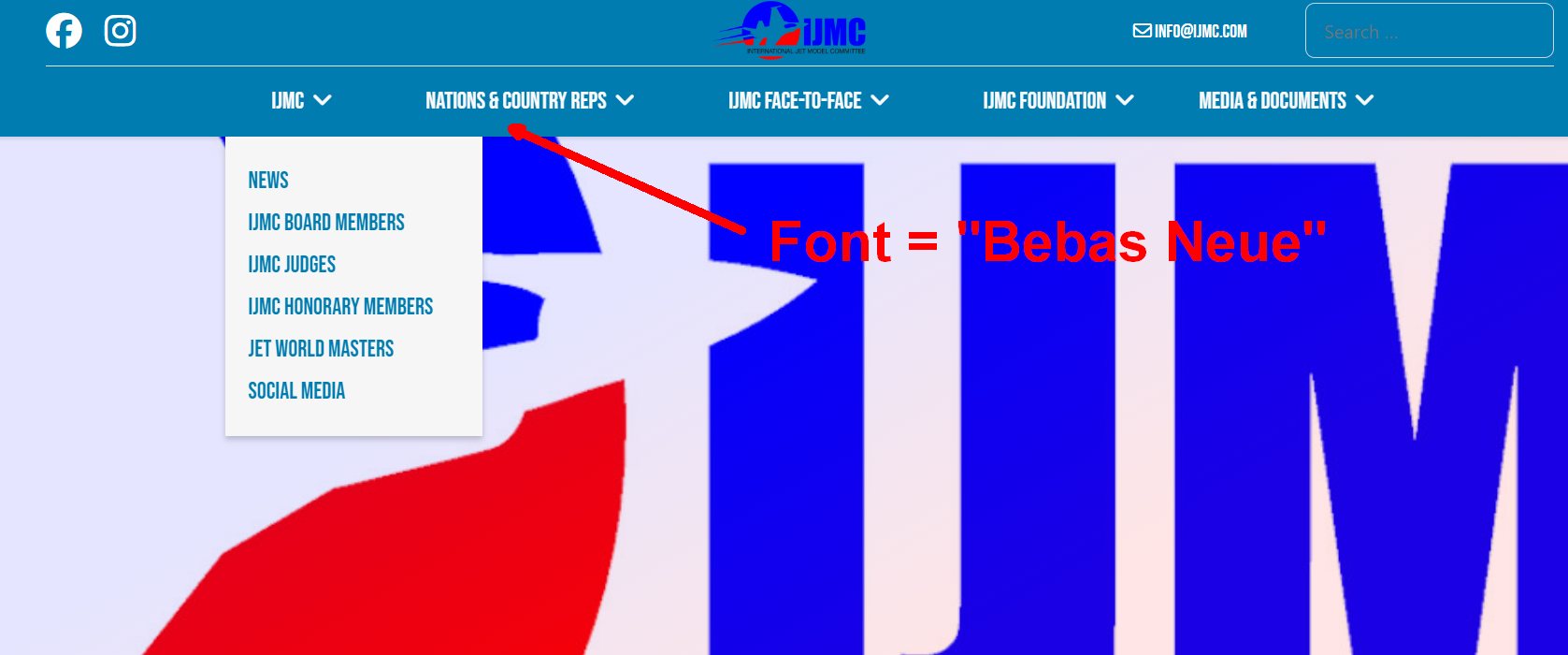
But when you click on a submenu e.g. "News" then the main menu changes the font and looks like this:
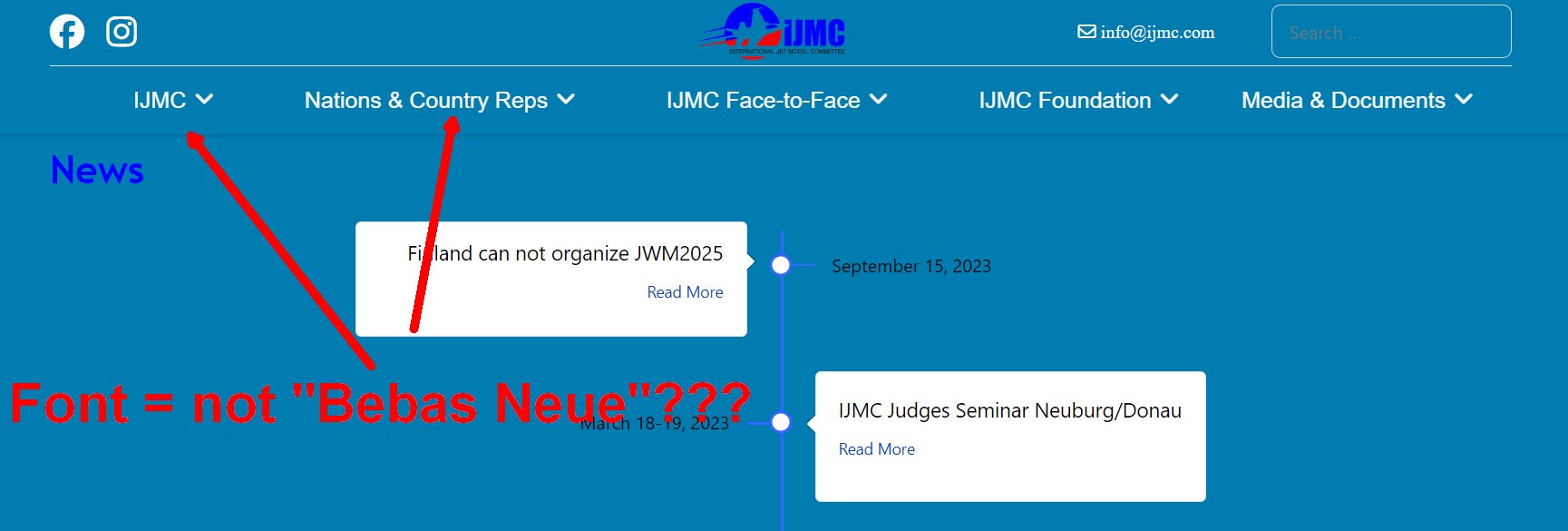
In the custom.css i put in this code but it looks that this code works only on the "first menu level":

/* Main Menu Desktop Font settings */
.sp-megamenu-parent > li > a, .sp-megamenu-parent > li > span {font-weight: 400; font-family: 'Bebas Neue' !important; font-size: 25px; color: #fafafa;}
.sp-megamenu-parent .sp-dropdown li.sp-menu-item>a, .sp-megamenu-parent .sp-dropdown li.sp-menu-item span:not(.sp-menu-badge){font-family: 'Bebas Neue'!important; font-size: 23px; color: var(--_background);}
.sp-megamenu-parent > li.active > a, .sp-megamenu-parent > li.active:hover > a {font-weight: 400; font-family: 'Bebas Neue' !important; font-size: 25px; color: #fafafa;}
.sp-megamenu-parent > li > a:hover, .sp-megamenu-parent > li:hover > a  {font-weight: 400; font-family: 'Bebas Neue' !important; font-size: 25px; color: #fafafa;}

Any idea how i can correct this?

Many thanks for any support.
Best regards, Robert

Accepted answer

Marked as the solution
Mehtaz Afsana Borsha Staff

Hi Robert

Glad to know that its solved and thanks for sharing the solution. You can now close this post by accepting the answer.

5 more replies

Mehtaz Afsana Borsha Staff

Hi

Thanks for contacting us and sorry for your issue. Use this CSS in your custom.css file

.sp-megamenu-parent > li > a, .sp-megamenu-parent > li > span{
  font-family: 'Bebas Neue' !important;
}

-Regards.

Robert Deutschmann Asked this

Hi

Thank you for your reply.

I modified the custom.css like this now:

.sp-megamenu-parent > li > a, .sp-megamenu-parent > li > span {font-weight: 400; font-family: 'Bebas Neue' !important; font-size: 25px; color: #fafafa;}
.sp-megamenu-parent .sp-dropdown li.sp-menu-item>a, .sp-megamenu-parent .sp-dropdown li.sp-menu-item span:not(.sp-menu-badge){font-family: 'Bebas Neue'!important; font-size: 23px; color: var(--_background);}
.sp-megamenu-parent > li.active > a, .sp-megamenu-parent > li.active:hover > a {font-weight: 400; font-family: 'Bebas Neue' !important; font-size: 25px; color: #fafafa;}
.sp-megamenu-parent > li > a:hover, .sp-megamenu-parent > li:hover > a  {font-weight: 400; font-family: 'Bebas Neue' !important; font-size: 25px; color: #fafafa;}

But still the same problem.

Robert Deutschmann Asked this
2 years ago · edited

Hi

Meantime i found out something special: it looks like after selecting a submenu like "News" the menu doesn't use the locally installed font "Bebas Neue". I have to install the font locally because of the DSGVO requirements in Germany.

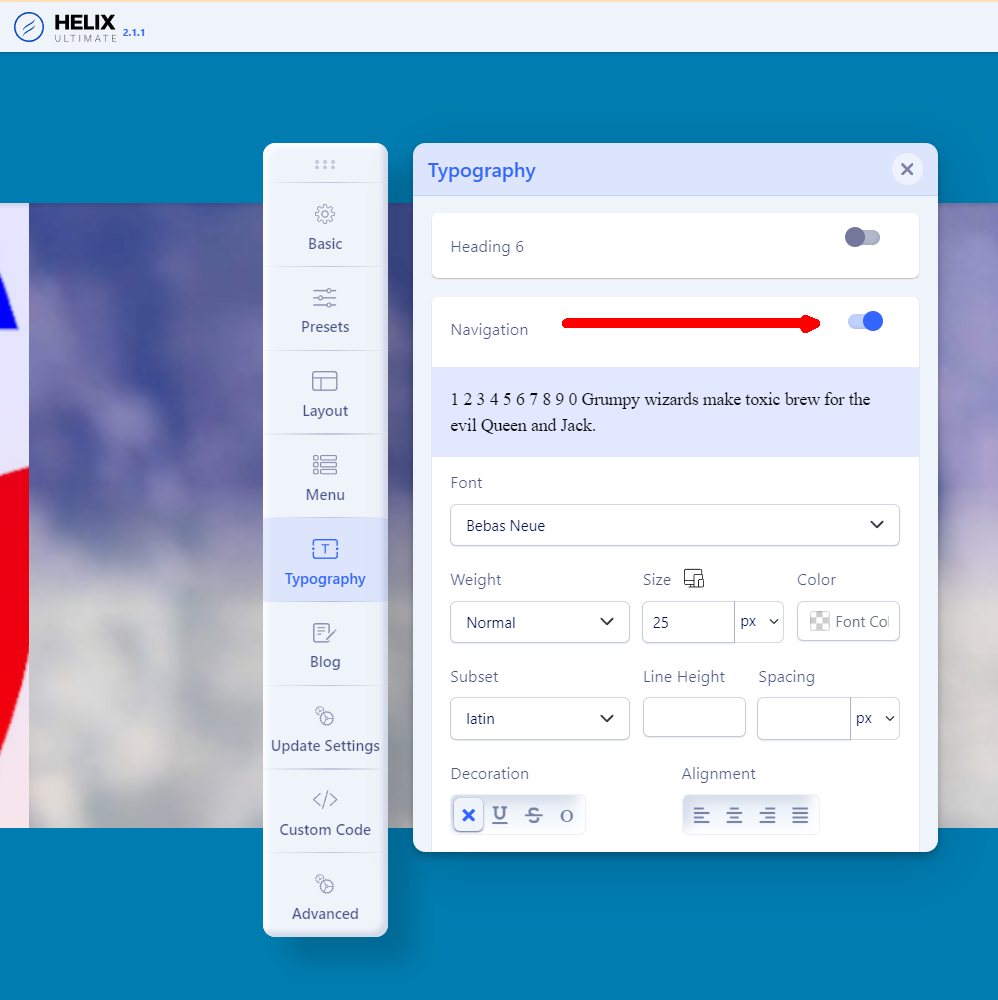
I can simulate this effect when enabling the Typography-Navigation. Doing this the menu after selecting the submenu "News" looks fine. That means the menu font is still "Bebas Neue" - BUT now the font will be loading from the Google-Server but that is not DSGVO-conform.

When disabling the Typography-Navigation and go on the start page of the website the menu-font is "Bebas Neue" but when selecting a submenu like "News" the menu is displayed in another font-family.

Hope this helps.

Thanks in advance for support.
br, Robert

Robert Deutschmann Asked this

Hi

Heureka, Problem solved.
After installing the "BebasNeue-Regular.ttf" in the ../templates/fonts-directory and updated the custom.css with this lines

@font-face {
  font-family: 'bebasneue_regular';
  src: url('../fonts/BebasNeue-Regular.ttf') format('truetype');
  font-weight: <weight>;
  font-style: bold;
}

h1, h2, h3
{ font-family: "bebasneue_regular", sans-serif;
  font-optical-sizing: auto;
  font-weight: <weight>;
  font-style: normal;
  color: #FFF; 
}
strong, b  {font-family: "bebasneue_regular", sans-serif;  font-weight: 700;}
h3 {font-size: 40px}

.sp-megamenu-parent > li > a, .sp-megamenu-parent > li > span {font-weight: 400; font-family: 'bebasneue_regular' !important; font-size: 25px; color: #fafafa;}
.sp-megamenu-parent .sp-dropdown li.sp-menu-item>a, .sp-megamenu-parent .sp-dropdown li.sp-menu-item span:not(.sp-menu-badge){font-family: 'bebasneue_regular'!important; font-size: 23px; color: var(--_background);}
.sp-megamenu-parent > li.active > a, .sp-megamenu-parent > li.active:hover > a {font-weight: 400; font-family: 'bebasneue_regular' !important; font-size: 25px; color: #fafafa;}
.sp-megamenu-parent > li > a:hover, .sp-megamenu-parent > li:hover > a  {font-weight: 400; font-family: 'bebasneue_regular' !important; font-size: 25px; color: #fafafa;}

now, on all levels the local installed font is using correctly and so the DSGVO(GDPR) requirements are done.

Regards

Log in to reply.