Hello,
I need to put a shortcode in a text addon.
This addon works well in a joomla article and the developer Tassos told me that I had to put "onPrepare" to get the rendering.
In the override of a joomla article, I put
<?\php echo \JHtml::_('content.prepare', '{convertforms 2}'); ?>
but in this text addon, how to make a form appear by putting this shortcode: {convertforms 2} ?
Regards
Solved
SP Page Builder
to put a shortcode in a text addon.
Accepted answer
Marked as the solution
Paul Frankowski Senior Staff
6 more replies
Paul Frankowski Senior Staff
Hi,
the only working method was described here:
https://www.joomshaper.com/documentation/sp-page-builder/sp-page-builder-3/how-to-tips
tip named "How to use shortcodes"
HDcms Asked this
HI,
Thank you for the answer.
I created the module, put prepare content and I inserted it in the text part of the text addon
result, the code is displayed in the html page
https://pic.infini.fr/gallery#3jToVVeA/8OwuOgvR.png
https://pic.infini.fr/6KSNrvNR/NRJF48g0.png
It works if I use a module addon but the rendering is not so good!
regards
Paul Frankowski Senior Staff
- Your img links don't work now. Anyway, this is the only method that sometimes works.
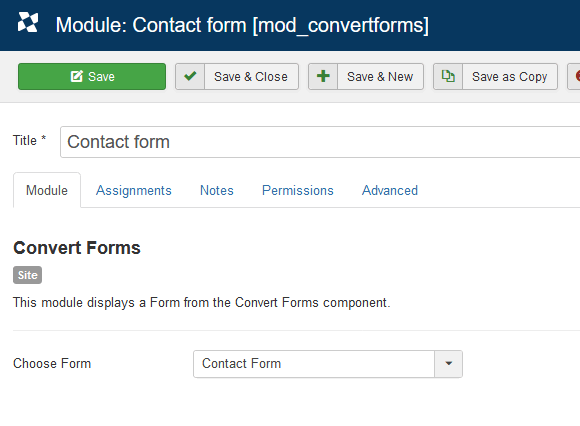
- If we talk about this same extension Convert Forms (tassos.gr) - just use MODULE from it, not shortcode! In PRO version there is.



Pavel
Hi. Why do not you use convertforms in the form of a module? Publish Joomla Module Addon and select ConvertForms Module there.
HDcms Asked this
HI,
I initially preferred the solution with the shortcode in the text addon because it was more homogeneous graphically.
I used the convert forms module, a bit unpretty but it works.
Thanks for your answers
Regards
HDcms Asked this
Hi
Thanks
Log in to reply.