solid-header default keynote - Forum | JoomShaper
Staff replied Templates

solid-header default keynote

Asked by chierasr 5 years ago Last activity 5 years ago

7 replies

Ariba Staff

Hello

Could you kindly specify what you mean by solid header class here? Also, in the demo you provided the content is clashing with the menu as i can see from my end, so in that case could you please give a screenshot or give more details regarding that? It would be helpful.

Thank you

chierasr Asked this

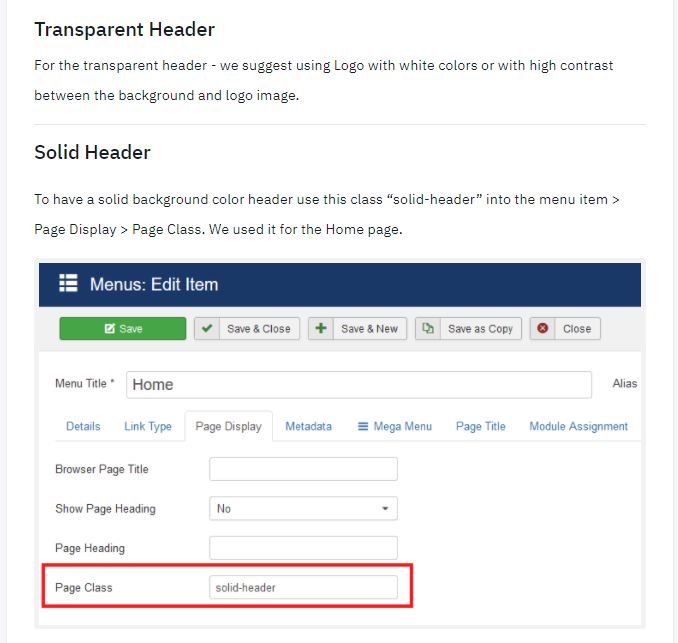
solid-header is a class that use keynote template into the menues, to transform the header solid with color instead of transparent
Transparent is the default in that menu and solid-header is a css class for menu item
best

chierasr Asked this

ariba, thanks for that, but ptobably im not explaining well
im already use that class for menu items
but a page like
https://demo.eventovirtual.com.ar/component/rsform/form/3-registro
is automatically generated by the login module when select the option not registered or not have an account yet
i need the opposite, trnasform the main template as solid-header and use a class like transparent-header as option

check those situations when website trigger component url and you can see that problem
click here https://demo.eventovirtual.com.ar/login create an account (crea una cuenta) and the result is an url auto generate with component regsitration

best

Rashida Rahman Staff
5 years ago · edited

Hi there!

Sorry for the delay!

If I get it right, you want the header element to appear as it looks while scrolling down.

https://prnt.sc/12hpcj7

https://prnt.sc/12hpd15

So I am sharing some code with you to change the header appearance specifically for the form view. Please use the following code in your custom CSS:

body.com-rsform #sp-main-body {
    padding-top: 150px !important;
}
body.com-rsform:not(.solid-header) #sp-header .sp-megamenu-parent > li > a {
    color: #252525;
}
body.com-rsform:not(.solid-header) #sp-header .logo-image {
  display:block!important;
}
body.com-rsform #sp-header .logo .logo-image.white-logo {
    display: none!important;
}

Hope this will closure to your wish!

Let me know the result.

Best Regards

Rashida Rahman Staff

Really glad that all is working now:)

You are always welcome!

Log in to reply.