Critical Issue – Predefined Header Enabled but No Selection Options After Joomla 5.2.4 Update - Forum | JoomShaper
Staff replied Helix Framework

Critical Issue – Predefined Header Enabled but No Selection Options After Joomla 5.2.4 Update

Asked by Petar 1 year ago Last activity 1 year ago

Hi,

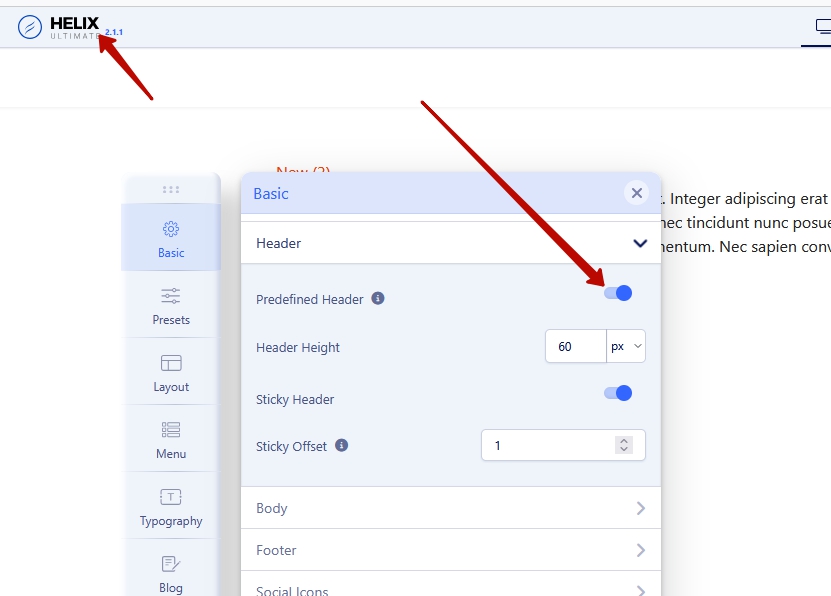
I am facing a critical issue after updating Joomla to 5.2.4. The Predefined Header option is enabled in the settings, but after the update, the header selection options are missing.

Before the update, I could see and select different predefined header styles (as shown in the first screenshot).
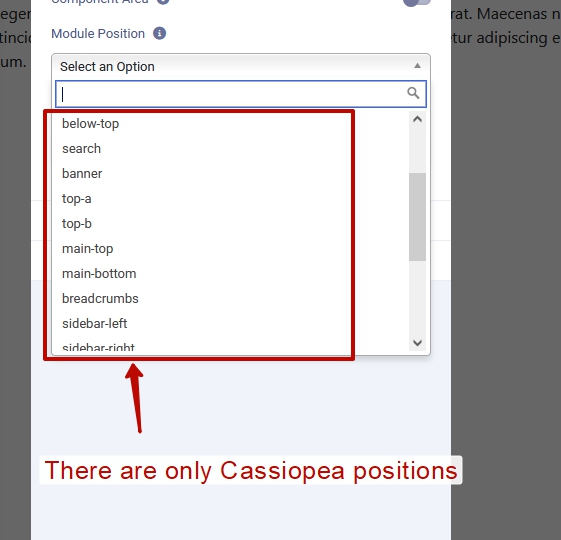
After the update, the selection options are completely gone (see the second screenshot).
My website now has no header at all, making it unusable.
I tested this on both a live site and a local installation, and the issue occurs in both cases.
I have tried clearing the cache and reapplying the settings, but nothing resolves the issue.
Please let me know how to fix this or if this is a known bug in Joomla 5.2.4.

Looking forward to your urgent response.
https://1drv.ms/i/c/5ede0277d5a80fd2/EWS1g3MJhsVLg9OKe8WmlvQBeBixHRg6VhcVSiCgLzuxGw?e=XmQals
https://1drv.ms/i/c/5ede0277d5a80fd2/EVNccW9t2Y9JikbBTnR_p7sBT1ImmZxDPcxHZ_vxPCPeeg?e=vKR7cQ
Best regards,
Petar


19 replies

Atick Eashrak Shuvo Staff

Hi there!

Thank you for bringing this to our attention, and I sincerely apologize for the inconvenience caused.

To assist you more effectively, may I kindly request temporary administrative access to your site? This will allow me to thoroughly investigate and resolve the issue for you.

Before sharing the credentials, I strongly recommend taking a complete backup of your site to ensure all data remains secure.

Looking forward to your response.

Best regards

Paul Frankowski Senior Staff
1 year ago · edited

Hi Petar,

In last months I made many Joomla upgrades, and never seen that error before.

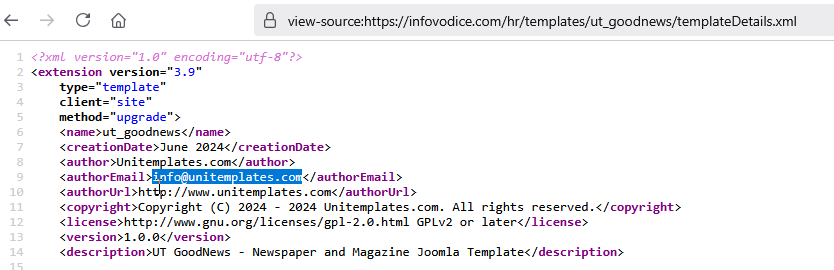
Please write full template name (!) and its developer name. You can find that information inside templateDetails.xml file and inside Extensions list > Templates.

Because I am not sure if that is our template looking at your screenshot No2.

Pavel
1 year ago · edited

I confirm. This is a bug after updating to Joomla 5.2.4.

Hi Atick. Don’t waste time trying to gain access. Just test it on your staging site, and you’ll encounter the same issue.

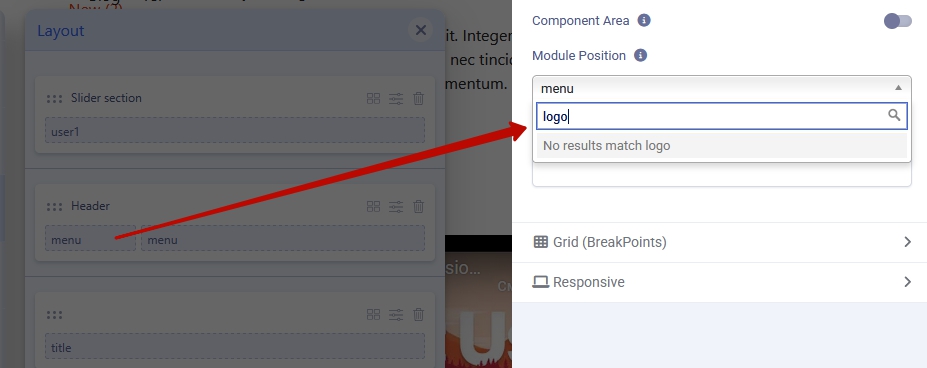
Also when using custom header logo position is gone

Helix requires an immediate fix.

It’s necessary to post an urgent announcement on the joomshaper.com website, advising users not to update Joomla until Helix is fixed. The update could break many websites.

Paul Frankowski Senior Staff
1 year ago · edited

If your Template Name is "UT Goodnews - Newspaper and Magazine" - you should get support from

info_3258_2025.gif

JoomShaper Support Policy rule 8.8

Pavel
1 year ago · edited

If your Template Name is "UT Goodnews - Newspaper and Magazine" - you should get support from
info_3258_2025.gif

Hi Paul. I tested it on a clean Helix—the same problem exists.

Paul Frankowski Senior Staff

OK, but I cannot touch template that doesn't belong to us. User bought it somewhere else.

Paul Frankowski Senior Staff
1 year ago · edited

@Pavel, but you talk about Custom Header, and user said about Predefined header. Those are completly different things. On the other hand, it is strange why Joomla would “delete” something during upgrade.

Pavel

but you talk about Custom Header, and user said about Predefined header

Both issues are present. I believe the cause of both is the disappearance of the Logo position.

Paul Frankowski Senior Staff

When you noticed that: yesterday (last J! update), last week, or month ago?

Paul Frankowski Senior Staff

@Pavel , I wonder if last Joomla update that mess, or was before, becuase I made a few updates (J4>J5) in last weeks and header was displayed on the front-end (logo, menu). I didn't have to change anything else.

Pavel

Yes only last Joomla 5.2.4.

Paul Frankowski Senior Staff
1 year ago · edited

Ok, I talked with our developers. Indeed, there is issue after the latest Joomla 5.2.4 update, brrr. How I love that surprises with CMS core updates ;]


We found a temporary fix for our templates. More informations soon.


Hopefully, users who made upgarde before yesterday, I mean from J4 to 5.2.3 can still sleep well.

Paul Frankowski Senior Staff
1 year ago · edited

Temporary solution: Remove the '0' from the "predefined_header" default value from template options.xml file. After your change that line must look like that:

<field name="predefined_header" type="checkbox" helixgroup="header" label="HELIX_ULTIMATE_PREDEFINED_HEADER" description="HELIX_ULTIMATE_PREDEFINED_HEADER_DESC" default="" />

File path: templates\shaper_NAME\options.xml


In theory, it should work for all templates based on Helix Ultimate.

@Pavel, can you check on your demo sites as well. Thx.

Pavel

Just to let you know. This fixes the predefined header issue, but it does not resolve the problem with the logo position in the custom header.

Log in to reply.