Hi,
I was downloading all files from templates "Strings V1.5". Extracted "shaper_strings_settings_UNZIP_FIRST.zip" to "shaper_strings_settings_01-03-2017.json" but now, what to do with this file?
Hi,
I was downloading all files from templates "Strings V1.5". Extracted "shaper_strings_settings_UNZIP_FIRST.zip" to "shaper_strings_settings_01-03-2017.json" but now, what to do with this file?
Hello Rainer,
I am sorry to say but I haven't got the issue. You have the .json file and you don't know what to do, is that you want to say?
If yes, you can upload the .json file direct in your templates in your Joomla administrator.
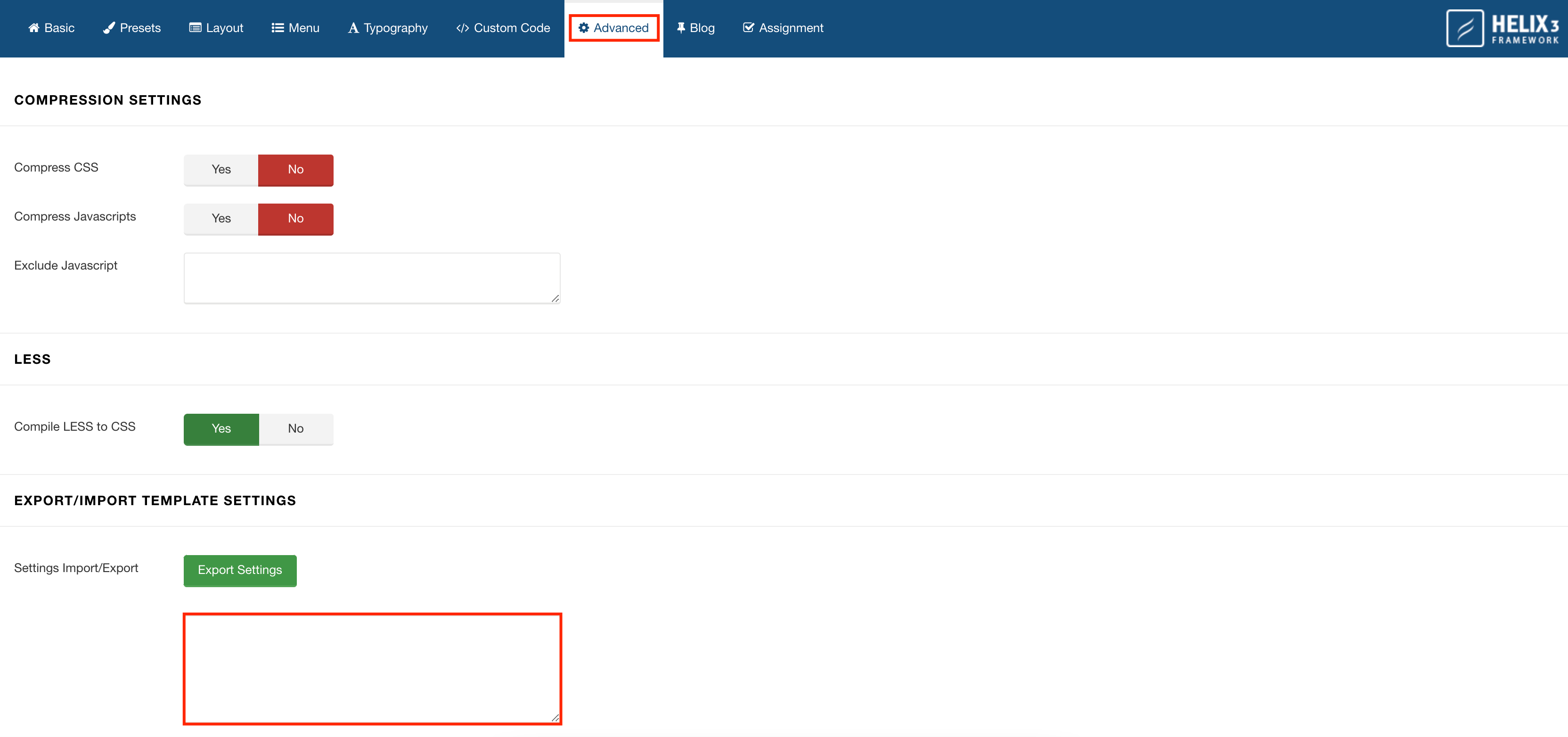
You can add the .json file in Templates > shaper_strings > Advanced > Export/Import Template Settings and you will find a box there. You can import the file there and save it.
Thanks!
Hello Rainer Krueck
Please go to Extensions -> Install and upload the downloaded ZIP file. This will install the default template settings for Strings template.
Best regards
Hello Muntasir,
when I try to drag and drop the .json-file to "Upload & Install Joomla Extension" I get "Error - Unable to find install package" - is this, what you mean with "upload the .json file direct" or where I hav to do it?
Your second way was successful, I think.
Thanks!
Hello Rainer,
Follow the second step and it will work hopefully.
Have a nice day!
@Ofi
I was asking about handling for "shaper_strings_settings_UNZIP_FIRST.zip". This file I'm unable to upload as "ZIP2"-file.
The template was installed successful but I didn't know, how to install the .json-file.
Regards
Rainer
Please follow the steps:
This will save the default settings for Strings Template. Check the screenshot below: