
how can i style a menu button like the get tickets menu button in the keynote template
Solved
Templates
Menu item styling
Asked by Geoffrey Smith
5 years ago
Last activity 5 years ago
Accepted answer
Marked as the solution
Ariba Staff
You are welcome.
"li:nth-child(1)" is the menu item 1 - which "Home".
Use 2 for "Offerings", 3 for "Contact" and 4 for "Events".
11 more replies
Ariba Staff
Hello
If you want to style your menu button like the Get ticket one in Keynote, you can do that using Custom CSS.
Kindly allow me some time, i will get back to you.
Ariba Staff
Kindly check the screenshot below. Is this how you want your menu to look like? Or do you want to style all the menu in this way? Can you kindly confirm?
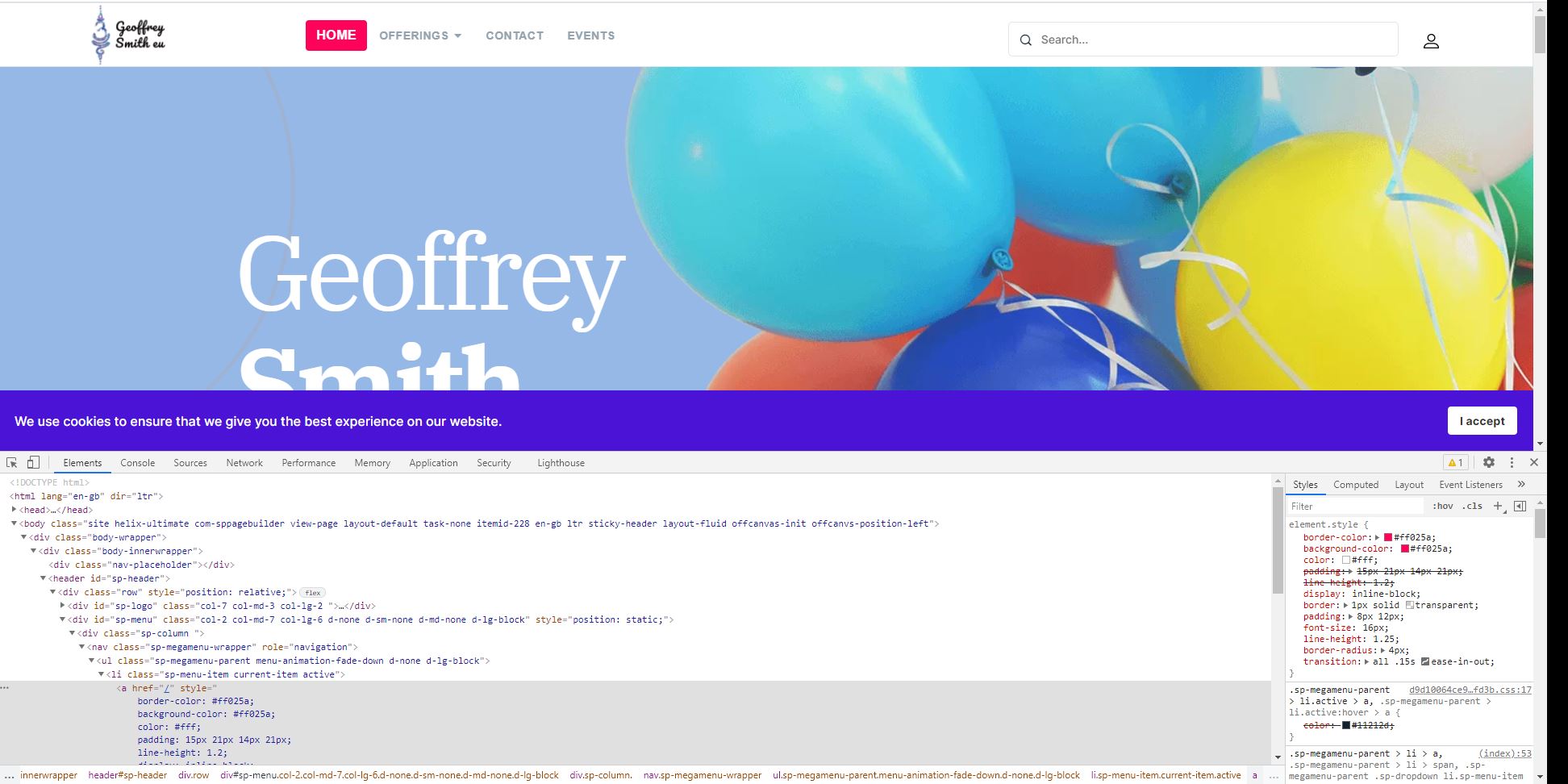
Geoffrey Smith Asked this
I want to style and individual menu entry that way, like yoiu have done for the home item
Geoffrey Smith Asked this
So how can I get this styling into the site?
Ariba Staff
Hello,
You can use the following code. Insert them in the Custom CSS section.
.sp-megamenu-parent > li > a {
    border-color: #ff025a;
    background-color: #ff025a;
    color: #fff;
    display: inline-block;
    border: 1px solid transparent;
    padding: 8px 12px;
    font-size: 16px;
    line-height: 1.25;
    border-radius: 4px;
    transition: all 0.15s ease-in-out;
    margin: 0px 5px;
}
Geoffrey Smith Asked this
Thanks, but this styles the whole of the menu. Is there a way to style just an individual menu item?
Ariba Staff
Hello,
You are welcome.
Use the following code instead -
Here nth-child(1) is the menu you want to modify. Change the number accordingly.
.sp-megamenu-parent > li:nth-child(1) > a {
    border-color: #ff025a;
    background-color: #ff025a;
    color: #fff;
    display: inline-block;
    border: 1px solid transparent;
    padding: 8px 12px;
    font-size: 16px;
    line-height: 1.25;
    border-radius: 4px;
    transition: all 0.15s ease-in-out;
    margin: 0px 5px;
}
Geoffrey Smith Asked this
Thank you. Is the "li:nth-child(1)" the item relative position or the menu item 1d?
Ariba Staff
Have a great day.
Stay safe and well.

Pavel
Thank you. Is the "li:nth-child(1)" the item relative position or the menu item 1d?
Hi. A more correct way. You can add unique class to the menu item link in the menu item settings and use this class instead li:nth-child(1) > a
Geoffrey Smith Asked this
How would I do that ansd what would the code look like? Thanks
Log in to reply.