

Menu Item Styling

Geoffrey Smith
how can i style a menu button like the get tickets menu button in the keynote template
Website
https://test.geoffreysmith.eu
12 Answers
Order by
Oldest

Ariba
Accepted AnswerYou are welcome.
"li:nth-child(1)" is the menu item 1 - which "Home". Use 2 for "Offerings", 3 for "Contact" and 4 for "Events".
Ariba
Accepted AnswerHello
If you want to style your menu button like the Get ticket one in Keynote, you can do that using Custom CSS. Kindly allow me some time, i will get back to you.
Ariba
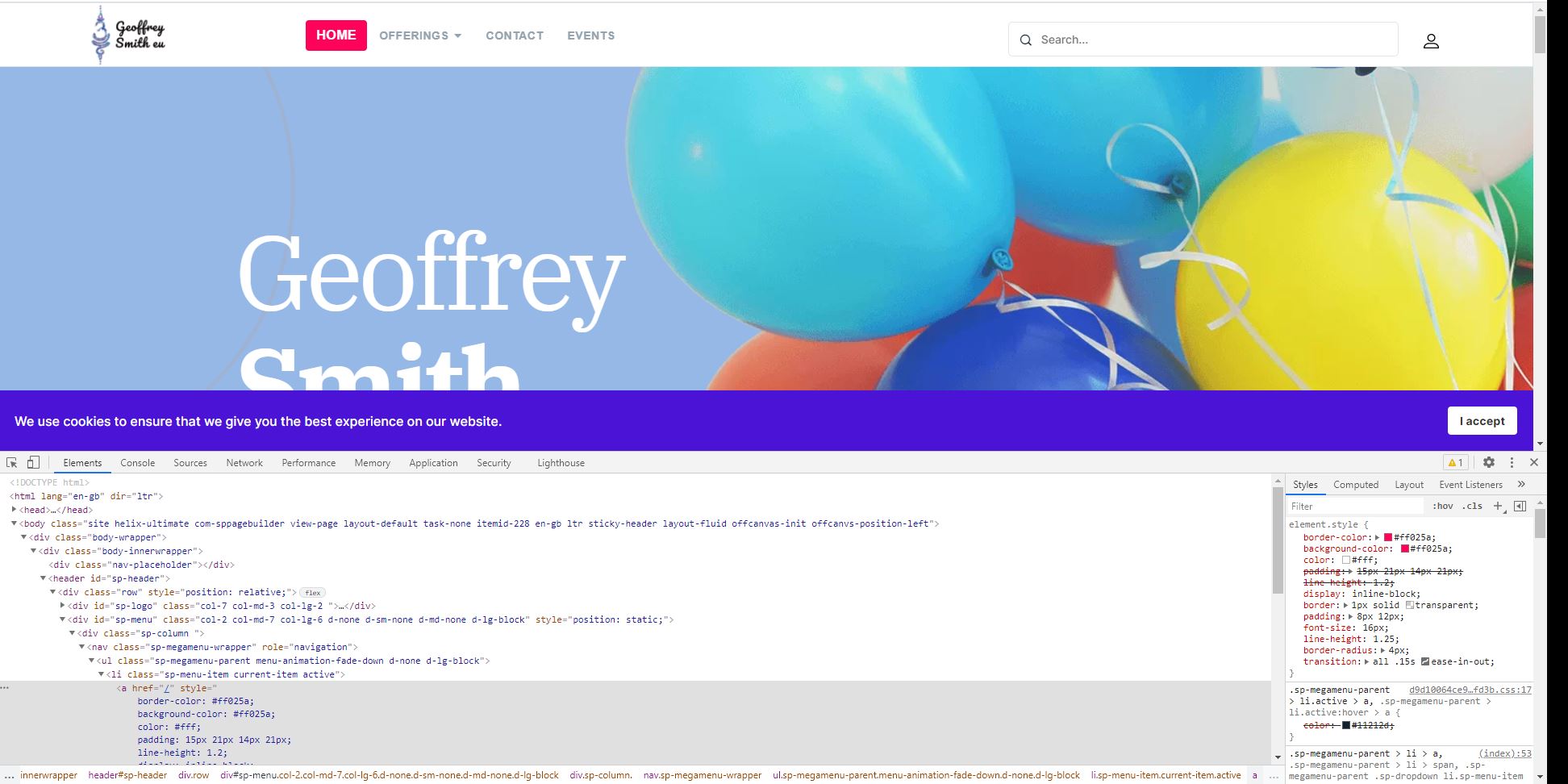
Accepted AnswerKindly check the screenshot below. Is this how you want your menu to look like? Or do you want to style all the menu in this way? Can you kindly confirm?
Geoffrey Smith
Accepted AnswerI want to style and individual menu entry that way, like yoiu have done for the home item
Ariba
Accepted AnswerHello,
You can use the following code. Insert them in the Custom CSS section.
.sp-megamenu-parent > li > a {
    border-color: #ff025a;
    background-color: #ff025a;
    color: #fff;
    display: inline-block;
    border: 1px solid transparent;
    padding: 8px 12px;
    font-size: 16px;
    line-height: 1.25;
    border-radius: 4px;
    transition: all 0.15s ease-in-out;
    margin: 0px 5px;
}Geoffrey Smith
Accepted AnswerThanks, but this styles the whole of the menu. Is there a way to style just an individual menu item?
Ariba
Accepted AnswerHello,
You are welcome. Use the following code instead -
Here nth-child(1) is the menu you want to modify. Change the number accordingly.
.sp-megamenu-parent > li:nth-child(1) > a {
    border-color: #ff025a;
    background-color: #ff025a;
    color: #fff;
    display: inline-block;
    border: 1px solid transparent;
    padding: 8px 12px;
    font-size: 16px;
    line-height: 1.25;
    border-radius: 4px;
    transition: all 0.15s ease-in-out;
    margin: 0px 5px;
}
Geoffrey Smith
Accepted AnswerThank you. Is the "li:nth-child(1)" the item relative position or the menu item 1d?

Pavel
Accepted AnswerThank you. Is the "li:nth-child(1)" the item relative position or the menu item 1d?
Hi. A more correct way. You can add unique class to the menu item link in the menu item settings and use this class instead li:nth-child(1) > a