TUBER - Timeline Section + Image size - Forum | JoomShaper
Solved Templates

TUBER - Timeline Section + Image size

Asked by Tilen Harc 6 months ago Last activity 5 months ago

Hi guys!

I am trying to use the provided Timeline section to showcase the history of the band. Here is my page: https://lex-pixel.si/mi2new2026/index.php/zgodba. I am missing the vertical on scroll divider line (have not changed a think here), like it is visible in the template preview: https://www.joomshaper.com/joomla-templates/tuber

The second problem with this section is that is it not scrollable on the phone...? Nothing happes in either direction. Additionaly to that - is there a possibility to showcase the timeline section verticalliy (as on desktop view) also on the mobile view?

The third question - where and how to I make the section for the first image + counter + video addon smaller (height)? I tried everything but do not seem to make the right change.. For instance: I would like to have a height of approx. 1200px and not the 3.000px or something similiar? What to change?

Thank you and best regards!

Tilen

Accepted answer

Marked as the solution
Paul Frankowski Senior Staff
  1. Vercial scroller (arrows) on our demo was set only for addons that are carousel.
  2. Scrolling down-up works at least on my phone.
  3. I don't how it was done on your site, but in Section settings there are many options, you can also set max-height.

11 more replies

Ziaul Kabir Staff

Hello Tilen,

Thanks for reaching out to us.

Could you please re-check your site, Currently, not loaded from my end.

Screenshot: https://prnt.sc/HVJDQNbPqoY8

Thanks

Tilen Harc Asked this

Hi! The site was accessed from your team numerous times in the last day. Yesterday also. It is working - reallY

Tilen Harc Asked this

I checked your images numerous times and still - the site is working - the main domain + the "subdomain" etc.

Ziaul Kabir Staff

I have tried from different browser, but not load.

You may share a backup of your site.

Thanks

Ziaul Kabir Staff

From my end, your site isn’t loading. I’ve shared the issue with another agent so they can check it from their side.

Thank you for your patience.

Best regards

Tilen Harc Asked this

Hi!
Anything new on this? Today Paul from your team did not have any issues with checking my site and loading it.
BR

Ziaul Kabir Staff

I’ve asked @Paul to check this issue.

Thanks

Paul Frankowski Senior Staff

Site is loading from my end.

Paul Frankowski Senior Staff

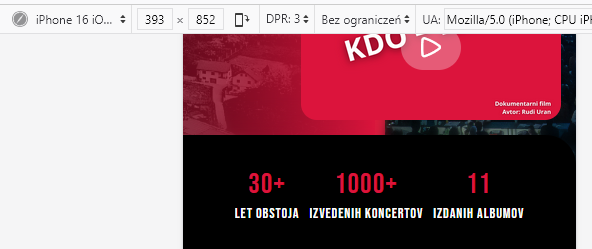
About counters on mobile view, it was designed to be like that, so only via CSS you can change it

You can try something like that

@media screen and (max-width: 580px) {
.addon-root-animated-number {display: inline-block;border: 5px solid black;}
}

info_3067_2026.png

Tilen Harc Asked this

Hi!
Thank you very much and sorry for the late reply.
Best regards

Log in to reply.