Hi Team,
I dont want the menu titles of mega menu to be links that route towards home page, it should be just a title, no mouse over hover. how to do that?
see mega menu here https://mero.arkiadesign.de/
Hi Team,
I dont want the menu titles of mega menu to be links that route towards home page, it should be just a title, no mouse over hover. how to do that?
see mega menu here https://mero.arkiadesign.de/
Hi. Add this code
.nohand .menu-toggler {
    pointer-events: all;
}Hello
Thank you for your query. Kindly allow me some time, i will look into it and get back to you soon.
Salam Ariba and thnx!
I would say my case is a problem for many helix users...
the same is here on another project: http://bio.arkiadesign.de/
see main menu item title "Bioökonimie" if i click on, i get back to index page....there should be no link...
Walaikum Assalam
Kindly check the screenshot below
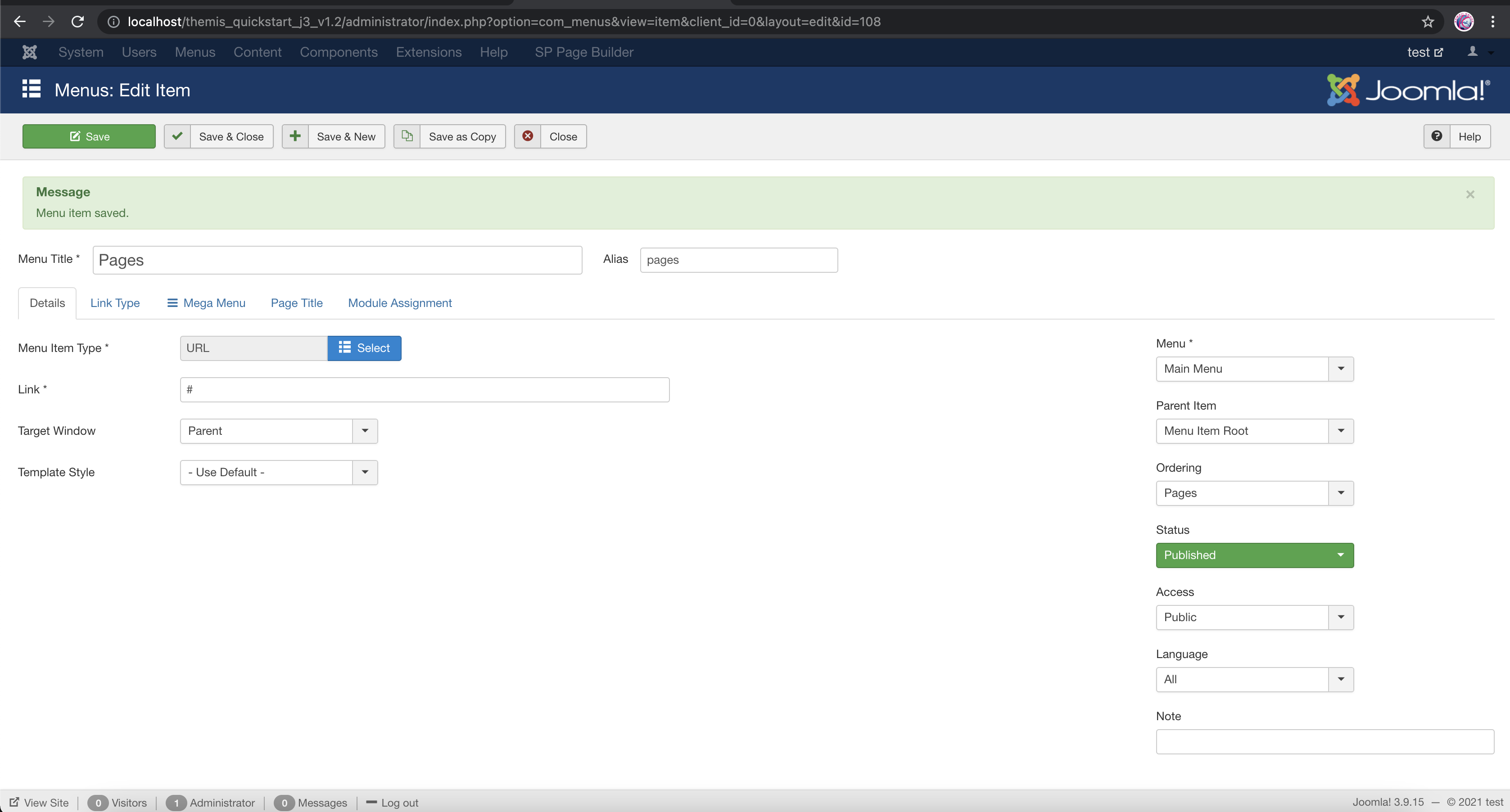
If you only want to show a menu as title, you can edit that menu item like shown in the screenshot. In that case, keep the Menu Item Type as URL and Link as #
Salam Ariba,
thank you but this is only half solution for still there is mouse hover action. it should be plain text. I know one solution but this is more work: I can create modules with text addon and via mega menu I can embed it in the right place but this is unusual act in the menu....
another question: why do I always get 2 mails if you send one post???
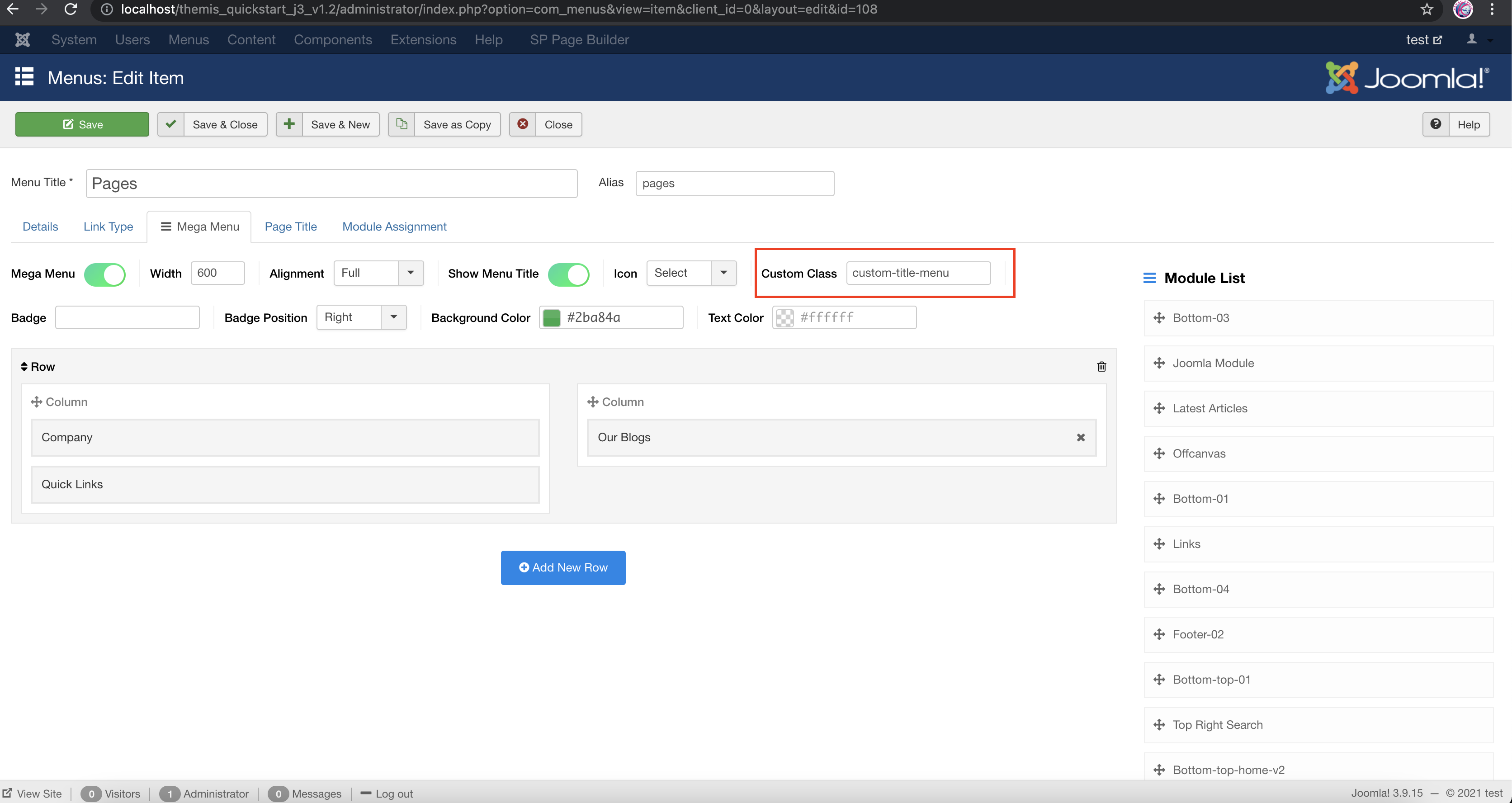
You can edit the Menu- from Mega menu tab provide a custom class as shown in the screenshot.
You can add this code in Custom CSS just like i have added in the screenshot below:
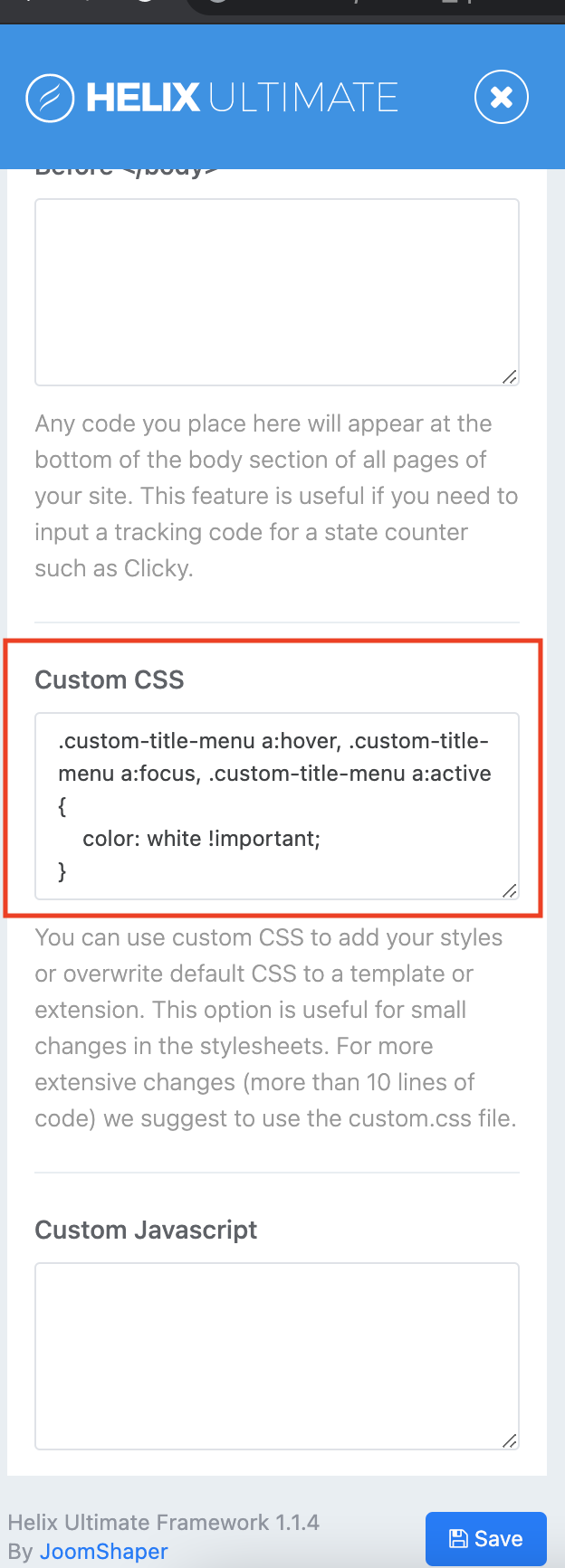
.custom-title-menu a:hover, .custom-title-menu a:focus, .custom-title-menu a:active {
    color: black !important;
}
Regarding the two emails, i am sorry but i don't know the reason behind that.
Hello
Could you kindly let me know if it is working now?
Please do let me know if there is any other issue, i am happy to provide answers. If there is no other query, kindly accept the response in order to resolve and close the issue.
Thank you
Hi Ariba,
I am not really happy with this solution and my customers arent as well. In Joomla Core I can have a menu item ("seperator") just as plain text without hover and #. it seems it is an issue of your framework.
As example see my website https://www.arkiadesign.de/ see menu item in main menu "tee"
Hello
Thank you for your patience. It is not actually an issue of the framework, kindly check the screenshot provided above, you will find the option there to do that. If there is any other problem, can you kindly specify so that i can understand better and look into it.
I saw the screenshots, but they change only the hover behaviour......mouse hover > hand comes and if I click on it I get .../#
it should not be clickable
You can use the following code in custom css to make it not clickable:
Also, please set menu link type as "mega menu heading" to avoid '#'
.custom-full-menu:hover >a {
    cursor: default;
    pointer-events: none;
}sorry this does not help. see https://www.biooekonomierat-bayern.de/ with Menut item: "Bioökonomie"
I also added the class custom-full-menu to the menu item, still no succes
Hi. Try this (For Bioökonimie item. You have class nohand in this item )
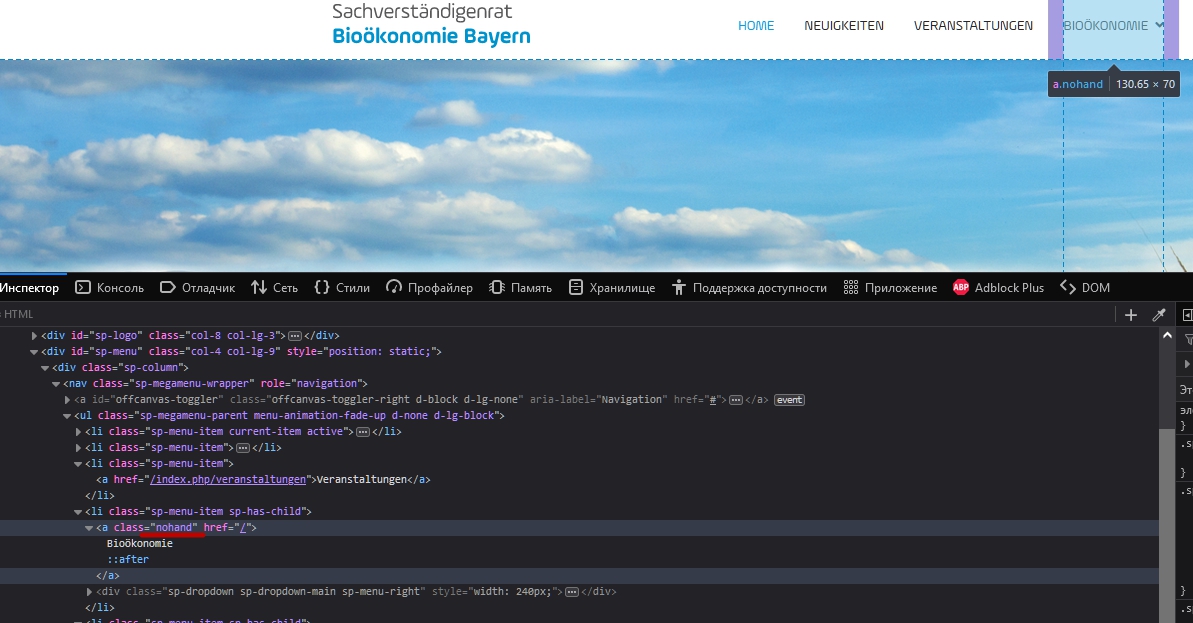
.nohand {
    pointer-events: none;
    color: inherit !important;
}
Add the same class to any other items where you need this behavior.
Dear Pavel,
thnx, on desktop it works but on mobile view I cant open the drop down submenu under "Bioökonomie"
Thank you Pavel, appreciate your response.
Hi Ariba . You are wellcome
Dear Pavel,
you are my hero!!! Thnx a lot for the code, now after all it is how i wanted it. Just great!
cheers, martin
Hi Martin. You are wellcome
Hi Pavel,
I use your code with "nohand" on also this website: 2021.tierportal-muenchen.de/
Now there is no hand on desktop view on the menu item "Veranstaltungen" which is fine, but on mobile view I cant get to the related submenu items. what to do? see here http://www.responsinator.com/?url=2021.tierportal-muenchen.de%2F
...it seems there was an update. now it is not necessary to implement extra code "nohand". I can configure it on menu items joomla level. :-)
Hi Martin. Try this code
@media (max-width: 991px) {
    .menu-separator .menu-toggler {
        width: 100%;
        height: 100%;
    }
    .menu-separator .menu-toggler::after {
        position: absolute;
        right: 0;
    }
}it is not not necessary any more, for in latest helix update it seems that you fixed this prob. now I just use menu itm seperator and it works without any extra code
This code for the Menu Seperator would be fully clickable in the mobile version, since the default Menu-Toggler is very small and it is very difficult to push it by a finger.
(I'm not a member of the team, just a user)

