Hi,
I made a custom font for my brand and uploaded it on SPPB Font Book. It works fine on my computer but on mobile it is replaced by a regular font. How can I solve this please ?
It's on the H3 on my website sandralapuyade.fr, font "SL Formes"
Hi,
I made a custom font for my brand and uploaded it on SPPB Font Book. It works fine on my computer but on mobile it is replaced by a regular font. How can I solve this please ?
It's on the H3 on my website sandralapuyade.fr, font "SL Formes"
Hi Sandra,
Could you please share the URL of the page where the issue occurs, along with a screenshot showing the H3 text and the font settings in SPPB Font Book?
This will help us check the issue and identify why the custom font is not being applied on mobile.
Best regards,
Hi Ziaul,
It's on this page : https://sandralapuyade.fr/
The font is applied on custom.css
h3 {
font-family: SL Formes !important;
font-size: 2.5em;
text-transform: uppercase;
}
![(https://ibb.co/v6kTnDmM)] : how it's displayed on computer (even on a small window)
![(https://ibb.co/8DK67PBf)] : how it's displayed on mobile
![(https://ibb.co/2Y3cxZrq)]
(It's a little complicated to add pictures on here)
Hi Sandra,
Thanks for the details. We checked your page on a phone and the "SL Formes" font displays correctly there, the same as on desktop. So the font file itself is loading from your site, and the issue looks specific to your phone or browser.
Please try these steps:
Open https://sandralapuyade.fr/ in a private/incognito tab on your phone. If the font appears, it was a cached copy of old CSS or fonts. Clear your browser cache (and your site cache or any caching plugin/CDN) and test again.
Try a second browser (for example Chrome and Safari). Some phones handle font formats differently.
Make sure you are opening the link directly in the browser, not from inside Instagram, Facebook or a messaging app, and that no data-saver or reader mode is on.
Check here: 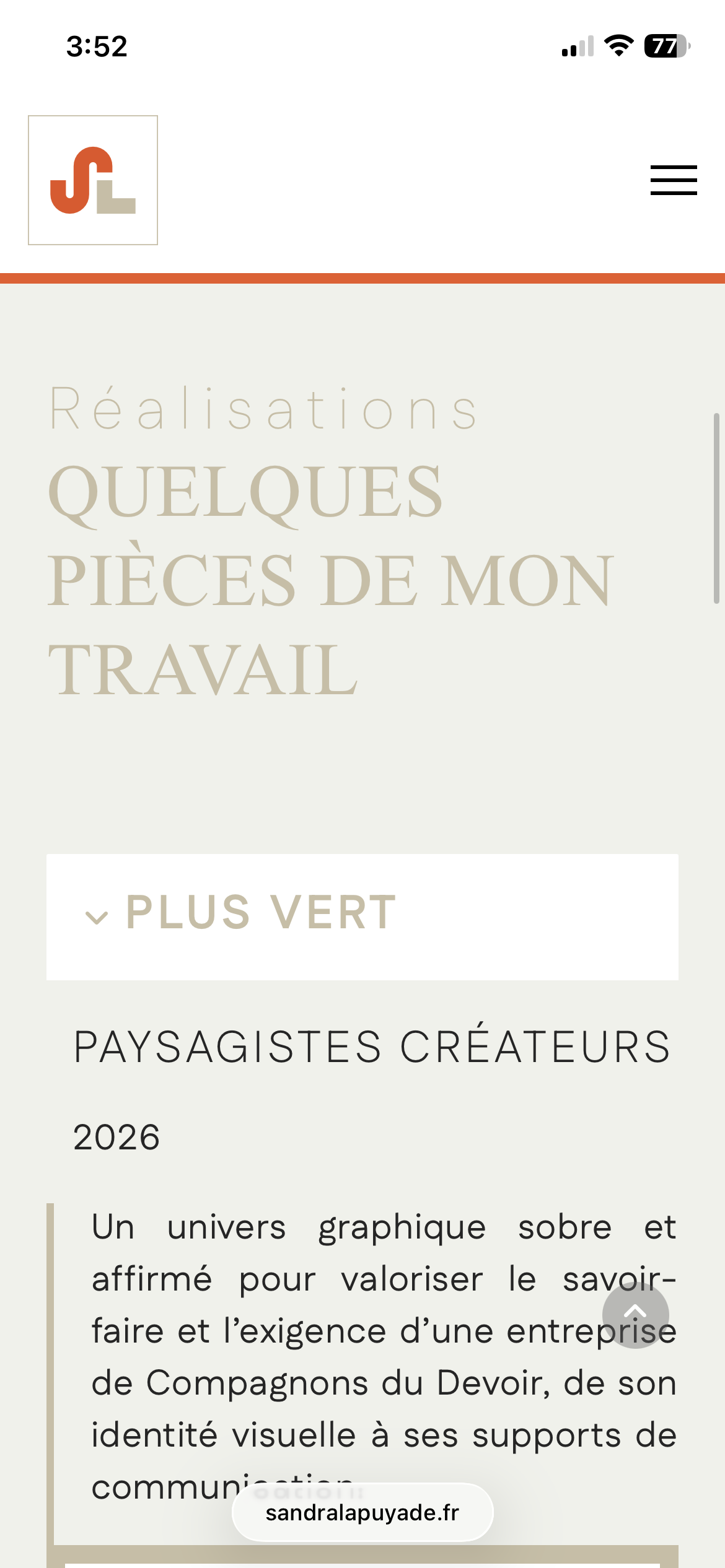
If it still shows a regular font after these steps, please tell us your phone model, OS version and browser, and we'll look into it further.
Best regards,
