Search button in Folium template - Forum | JoomShaper
Solved Templates

Search button in Folium template

Asked by matak 5 years ago Last activity 5 years ago

I've just realized there's no customization in the Folium template for the search module in the top-right position. I'm done now with my website designing, so I don't really want to change templates just because of that.

But it'd be nice to have a search icon to be placed in the main menu in the top right position, something like this for instance:
http://demo.joomshaper.com/2017/educon/

How hard is it to get something like that on Educon? I'm using the Educon template on another website I manage, of course

Thanks

Accepted answer

Marked as the solution
Ofi Khan Staff

Hello matak

Please follow the steps very carefully. Hopefully, you will be able to implement it.

  1. Unzip the attached ZIP file and add the topsearch.php file to this location: templates\folium\html\mod_search

topsearch.zip

  1. Unzip the attached ZIP file and add the custom.css file to this location: templates\folium\css

custom_css.zip

  1. Unzip the attached ZIP file and add the custom.js file to this location:
    templates\folium\js

custom_js.zip

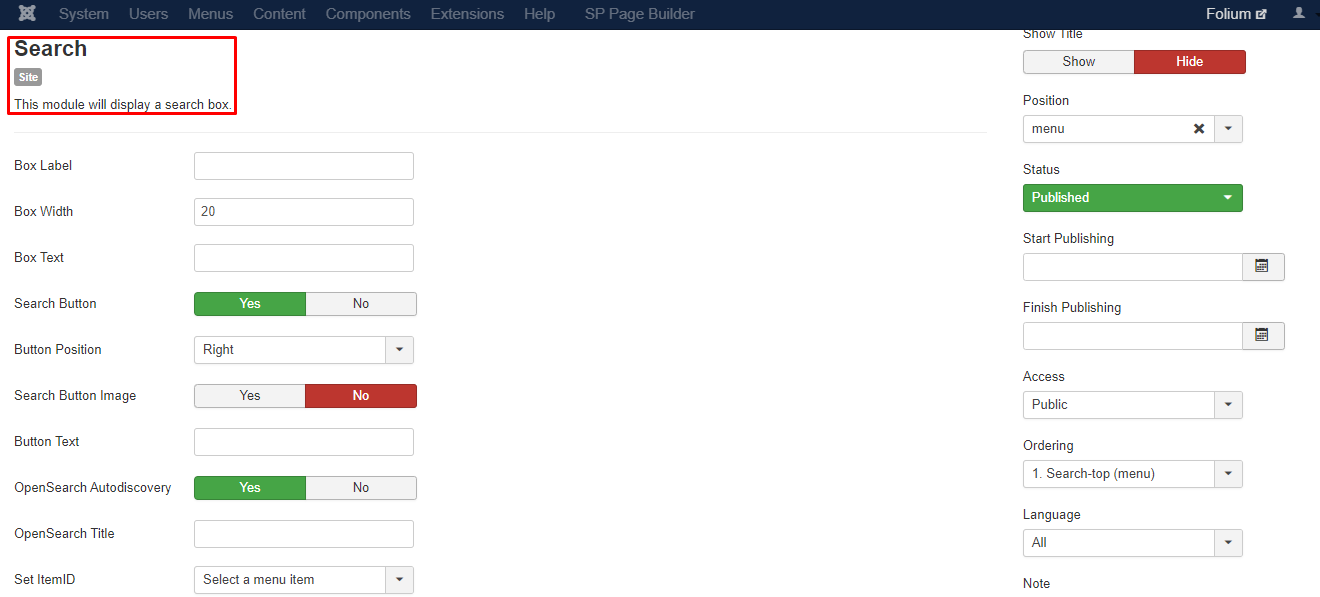
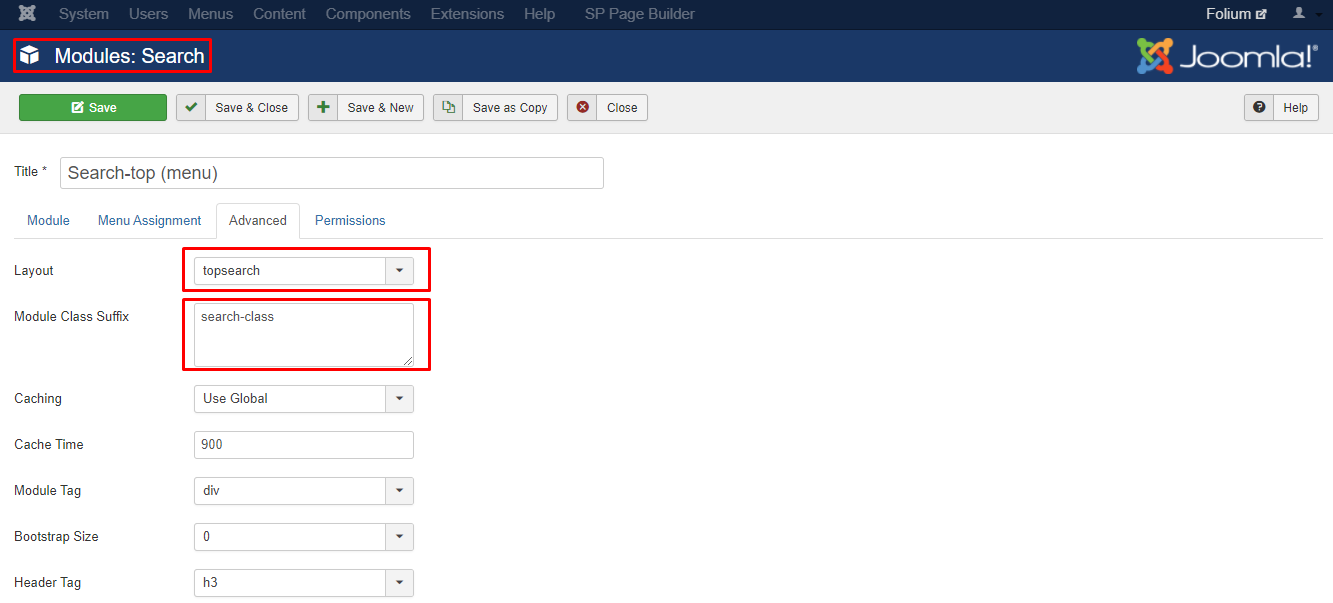
  1. Go to Extensions -> Modules in the administrator and take a SEARCH module and use these settings.

Screenshot_513.png

Screenshot_514.png

Best regards

10 more replies

matak Asked this

This worked like a charm, thank you so much!

Ofi Khan Staff

You are welcome

BassLast

Work it also in the "Doctor" template?

Ofi Khan Staff

Might be or might be not. You need to check by yourself.

BassLast

Hi Ofi!
Thanks! It works.

How can i set the search? Only categories, articles.

Thanks. Best!

Ofi Khan Staff

I am glad to know. You are welcome. Please post a different question about it.

BassLast

Okay. In need the content from SP-builder, but i don`t want to show it in the search results.

BassLast

Thanks! I got it.

Ofi Khan Staff

Hello Carey Butterworth

Helix 2 has a lot of changes. This is why this solution might not work on the latest template version. Sorry, we do not provide customization support. If you want this, then please do it by yourself. But this forum solution will give you hints.

Best regards

Log in to reply.