hi , i am using konstra template and it has already installed the simple portfolio, i found that i can use my own url for the item at the url section, but seems not to be working, everything i am using it still brings the default url. How can i use my own?
Solved
Extensions
Change default url for simple portfolio item
Accepted answer
Marked as the solution
Ofi Khan Staff
Please go to SP Simple Portfolio items and change item alias. Then URL will be changed.
15 more replies
Ofi Khan Staff
Hello Tom
Please check SP Simple Portfolio Settings for URL options The URL option inside the item setting is for a different purpose.
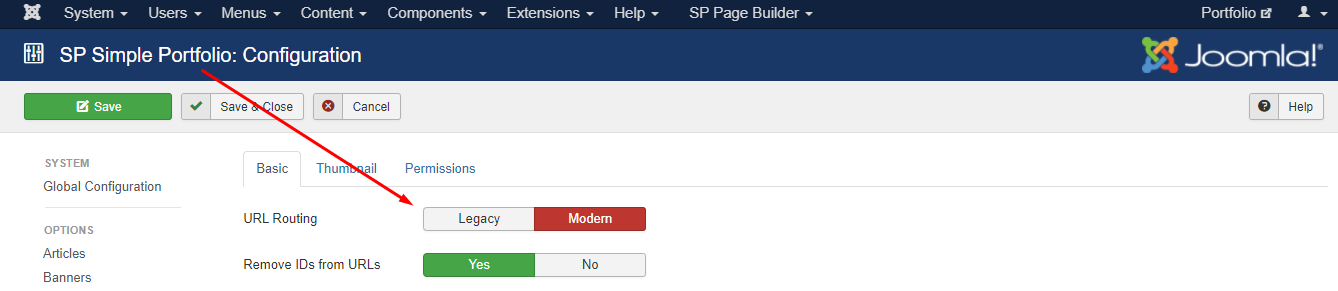
Best regards
Tom Asked this
Thanks for your quick reply, but i do not have that option, see image below.
Thanks

Ofi Khan Staff
You probably forgot to share the image. Please share it.
Tom Asked this
Ofi Khan Staff
Install SP Simple Portfolio again and check your issue.
Tom Asked this
Nothing change, same problem.
Thanks
Ofi Khan Staff
Please share your administrator access here to check. Use the Hidden Content box to share the credentials.
Tom Asked this
Same broblem to a second site i have, i wll provide admin access for both.
Thnaks again.
Tom Asked this
Do we have any good news?
Thank in advanced
Ofi Khan Staff
My apology! This option is removed on the latest build. My version was outdated.
Tom Asked this
So is there any way to change the items url?
I have seen the below options but seems not to be working
http://in-games.eu/images/Untitled2.png
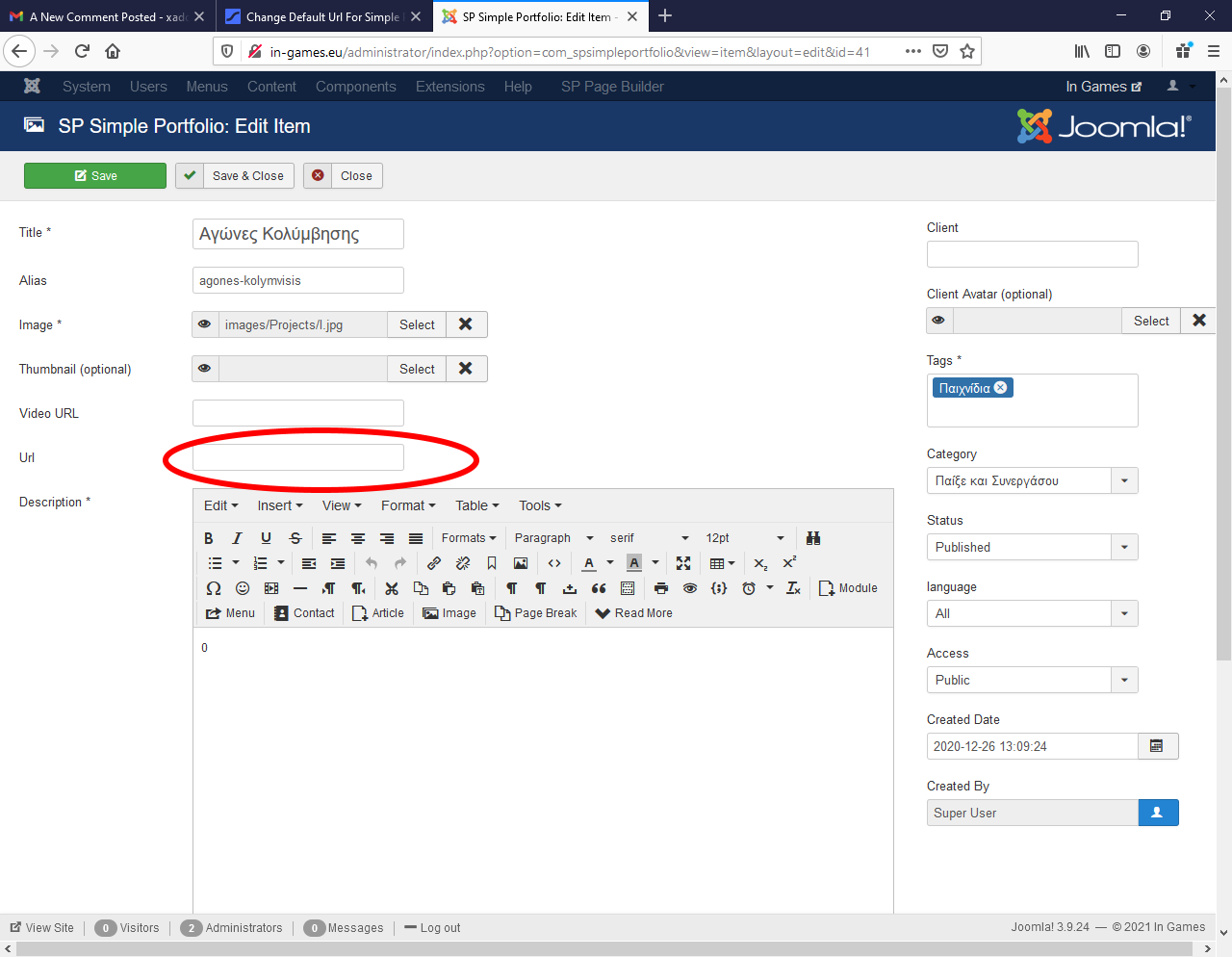
Thanks again
Ofi Khan Staff
It is not for changing the URL. Use any URL and check. You will understand it.
Tom Asked this
OK, but how i can change the items url?
Thanks
Tom Asked this
Thanks for your help
Ofi Khan Staff
You are welcome
Log in to reply.