After upgrading To Helix Ultimate 2.0.4 the border inside table (in articles) is invisible, but only on computer.
On mobile is OK.
Sample link: https://mierzyn.pl/aktualnosci/news/gis-tlenek-etylenu-w-kremie-i-napojach-roslinnych-isola-bio-20210915
After upgrading To Helix Ultimate 2.0.4 the border inside table (in articles) is invisible, but only on computer.
On mobile is OK.
Sample link: https://mierzyn.pl/aktualnosci/news/gis-tlenek-etylenu-w-kremie-i-napojach-roslinnych-isola-bio-20210915
Czesc Grzegorz,
Please listen Pavel advice.
You have two options:
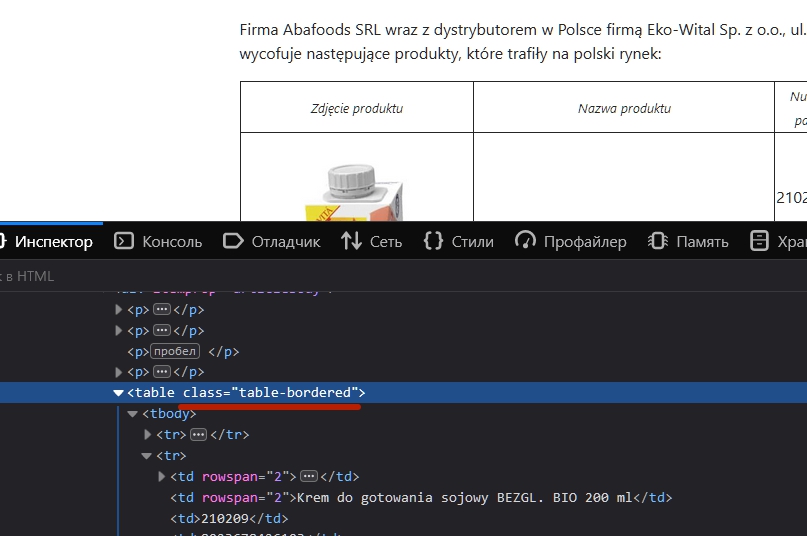
<table class="table table-bordered">.article-details table td {border: 1px solid black; padding:5px;}
Both ways are fully OK and recommended.
Hello there,
Please share two screenshots of the border visible and invisible so that we can have a better understanding.
Thanks!
Hi. By default, in bootstrap 5 border-width: 0;. Therefore, you just need to stylize your table. Or better way - use tables from bootstrap documentation https://getbootstrap.com/docs/5.0/content/tables/. You just need to delete existing attributes and add the necessary classes in the <table> tag.
Exemple with bootstrap table class
It works :)
Thank you!


