Helix Login Module - Forum | JoomShaper
Solved Helix Framework

Helix Login Module

Asked by Francois Barnard 5 years ago Last activity 5 years ago

Hi

The login module activated by the Helix at Template Options | Basic | Header is functional. However, after login, I am redirected to the user's profile page, and I do not want to see that. The Login Module of Joomla allows you to set the redirection page, but I have no such option doing it from the Helix Framework.

Am I missing something?

Regards,

J. Francois Barnard

Accepted answer

Marked as the solution
Ofi Khan Staff

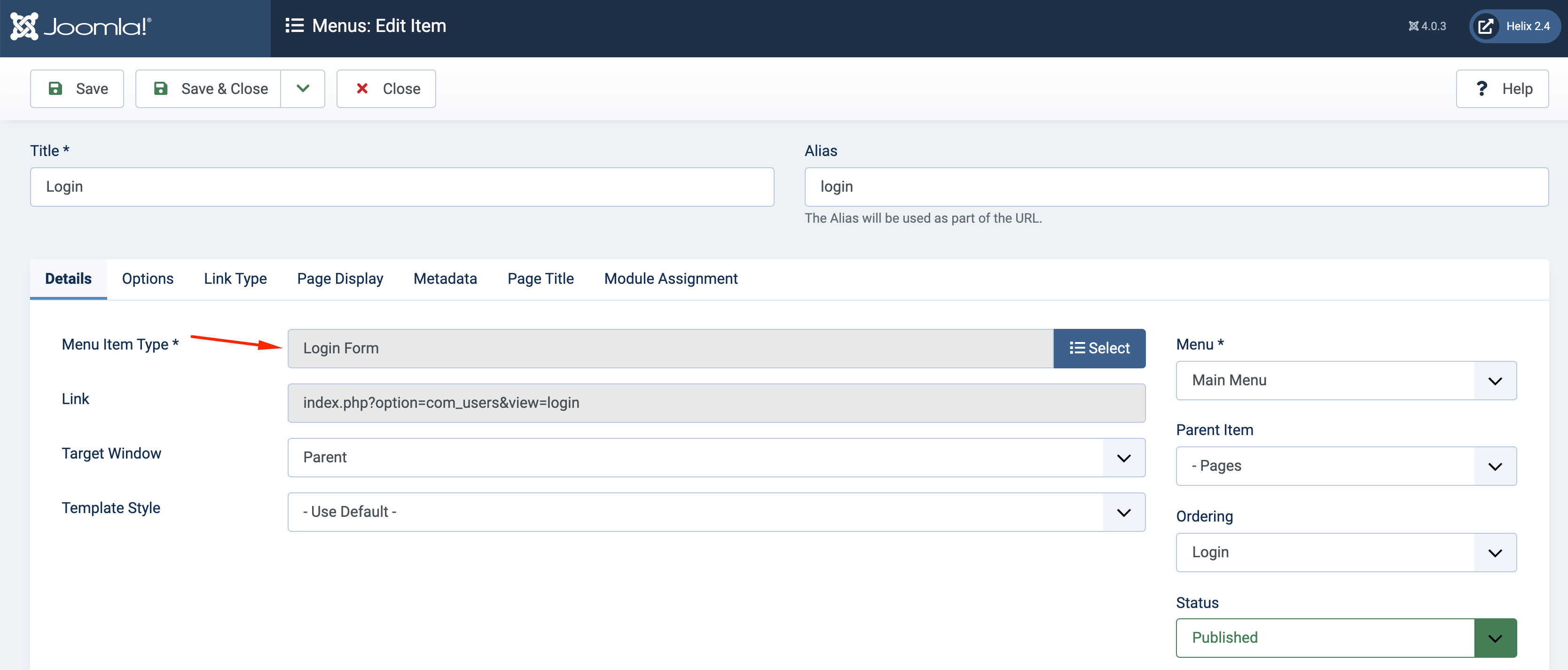
In that case, take a menu item of type Login Form and then change the redirect. You can hide the menu item if you do not want to show it.

Screenshot at Oct 04 11-48-24.png

4 more replies

Ofi Khan Staff

Hello Francois Barnard

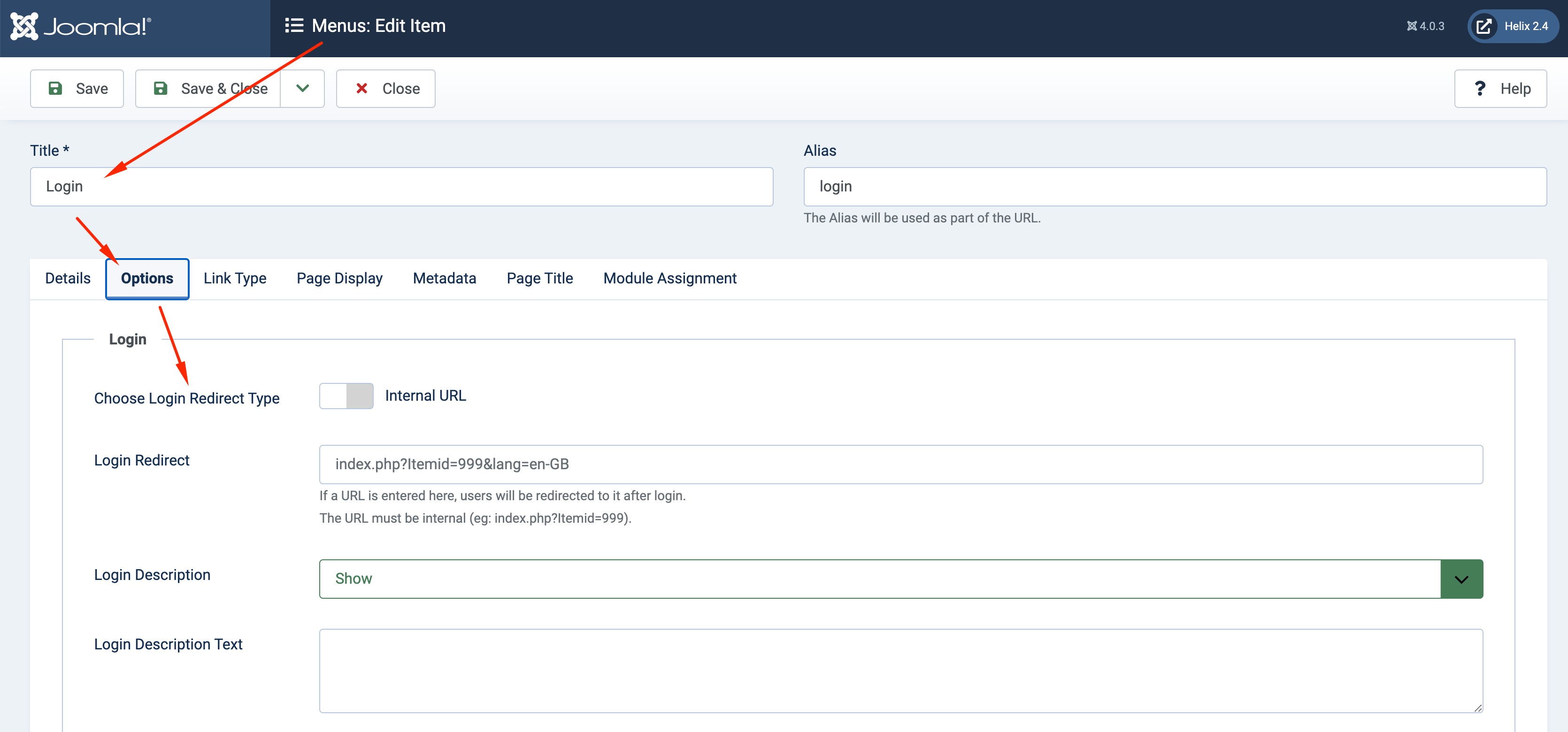
Please go to Login menu and change the login redirect in the options settings.

Screenshot at Oct 02 17-43-00.png

Best regards

Francois Barnard Asked this

Dear Ofi

Thank you for your reply.

I have no "menu item" for Login. The Login I use is part of the Helix Template. You switch it either on or off in Template Options | Basic | Header. That is the only option - on or off. There is nothing more you can adjust.

These are the only menu items I have:

This is where I activate the login menu in Helix Ultimate (Template Options | Basic | Header:

This is what it looks like before login:

This is what it looks like after I click on "Sign In":

This is where it redirects to after login:

If my session times out after a while and I click on a menu item, the login screen appears, I log in and instead of going to the selected menu item, it goes to the User Profile Page. I do not EVER want to show the user's profile page.

Regards,

J. Francois Barnard

Francois Barnard Asked this

Thank you, Ofi, that worked.

Ofi Khan Staff

You are welcome, Francois

Log in to reply.